Feed Using the App
💡 First time using the mobile app? Be sure to Configure Mobile App Settings before you attempt to start feeding!
The FeedComp app is your tool for completing the daily feeding schedule. It guides you through loading and dropping, while tracking weights, progress, and timing to ensure accurate, consistent feeding. The mobile app is designed for quick, easy, and efficient use by feeders. It focuses on the tasks feeders perform most often, with minimal navigation.
Before feeding, make sure your device is connected to the correct scale. See Configure and Connect the Scale to learn more.
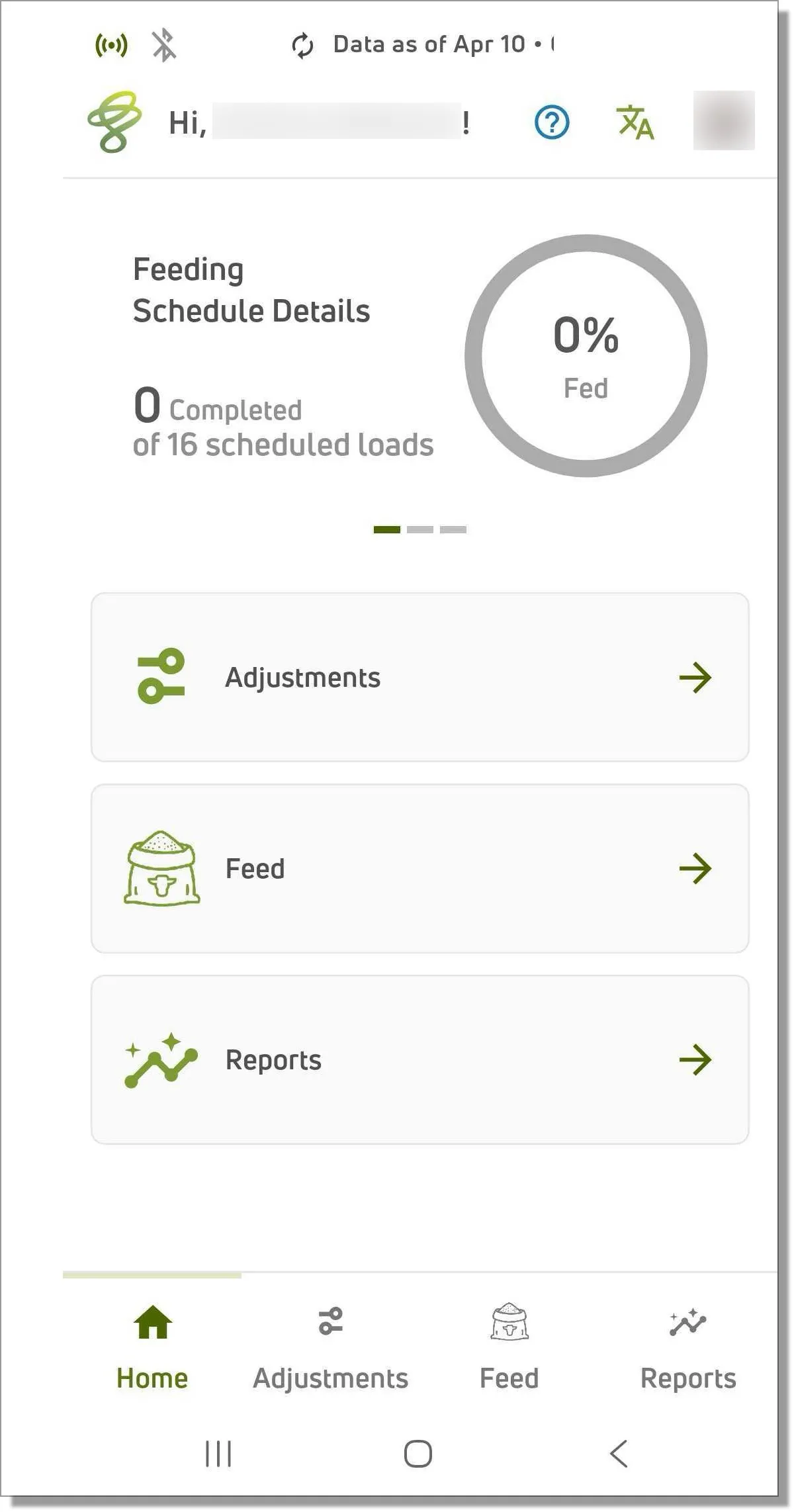
The feeding schedule at the top of the mobile app home page gives an at‑a‑glance view of the day’s work.
- Swipe left and right to view all feedings scheduled for today.
- Each feeding is displayed in sequence, making it easy to see what needs to be done next.
Quick access options in the middle and bottom of the home page take you straight to common tasks. See the topics below to learn more.
See Loading and Dropping for detailed instructions on completing feedings using the mobile app.
Adjustments
Tap the Adjustments option to quickly adjust feeding components while out on the farm, including:
- Pens
- Recipes
- Feedings
Feed
Tap the Feed option to view or adjust feedings and the feeding schedule, create Batch Feedings, and use Manage Weighbacks.
Reports
Tap the Reports option to take a quick look at your feeding history, ingredient usage, error reports, and other information on completed feedings. See View Reports for more information. For details about completed feedings and feeding activity, see Feed History Report.