Transfer Animals
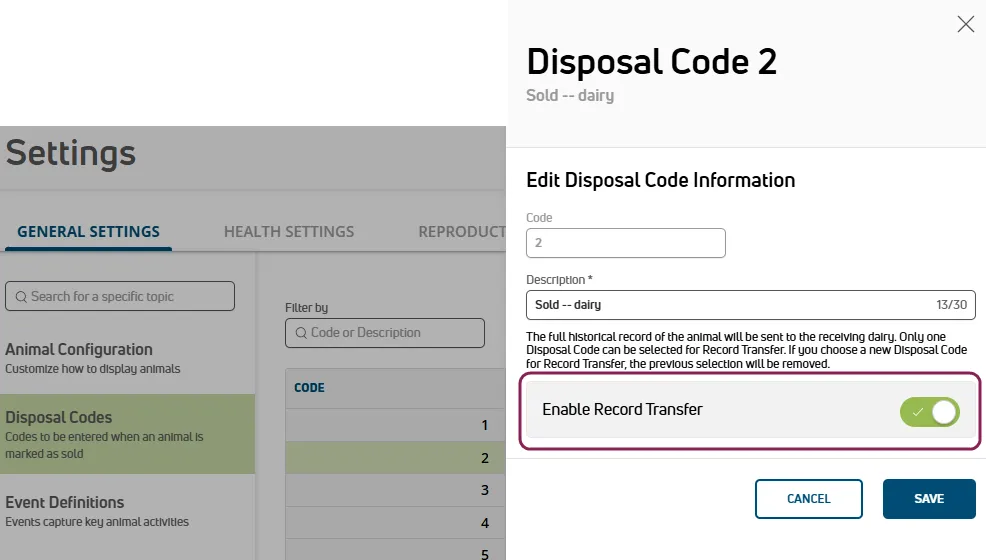
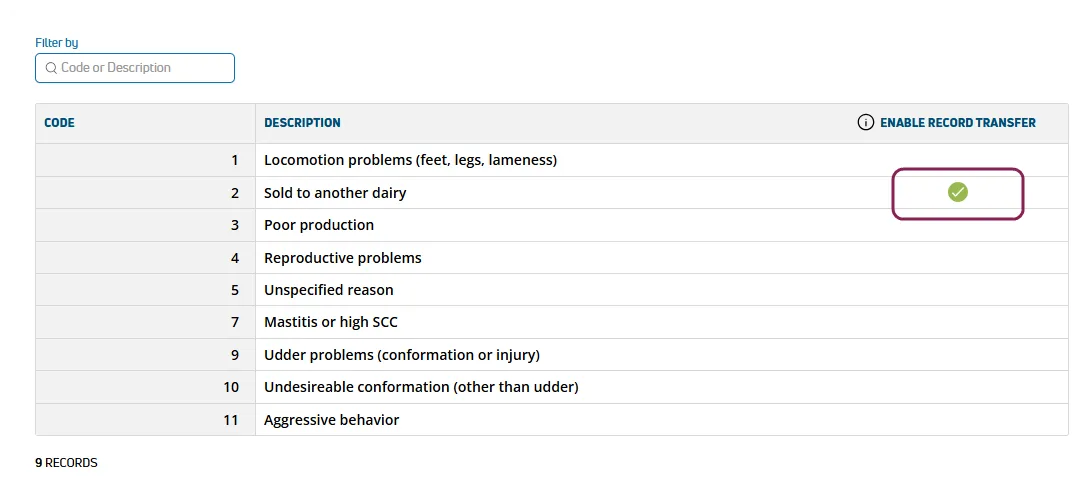
You can transfer animals and their associated records between two PULSE-enabled dairies or source farms. This feature streamlines selling animals or merging herds by keeping data consistent across locations.
You can find this feature under the DairyComp/MyDCDairyComp/MyDC > AnimalsAnimals menu.
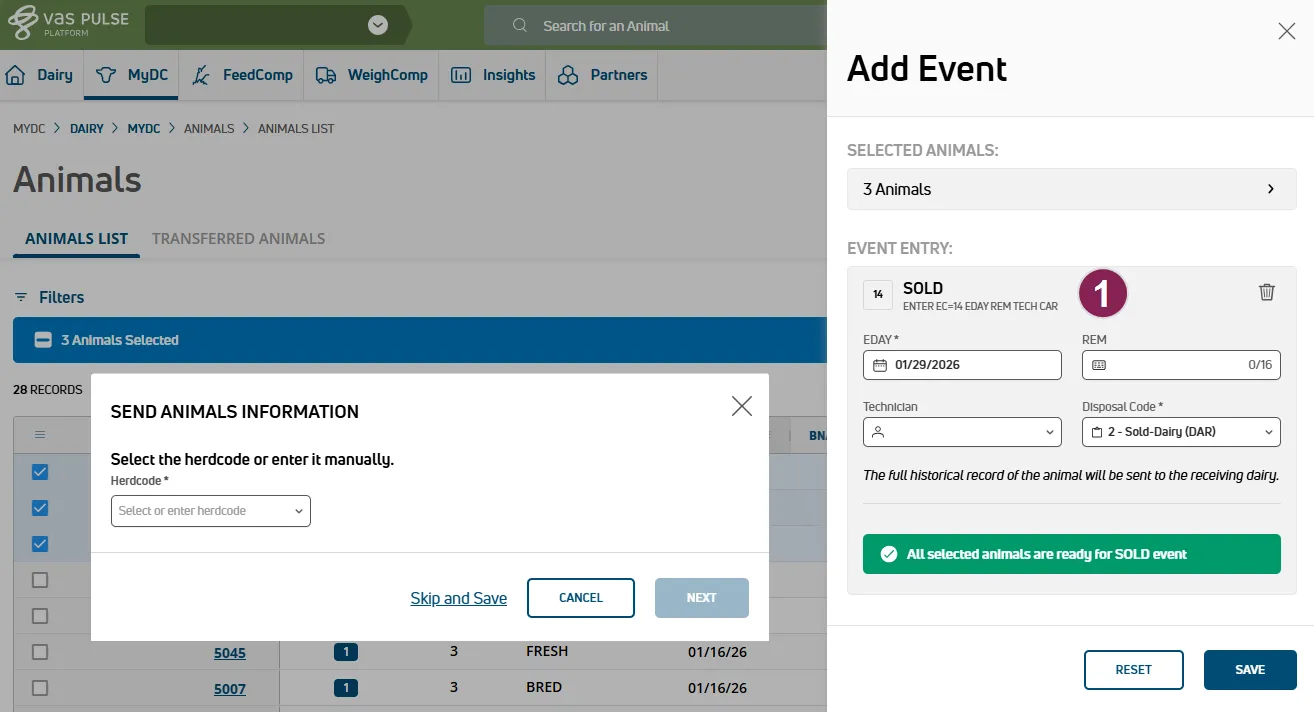
🗒️ NOTE:
- Use this feature for permanent relocations. For recurring data sync with heifer growers, continue using iTrans (iLoop and DNT files).
- For animals with previous lactations, PULSE sends data for all lactations automatically.
Expand the topics below to learn more.
The process for receiving animals is slightly different depending on whether your dairy is set to discoverable in PULSE:
- Discoverable dairies: Automatically connect to receive transfers.
- Non-discoverable dairies: Manually enter the 8-digit herdcode when initiating a transfer. (If you do not have the herdcocde, contact the dairy.) The dairy owner then receives a connection request from the source farm via email (or in PULSE notifications
 at the top of the page and in your Message CenterMessage Center). After the dairy accepts the request, you can review animals pending transfer.
🗒️ NOTE: See Dairy InfoDairy Info to learn more about the discoverable option.
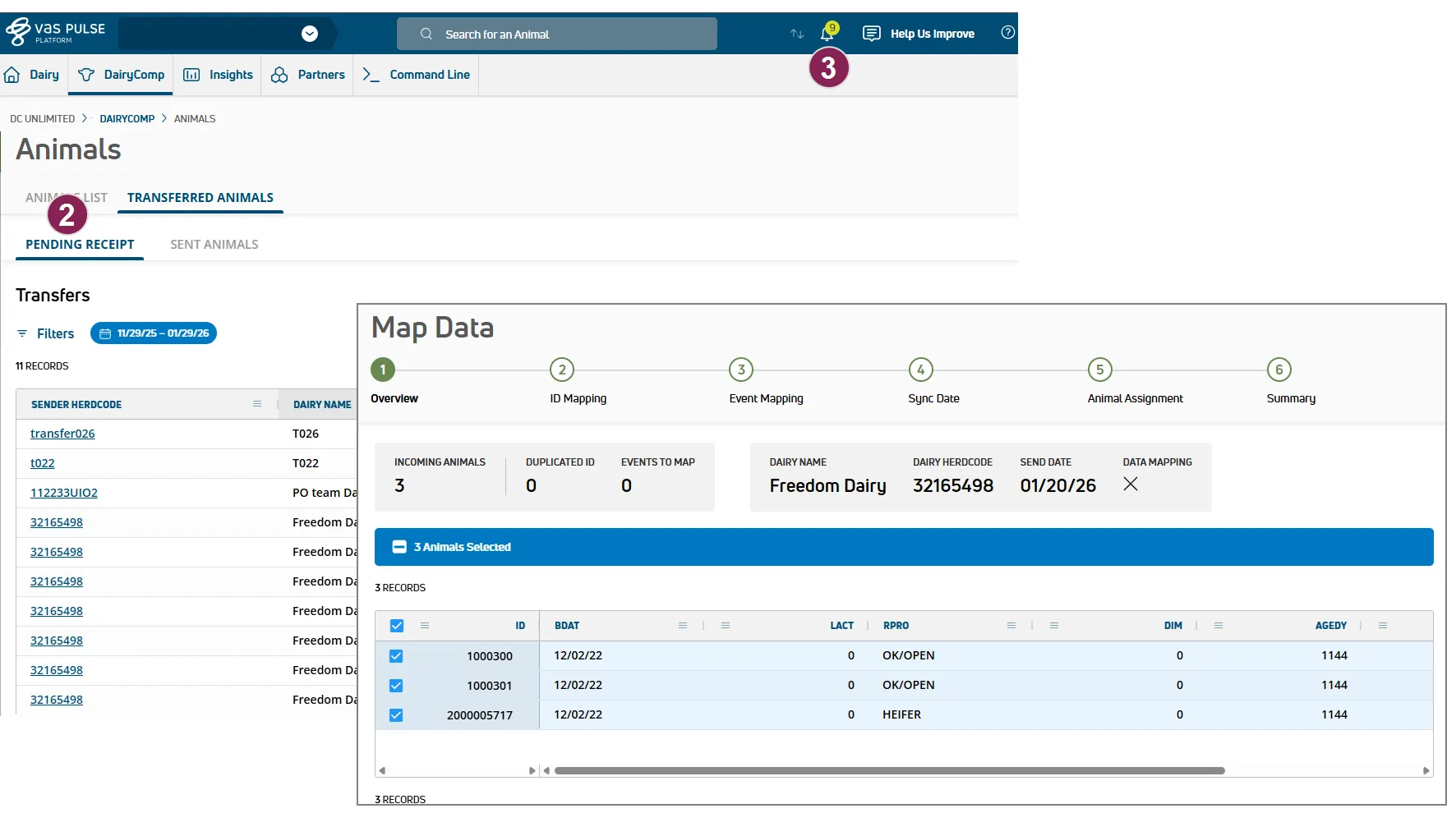
- After the connection to the sender dairy is made, go to DairyComp/MyDCDairyComp/MyDC > AnimalsAnimals > Transferred Animals > Pending Receipt tab.
- Click the sender herdcode to view pending animals.
- To review all animals together, check the box in the top row in the table.
- Map animal IDs, events, sync date, and animal assignments as follows:
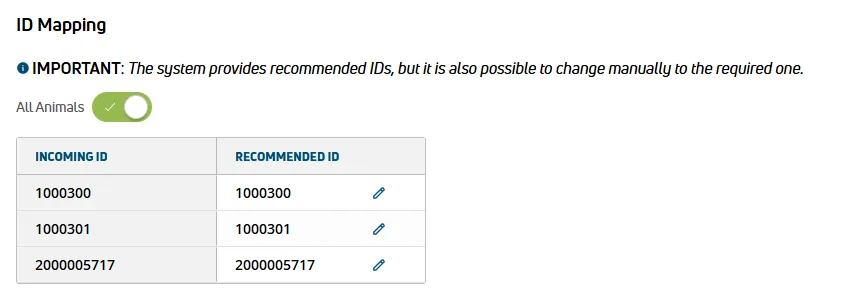
- ID: Click the toggle for All Animals and then the edit icon
 to adjust an animal's ID in your herd.
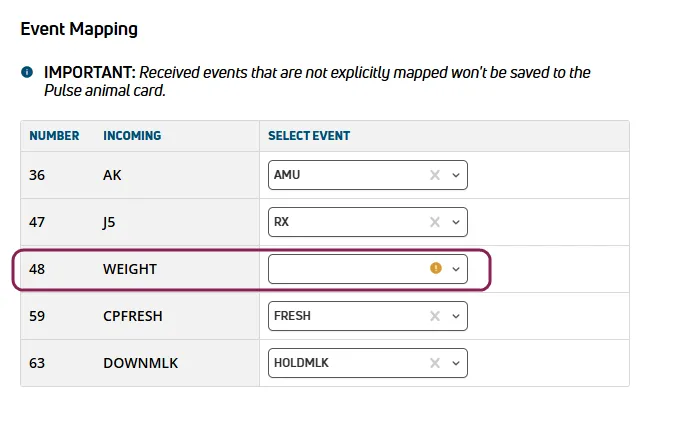
- Events: DairyComp Unlimited dairies can map events if the incoming animals have events that are named differently or do not exist in your dairy. Events for MyDC dairies are automatically mapped if they are standard events. Any events left unmapped are not saved to the animal's CowCard. See Check Connected Farms & Mapped EventsEvent Mapping to learn more about this process.
- Sync Date: Choose whether or not to clear the animal's OvSynch enrollment date. If both dairies are on the same OvSynch schedule, you can keep the same date to continue on the current protocol.
- Animal Assignment: Assign a pen, enrollment date (EDAT), and enter the source farm information or a note.
🗒️ NOTE:
- VAS recommends the keeping the default enrollment date, which is the date the animal was added to your herd.
- The note field is limited to 9 characters.
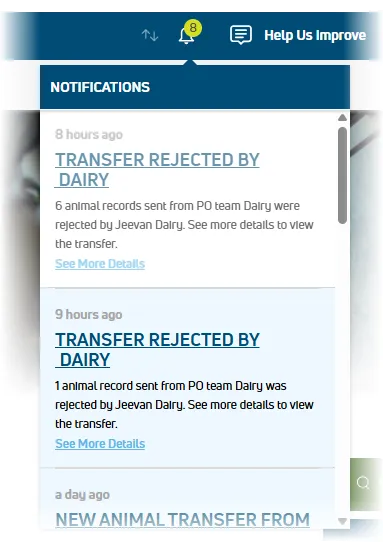
- Accept or Reject each animal. Accepted animals are added to your Animals List in PULSE and added to your herd in DairyComp (for DairyComp Unlimited dairies). Rejected animals are returned to their original farm and PULSE sends a notification to both dairy owners regarding the rejection.
💡TIP for DairyComp Unlimited dairies: If you are trying to receive animals and the Receive button is greyed out:
- Check your DairyComp Integration Status status. The system blocks the Receive option PULSE and DairyComp are out of sync.
- Wait for the sync to complete or Contact Us if the connection remains suspended.
See Resolve ID Conflicts for Transfers (DCU only) if you need to resolve conflicting animal IDs.
Important Distinctions
Event Mapping
- DairyComp Unlimited dairies have the option to map events if the sender dairy has different event names. For instance, the sender dairy may have different vaccination event names, breeding event names, or custom health events. Event mapping allows you to match those unfamiliar events to ones your dairy does use, which preserves key animal data. PULSE saves your event mapping settings, so the next time you buy or receive animals from the same dairy, the transfers can be completed quickly.
- MyDC dairies have standard events, so transfers between MyDC dairies will not require event mapping.
- For transfers received by a MyDC dairy from a DairyComp Unlimited dairy, only standard items are automatically mapped.
- If you choose not to map an incoming event, that event is not saved to the animal's record.
- You can map multiple events from the sender dairy to the same event in the receiver dairy. For instance, the sender dairy may have multiple vaccination events, and the receiver dairy has only one event, VACC.
- See Check Connected Farms & Mapped Events to learn more.
Discoverable Dairies
- Discoverable dairies: Automatically connect to receive transfers.
- Non-discoverable dairies: Manually enter the 8-digit herdcode when initiating a transfer. (If you do not have the herdcode, contact the dairy.)The dairy owner then recives a connection request from the source farm via email (or in PULSE notifications at the at the top of the page and in the Message CenterMessage Center). After the dairy accepts the request, you can review animals pending transfer.
🗒️ NOTE: See Dairy InfoDairy Info to learn more about the discoverable option.
Transferring Animals in DairyComp
DairyComp Unlimited dairies can also manually move animals in DairyComp using the PUTCOW and GETCOW commands, but VAS recommends using PULSE for standard animal movements between dairies to benefit from the following:
- A guided workflow
- Automated data mapping
- Safety checks to prevent duplicate records
Reserve the GETCOW/PUTCOW commands in DairyComp for technical file operations, such as manually recovering a specific animal record from a backup or archive file. See Transfer Animals from One Dairy to Another to learn more about moving animals in DairyComp.