CowCards
The numerous ways to open and view a CowCard in PULSE ensure you can always access your animals' information in just a few clicks. To make navigating CowCards much easier, familiarize yourself with the features below.
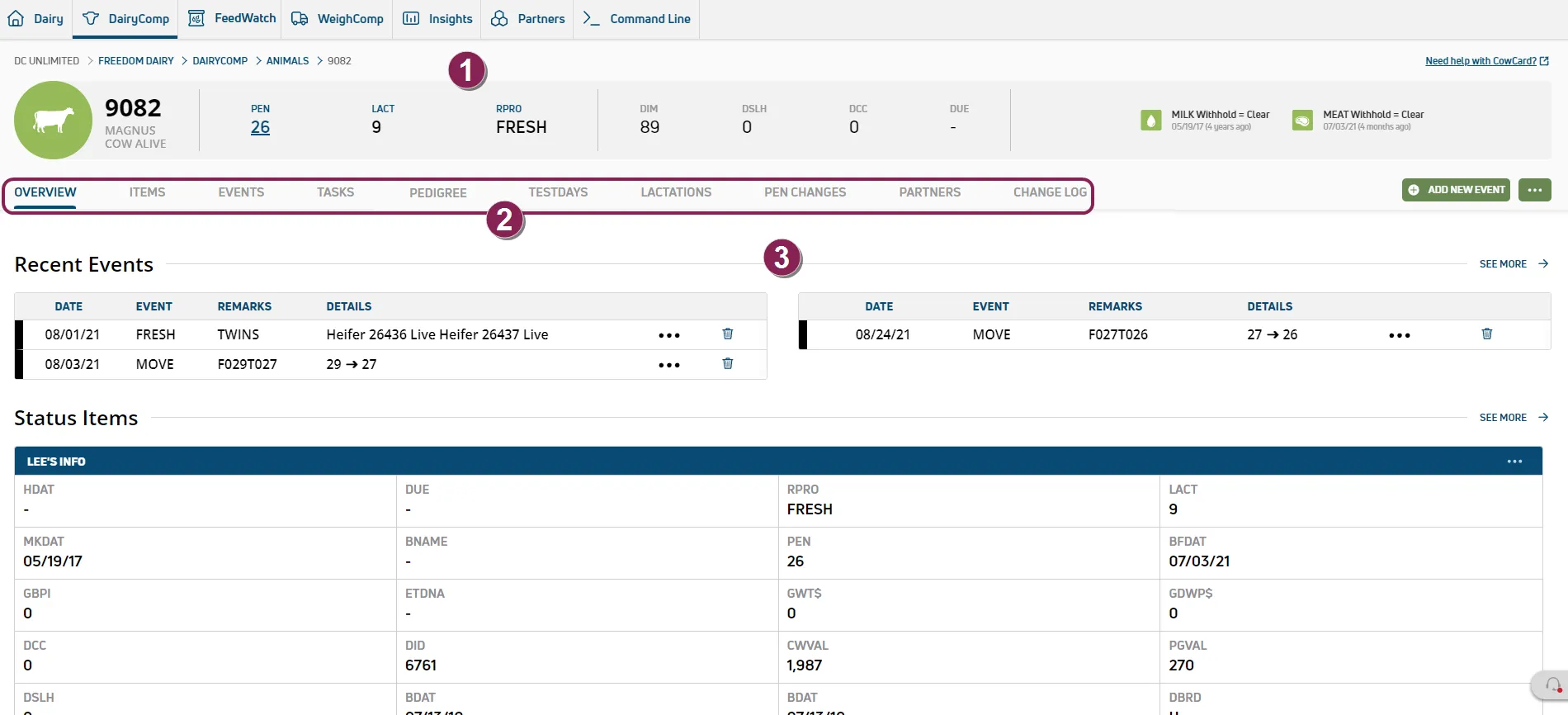
Animal Overview: The bar at the top of the page provides a brief summary of the animal, such as its current pen and reproductive code.
CowCard Page Tabs: These tabs are where you'll find all of the animal's details beyond the summary. By default, CowCards open to the Overview page. Note that the tabs you see here may vary depending on your dairy's PULSE Partner integrationsPartner integrations and subscriptionssubscriptions.
Page Details: This section of the page displays data for the selected tab. The Overview page, for example, displays the animal's most recent events, a summary of its items, and more.
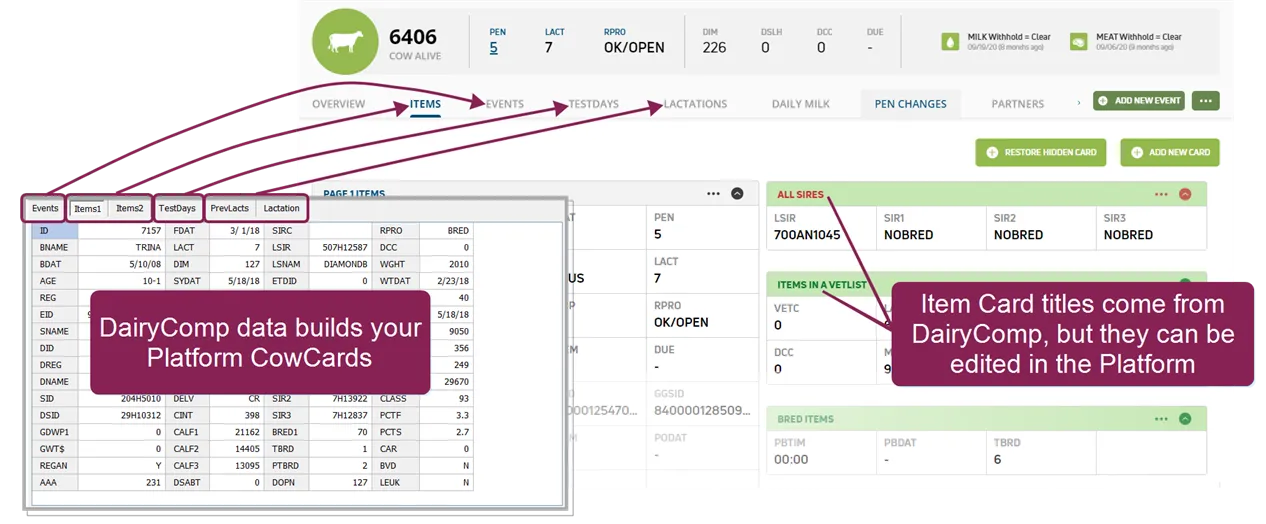
See the topics below to learn more.
- ItemsItems
- EventsEvents
- TasksTasks
- PedigreePedigree
- TestdaysTestdays
- LactationsLactations
- Daily MilkDaily Milk
- Pen ChangesPen Changes
- PartnersPartners