Tasks
1 min
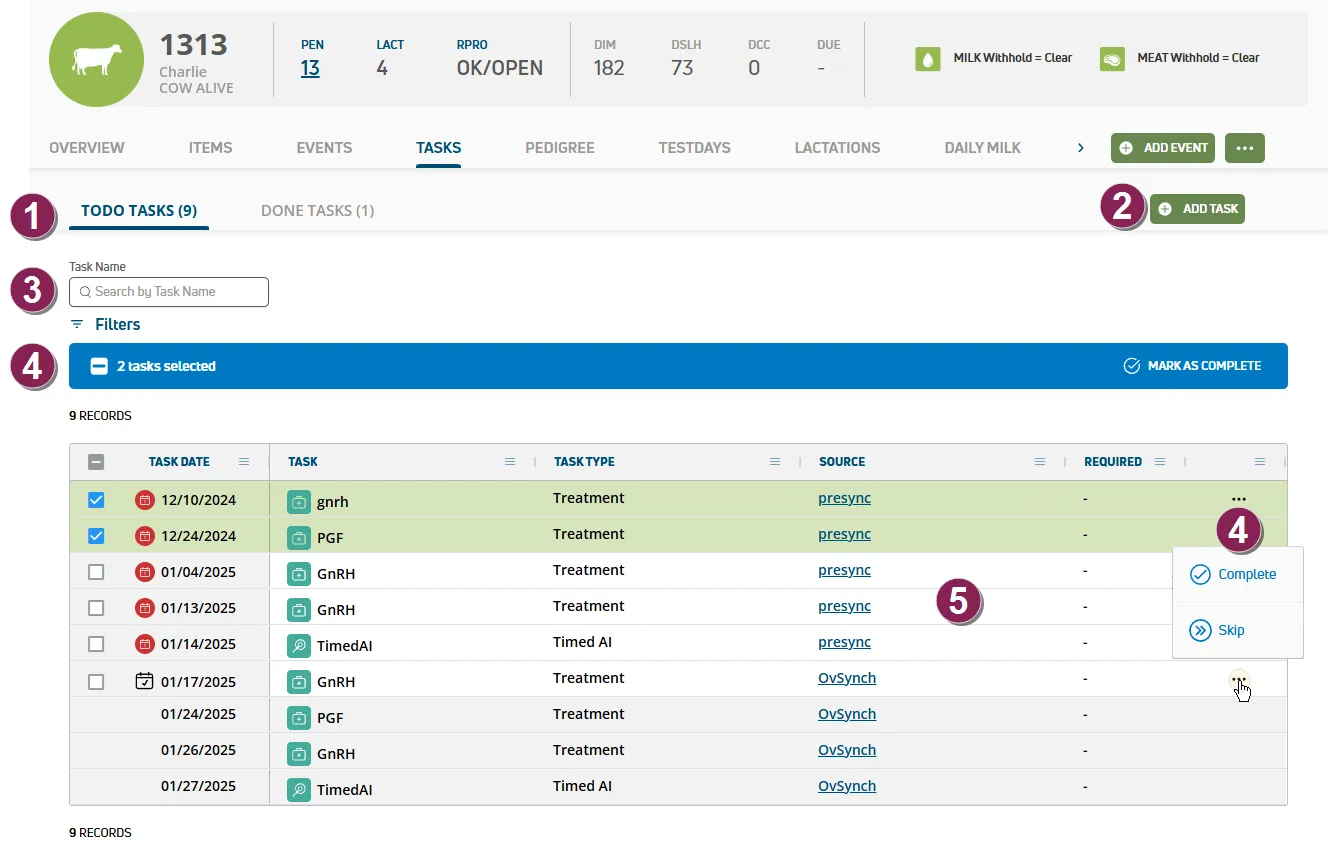
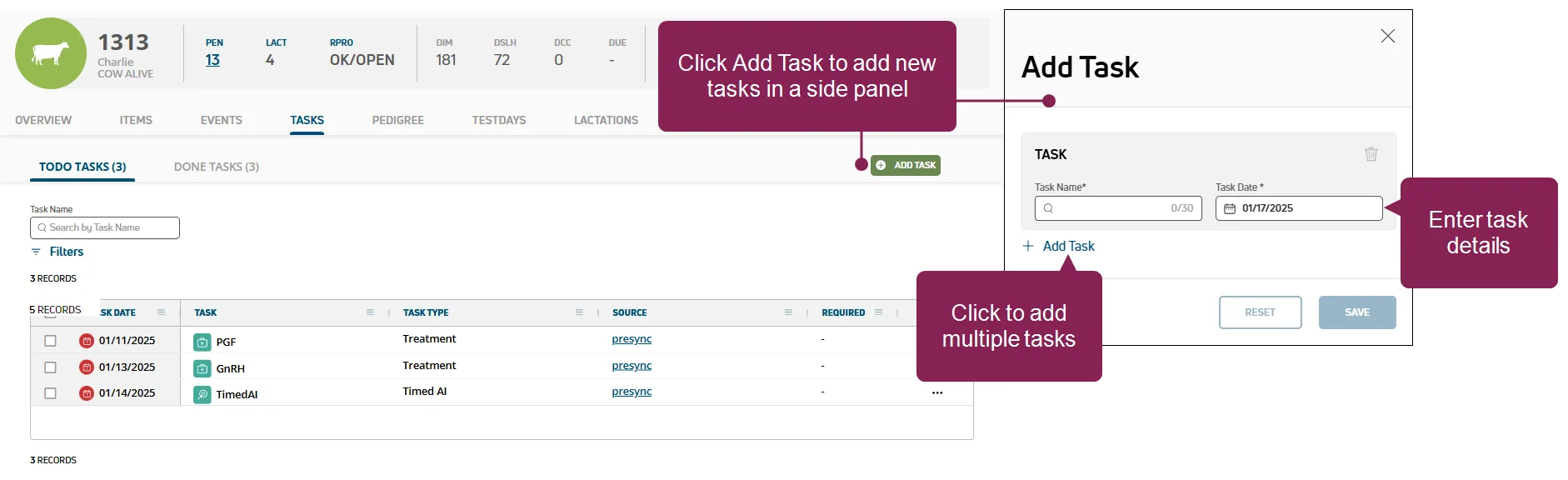
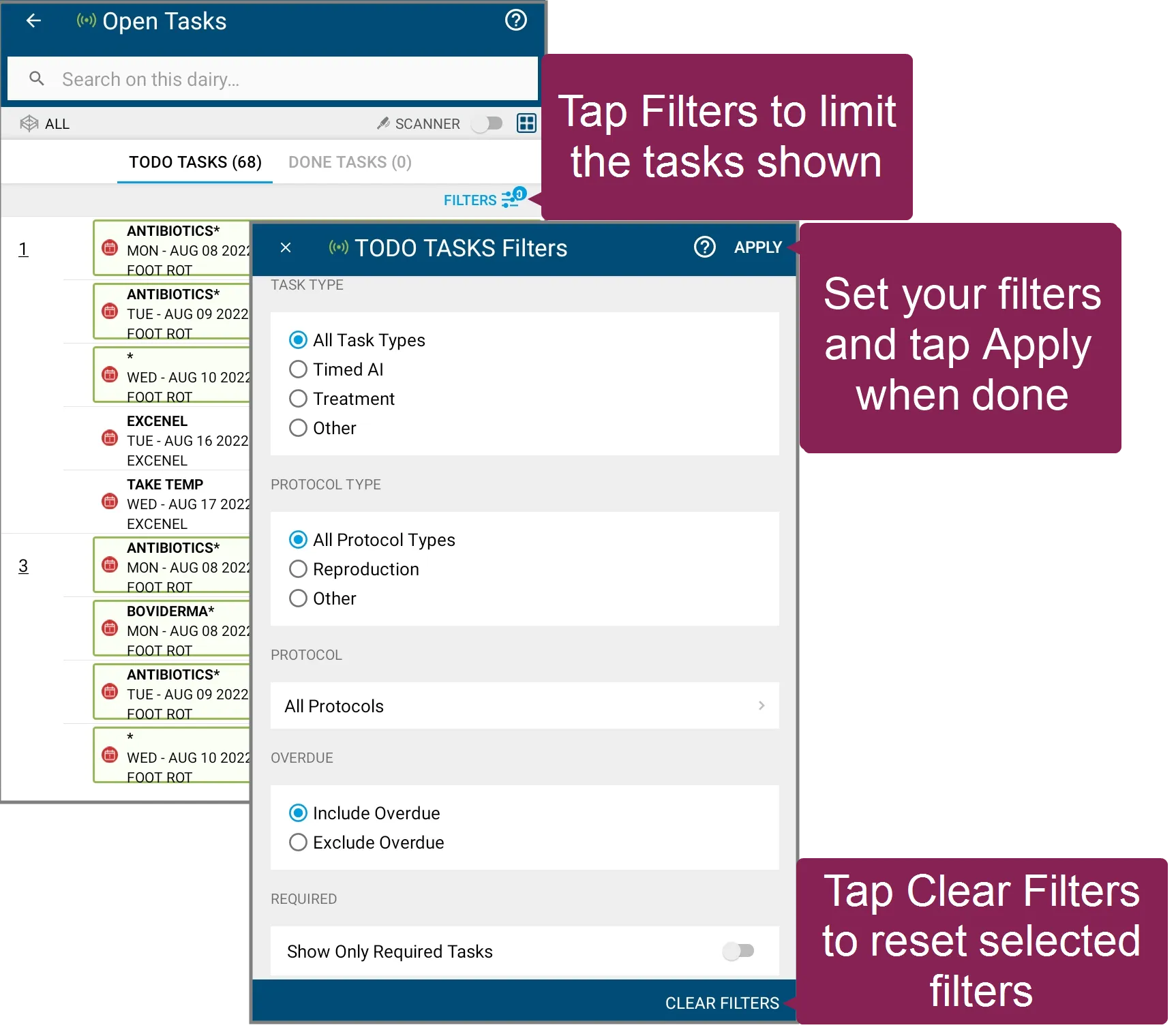
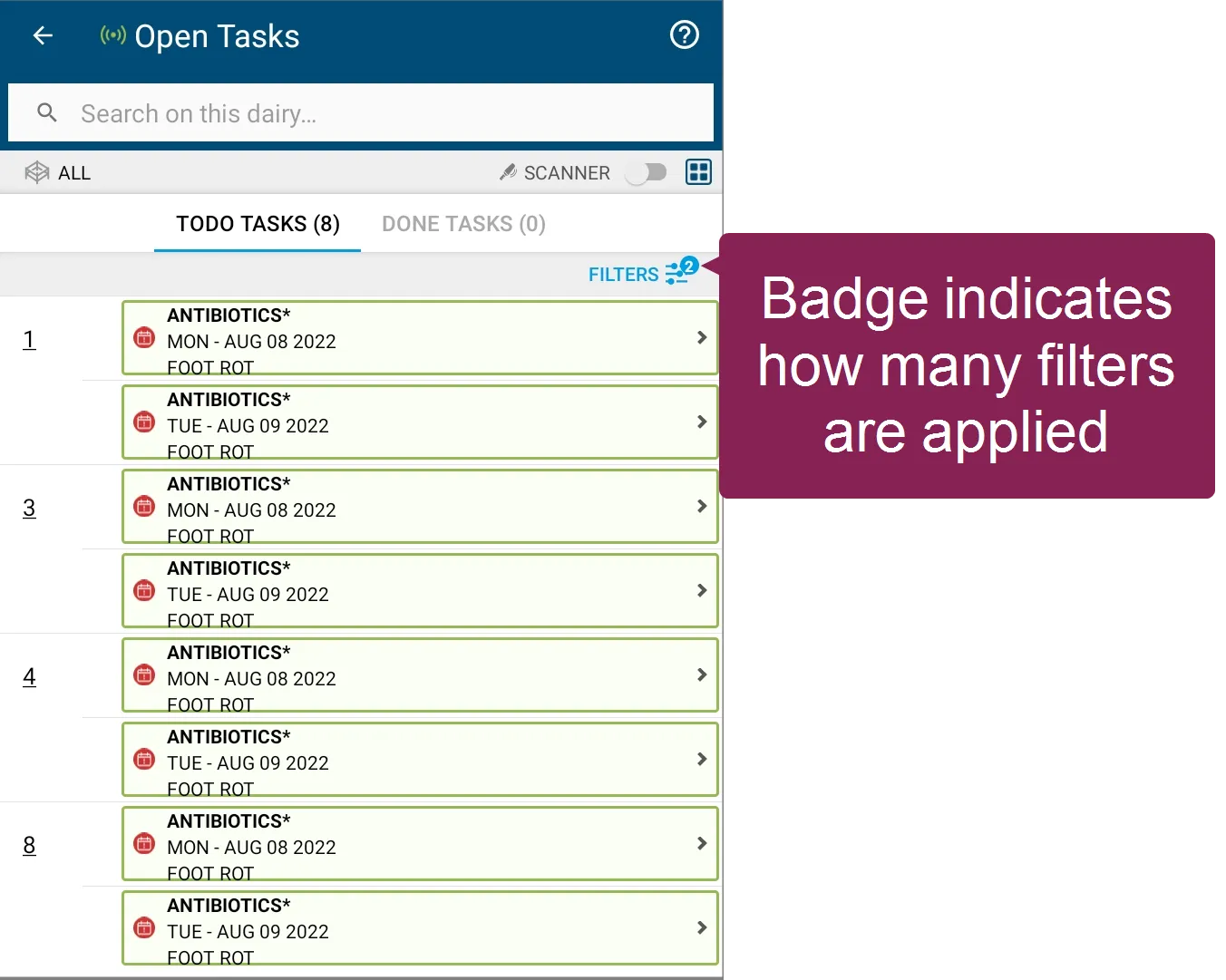
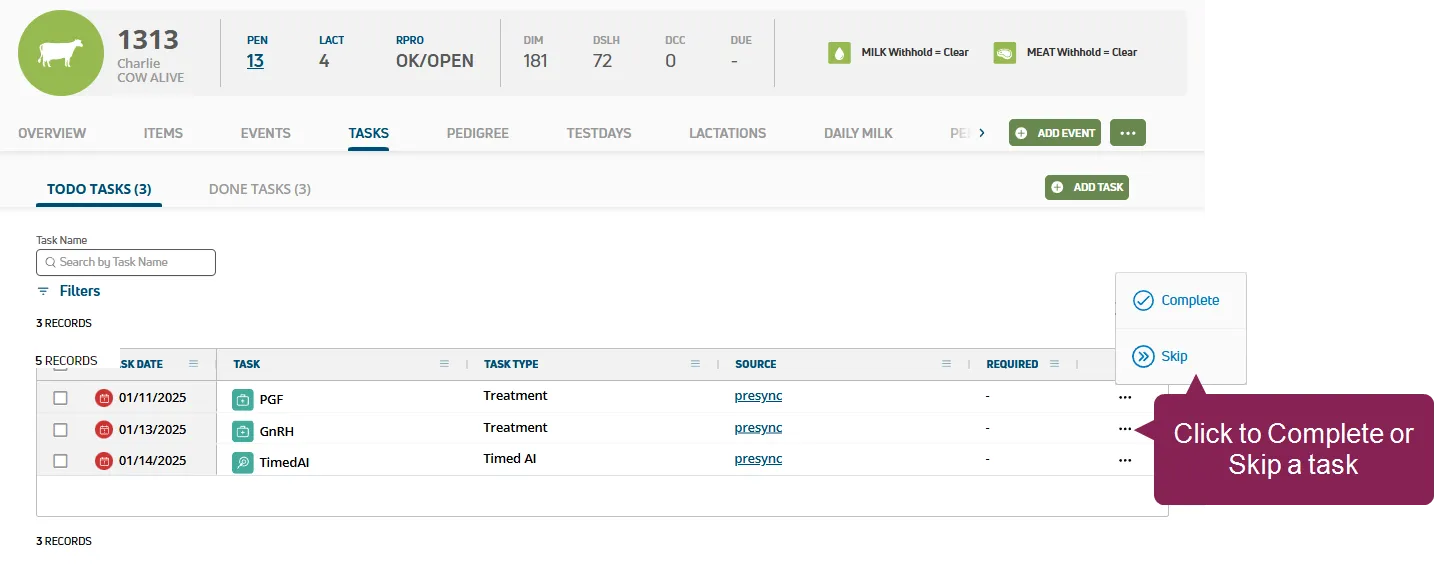
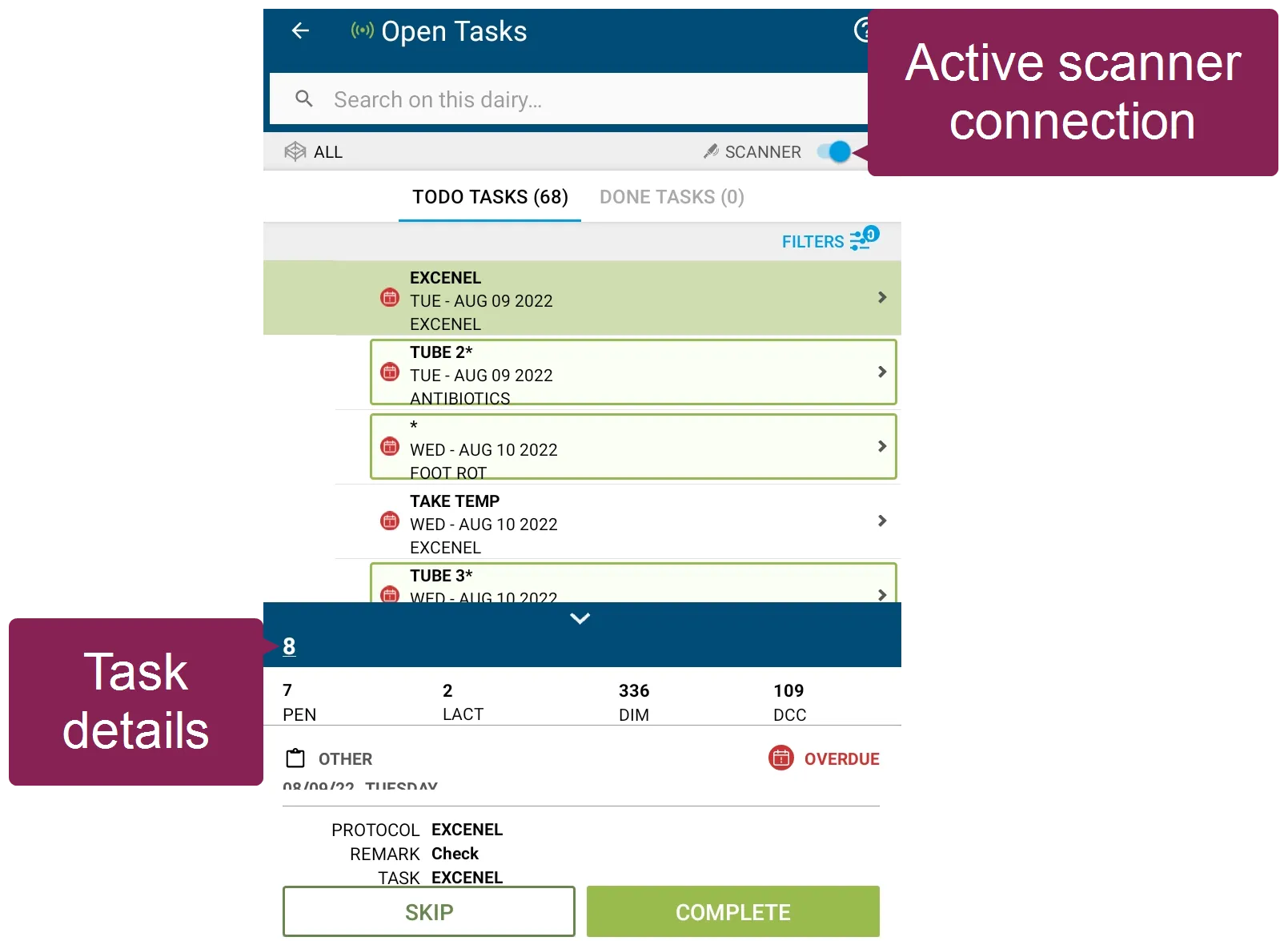
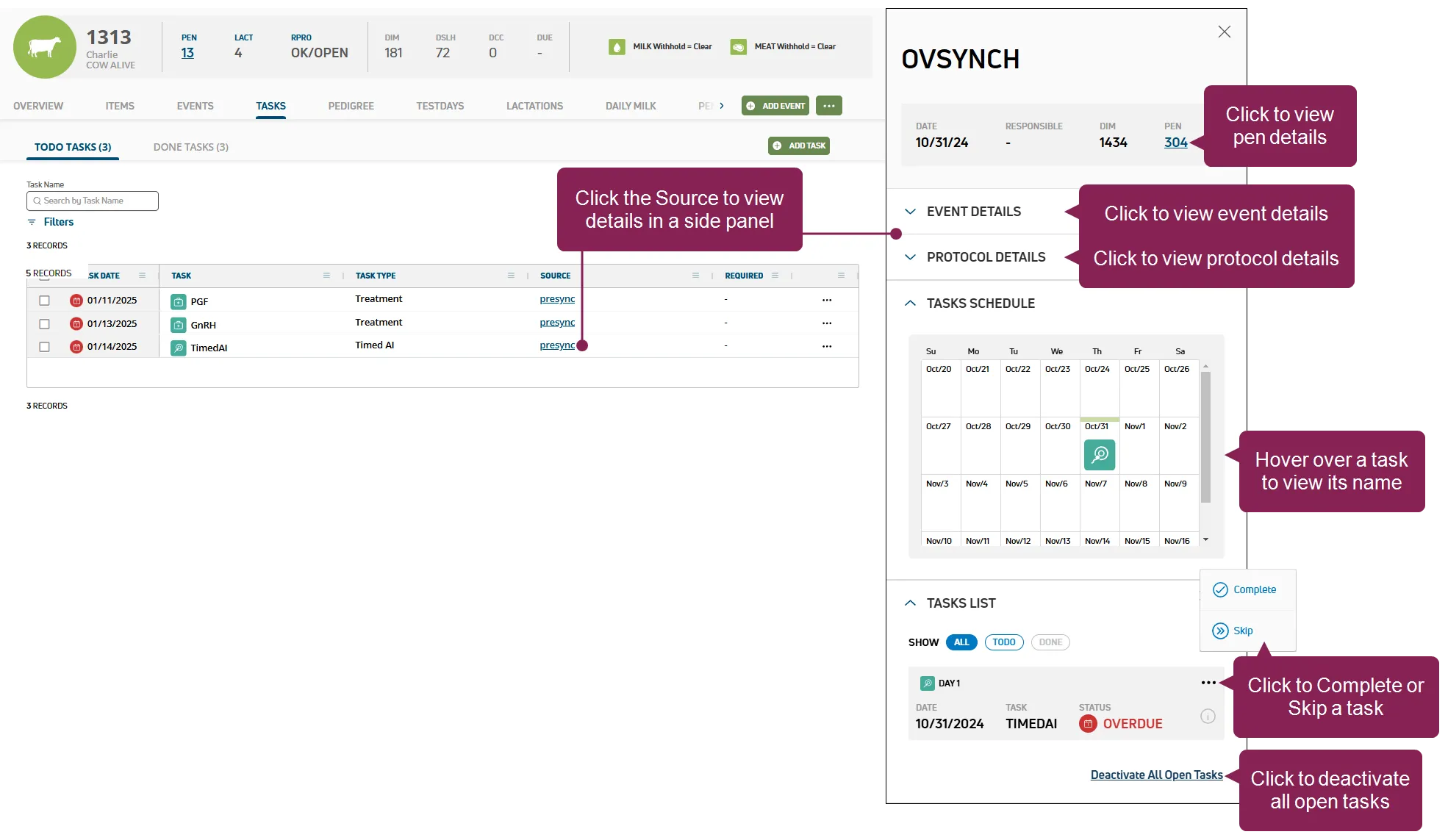
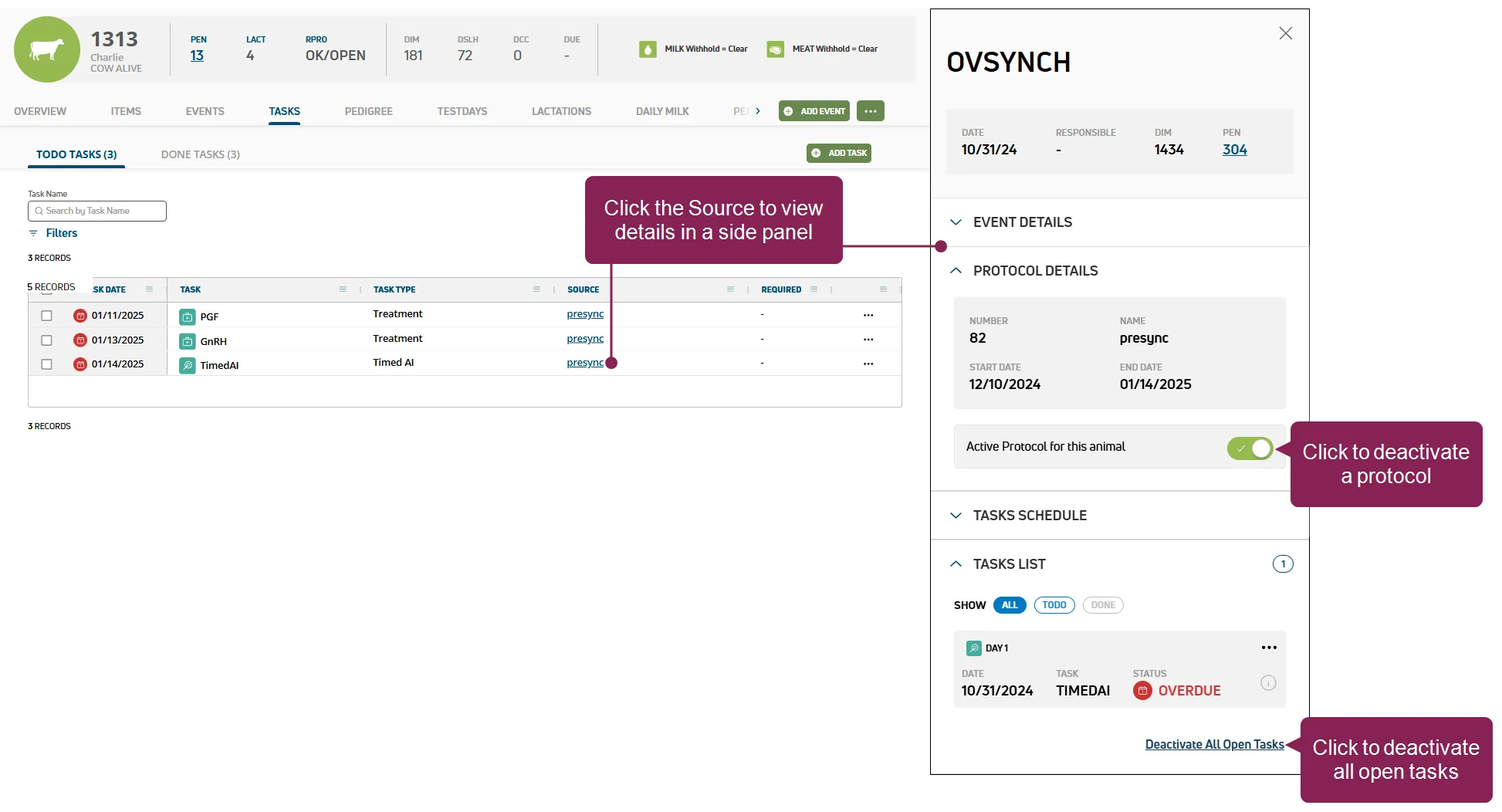
can't find this feature? make sure it's included in your subscription! this feature/option is available only for mydc subscribers dc unlimited subscribers will not see it in pulse because this functionality is controlled in on premise dairycomp rather than in pulse click here docid 5i7xv63wgmrxmsotyjaaa to learn more about the different versions of pulse use the cowcard tasks tab to view or add new tasks for an animal, or complete any outstanding tasks as needed follow the guidelines below when working with the cowcard tasks tab view tasks click todo tasks to view or process animals that have outstanding tasks or click done tasks to view tasks that have been processed add tasks click add task in the upper right to open a side panel and add new tasks for the animal tell me more! clicking the add task button allows you to add one or more tasks directly from the animal's cowcard filter the list type text in the task name field to search open task by name once text is typed, click the clear filter(s) option to clear the text typed click filters at the top left of the page to limit the data that is displayed once a filter is applied, click the x on a specific filter to remove it or, click the clear filter(s) option to clear all filters click here to learn about filtering tasks in mobile! after you select a (or all pens) in your open tasks list, you can tap filters at the top right of the screen to set your options a badge on the icon indicates how many filters are currently applied to your list proceed to tell me more about processing tasks in mobile! docid 3alttbvqqk2dzmo1hcrl to learn more about working with tasks in mobile \<font color="#67854e"> process tasks \</font> you can process a task by marking it complete or by skipping it check one or more boxes next to the tasks on the left side of the page to process them a blue bar is displayed above the table click mark as complete to complete the checked tasks tell me more about processing tasks in pulse! click the options button on the right side of a task and select complete or skip to process a single task you can also process some tasks while viewing their details see view task details docid 3alttbvqqk2dzmo1hcrl to learn more what happens when i complete a task? completing a task marks it as , it is automatically updated in the event side panel, and the task moves to the done tasks page in your open tasks list what happens when i skip a task? you can skip treatments that are not set to required in your protocol setup reasons for skipping a task include signs of illness or a change in breeding plans for that animal based on other events skipping a task marks it as in the event side panel a skipped task is considered done and it moves from the todo tasks page to the done tasks page tip if you make a mistake, click done tasks, click the options button , and select undo the task moves from the done tasks page back to the todo tasks page tell me more about processing tasks in mobile! tap lists and then the refresh lists button to make sure you have the latest s tap the open tasks worklist, select a pen, and begin processing animals process animals with a scanner verify that your scanner is connected, and begin scanning animals if a scanned animal requires treatment, an audible cue, check task , plays and the task details are displayed process animals without a scanner tap a pen to begin processing animals, and then tap an animal to view its tasks as you treat animals in the list, mark the tasks as complete if necessary, skip tasks what happens when i complete a task? completing a task marks it as from the mobile app and the task moves to the done tab in your open tasks list open tasks lists work a little differently than your standard mobile worklists, which require you to process changes before the updates are sent to pulse see learn more about open tasks lists (mydc only) docid\ jxzicdrha2wuqycg4fszp for more information what happens when i skip a task? skipping a task marks it as a skipped task is considered done and it moves from the tab to the done tab if you make a mistake, tap the task and select undo the task moves from the done tab back to the tab view task details click the task's source to open a side panel and view its details tell me more! clicking the source in the column opens a side panel that displays details about the task depending on the type of task you're viewing, you can view pen details docid 4wsqrynox5gamemz1bppi update events docid\ lpir qsoyhgun0xlth0ss deactivate a protocol docid 5tzqe1rw9hpnliby3tvdk view scheduled processes docid\ u2rml4xz1av69jmiwrztk process tasks docid 3alttbvqqk2dzmo1hcrl deactivate all open tasks for an animal docid 3alttbvqqk2dzmo1hcrl remove an animal from a protocol if an animal needs to be removed from a protocol, open the animal's side panel then, deselect the active protocol for this animal toggle or click the deactivate all open tasks option to learn more about processing tasks from an open tasks list, see process open tasks (mydc only) docid co7 8k f9dieo 4fnodq or step 3 complete ovsynch tasks docid 52311uxnftcrysomzrozm