Manage Dairy Protocols
3 min
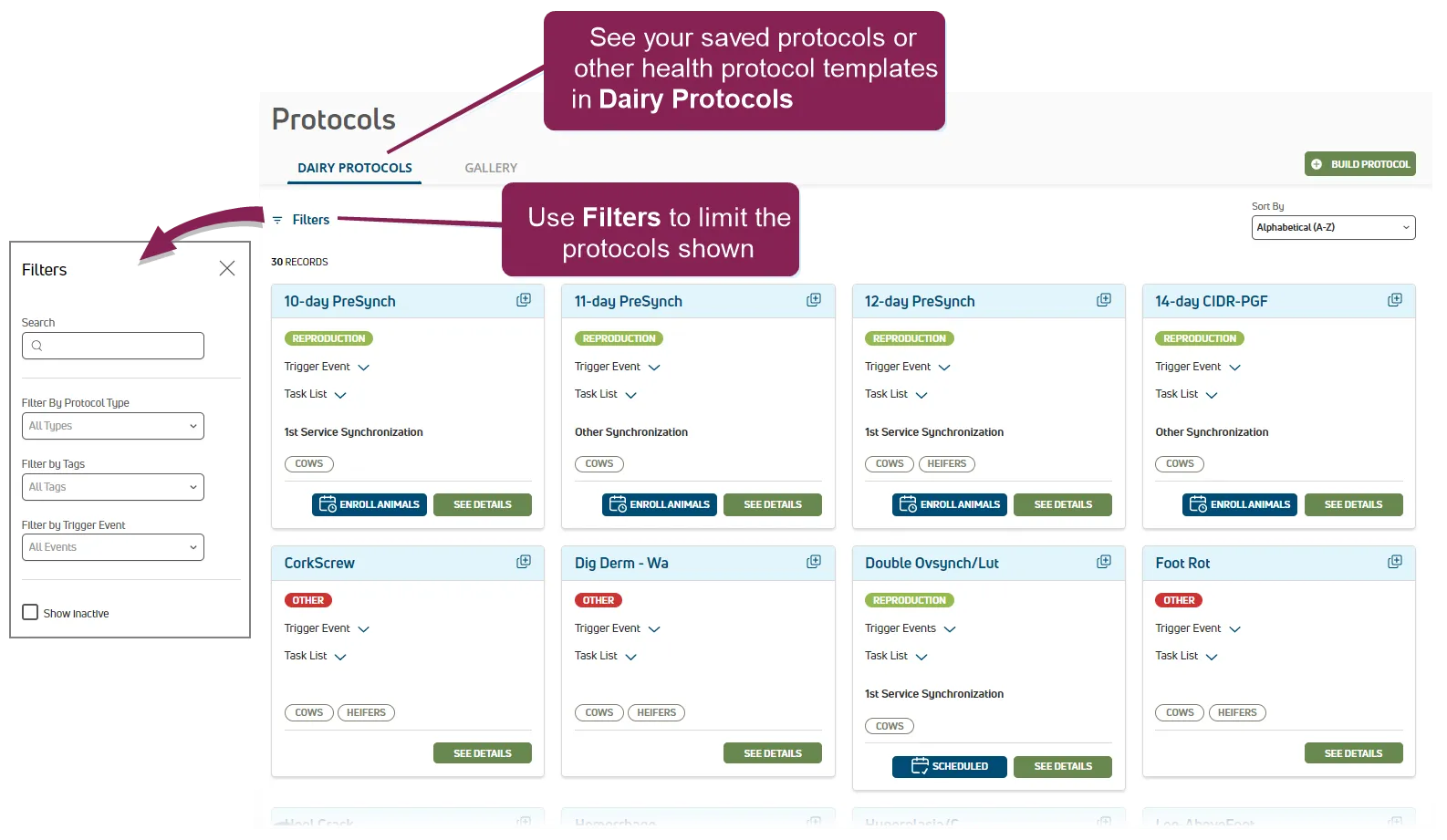
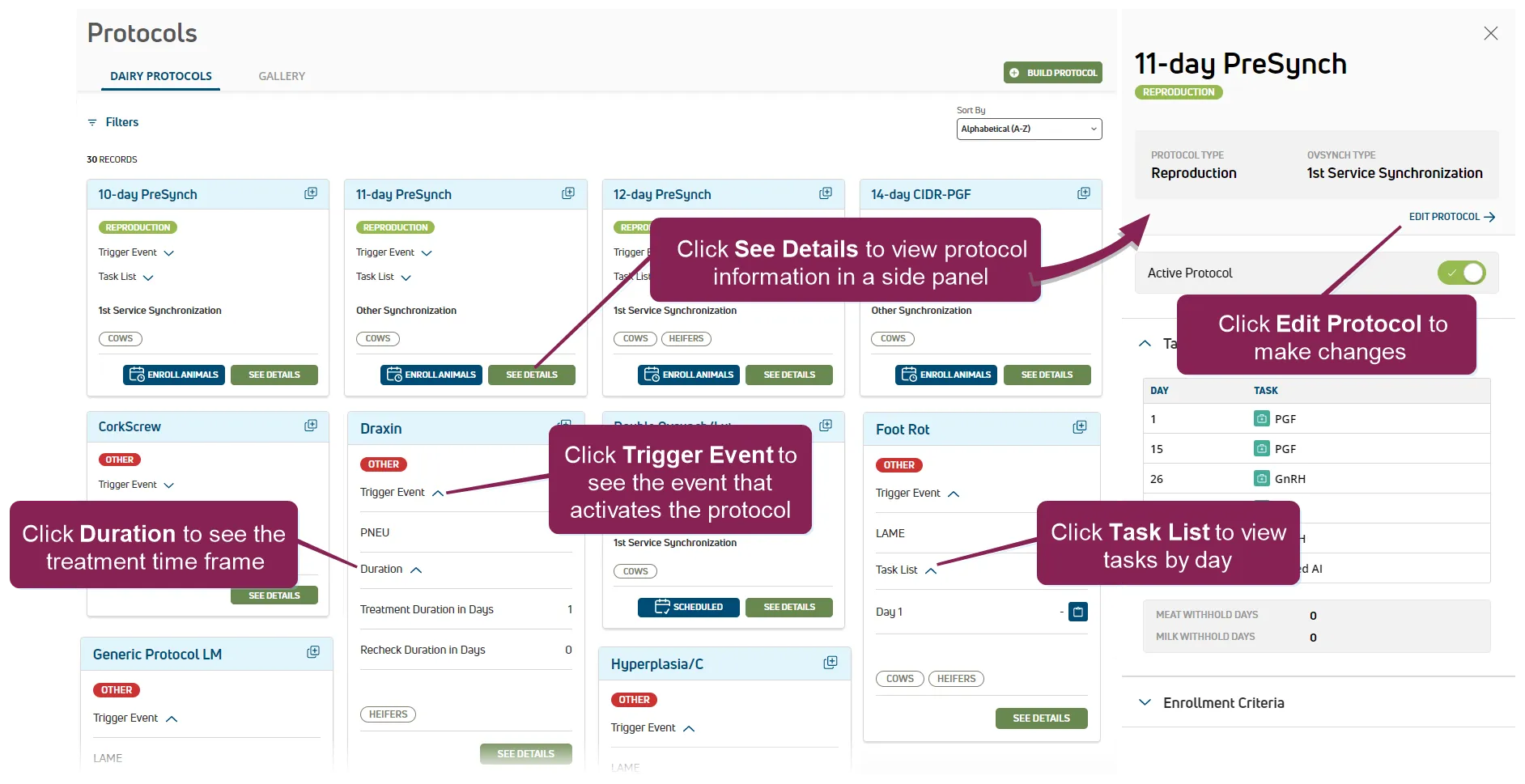
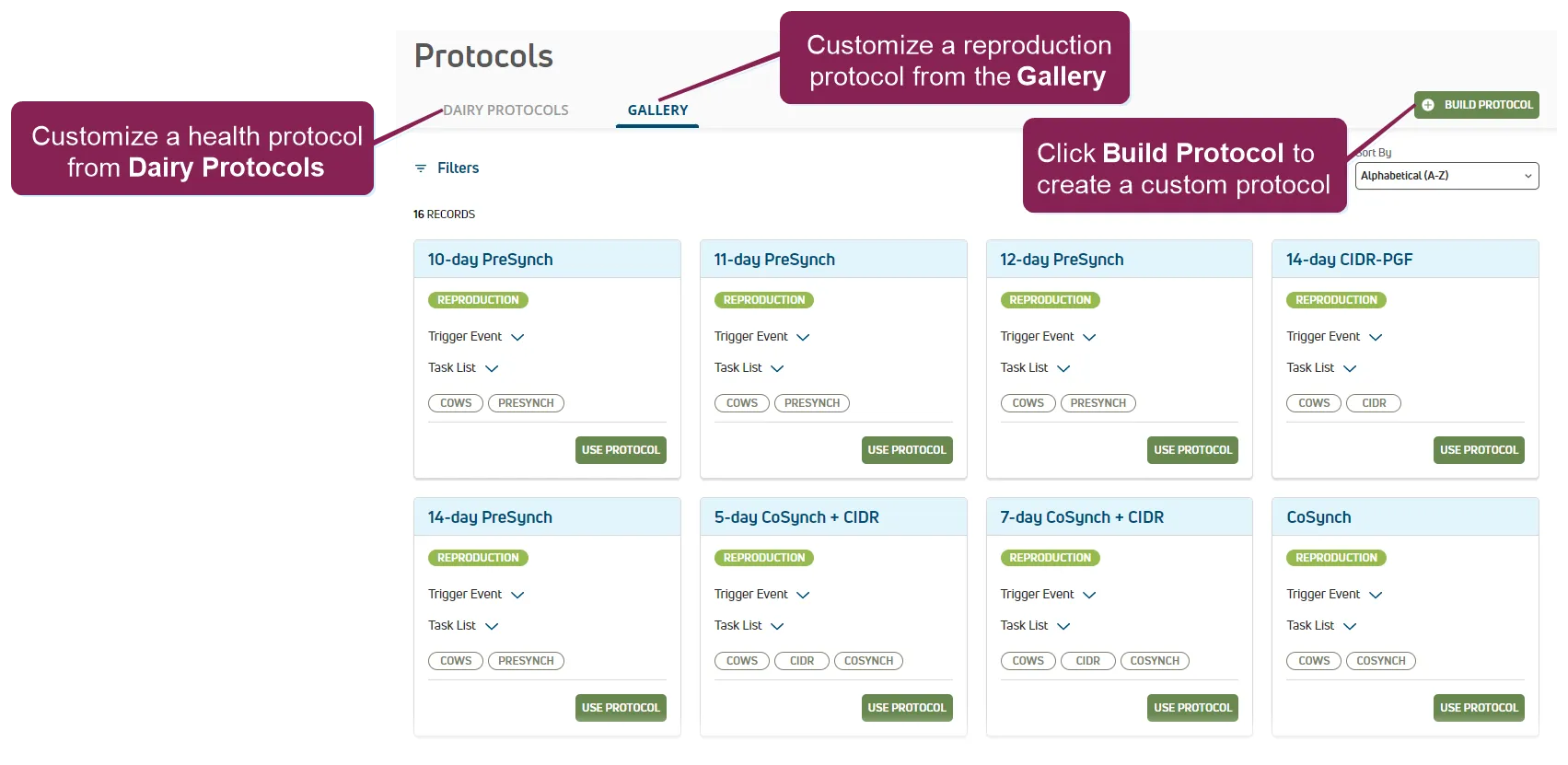
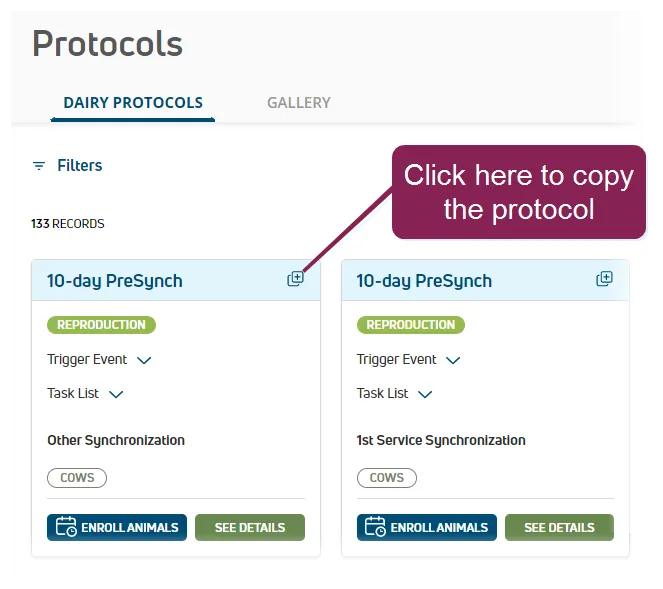
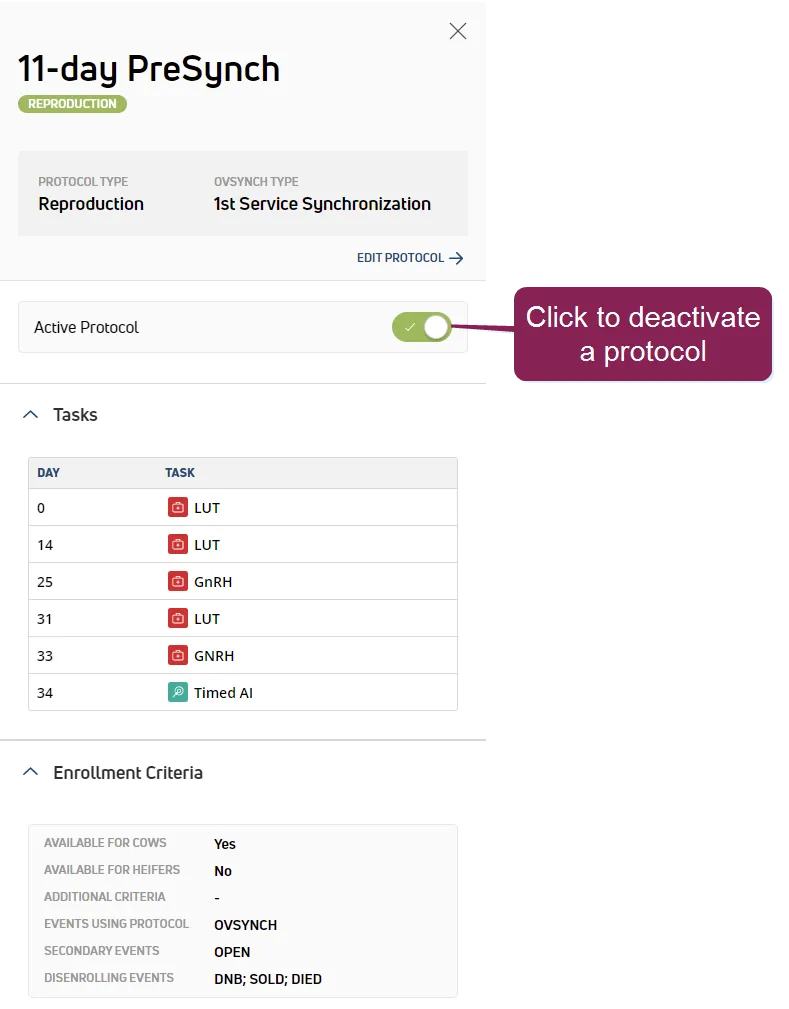
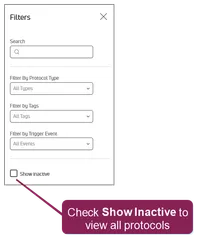
required permissions only users who are assigned to a role with herd write permissions can use this feature see edit dairy user permissions docid\ gw6zx7tfc4ihsbrtozc v and manage dairy roles docid 9yjukdzfab0kko1hw0mxj for more information the dairy protocol s page includes the protocols you saved from the gallery, available health protocols, and other custom protocols you created using protocol builder set filters to limit the protocols shown by type, tags, or trigger event expand the sections below to learn more view or edit protocol details view and edit available protocols and their details on the dairy protocols page click see details to view protocol information in a side panel click edit protocol from the side panel to make changes to the protocol this opens protocol builder docid\ ys7d8w0vtp2umkuqixydg , which allows you to edit the protocol click trigger event to see the event that activates the protocol for protocols without daily tasks, click duration to see the treatment time frame click task list to view the protocol details by day add a protocol you have multiple options for adding protocols start with a reproduction protocol template from the gallery page to customize a reproduction protocol start with a health protocol template from the dairy protocols page to customize a health treatment if a template is not available, click the build protocol button on the top right of the page to create a new custom protocol see protocol builder docid\ ys7d8w0vtp2umkuqixydg to learn more about building ovsynch and other protocols duplicate a protocol if you'd like to save time and add a protocol similar to an existing one, go to the dairy protocols page and click the copy button to begin customizing the protocol using protocol builder see protocol builder docid\ ys7d8w0vtp2umkuqixydg to learn more about building ovsynch and other protocols deactivate a protocol if your dairy is no longer using a protocol, you can deactivate it using the protocol side panel this makes it unavailable for selection for new ovsynch or health events, but allows animals currently on the protocol to complete it first click see details to view the protocol in a side panel, and then click the active protocol toggle to deactivate it note inactive protocols are not shown on the dairy protocols page by default check the show inactive box at the top of the page to view all available protocols in the list once text is typed, click the clear filter(s) option to the right of the field to clear the text typed