Edit Dairy User Permissions
1 min
This topic explains how to edit the permissions assigned to a dairy user.
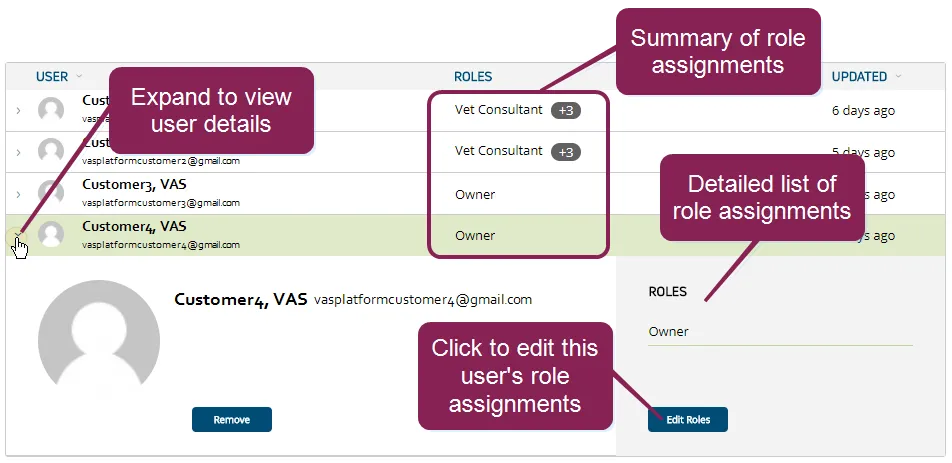
You can find this feature under the Dairy menuDairy menu. If you need to edit the permissions assigned to a company user, see Edit Company User PermissionsEdit Company User Permissions.
- In the Users list on the Users tab, expand the details of the dairy user that you want to update.
- Click the Edit Roles button at the bottom right side of the page.
- In the Available Roles list, check the boxes to select additional Roles to assign to the user's account. The roles selected control how much or how little a user can do with the data in PULSE. Each role checked is displayed in the Roles Assigned list. You can click the X on the right side of a role to unassign it.
- Click the Save button at the bottom right side of the page.
See Manage Dairy RolesManage Dairy Roles for instructions on how to review and edit the permissions assigned to each dairy role.