Remove a Dairy User
This topic explains how to remove a user from a dairy.
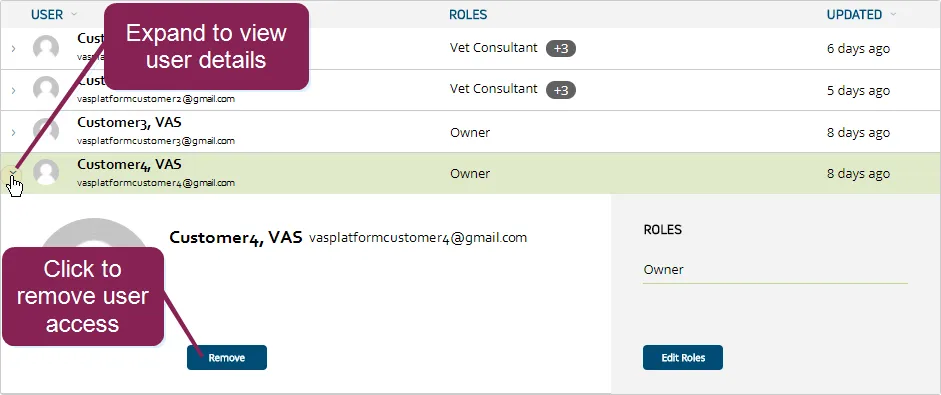
You can find this feature under the Dairy menuDairy menu. If you need to remove a user from a company, see Remove a Company UserRemove a Company User.
- In the Users list on the Users tab, expand the details of the dairy user that you want to remove.
- Click the Remove User button at the bottom left side of the page.
Once these steps are complete, the user's PULSE account will still be active, but the user will no longer be able to view details for the selected dairy. If you want to remove user access to more than one dairy, be sure to switch to the other dairiesswitch to the other dairies and repeat the steps above to remove access to those dairies as well.
NOTE: As a security measure, if only one user in a dairy is assigned PULSE User Management permissions, that user cannot be removed from the dairy and cannot leave the dairy. User Management permissions must be assigned to at least one other user account if the only user with that permission level wishes to leave the dairy. See Edit Dairy User PermissionsEdit Dairy User Permissions for more information.