Dairy Info
Use the Dairy Info page to edit general information for your dairy, such as the dairy name, dairy type, and dairy description. All required fields are marked with the * (asterisk) symbol.
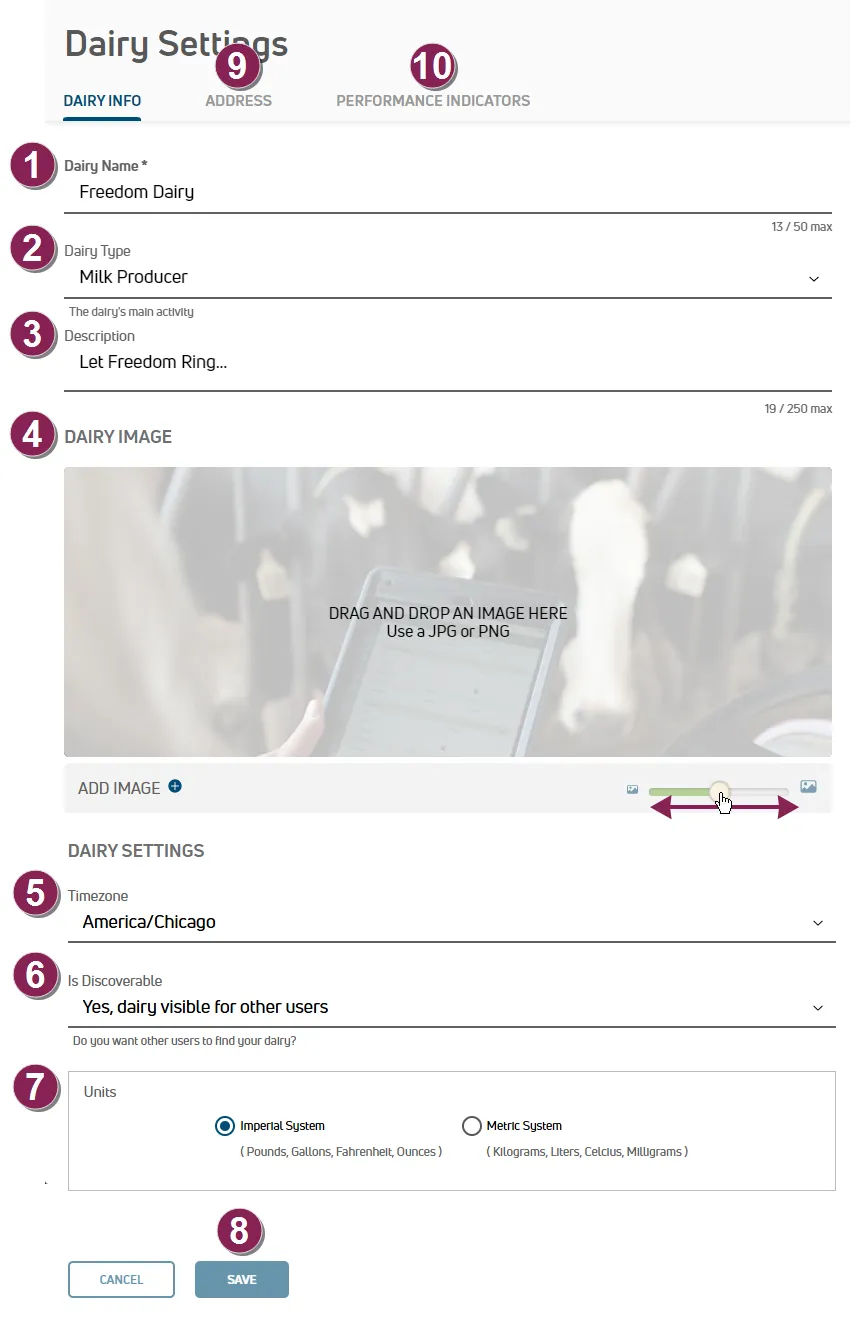
Expand the topics below to learn more.
Dairy Name: The name of the dairy.
Dairy Type: The dairy type. Select Milk Producer, Calf Ranch, or Heifer Grower from the list.
Description: A description of the dairy.
Dairy Image: Use the Resizing Slider to resize the image that is displayed on the Home (Dairy Profile)Home (Dairy Profile) page to the preferred size in PULSE. Drag and drop an image, or click Add Image to select an image.
Timezone: The time zone where the dairy is located.
Is Discoverable: Select whether you want your dairy to be visible or not visible to other users. If you want to prevent users from requesting access, hide your dairy.
NOTE: When you hide your dairy, the only way new users can join is for you to invite them. See Invite a User to Your DairyInvite a User to Your Dairy for instructions, or see Who has access to my data?Who has access to my data? for more details on hiding your dairy from PULSE searches.
Units: Choose the unit of measurement used by your dairy:
- Select Imperial System to display units in Pounds, Gallons, Fahrenheit, and Ounces.
- Select Metric System to display units in Kilograms, Liters, Celsius, and Milligrams.
Click Save to apply your changes.
Click the Address tab to edit the address, phone number, email, or website for your dairy. See Dairy AddressDairy Address for more information.
Click the Performance Indicators tab to set alert thresholds for common health events that occur across your herd, send notifications to your dairy team when your herd exceeds those thresholds, and set the upper and lower limits used to track other KPIs across your herd. See Performance IndicatorsPerformance Indicators for more information.