Home (Dairy Profile)
1 min
The Dairy Profile page is the home page for the dairy you are currently viewing. It is displayed by default when you select a dairy.
You can find this feature under the Dairy menuDairy menu.
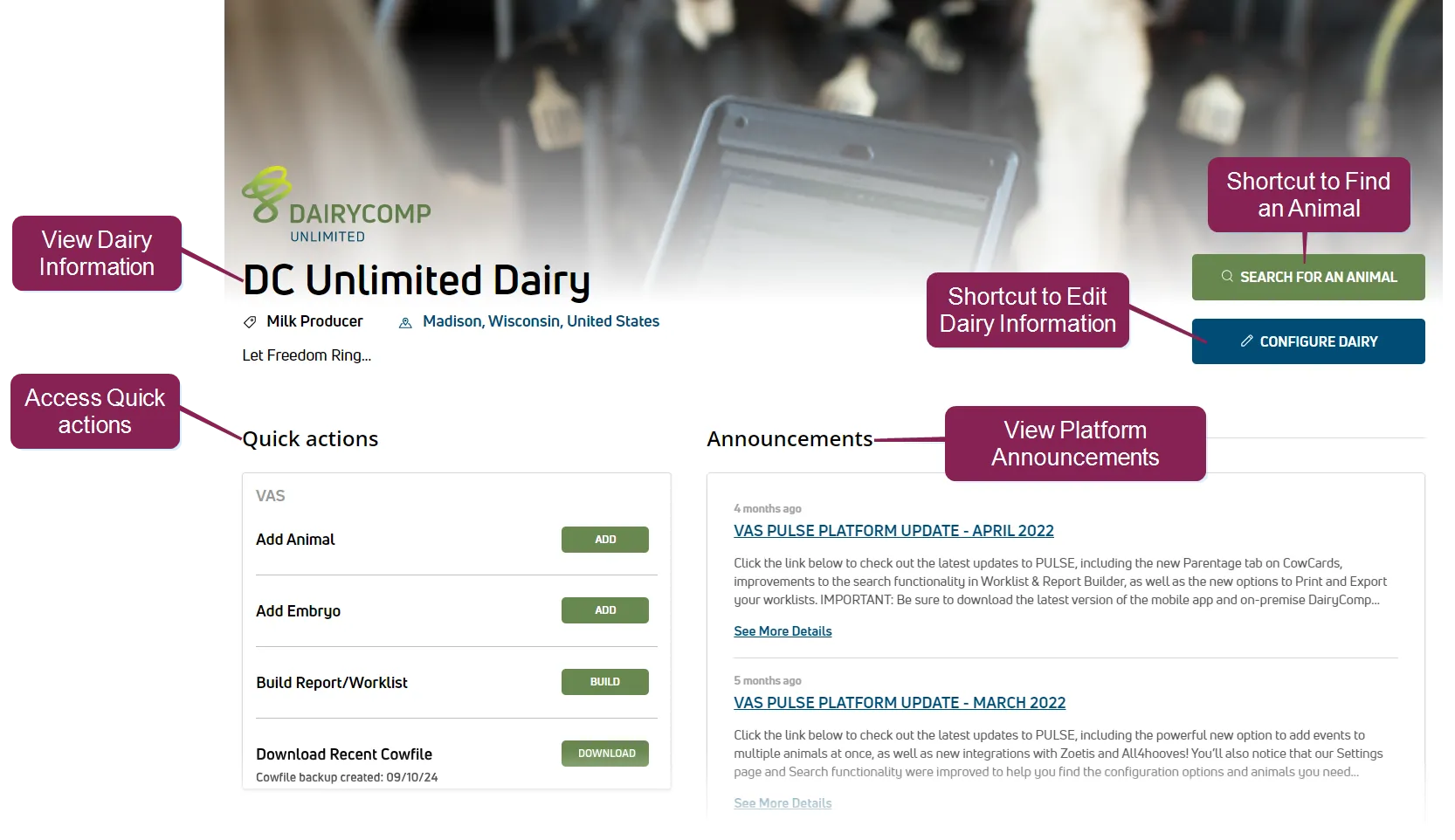
As shown in the example above, the Dairy Profile page provides dairy information, as well as several helpful shortcuts:
- Dairy Information: The middle left side of the page displays the dairy's contact information, as well as a description of the dairy's services. Users with Profile Management permissions can edit this information. See Settings (Dairy)Settings (Dairy) to learn more.
- Shortcuts to Common Tasks: The right side of the Dairy Profile page provides shortcut buttons for the following:
- Find an AnimalFind an Animal
- Settings (Dairy)Settings (Dairy)
- Quick Actions: The Dairy Profile page includes convenient links to common herd management tasks. The Quick Actions available are based on your permission level for that dairy, and may differ from the example shown.
- Add AnimalsAdd Animals
- Add EmbryosAdd Embryos
- Report/Worklist BuilderReport/Worklist Builder
- Download Recent Cowfile (DC Unlimited only)Download Recent Cowfile (DC Unlimited only)
- Milk RecordingMilk Recording
- Export Herd Data (MyDC in Brazil only)Export Herd Data (MyDC in Brazil only)
- Announcements: The Dairy Profile page displays a summary of the current PULSE Announcements. Click the links in the preview to view the full announcements.