Find an Animal
1 min
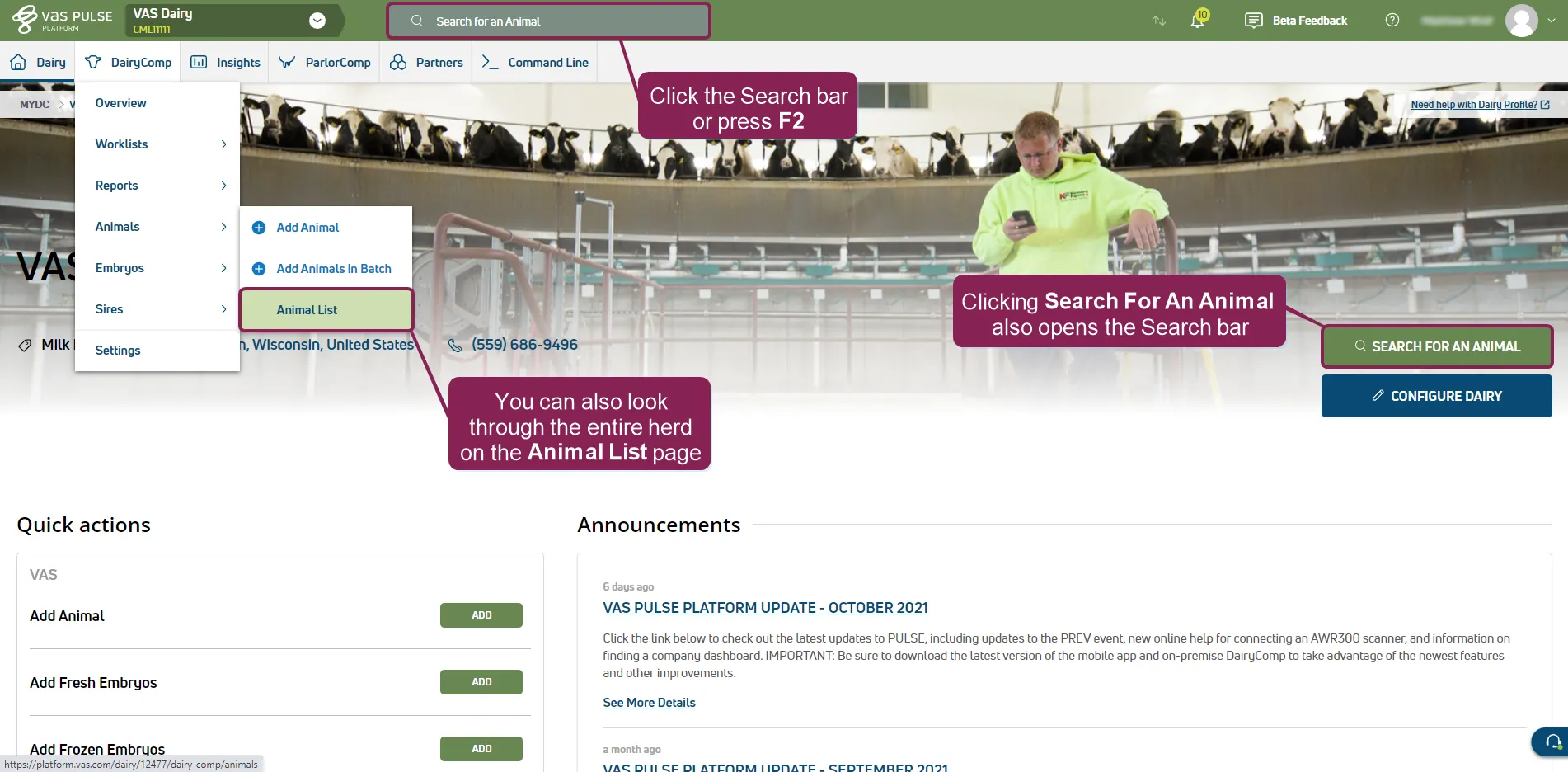
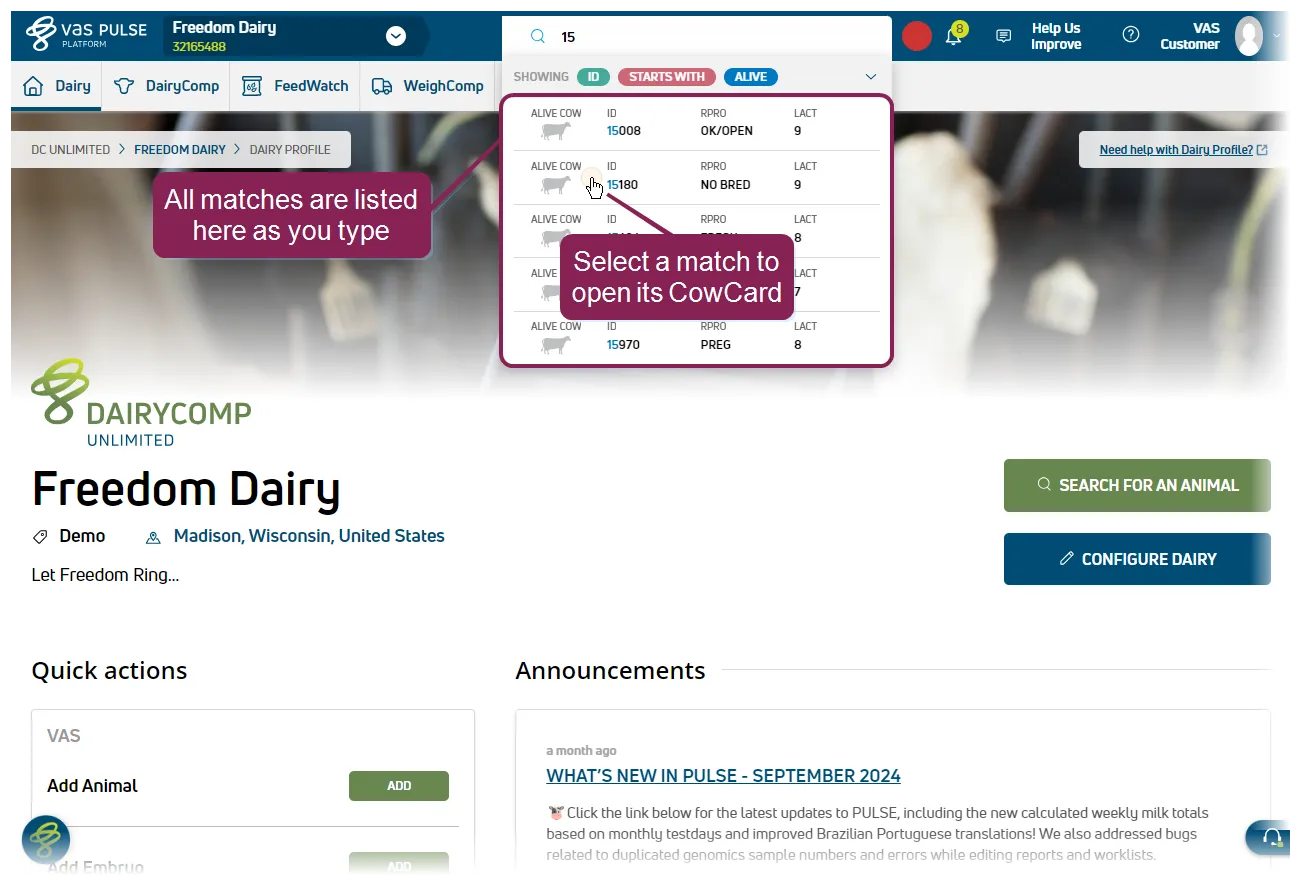
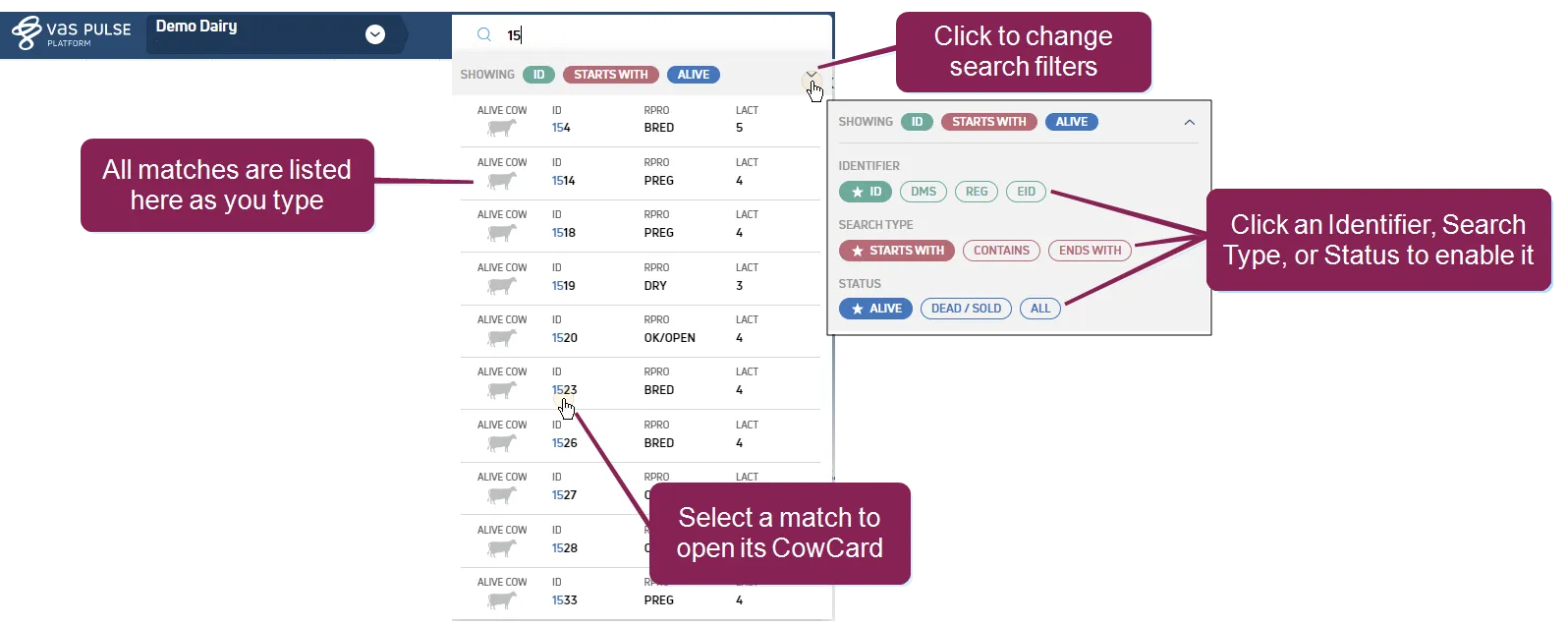
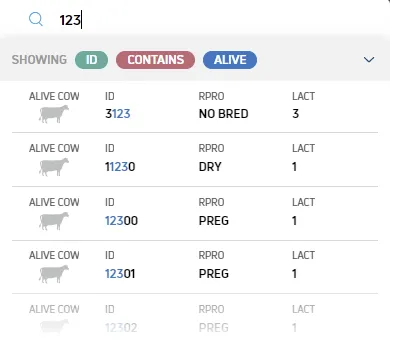
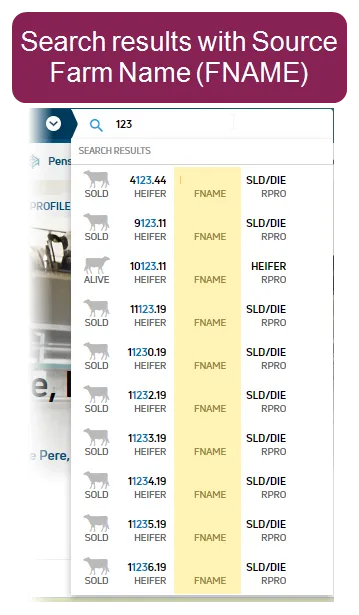
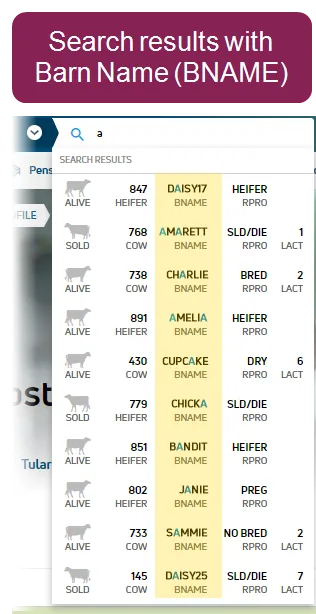
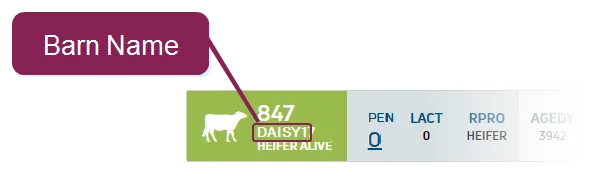
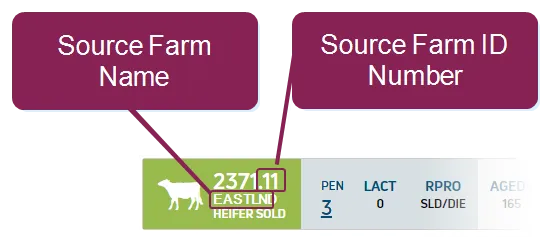
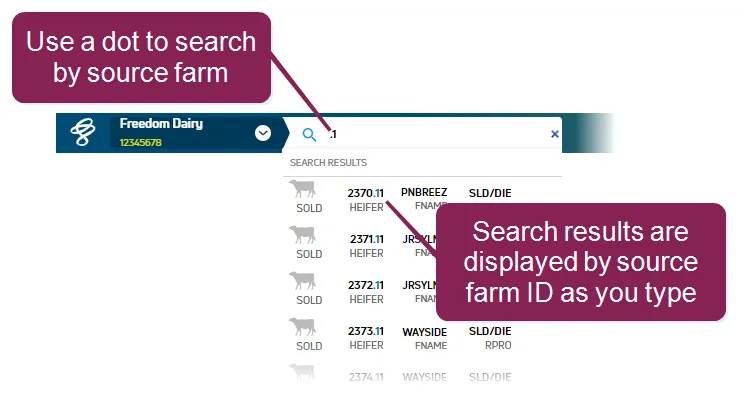
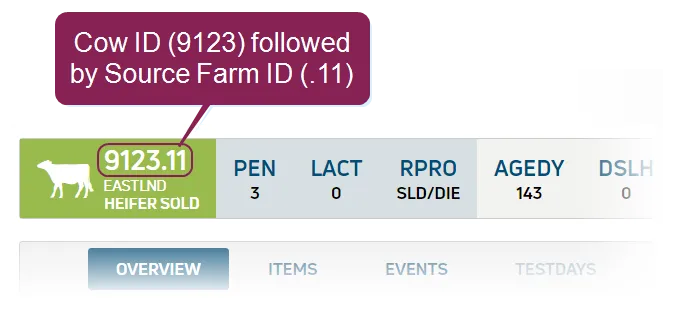
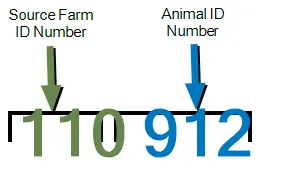
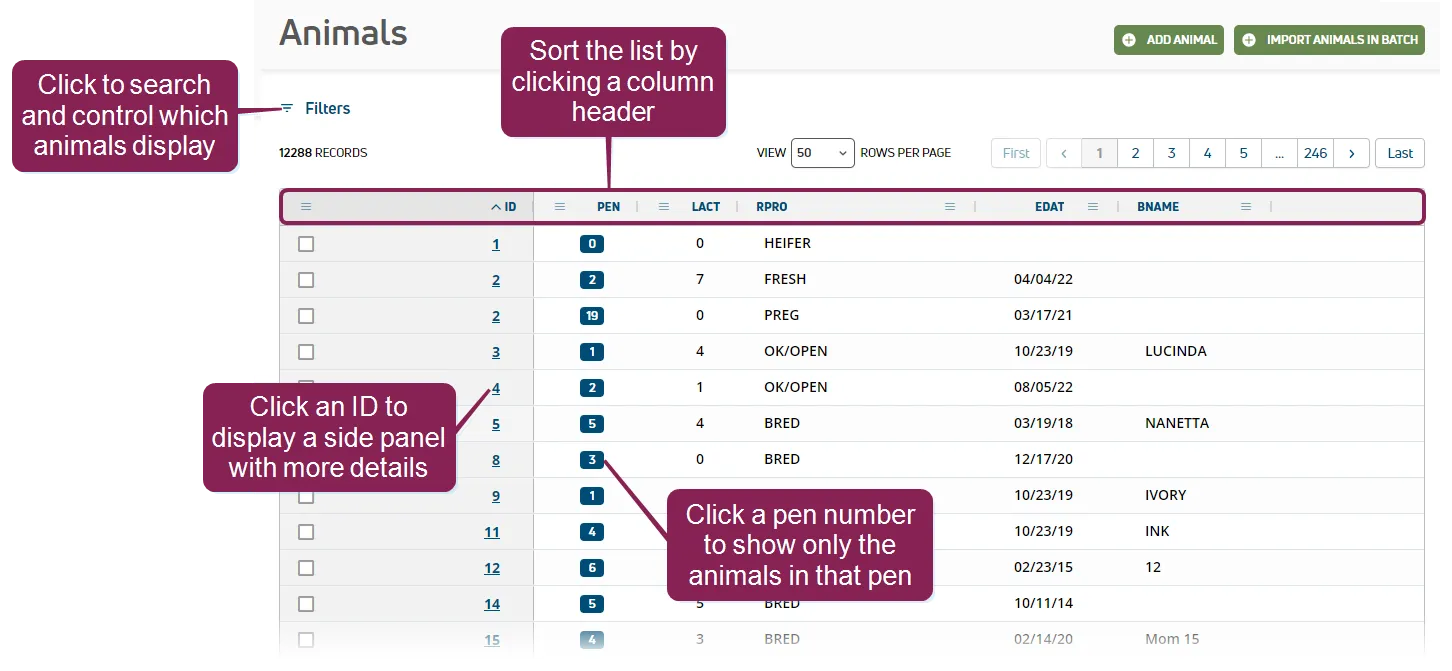
use the search bar or the animal list to find an animal in pulse search bar you can use the search bar at any time by clicking the search for an animal field at the top of the page or pressing f2 on your keyboard on the dairy profile page, you can also click the search for an animal button to open the search bar click on any match to view the animal's cowcard docid\ fmnhz9tdqxw00vobpfalr learn more about search filters & results to control how animals are searched and which animals are included in your results, click the expand icon and set your search filters identifier you can find an animal by its , , , , , or , though not all of these items may be available in your dairy to change your preferred search identifier from id to another item, use the animal configuration preferred identifier docid\ ebf1ybclw5c8mv1iqjpji setting search type search animal identifiers by the location of your search term starts with, contains, or ends with use contains to search the whole identifier for example, a contains search for "123" returns animals with "123" at the start, end, or anywhere within the identifier status filter animals by status alive, dead/sold, all note by default, the system filters the search results to show only alive animals with an id that starts with the search term you entered learn more about the fname and bname in search results for dairies that identify animals by source farm or barn name, the search results will display the respective fname (source farm name) or bname (barn name) for each match the system displays both the fname and bname up to their first 7 characters likewise, the cowcard header identifies the source farm name/id and barn name for dairies that use source farms, pulse displays the source farm id as it is configured in dairycomp this feature allows you to use a dot when you want to search for animals by source farm for example, if the source farm id is 11, you can start typing 11 or 11 , depending on whether dairycomp is configured to display the source farm extension before or after the animal id as shown in the example below, this dairy configures its source farm id at the end of the animal id tell me more about the source farm name and id number in both the search results and the cowcard header, animals with source farms are displayed with a source farm extension on their animal ids as illustrated here, the source farm number is displayed after a dot at the end of the id and indicates the farm from which the animal came in the example below, the combined fname and animal id is 1109123 it can be interpreted as the source farm id number 11 is at the beginning, followed by an extra zero (i e , 110) as part of the dairycomp fname id coding the animal id 9123 is at the end tell me more about the barn name the barn name (bname) is a distinct name assigned to an animal, separate from the animal id the bname is displayed in pulse as a 7‑character max letter/number combo, such as an assigned name, the color of the ear tag, or any other distinct name that helps identify each specific animal a bname could look like this daisy , sammie , or janie when they are only names, or combos such as gre1234 , bl1234 , or909 , r909 , daisy123 , 123daisy , etc when searching for an animal at a dairy with bnames, you can search by numbers and letters the search then returns all animal id numbers and bnames that contain those numbers and letters for example, if you type 123 , the results could show an animal id 12344 as well as bnames such as 123daisy or daisy123 animal list to access the animal list, select dairycomp/mydc > animals > animal list from the menu bar docid\ ezfejzdkbcfov b69aupr click filters to search for specific animals or to limit the animals shown by , lactation, or reproductive code ( ) you can then sort the animals table by clicking any of the column headers if you know the animal's pen number, you can click a pen option to see only the animals in that pen when you find the animal you're looking for, click its id to display a side panel with more details in the side panel, click go to cowcard to view the animal's cowcard docid\ fmnhz9tdqxw00vobpfalr