Resolve ID Conflicts for Transfers (DCU only)
When you receive animals, PULSE and DairyComp verify that the animal IDs do not conflict with any live animals already in your herd. If the systems are out of sync or a conflict is detected, DairyComp automatically re-IDs the incoming animal to prevent data errors. The system also creates an XID event on the new animal's record to store the original intended ID for your reference.
💡TIP: If you are receiving many animals and are concerned about potential ID conflicts, run the CLEANUP command in DairyComp before receiving transferred animals. See Animal Records Archive to learn more.
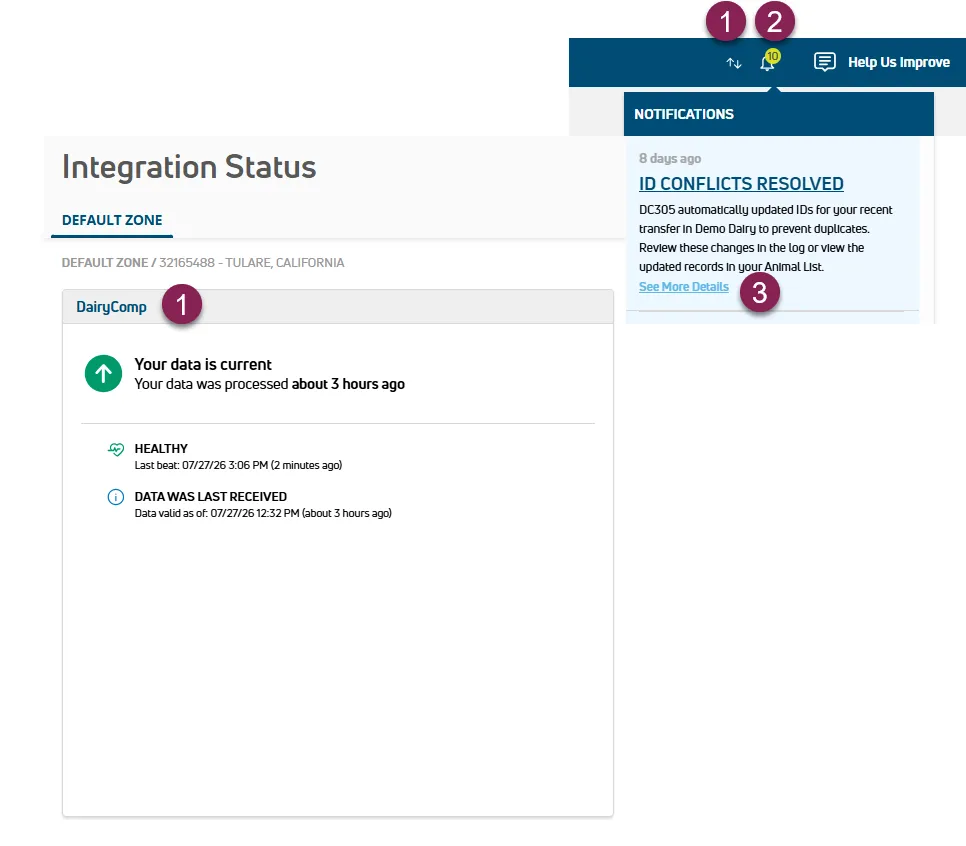
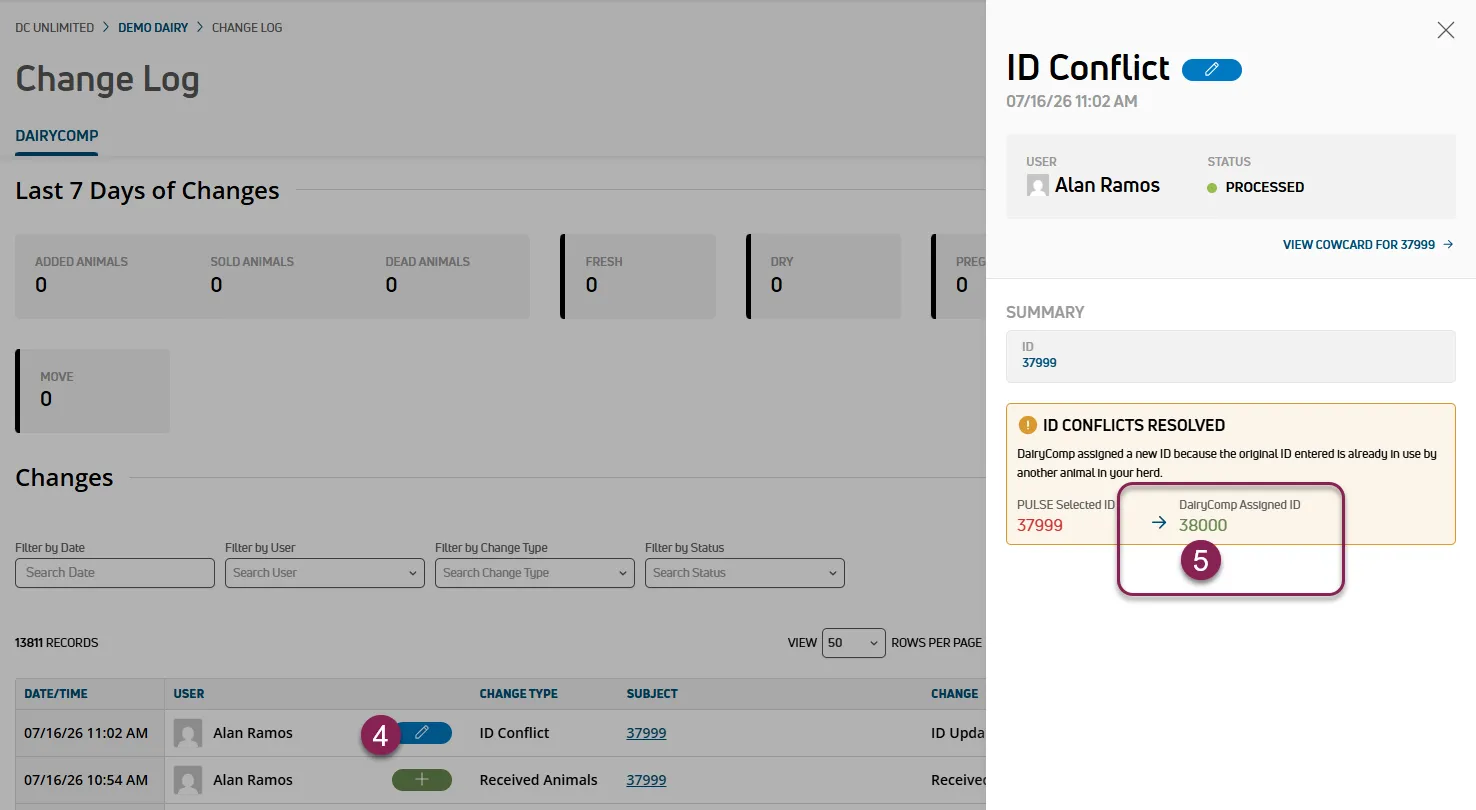
Follow the steps below to address conflicts:
Confirm that PULSE and DairyComp are actively communicating by checking your Integration Status at the top of the page in PULSE. If the connection is down, use the Troubleshooting Guidelines to reestablish the connection.
Check your PULSE notifications  at the top of the page and in your Message CenterMessage Center for any ID Conflicts Resolved messages. The owner of the dairy also receives an email notification regarding the conflict.
Click See More Details on the notification to go to the Change Log to see which received animals had ID conflicts.
Click the update icon  to view the conflict details and note the DairyComp Assigned ID for the animal.
Open your Animals List and sort by EDAT for animals with recent events. Find the animal with the DairyComp Assigned ID.
Open the animal's cowcard and go to the Events tab to find the XID event. This event stores the original PULSE ID for your reference.
Edit the animal's record to assign the correct ID:
- If the ID belongs to the new animal: First change the ID of the existing animal in your herd to a different number. Then add a new XID event to the incoming animal to change the number back to the original PULSE ID.
- If the ID belongs to the existing animal: Keep the new ID or assign a different unique number to the incoming animal.