Disposal Codes
2 min
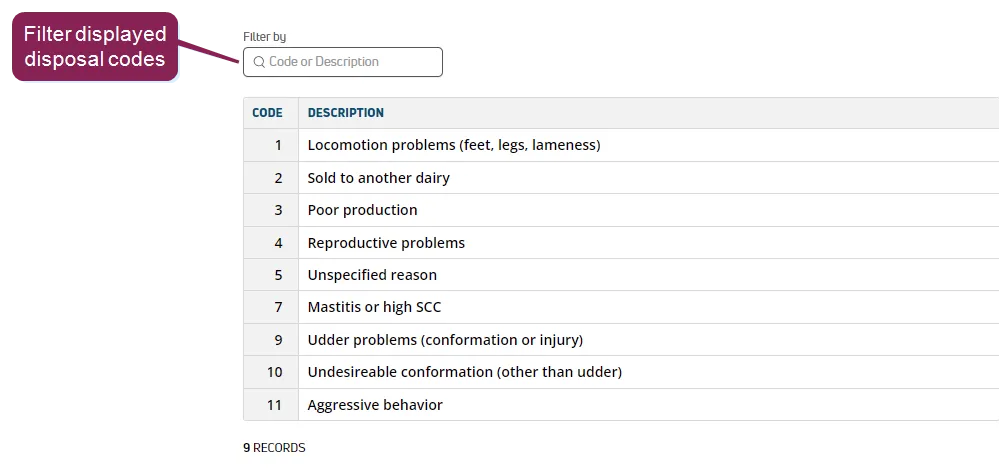
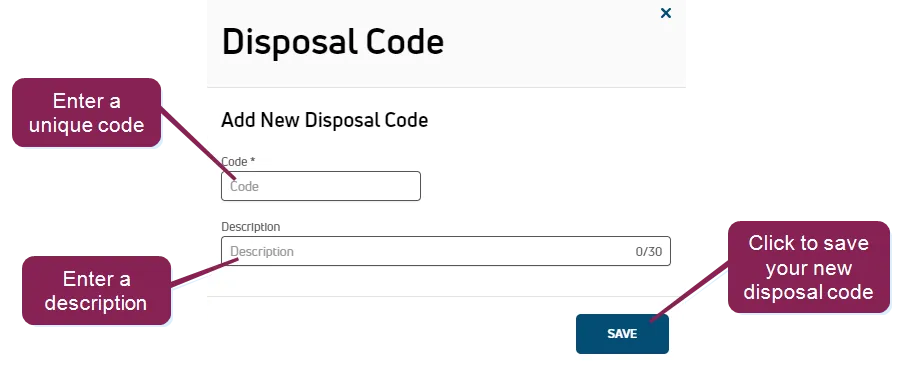
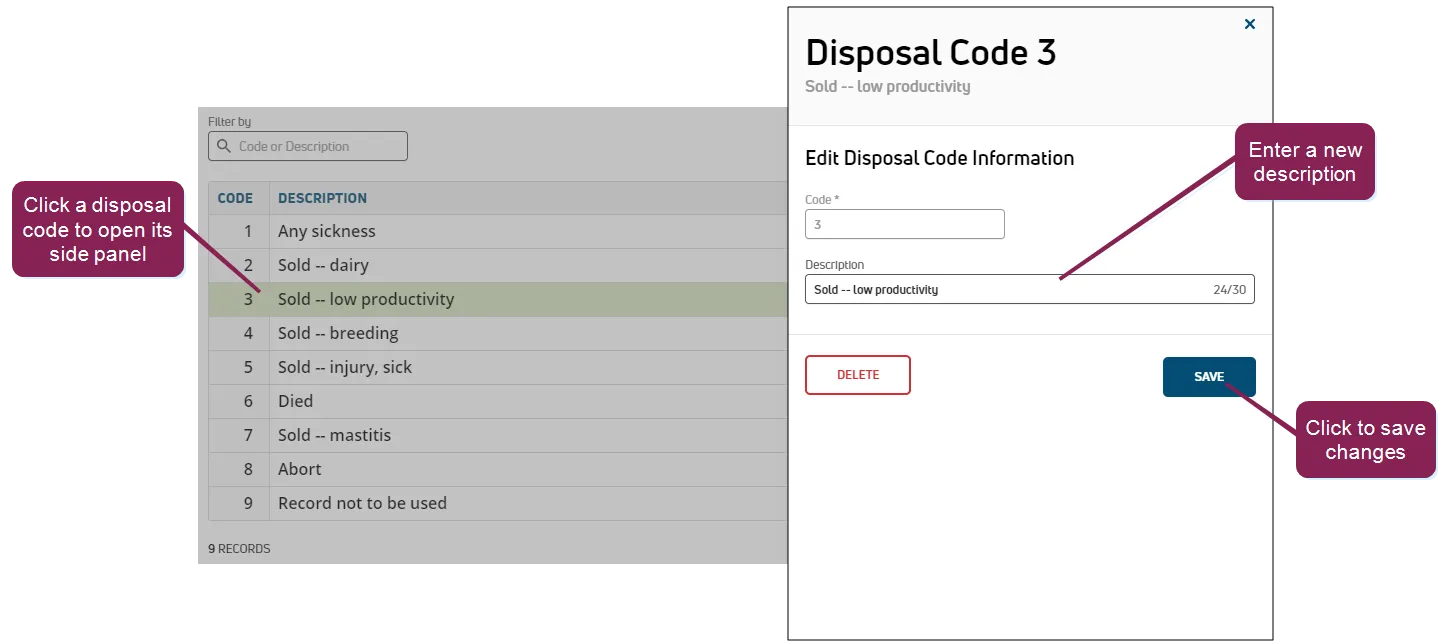
required permissions all users assigned to a role with herd read permissions can view this feature only users who are assigned a role with herd configuration permissions can edit data or customize settings the ability to edit and customize select fields may also depend on which version of pulse you are using (dc unlimited or ) see the topics below to learn more know your vas pulse version docid 5i7xv63wgmrxmsotyjaaa edit dairy user permissions docid\ gw6zx7tfc4ihsbrtozc v manage dairy roles docid 9yjukdzfab0kko1hw0mxj the disposal codes page allows you to view all available disposal codes for your dairy whenever a disposal event is entered, a disposal code is assigned to it dc unlimited subscribers can also edit the code descriptions and add new disposal codes if they have the required permissions important use caution when changing disposal codes, as some are commonly used in the dairy industry and linked to processing centers that computerize dairy data you can find this feature under the dairycomp/mydc menu docid\ ezfejzdkbcfov b69aupr > settings docid\ ezfejzdkbcfov b69aupr option on the general settings tab use the filter by field to filter the list by code number or description add disposal codes click the add new disposal code button at the top of the page to open a window for creating a new disposal code enter a new value in the code field this value is mandatory and must be unique (i e , not currently in use) also, this value must be a number in the description field, enter a description of the new disposal code this field is optional click save to add your new disposal code to the list edit disposal codes only the description can be changed; you cannot change the code number to edit the description of an existing disposal code, click on the applicable code in the list use the side panel to make changes to the code description, and then click save