PULSE Main Screen
This section describes how to find your way around PULSE. Use the image and descriptions below to learn about the layout of PULSE and find the features you need.
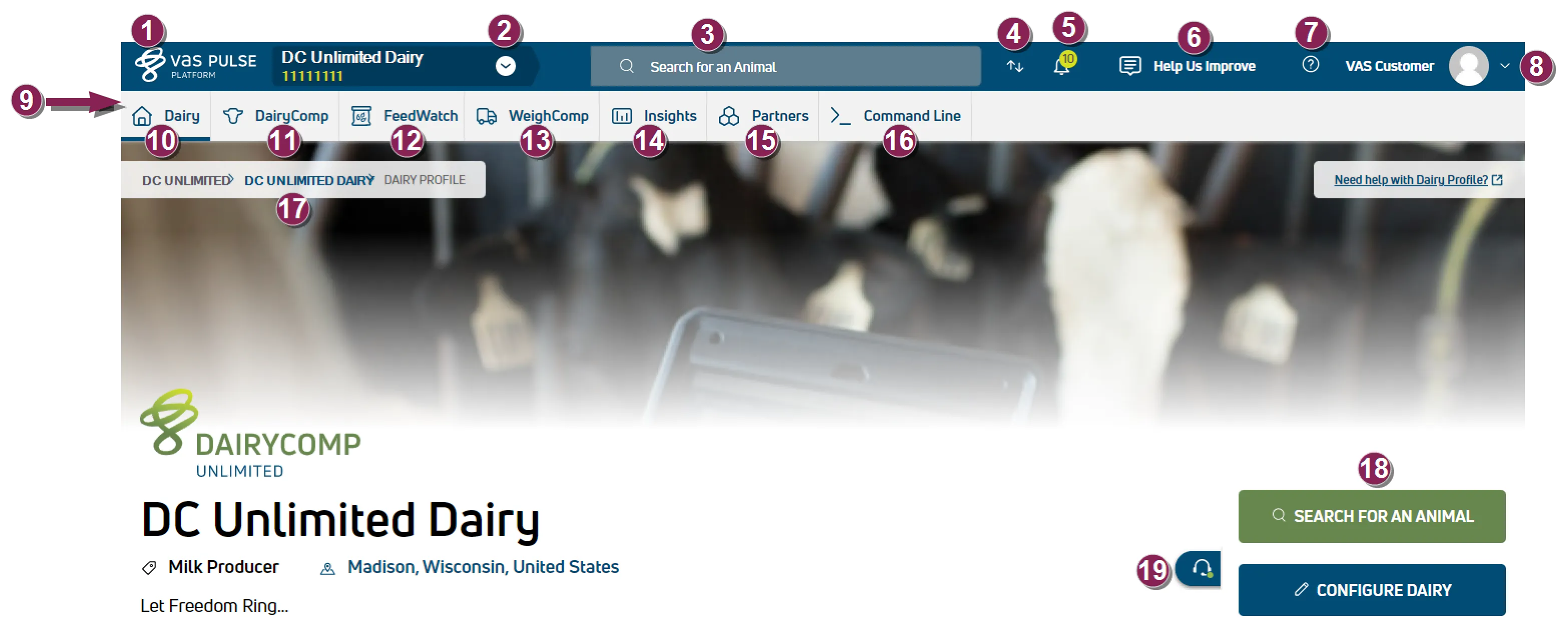
VAS logo button: Click the VAS logo at the top left of PULSE to jump straight to your User Account home page.
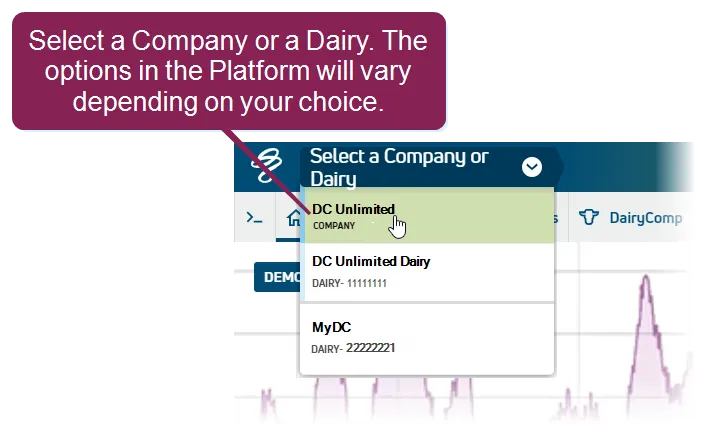
Current company or dairy: The company or dairy you are viewing is displayed in this field at the top left of the page. To view a different one, click the arrow and choose from the list of all your connected companies and dairies.
Search for an animal: Start typing an animal's ID or other identifier in the Search bar to find it. See Find an AnimalFind an Animal to learn more!
Platform sync status: Click the  icon to view current DairyComp 305, FeedWatch, and Parlor integration status. See When was my data last synchronized?When was my data last synchronized? for more information.
Platform Notifications icon: Click the  icon to view a list of the the latest product releases, as well as system messages, general alerts, and notifications. An activity badge
  on this icon indicates the total number of unread messages, and clicking the Notifications icon displays links to the most recent messages. See How do Notifications work?How do Notifications work? for more information.
Platform feedback button: Click the Help Us Improve button to share your thoughts on PULSE with VAS. See Help Us Improve!Help Us Improve! for more information.
Platform Help button: Click the Help button  to view PULSE online help in a separate browser window.
User Menu: Your User Menu is located at the top right of PULSE. Click the drop‑down arrow to view your options.
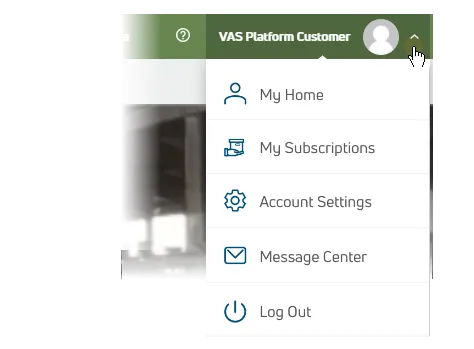
- My Home: Navigate to your User Account home page.
- My Subscriptions: Navigate to your My SubscriptionsMy Subscriptions page.
- Message Center: Navigate to the Message CenterMessage Center.
- Account Settings: Edit your PULSE user account settings. See Edit Your User AccountEdit Your User Account for more details.
- Log Out: Log out of the Platform.
Menu bar: Click each item in the menu bar to view different PULSE features.
If you are viewing PULSE in a smaller browser window, you may not see the menu bar as it's shown above. Instead, you'll click the menu bar button at the top right of the window (below your user account icon). This slides the menu bar out from the right side of the window.
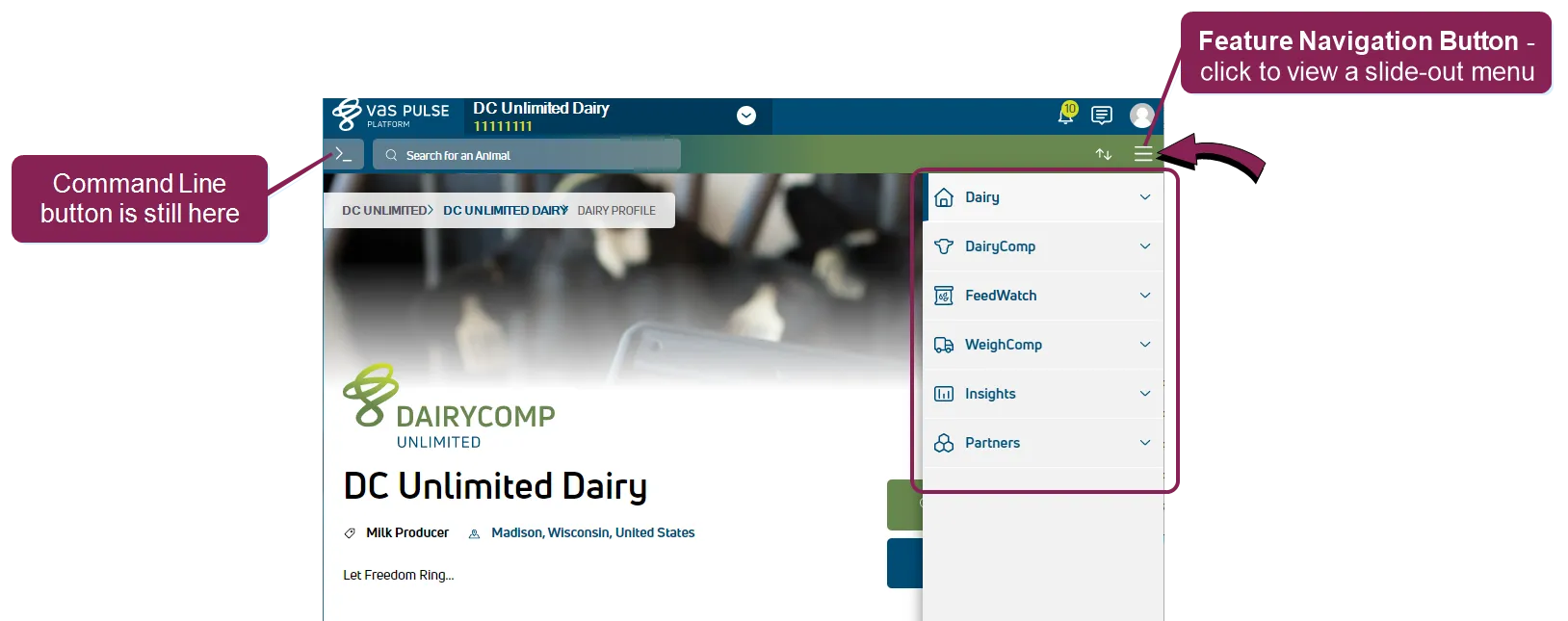
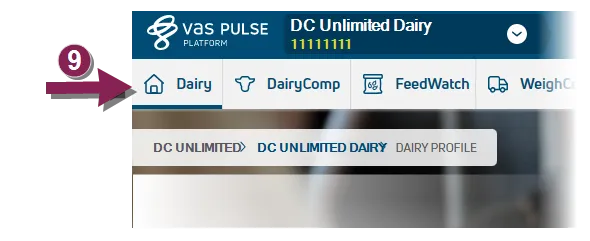
Dairy home button: Click the Dairy button to view a menu of options related to the working of your dairy, including pens, changes, and user management. Click hereClick here to find a full list of features under this menu item.
DairyComp/MyDC button: Click the DairyComp/MyDC button to view a menu of DairyComp/MyDC features in PULSE, including worklists, reports, and animals. Click hereClick here to find the full list of features under this menu option.
The name of the DairyComp/MyDC button on the menu bar varies based on your PULSE subscription. The button name is "DairyComp" for DC Unlimited subscribers and "MyDC" for MyDC subscribers. See Know Your VAS PULSE Version Know Your VAS PULSE Version for more information.
FeedWatch button: Click the FeedWatch button to view a menu of FeedWatch features in PULSE. The FeedWatch Overview Page can be customized just like a Dashboard. See FeedWatchFeedWatch for more information. Click hereClick here to find the full list of features under this menu option.
WeighComp button: Click the WeighComp button to access the WeighComp add-on (if available) to manage transactions harvests. See WeighCompWeighComp for more information. Click hereClick here to find the full list of features under this menu option.
Insights button: Click the Insights button to view a menu of trends-related options. See Animal Inventory TrendsAnimal Inventory Trends or RumINSIGHT ReportRumINSIGHT Report for more information. Click hereClick here to find the full list of features under this menu option.
Partners button: Click the Partners button to view access the Integration gallery. Click hereClick here to see this menu option.
Command Line button: Click the >_ button to access the Command Line. See Command LineCommand Line for more information.
Breadcrumbs: The top left of each page shows a breadcrumb path to where you are in PULSE. You can click the dairy name as a shortcut to return to the dairy home page.
Dairy Home Page Shortcuts: When you are on the dairy home page, the buttons at the bottom right allow you to quickly search for an animal or edit your Dairy Configuration. You can also press the F2 key at any time to jump straight to a search.
Live Chat: Click the  button at the bottom right corner of any page to initiate a Live Chat and communicate with a member of VAS technical support, allowing you to solve issues quickly without waiting for email or picking up the phone. Live Chat is available during normal business hours to all customers in the U.S. and Mexico who get their technical support through VAS. When the chat feature is available, this button displays in blue. When the chat feature is not available, the button displays as gray. In this case, you can still contact VAS technical support.