Manage Dairy Users and Roles
1 min
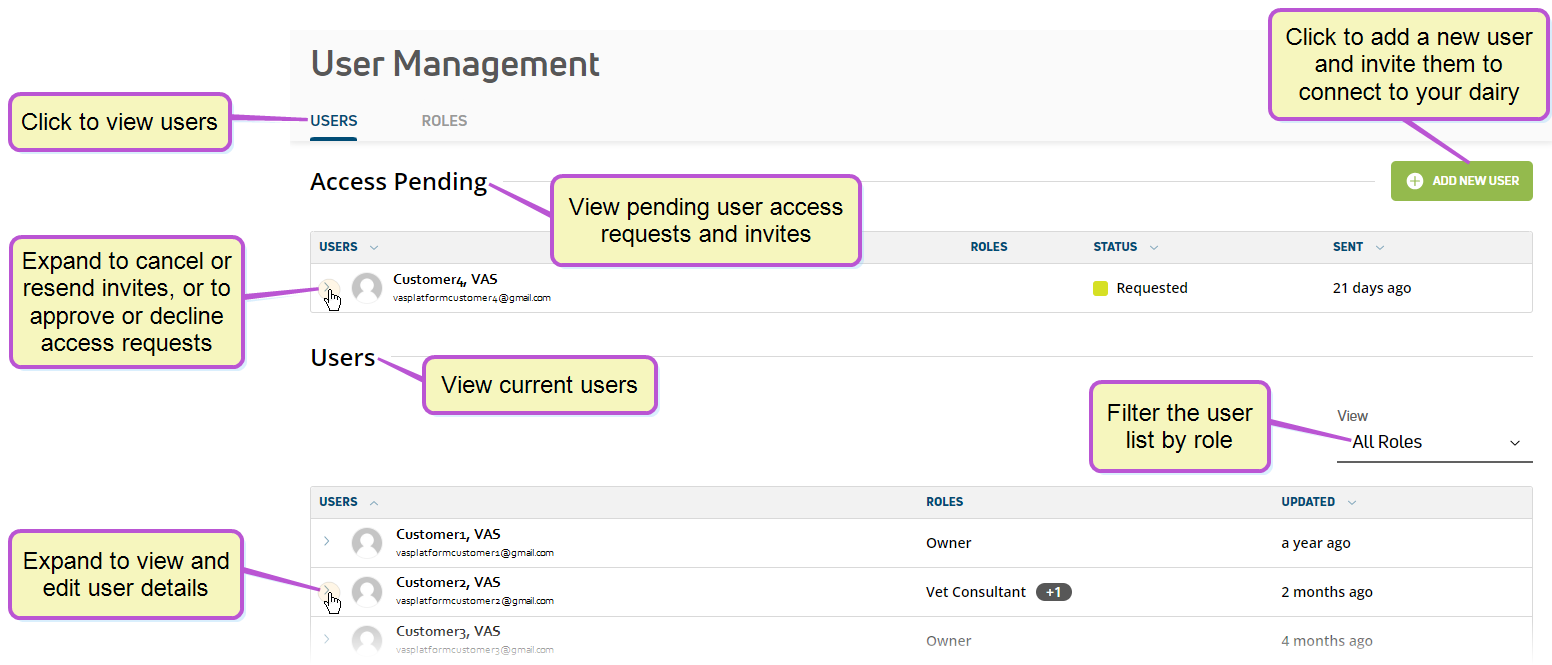
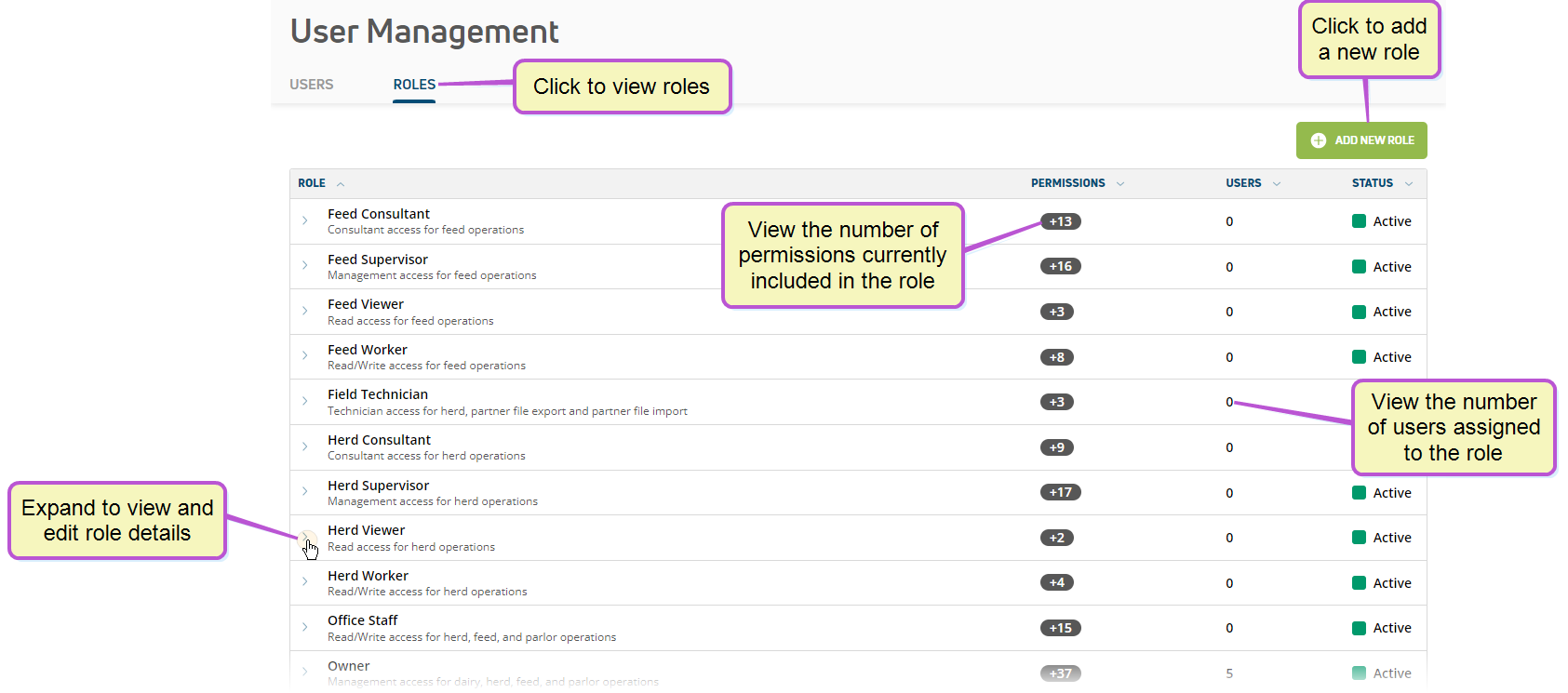
required permissions only users who are assigned to a role with user management permissions can use this feature see edit dairy user permissions docid\ gw6zx7tfc4ihsbrtozc v and manage dairy roles docid 9yjukdzfab0kko1hw0mxj for more information user management features in pulse allow you to manage user accounts and roles by company and dairy dairy user permissions are controlled entirely through role assignments user connections at the company level differ from dairy level connections this section includes instructions for managing dairy user permissions and roles you can find this feature under the dairy menu docid\ ezfejzdkbcfov b69aupr for instructions on how to edit your personal user account, see edit your user account docid\ adcj5yzybengyc6xqqec3 or, see manage company users and roles docid\ e7uzgau22kupop rzyz p to learn more about company user accounts and roles see the topics below to learn more invite a user to your dairy docid\ ocpdqco9ufw6nsybb02al cancel or resend an invite to a dairy user docid\ kjjra0bdf5byj1kag1bas accept or decline a user connection request docid\ eioe06rdp1m omidksf3e edit dairy user permissions docid\ gw6zx7tfc4ihsbrtozc v remove a dairy user docid\ zvtfi 8gqd1ienf2twqae manage dairy roles docid 9yjukdzfab0kko1hw0mxj permission descriptions docid\ qpwnrdpotcnkylpvdm4gm default roles and permissions docid 5snqp2rglrqzbf2zs8nsx