Cancel or Resend an Invite to a Dairy User
1 min
This topic explains how to cancel or resend an invite to a dairy user.
You can find this feature under the Dairy menuDairy menu. If you need to cancel or resend an invite to a company user, see Cancel or Resend an Invite to a Company UserCancel or Resend an Invite to a Company User.
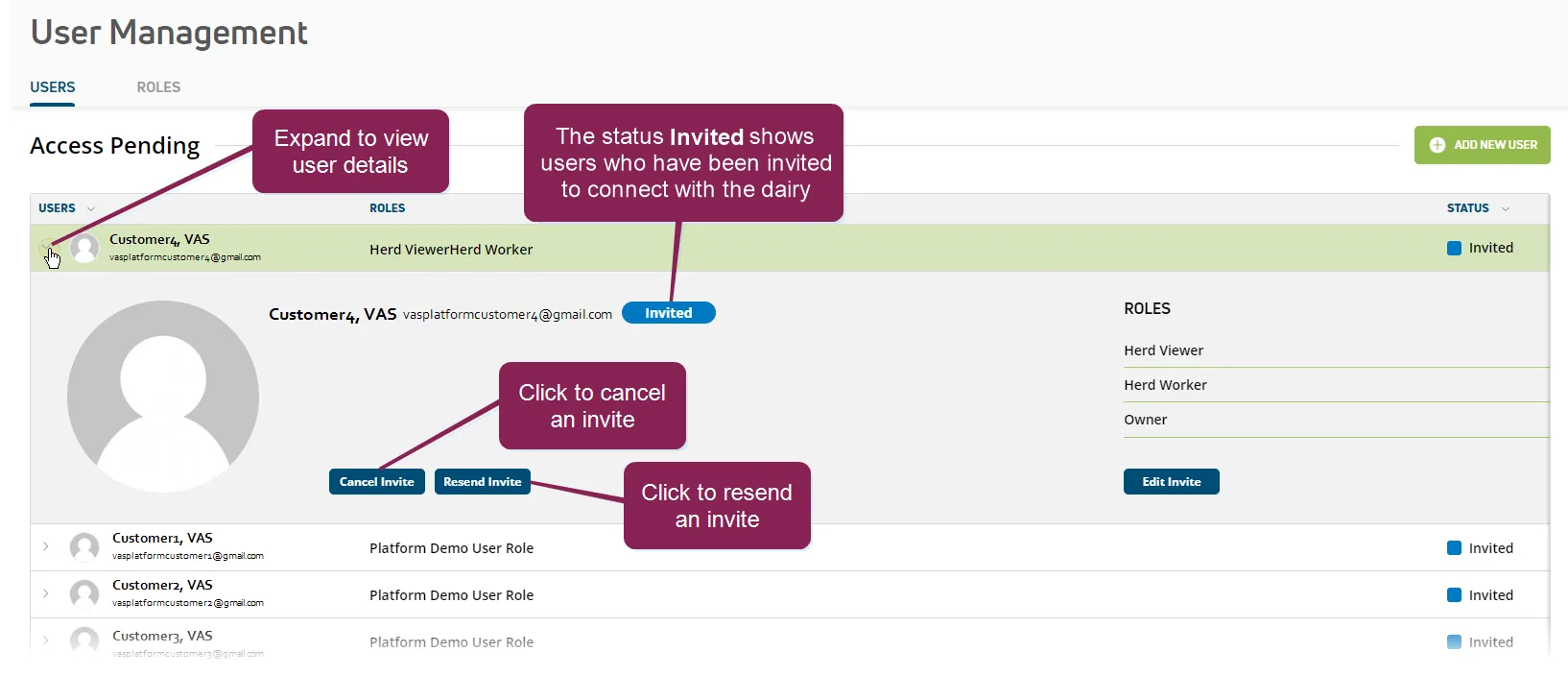
- In the Access Pending list on the Users tab, expand the details of the dairy user whose invite you want to cancel or resend.
- Click the Cancel Invite button at the bottom left side of the page to cancel the invite to the user. OR Click the Resend Invite button at the bottom left side of the page to resend the invite to the user.