My Subscriptions
To use this feature, your PULSE user account must be assigned to a Role with Billing Management permissions. See Edit Dairy User PermissionsEdit Dairy User Permissions and Manage Dairy RolesManage Dairy Roles for more information.
PULSE includes a My Subscriptions page that allows you to freely cancel and resume your dairy subscriptions at any time.
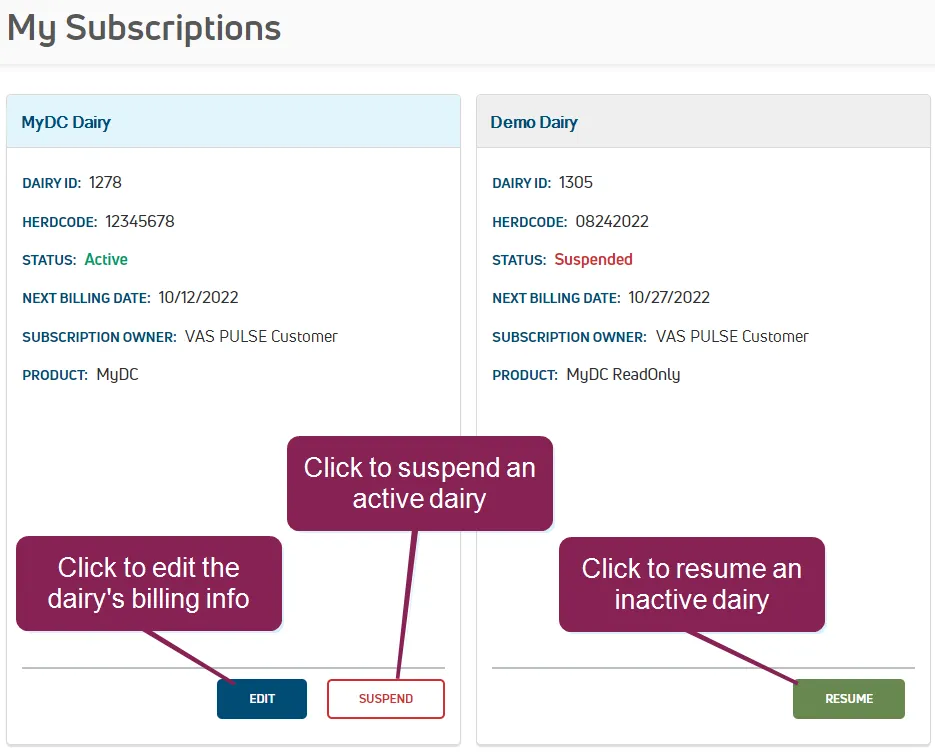
- Dairy ID: Unique identification number assigned to your subscription in PULSE.
- Herdcode: Unique alpha-numeric identifier assigned to your herd.
- Status: Current subscription status will show either Active, Suspended, or Past Due.
- Next Billing Date: Date when your subscription will be charged.
- Subscription End: Date when your subscription period ends, typically the day before your Next Billing Date.
- Subscription Owner: Name of the subscriber who is billed for the subscription.
- Product: Subscribed VAS product.
Expand the sections below to learn more:
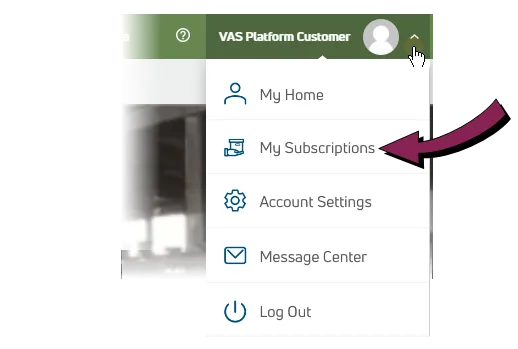
Select My Subscriptions from the User MenuUser Menu in the top right corner of the page to view your subscriptions.
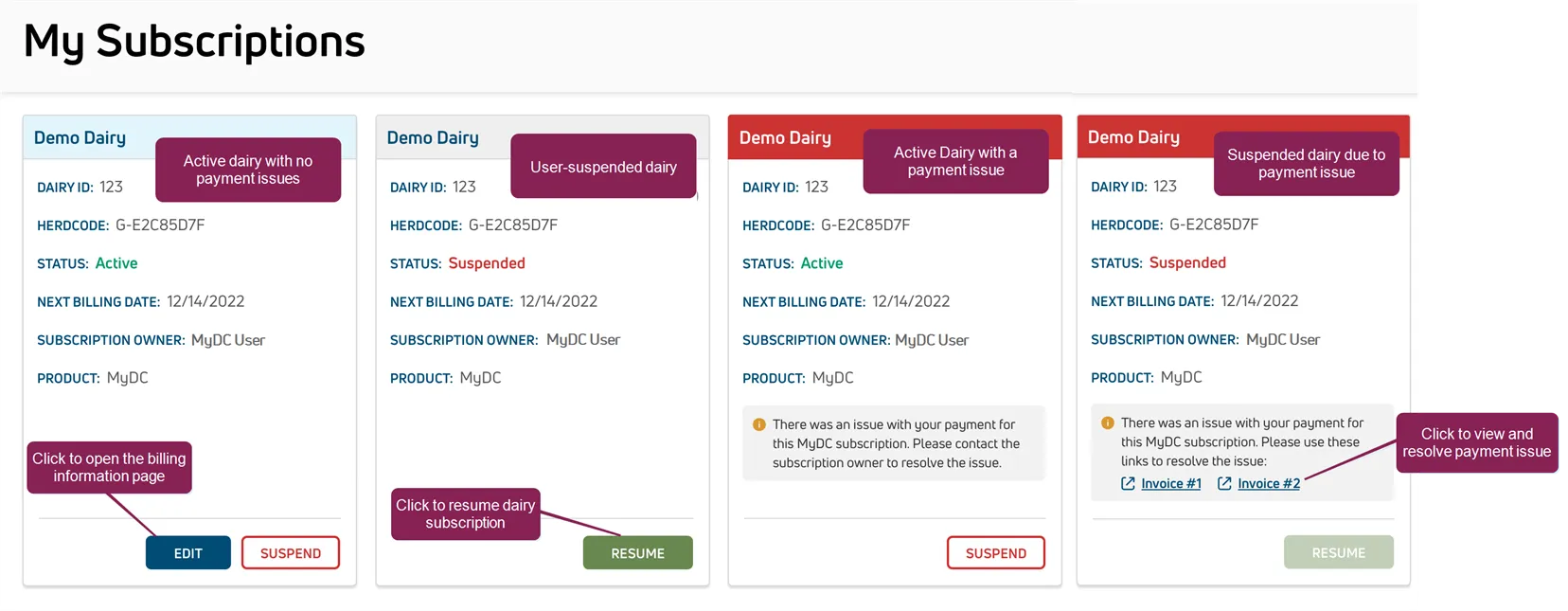
- An active subscription with no payment issues is shown in a card with a light blue header.
- A user-suspended subscription has a light gray header and the status is "Suspended."
- A subscription with a payment issue has a red header.
Click the Edit button to open the billing information page where you can edit payment methods, billing and shipping information, or view invoices.
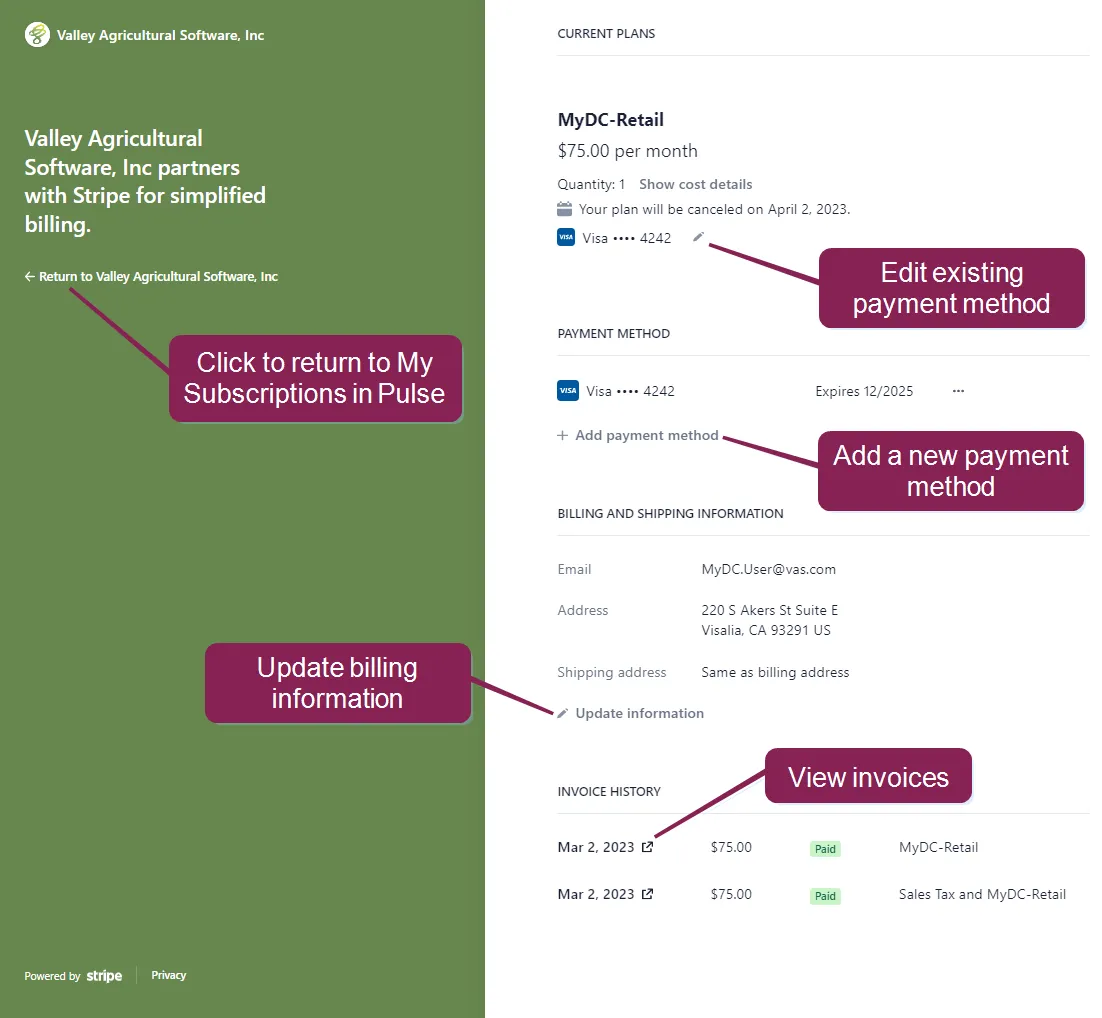
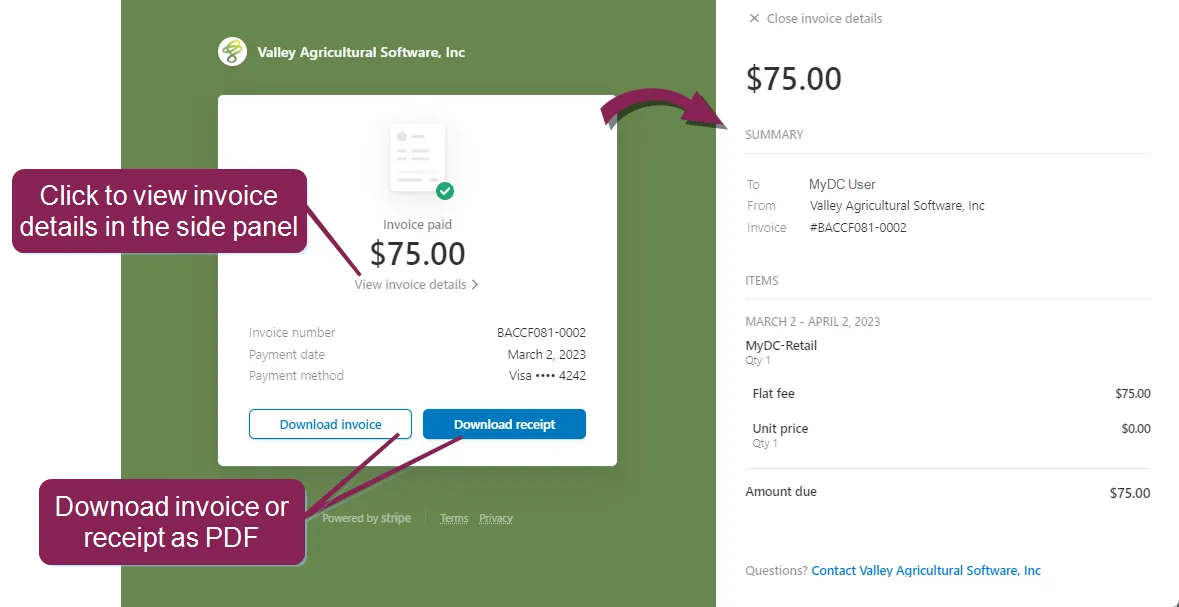
You can click on an invoice to view invoice details and download invoices or receipts in PDF format.
On the My Subscriptions page, you can suspend your subscription and resume it when you're ready. VAS requires that you pay any outstanding invoices before you can resume a subscription.
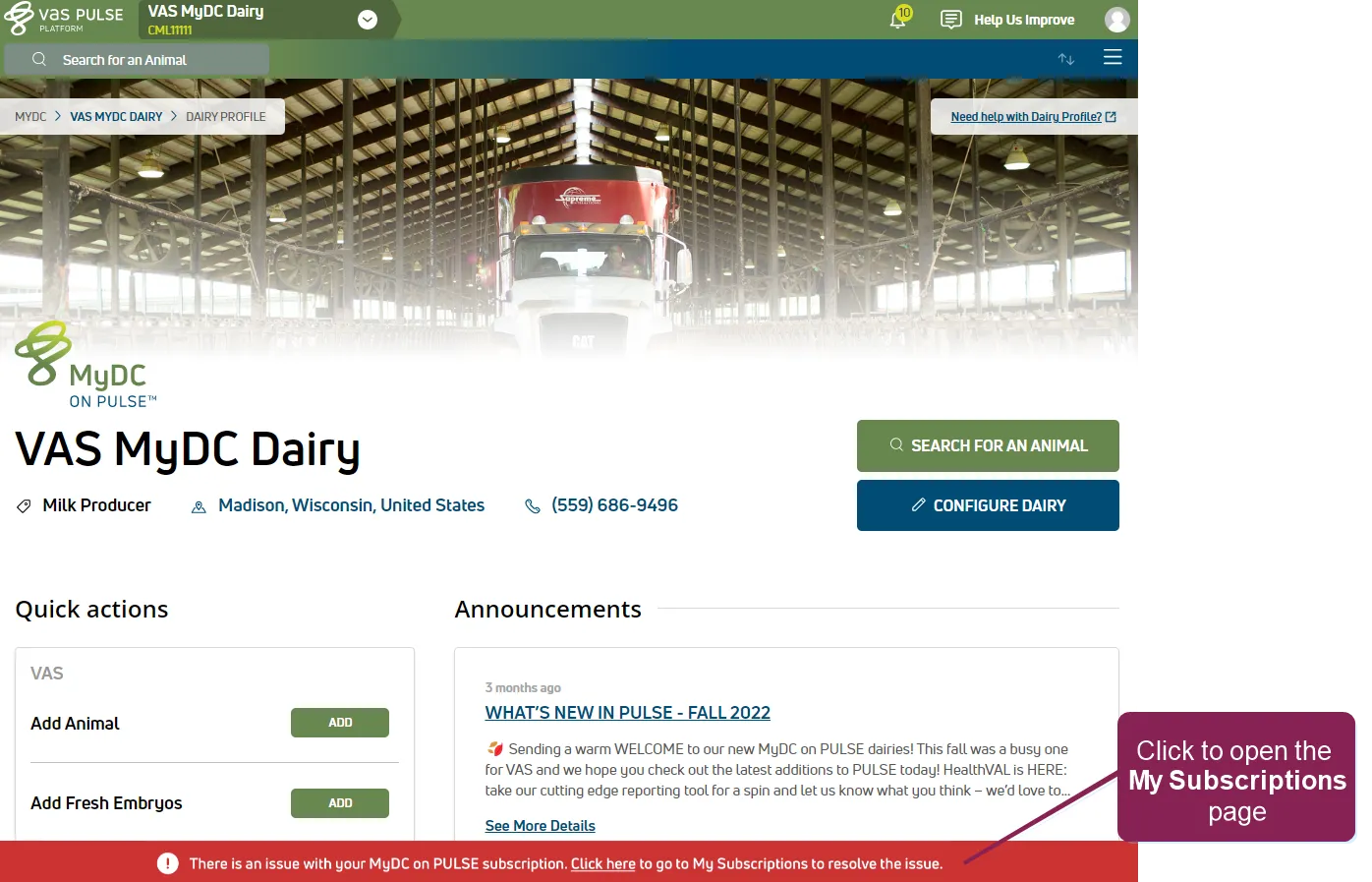
If there is an issue with your MyDC subscription, such as an overdue payment, a red banner displays at the bottom of your PULSE homepage. Click in the banner to open the My Subscriptions page and view more details.
If an invoice remains unpaid after 60 days, VAS will suspend your MyDC subscription. The subscription card will show as "Suspended" and you can click in the gray warning box to pay the outstanding invoice.
NOTE: Only users with Billing Management permissions can see the red dairy subscription cards indicating a payment issue.