Manage Your User Account
0 min
Your User Menu is located at the top right of PULSE. Click the drop‑down arrow to view your options.
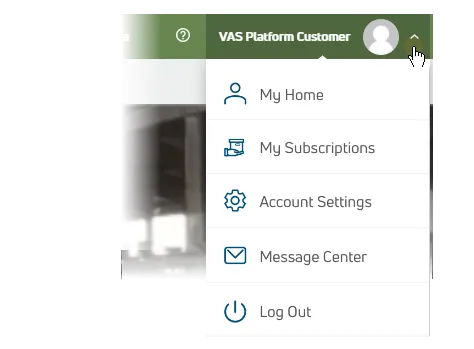
- My Home: Navigate to your User Account home page.
- My Subscriptions: Navigate to your My SubscriptionsMy Subscriptions page.
- Message Center: Navigate to the Message CenterMessage Center.
- Account Settings: Edit your PULSE user account settings. See Edit Your User AccountEdit Your User Account for more details.
- Log Out: Log out of the Platform.