Working with Alert Groups
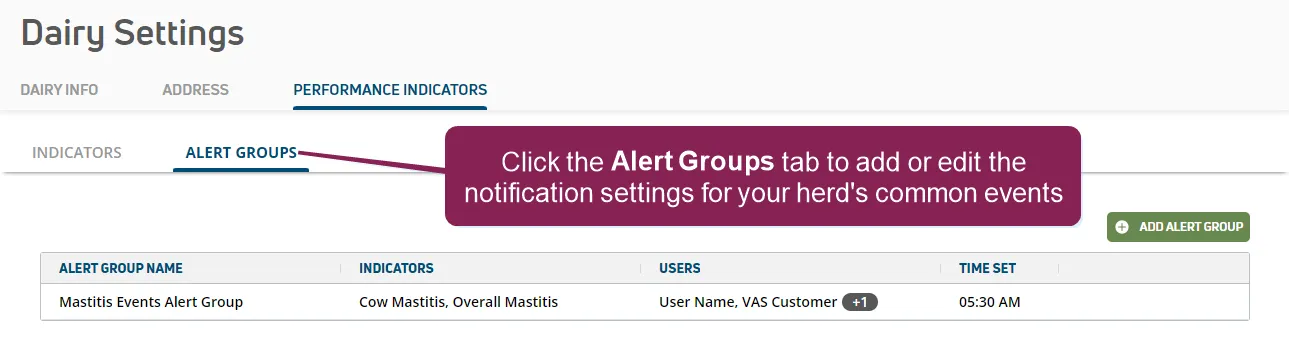
The Alert Groups page allows you to select the events you want PULSE to track and the team members you want to notify when your herd exceeds the alert thresholds.
NOTE: PULSE does not currently support alerts and notifications for all available indicator types.
You cannot add or edit alert groups until alerts and thresholds are enabled in PULSE and at least one alert threshold value is entered on the IndicatorsIndicators page for your herd.
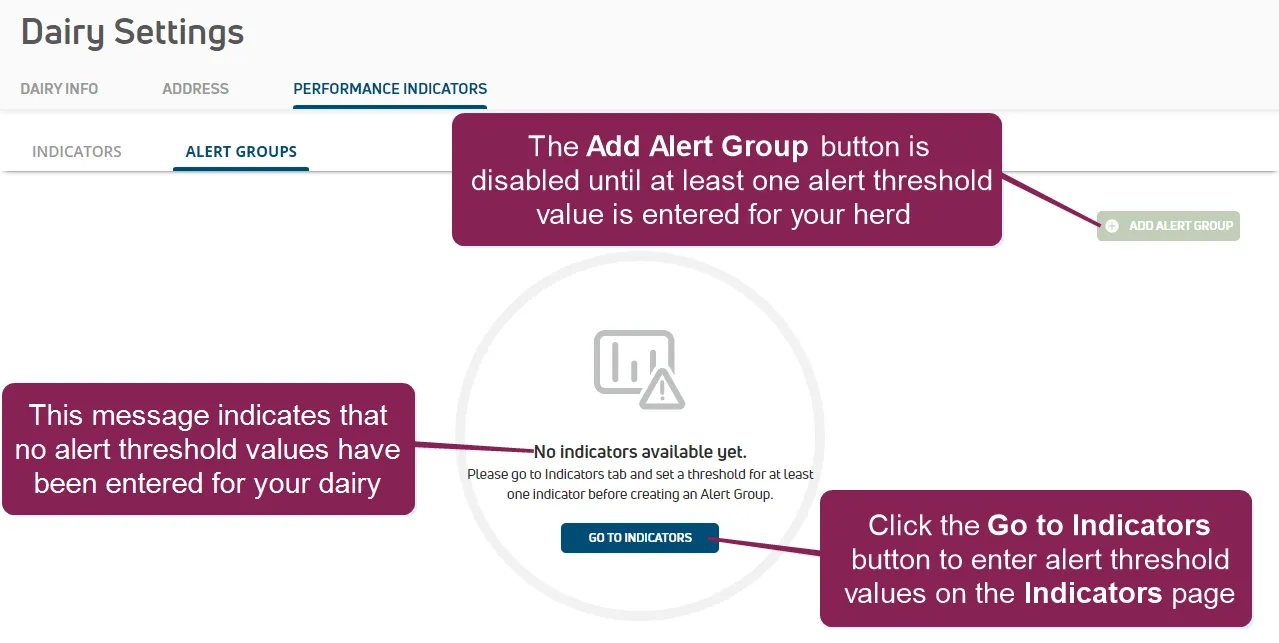
See Step 1: Enable & Set Up Health IndicatorsStep 1: Enable & Set Up Health Indicators and Step 2: Enter Alert ThresholdsStep 2: Enter Alert Thresholds for instructions.
Once alerts and thresholds are enabled for your dairy and at least one alert threshold value is entered on the IndicatorsIndicators page for your herd, you can complete the following tasks on the Alert Groups page:
- Add a new alert group.
- Edit or delete an existing alert group.
- Include one or more event indicators to track across your herd in an alert group.
- Select one or more members of your dairy team to notify when a tracked event occurs.
- Select the time of day when PULSE examines thresholds for your herd and notifies your dairy team.
NOTE: PULSE sends notifications for alert groups only by text or email. Alert group notifications are not added to the Message CenterMessage Center or to the Notifications buttonNotifications button as a new activity badge.
See the topics below to learn more: