Working with Indicators
The Indicators page allows you to view or adjust health and reproduction indicators for the animals in your herd.
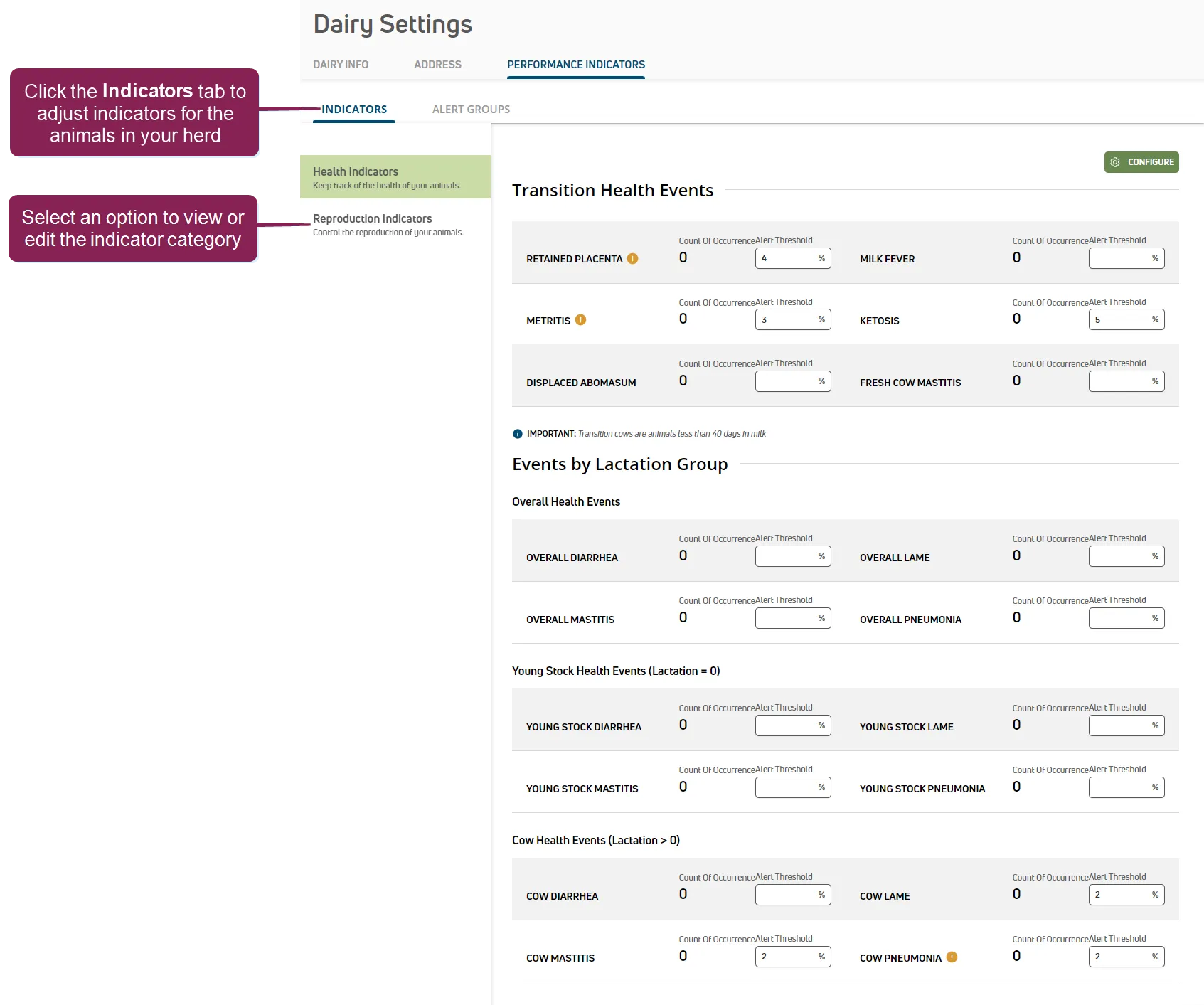
NOTE: PULSE supports various indicator types. Select an option to view or edit an indicator type.
Expand the sections below to learn more:
Select the Health Indicators option to view your dairy's alert threshold settings for health-related events. You can also complete the following tasks:
- Enable alerts and thresholds for your dairy.
- Enter the alert threshold values that trigger PULSE to notify your dairy team when common events occur across your herd.
- Select how often you want PULSE to examine thresholds for your herd and send notifications to your team.
When the page is displayed, PULSE examines your herd and updates the Count of Occurrence fields for each event found across your herd.
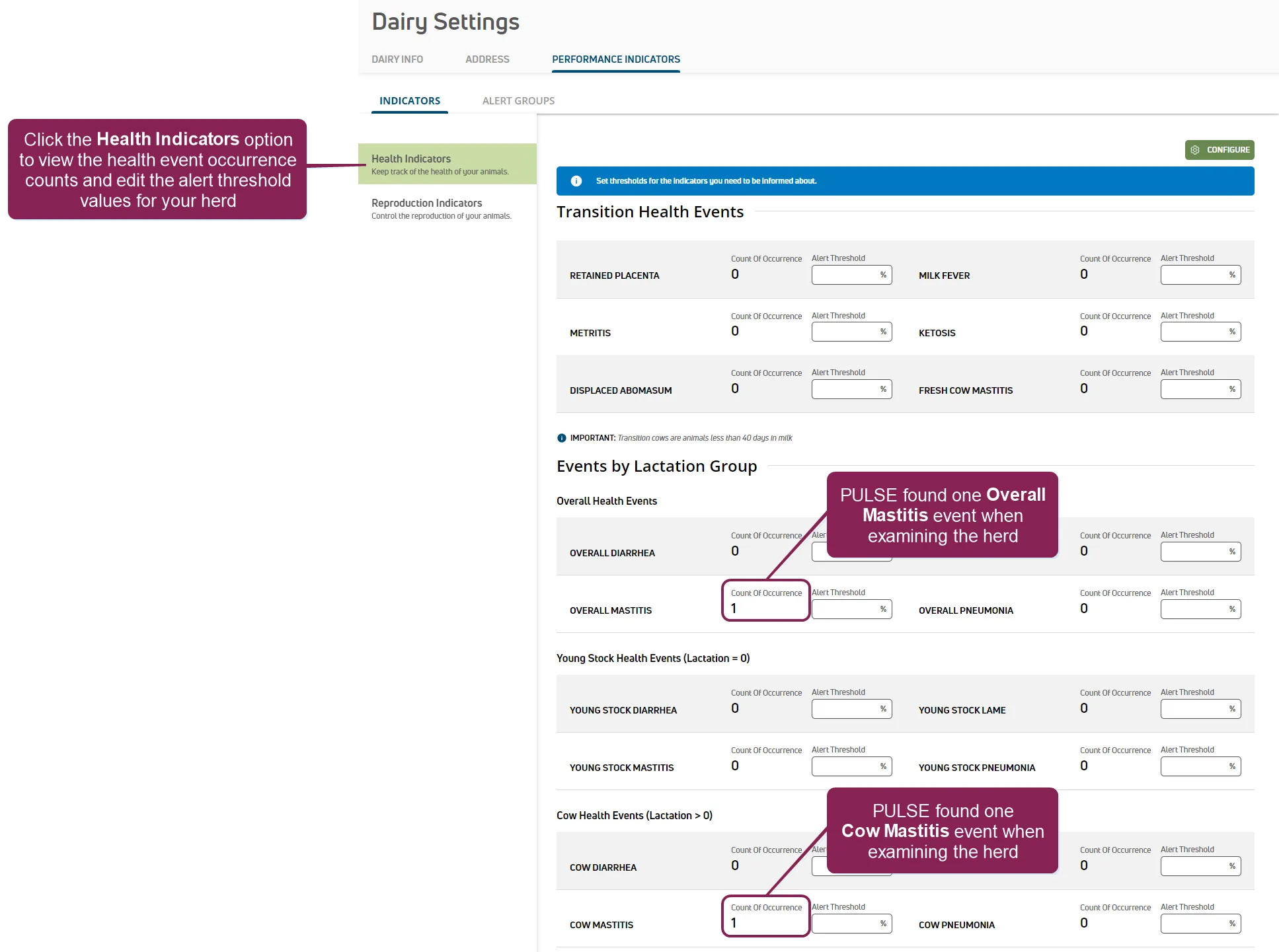
In the example above, PULSE found one Overall Mastitis event and one Cow Mastitis event while examining the herd. You can track these events by setting an alert threshold value for each event.
NOTE: You cannot enter alert threshold values until alerts and thresholds are enabled in PULSE.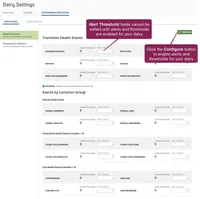 See Step 1: Enable & Set Up Health IndicatorsStep 1: Enable & Set Up Health Indicators for instructions.
Follow the guidelines below when working with the Indicators page.
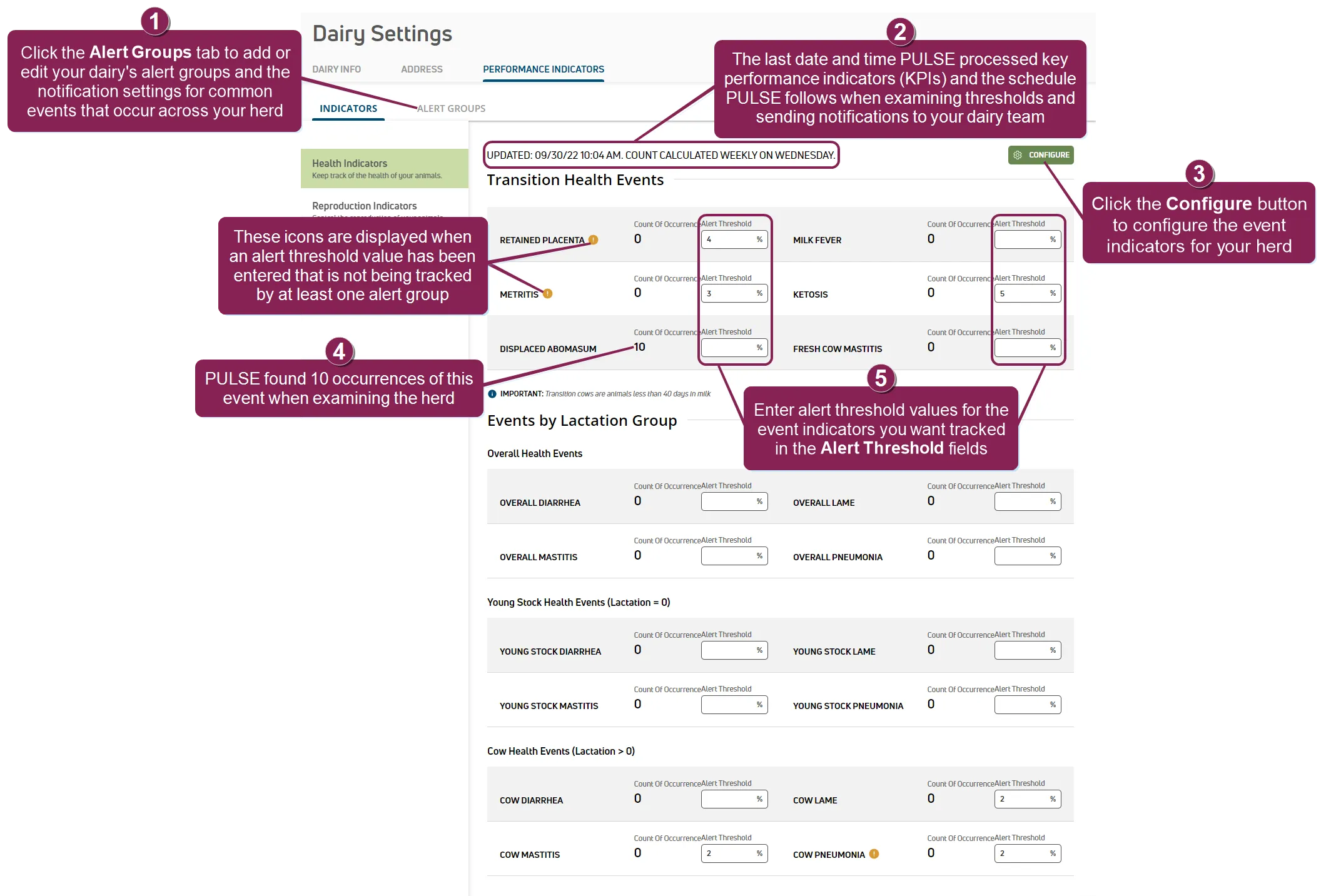
- Click the Alert Groups tab to select the events you want PULSE to track and the team members you want to notify when your herd exceeds the alert thresholds. See Working with Alert GroupsWorking with Alert Groups for more information.
- Updated: The date and time when KPI's were last updated by PULSE and the schedule PULSE follows when examining thresholds.
- Click the Configure button to open a side panel and enable alerts and thresholds for your herd. See Step 1: Enable & Set Up Health IndicatorsStep 1: Enable & Set Up Health Indicators for instructions.
- Count Of Occurrence: The total number of times an event exceeded the herd's Alert Threshold value since PULSE last checked.
- Alert Threshold: The alert threshold values that trigger PULSE to notify your dairy team when common events occur across your herd.
Select the Reproduction Indicators option to view or adjust health and reproduction indicators for the animals in your herd. When the page is displayed, PULSE examines your herd and updates the Last 365 Days fields for each KPI found across your herd. You can set unique limits for heifers and cows.
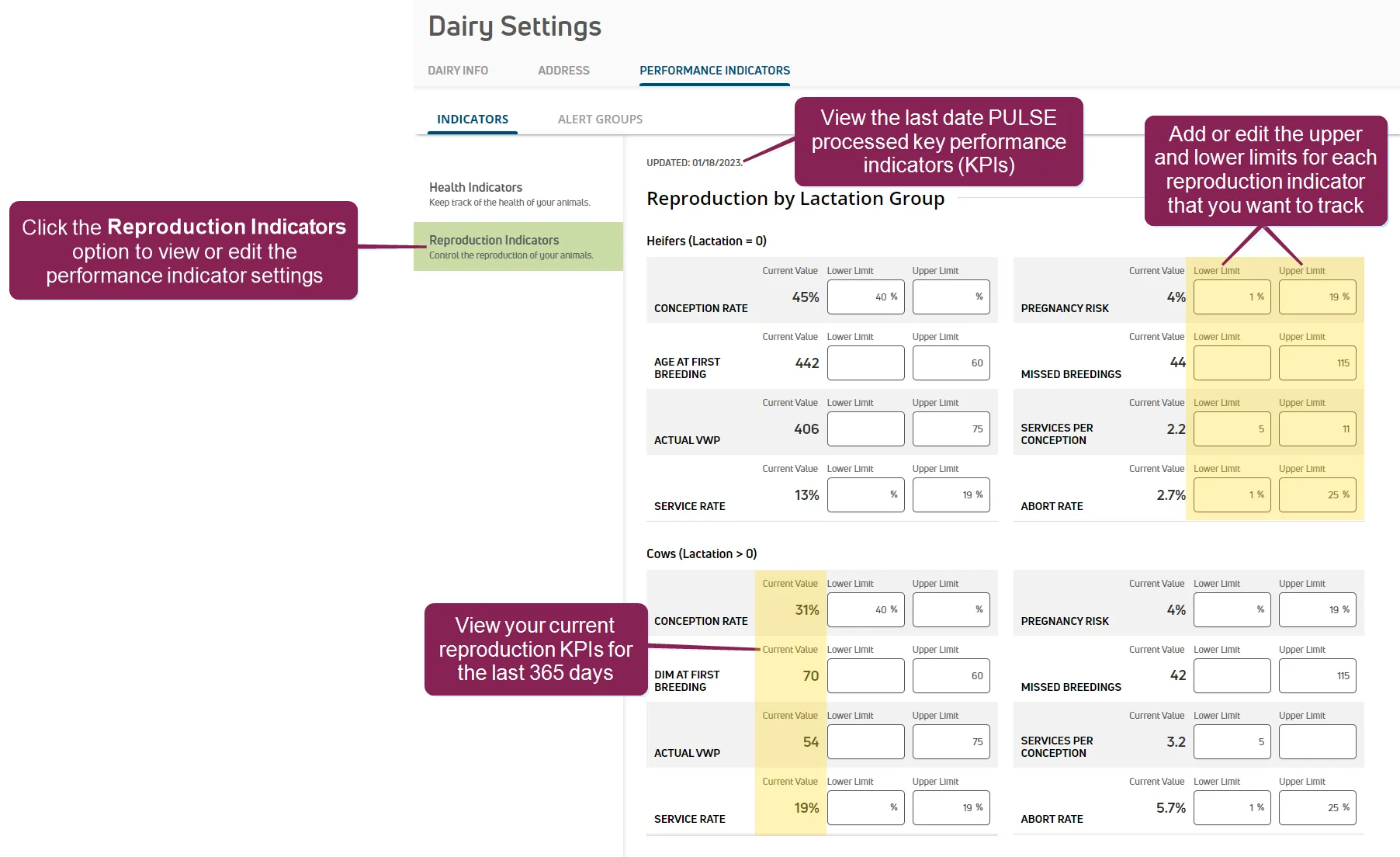
You can set either an upper or lower limit, or set both to capture a range of acceptable values.
NOTE: Changes made in a field on this page are automatically saved when clicking or tabbing into another field or navigating to a different page.
PULSE does not currently support alerts and notifications for reproduction indicators. However, you'll see the reproduction indicators you're currently tracking on the Reproduction Insights report, which tracks cow and heifer reproduction across your herd.
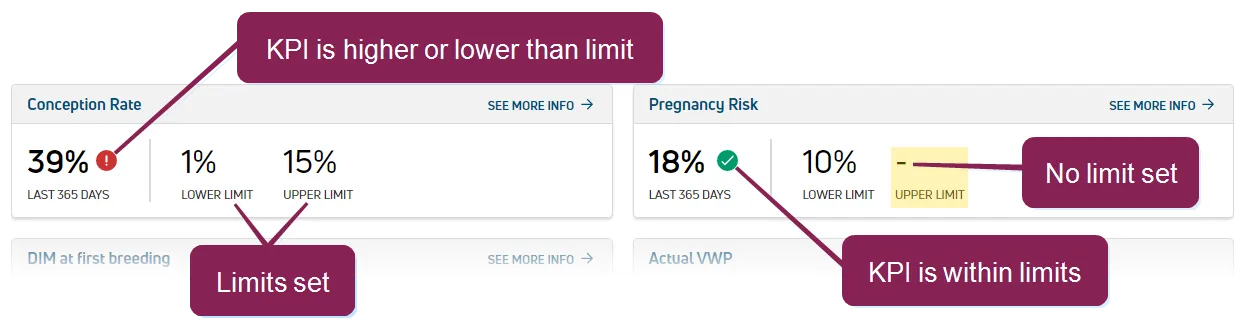
Indicator | Description |
|---|---|
 | KPI is lower or higher than the limit(s) currently being tracked. |
 | KPI is within the limit(s) currently being tracked. When you track an upper and lower limit for a reproduction KPI, the current value must be within the range of both limits to see the |
- | A dash indicates that a limit is not currently being tracked. |
See Reproduction InsightsReproduction Insights for more information about the Reproduction Insights report.