Step 1: Enable & Set Up Health Indicators
PULSE automatically processes key performance indicators (KPIs) for the animals across your herd around midnight each night.
This nightly process is specific for Performance Indicators and is unrelated to the KPIs and AlertsKPIs and Alerts feature in Account SettingsAccount Settings.
PULSE does not currently support alerts and notifications for all available indicator types. Use the following instructions to set up Health Indicators, but note that the steps may differ for other indicator types.
Follow the steps below to enable and set up indicators for your dairy. These instructions assume that you are starting with a dairy that does not already have alerts and indicators set up in PULSE:
- Begin by selecting Dairy > Settings from the PULSE menu.
- Click the Performance Indicators tab, and make sure the Indicators tab and the Health Indicators option are selected. When the IndicatorsIndicators page is displayed, PULSE examines your herd and updates the Count of Occurrence fields for each event found across your herd.
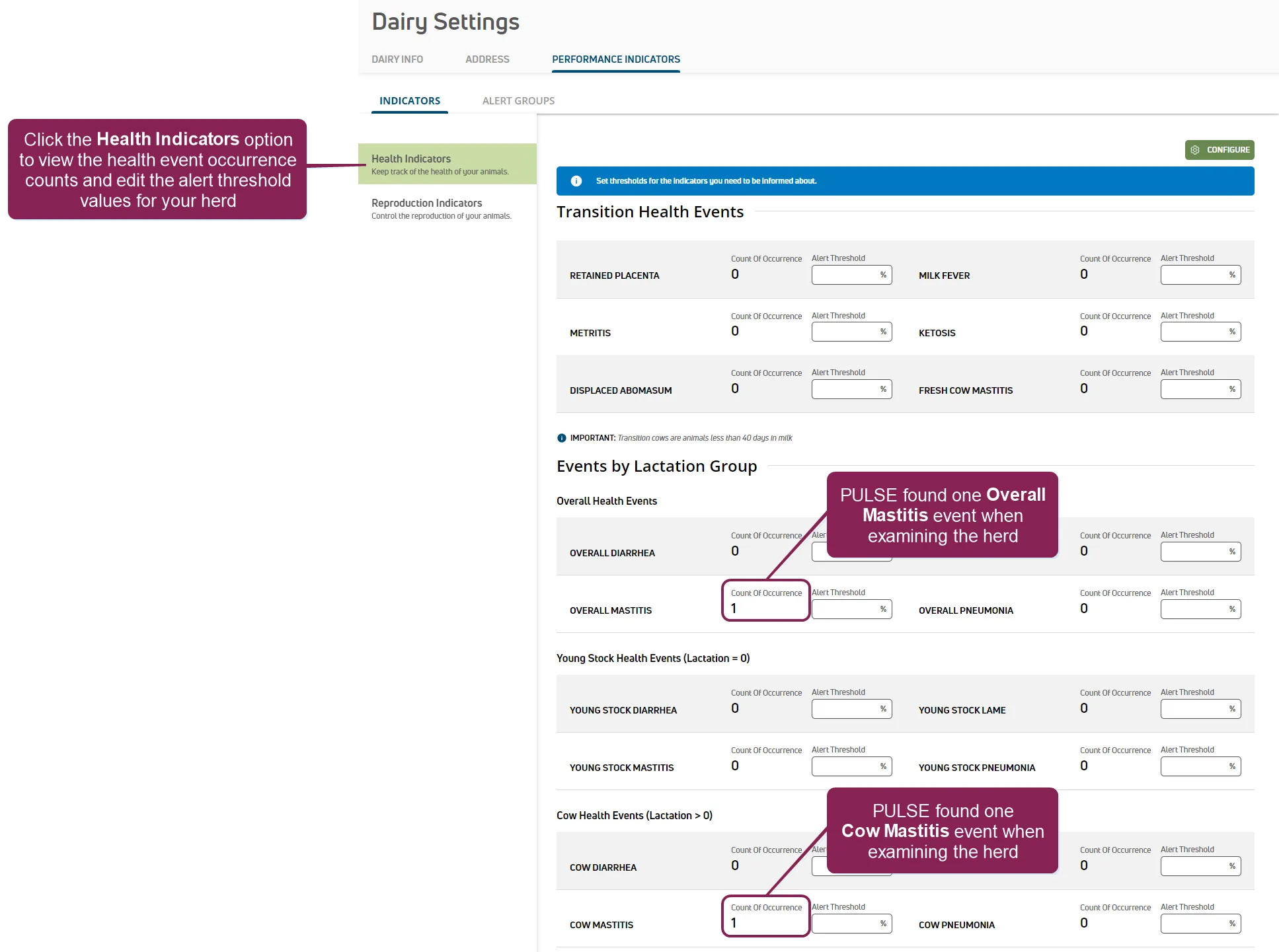
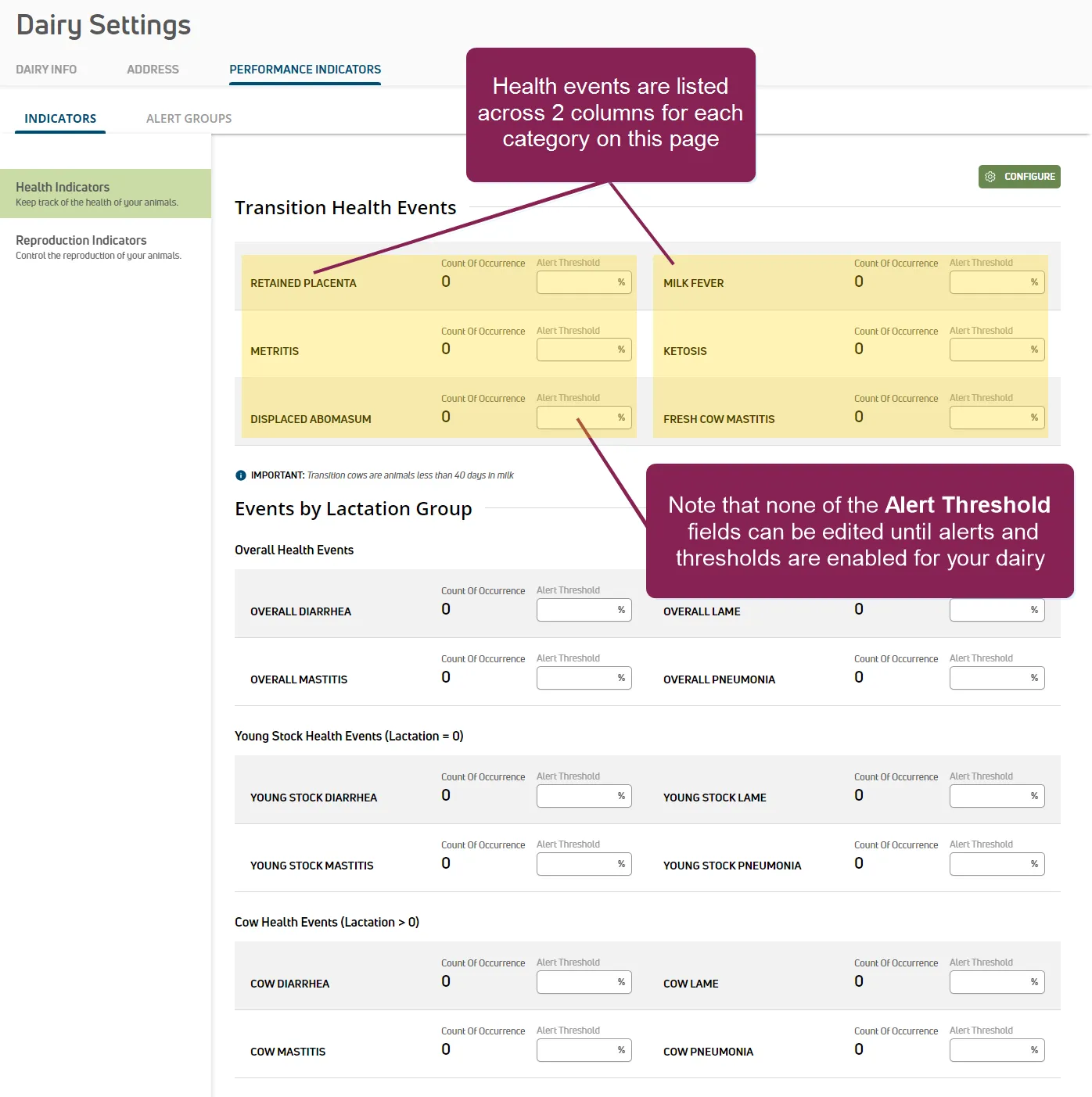
In the example above, PULSE found one Overall Mastitis event and one Cow Mastitis event while examining the herd. You can track these events by setting an alert threshold value for each event. Since alerts and thresholds have never been enabled for this dairy, note that the Alert Threshold fields are disabled.
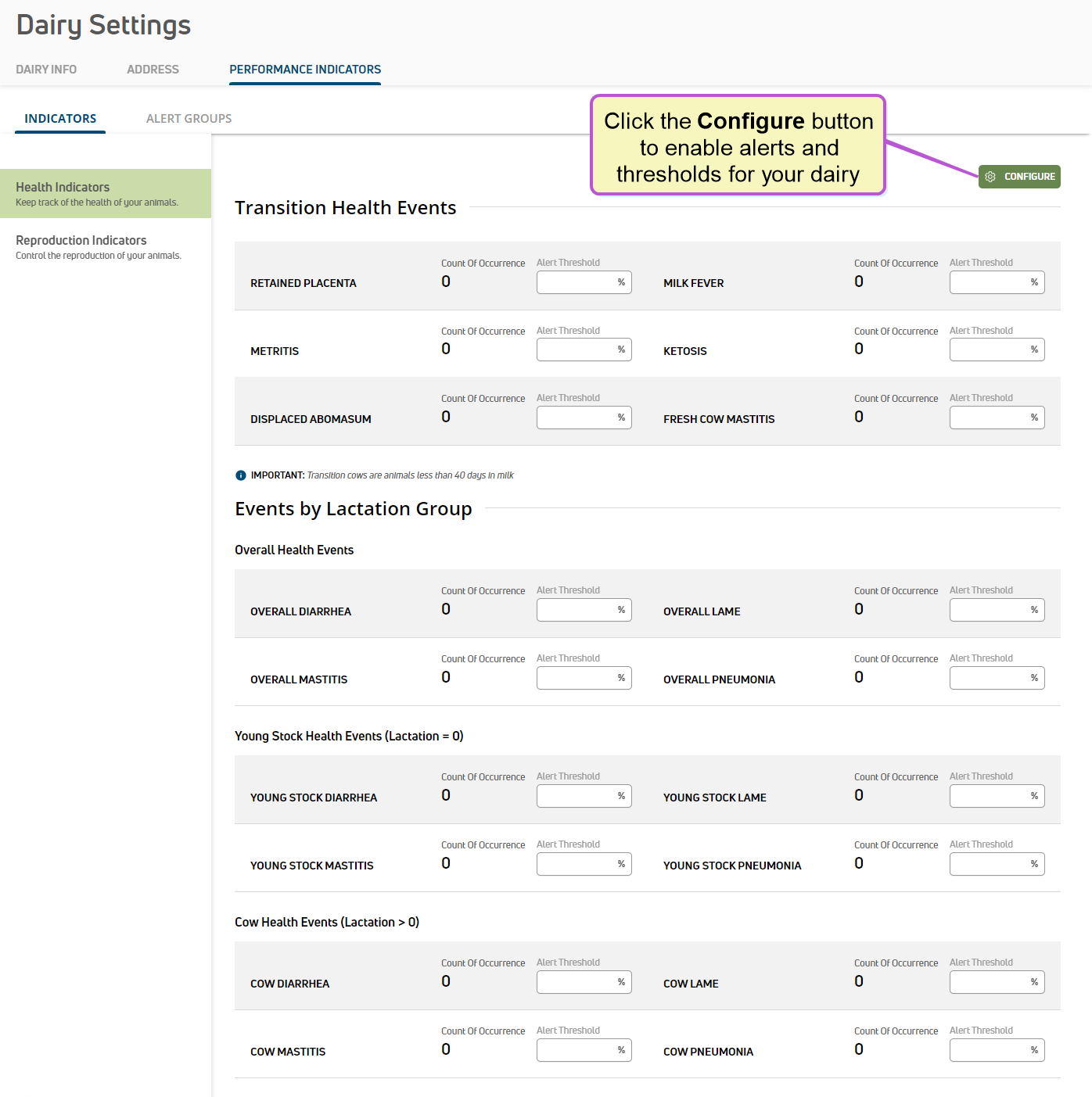
- Enable, or turn on, alerts and thresholds for your dairy by clicking the Configure button, and then in the side panel, toggle the Status control for Indicators and Alerts to "on" (green).
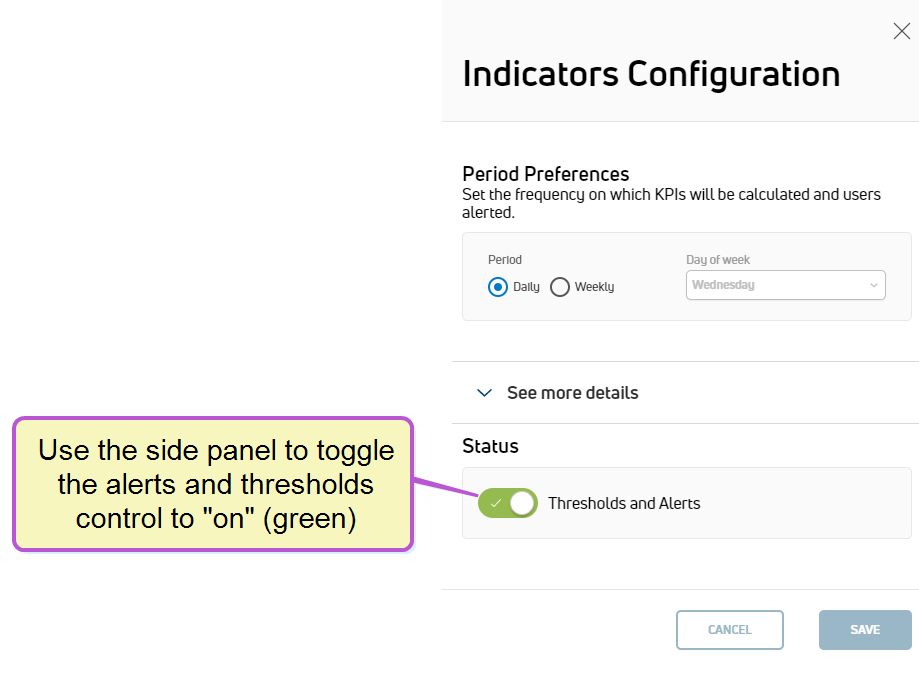
- While still in the side panel, use the Period Preferences area to select how often you want PULSE to examine thresholds for your herd and send notifications to your team. Note that the Daily option is automatically selected for you. This tells PULSE that you want to examine thresholds and send alerts on a daily basis.
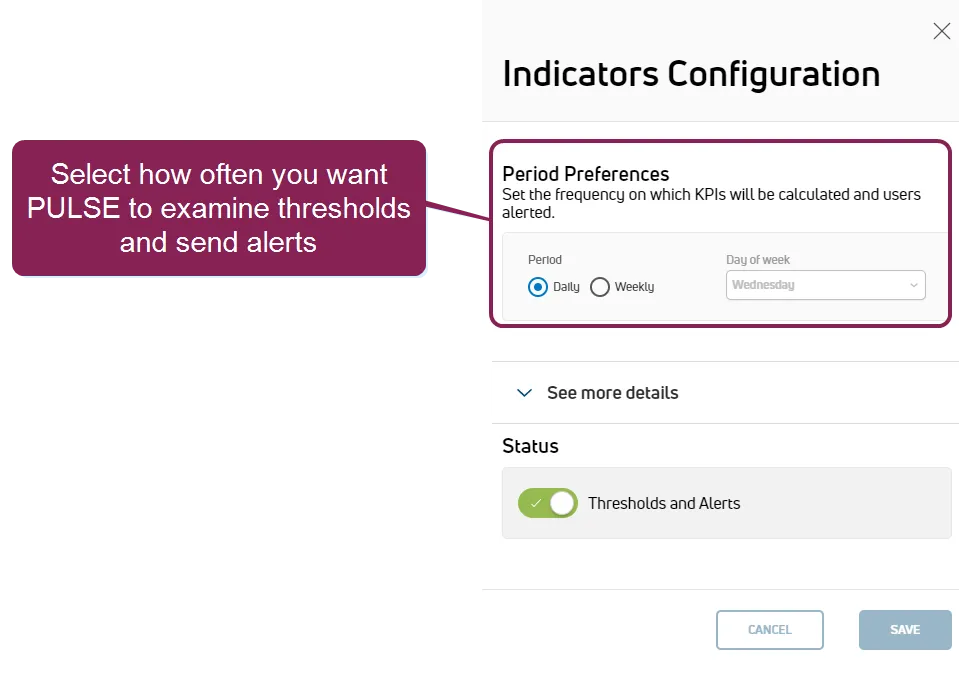
If you prefer PULSE to examine thresholds and send alerts on a weekly basis, select the Weekly option.
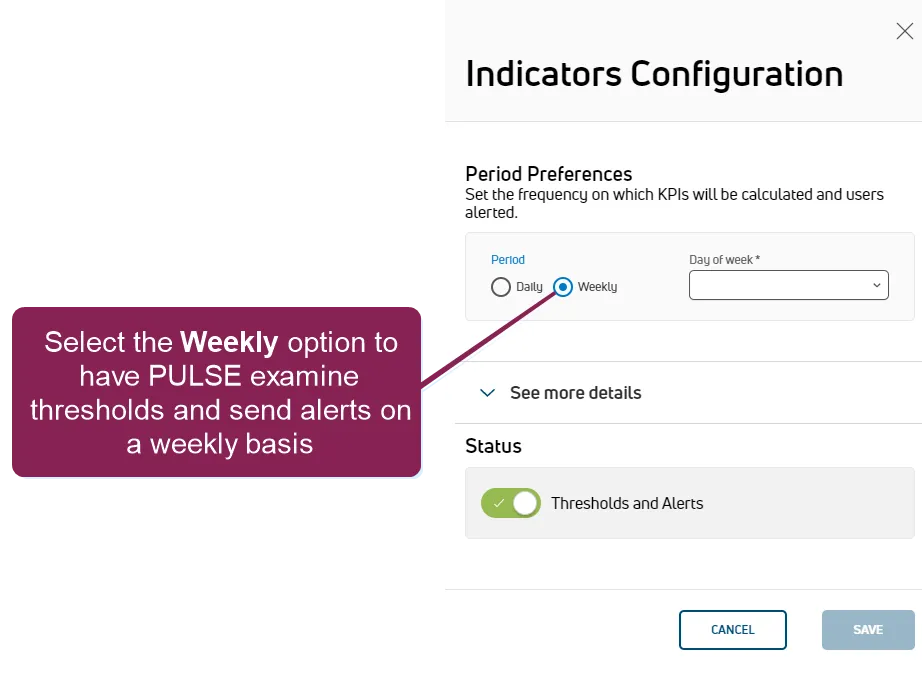
When the Weekly option is selected, you must select a Day of week to receive alerts. For instance, if you select Wednesday in the list, PULSE examines thresholds and sends alerts every Wednesday.
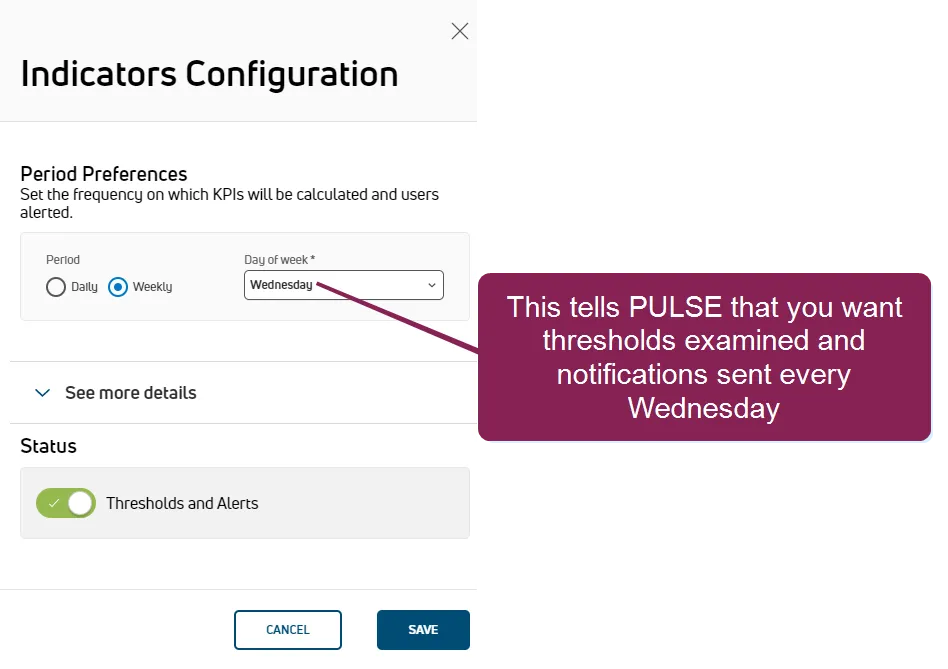
If you decide that alerting your dairy team once a week doesn't meet your specific needs, don't worry! You can always return to this side panel later and select the Daily option to examine thresholds and send alerts on a daily basis.
- Now that you've specified how often you want PULSE to examine thresholds for your herd and send notifications to your team, you can click See more details in the side panel to view the current threshold and alert schedule.
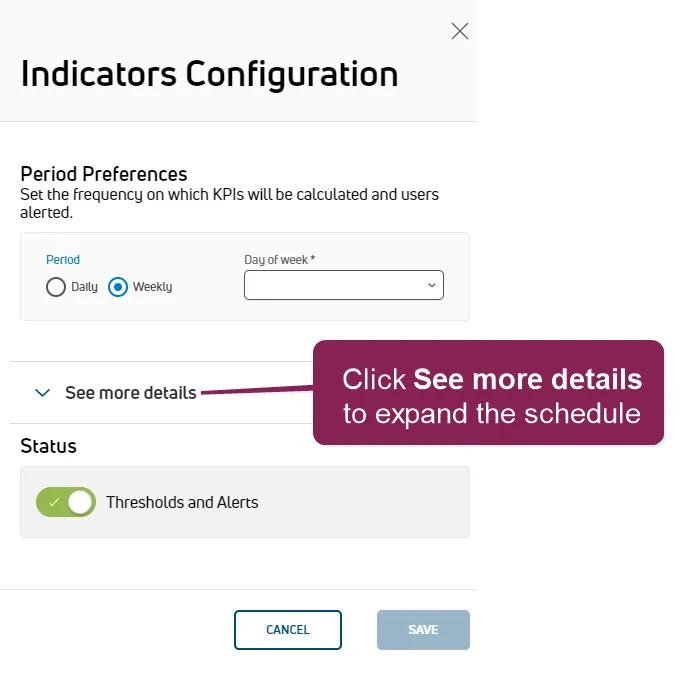
See Indicators Configuration DetailsIndicators Configuration Details for more information about the threshold and alert schedule.
- Click the Save button. PULSE displays a message indicating that your changes have been saved.
Proceed to Step 2: Enter Alert ThresholdsStep 2: Enter Alert Thresholds to continue.