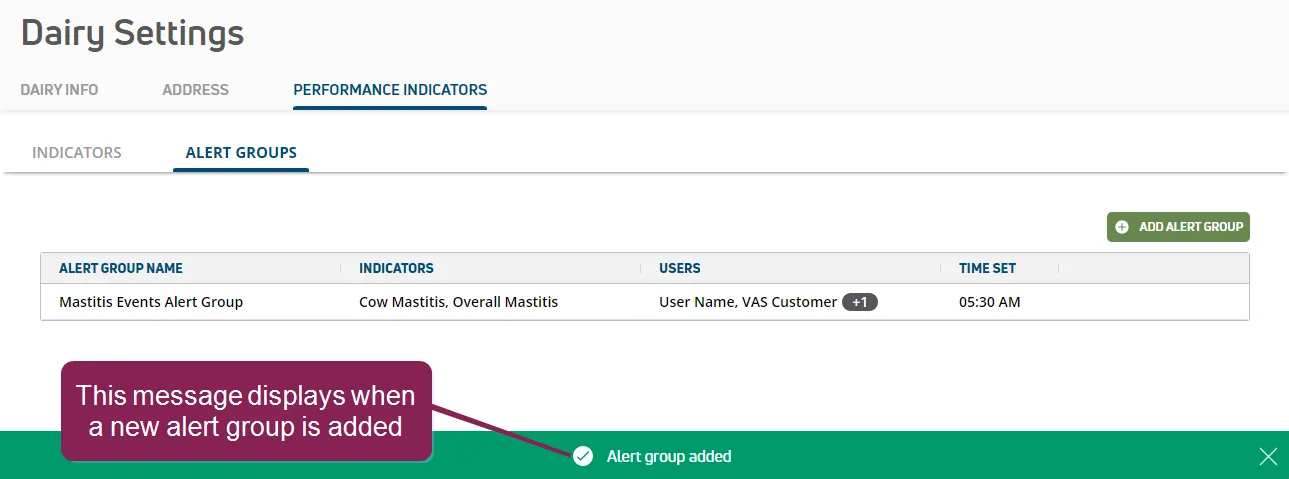
Add Alert Groups
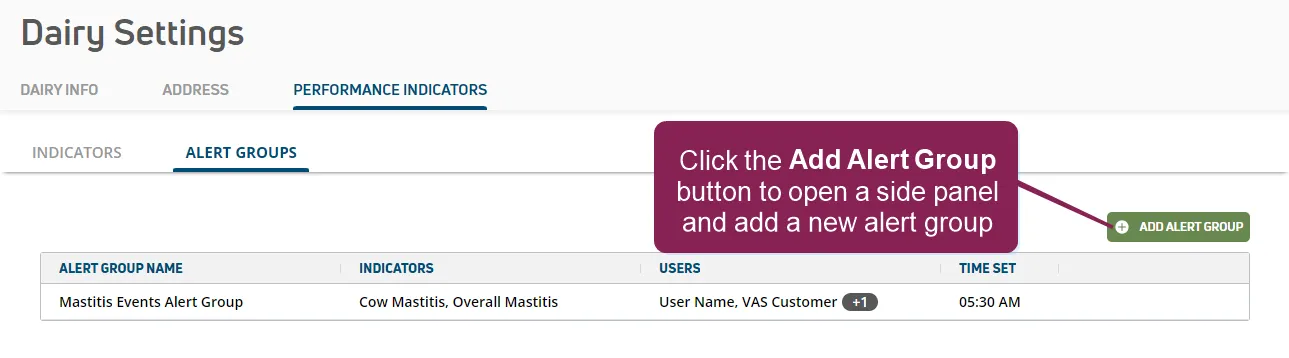
Click the Add Alert Group button on the Alert GroupsAlert Groups page to open a side panel and add a new alert group for your dairy.
You cannot add or edit alert groups until alerts and thresholds are enabled in PULSE and at least one alert threshold value is entered on the IndicatorsIndicators page for your herd.
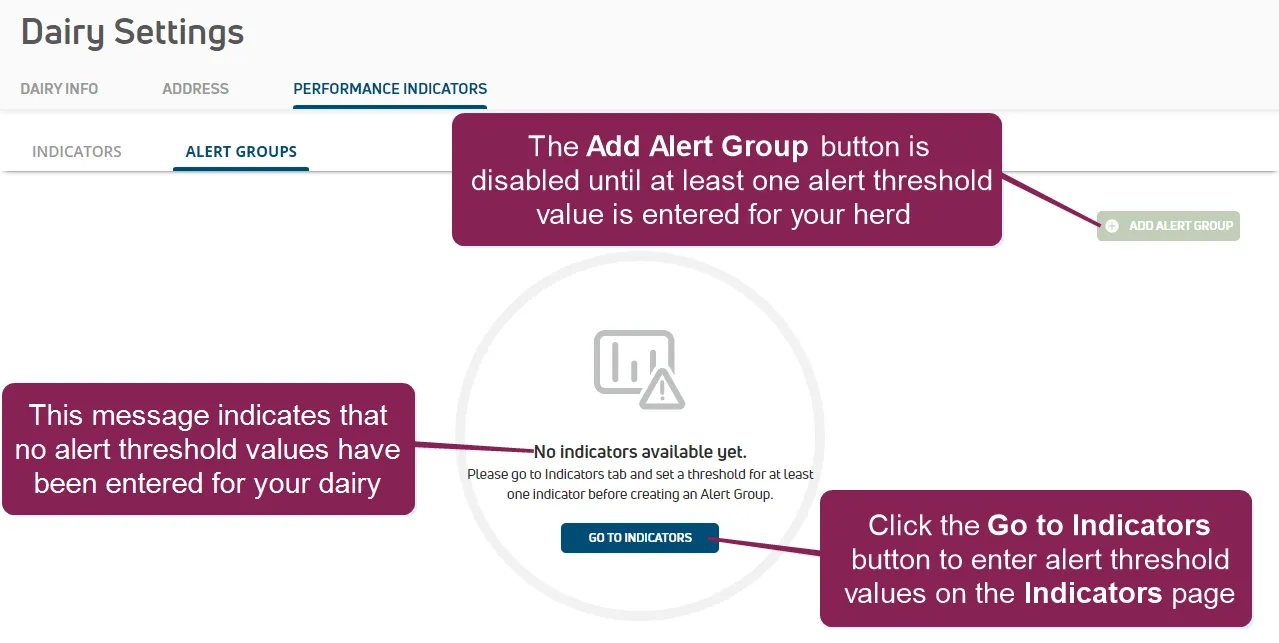
See Step 1: Enable & Set Up Health IndicatorsStep 1: Enable & Set Up Health Indicators and Step 2: Enter Alert ThresholdsStep 2: Enter Alert Thresholds for instructions.
See the guidelines below to learn more about adding alert group details.
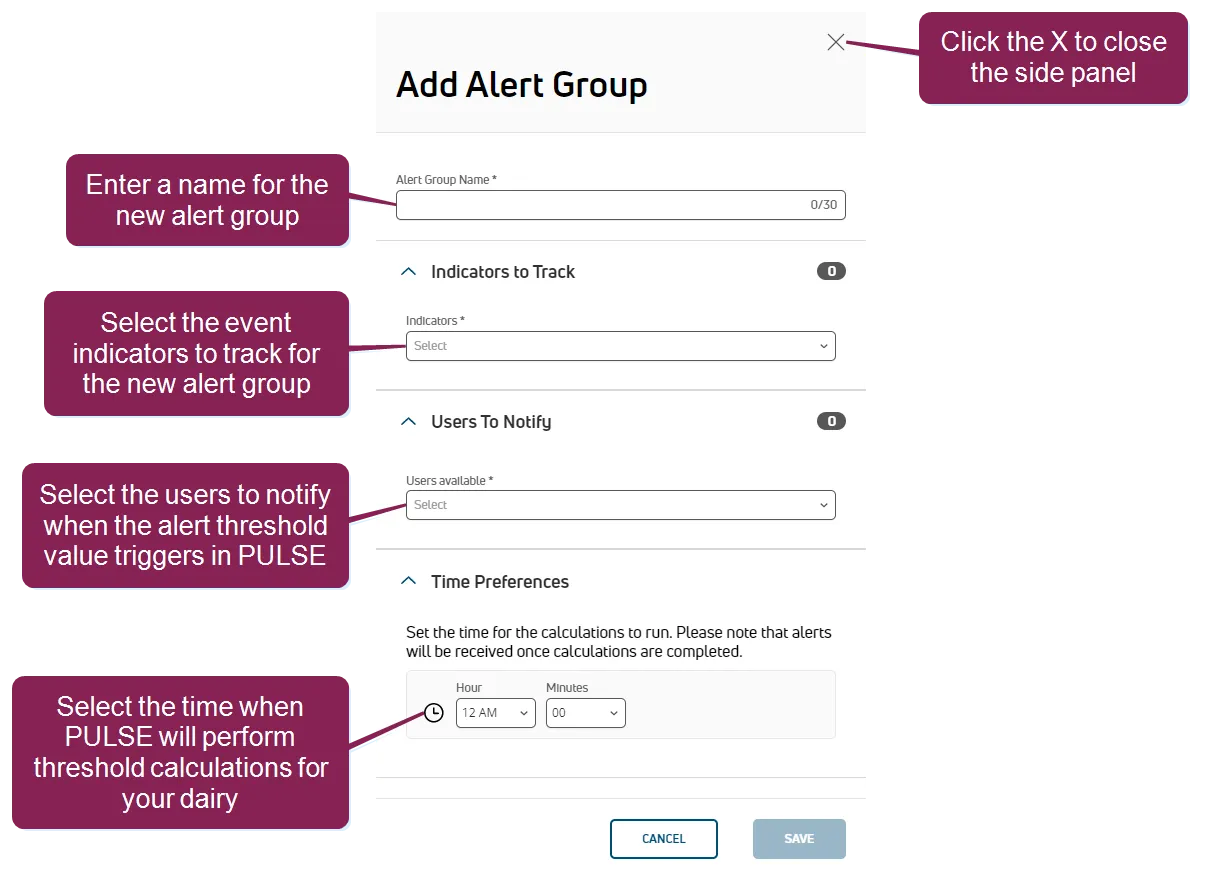
- All required fields are marked with the * (asterisk) symbol.
- The Indicators to Track section allows you to include one or more event indicators to track across your herd for the new alert group. The total number of event indicators being tracked by the alert group displays at the top right of this section once one or more event indicators have been added.
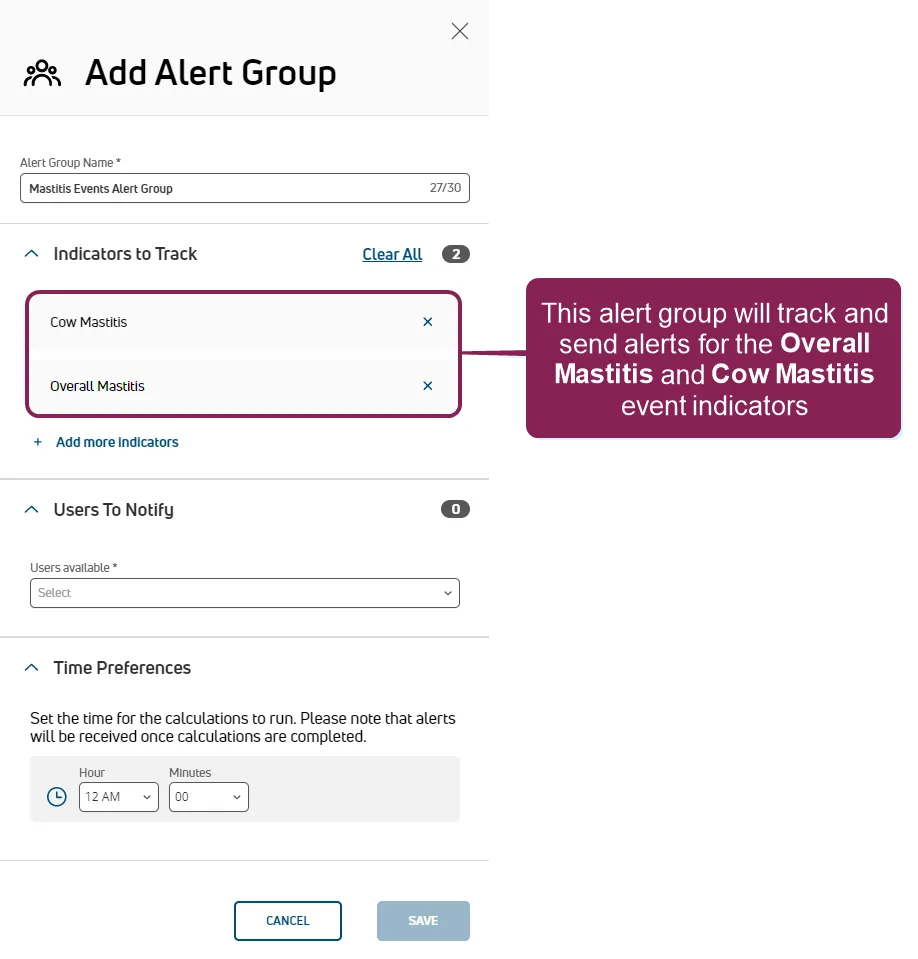
You can click the X next to an event indicator to remove it, or click Clear All to stop tracking all event indicators in the alert group. Click Add more indicators to track additional event indicators in this alert group.
- The Users to Notify section allows you to select one or more members of your dairy team to notify when a tracked event occurs. Once one or more users are added, the total number of users receiving notifications displays at the top right of this section.
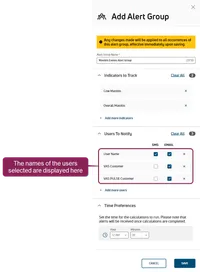
NOTE: PULSE sends notifications for alert groups only by text or email. Alert group notifications are not added to the Message CenterMessage Center or to the Notifications buttonNotifications button as a new activity badge.
Check the SMS and Email boxes to send notifications to users as text messages, emails, or both. You can click the X next to a user's name to remove them, or click Clear All to stop all users from receiving notifications for the alert group. Click Add more users to notify more users in this alert group.
NOTE: The SMS box cannot be checked for a user who does not have a mobile phone number listed in account settings. Additionally, PULSE cannot send SMS alerts to international phone numbers at this time, but they can still receive email alerts!
- The Time Preferences section shows the time of day when PULSE examines thresholds for your herd and notifies your dairy team. The time specified is in your local dairy's time zone. Select the preferred time of day in the Hour and Minutes fields.
NOTE: The time specified here combines with the period selected when setting up indicators on IndicatorsIndicators page, and these settings determine how often PULSE examines thresholds and notifies your dairy team. At the time specified, PULSE examines the thresholds for your dairy first and then alerts your dairy team after processing completes. Depending on the size of your dairy and the number of event indicators being tracked by this alert group, alerts may not be sent or received exactly at the time specified.
- Once you've added the information, click Save. The Alert GroupsAlert Groups page is displayed and PULSE displays a message indicating that your new alert group was added.