Complete OvSynch Tasks
1 min
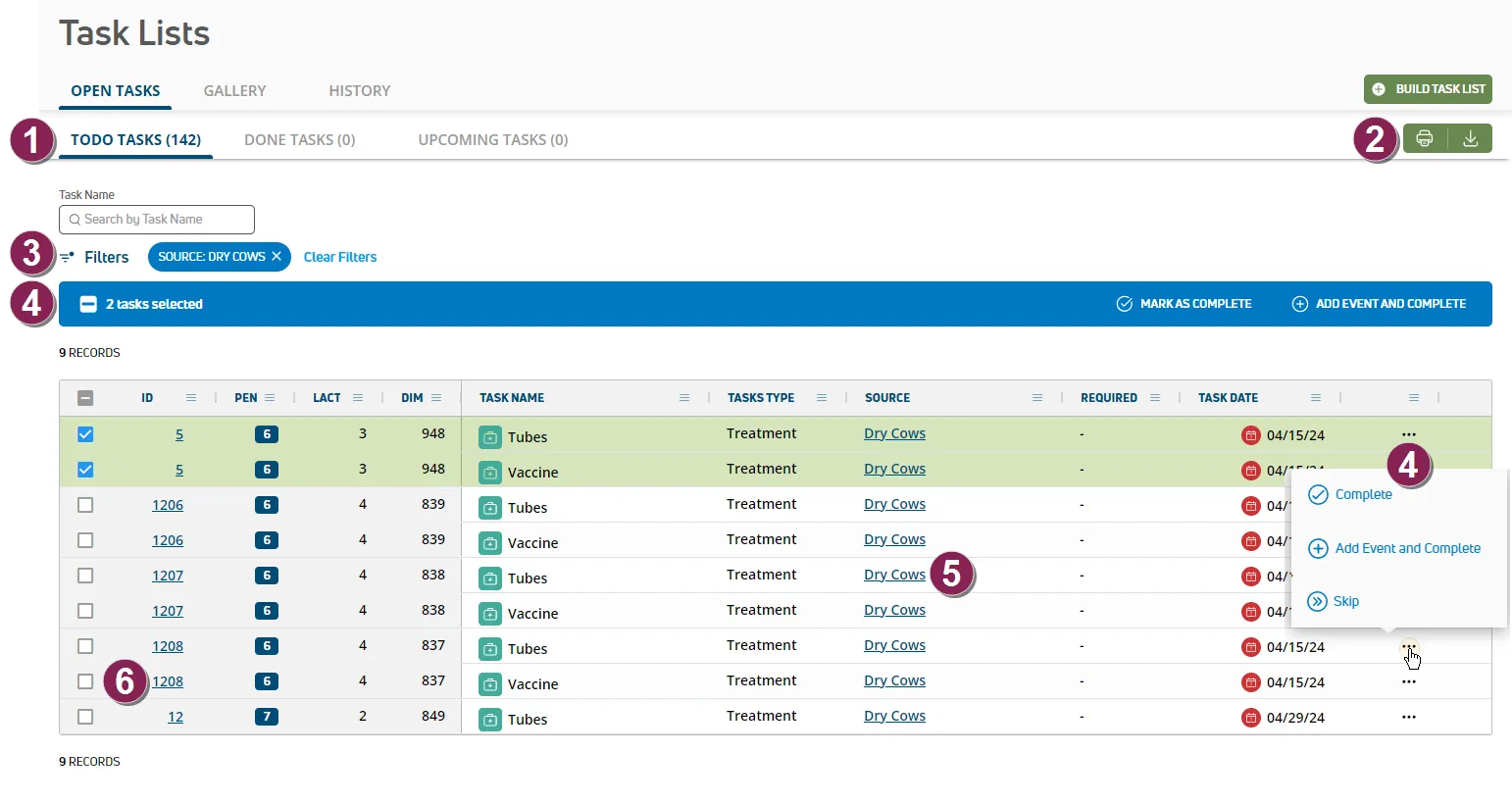
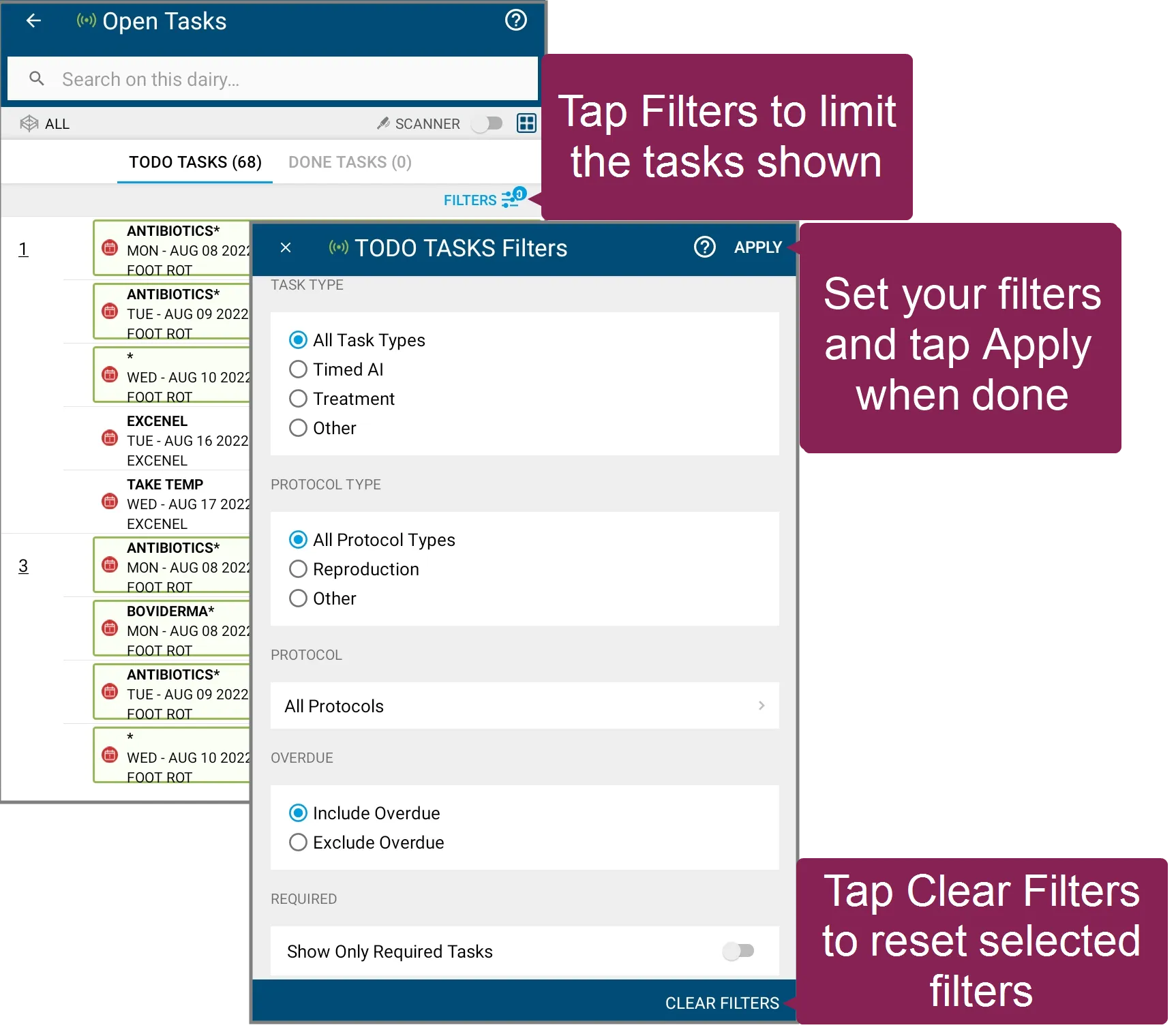
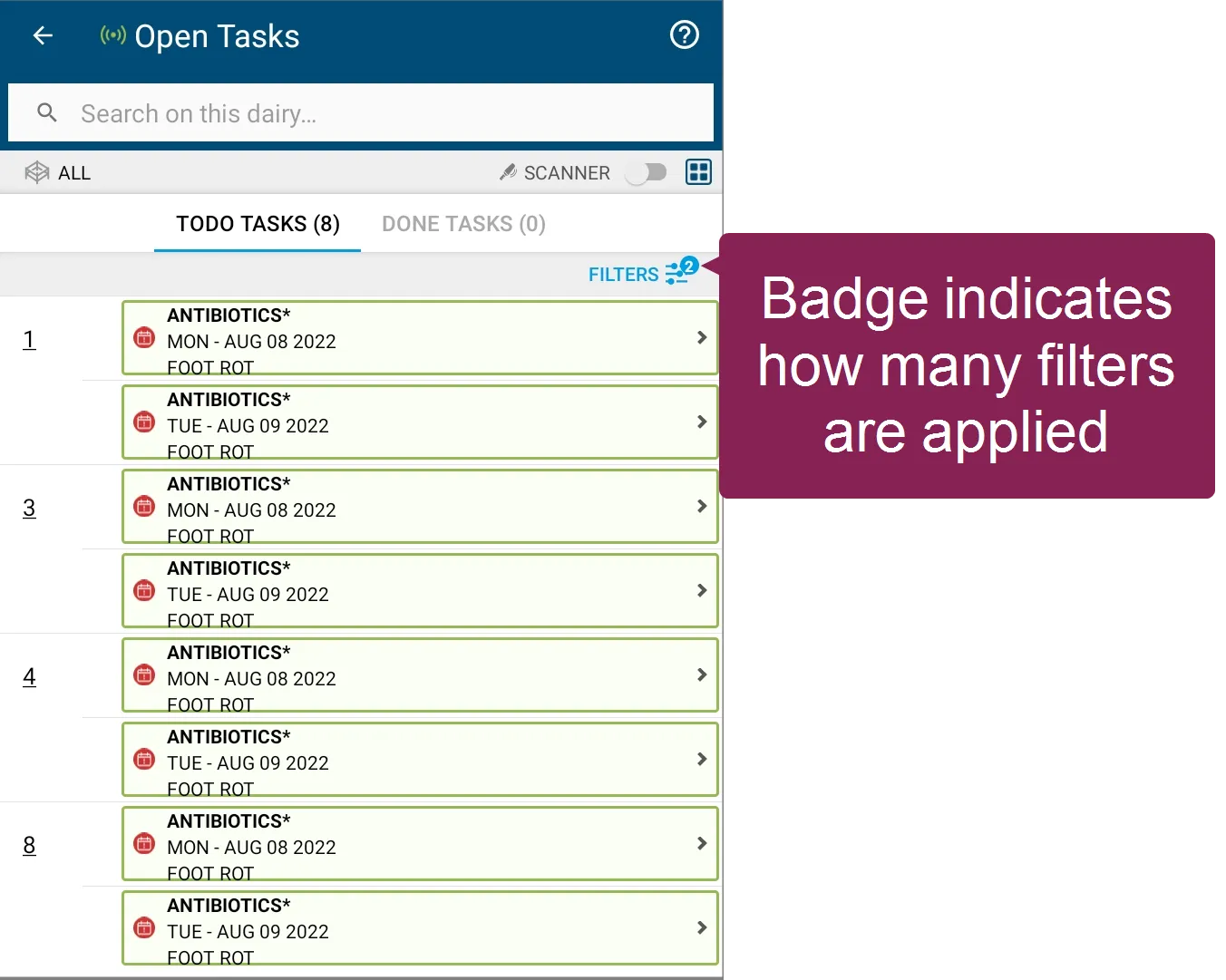
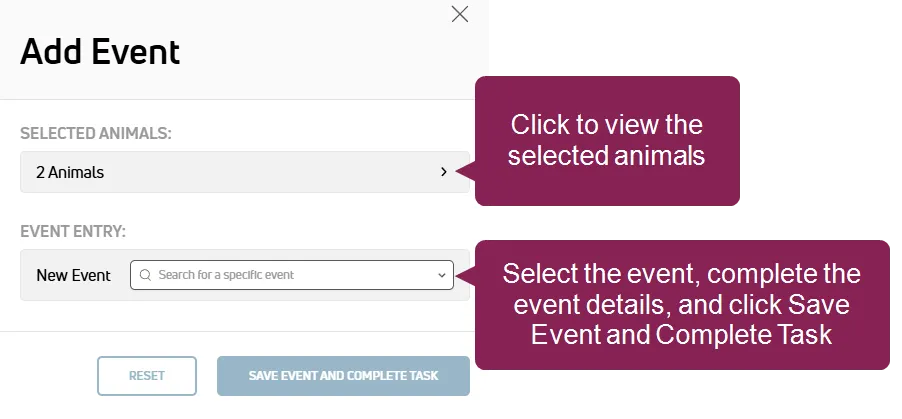
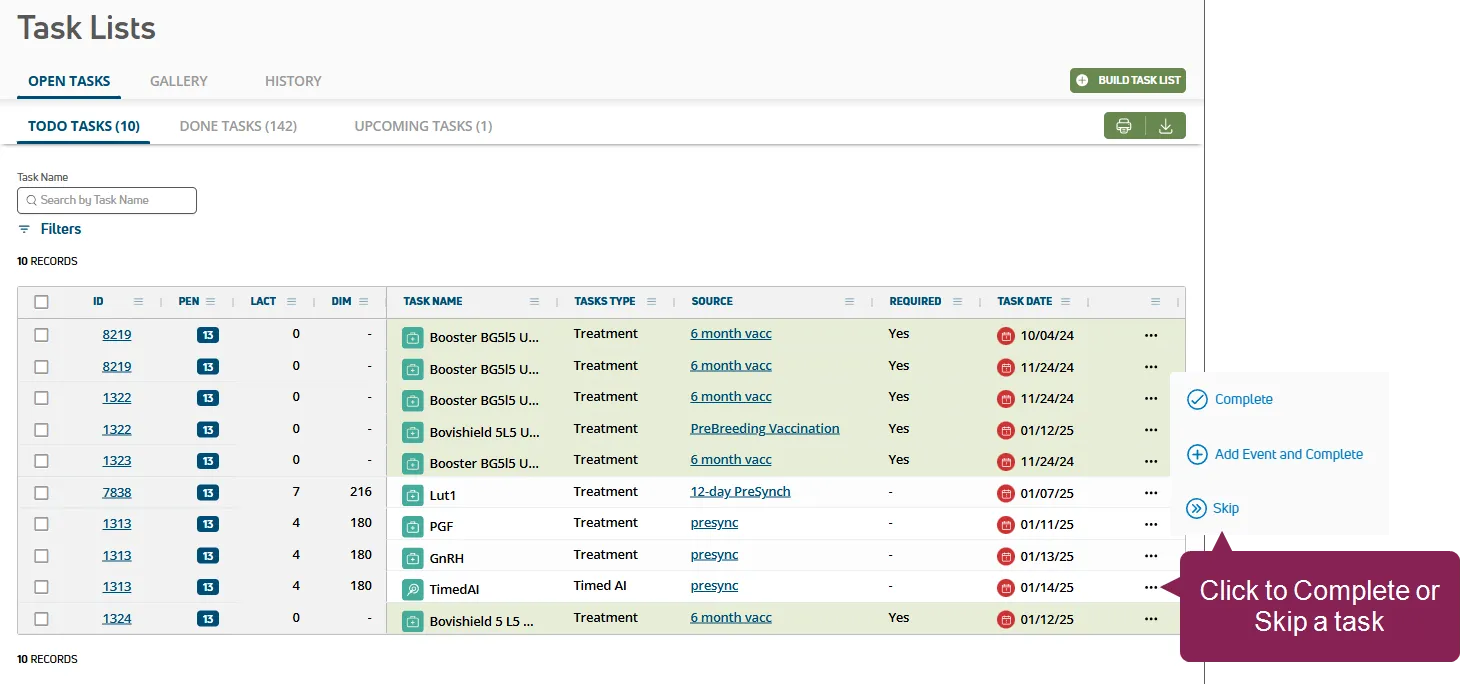
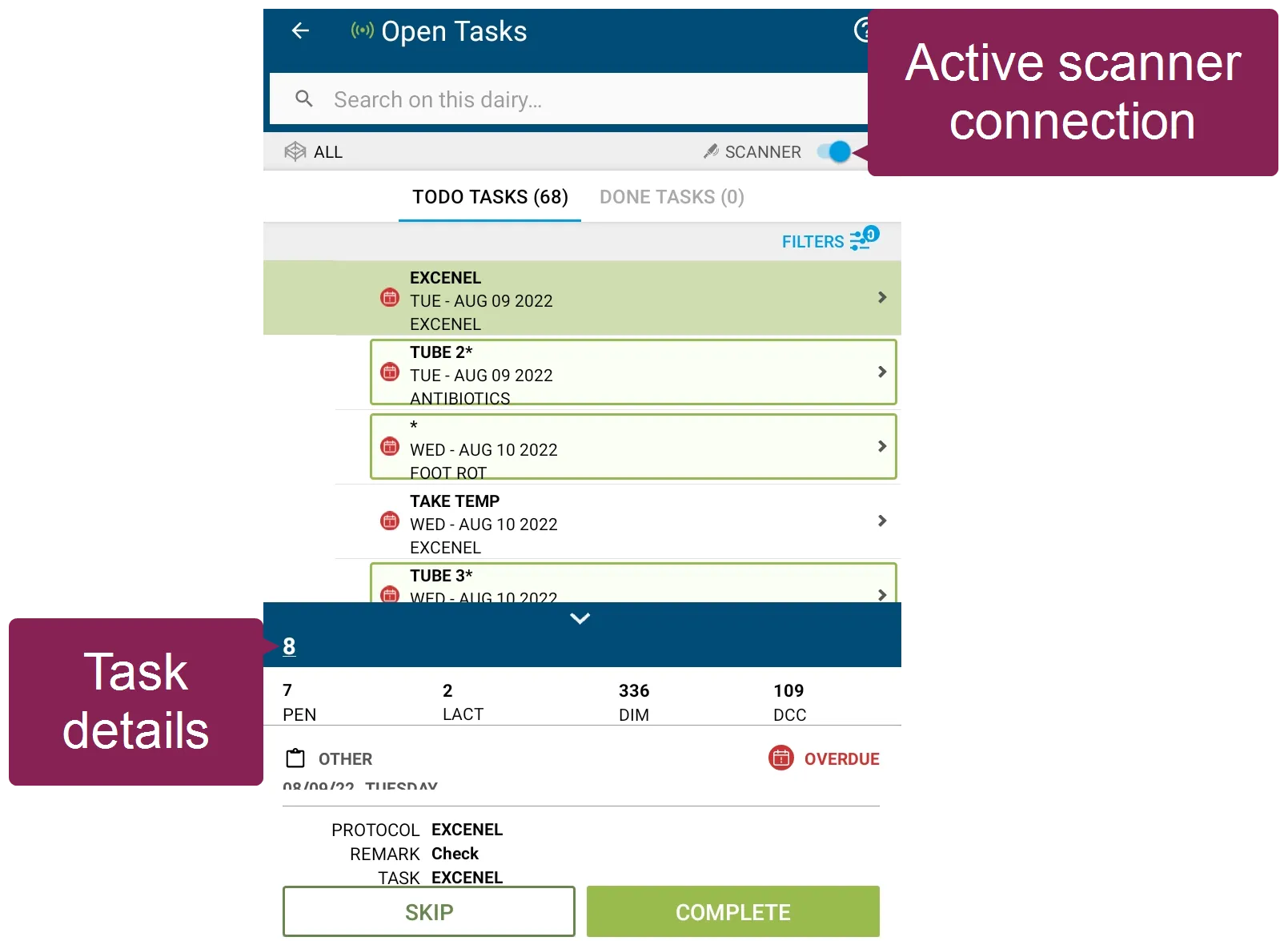
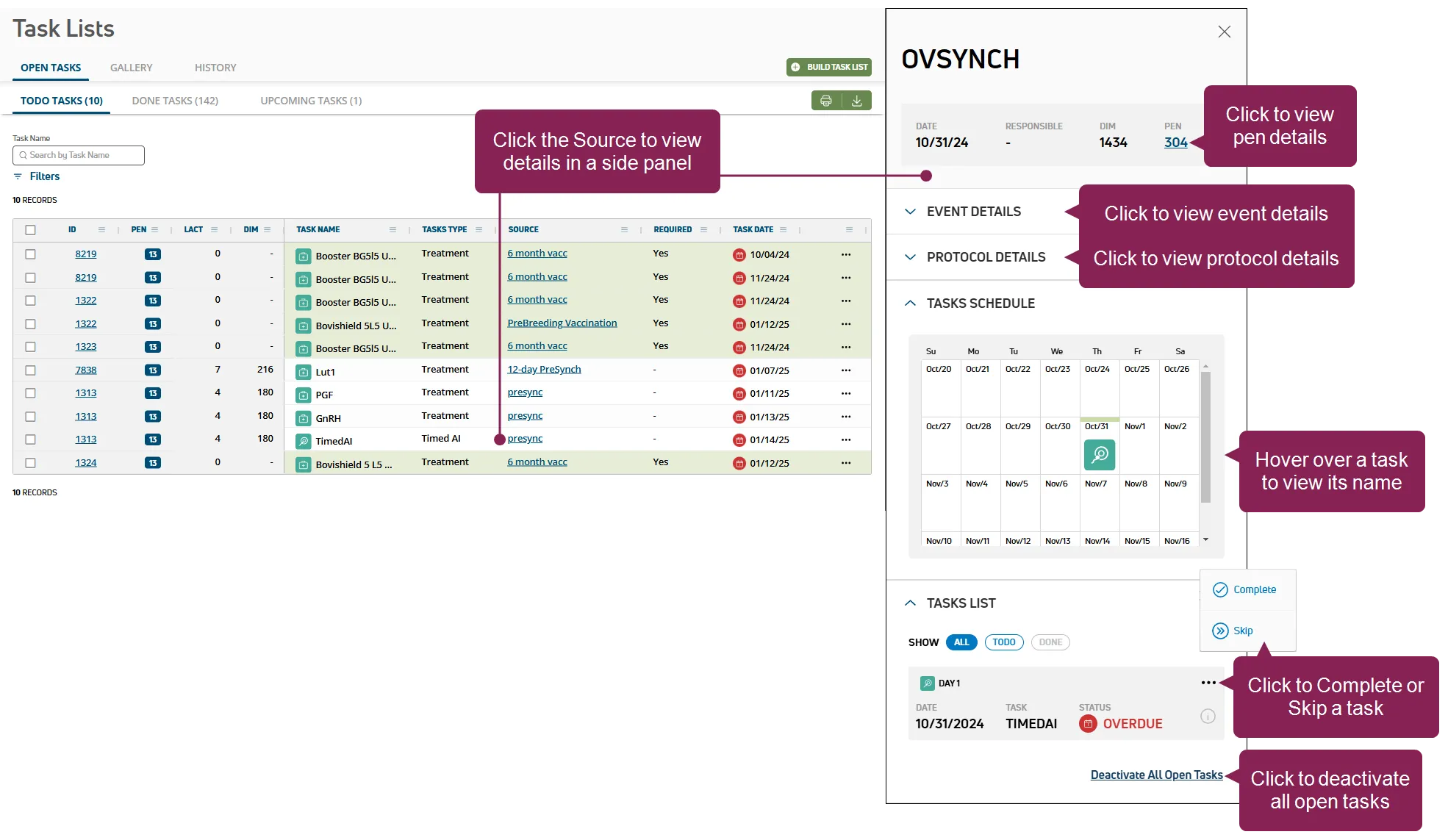
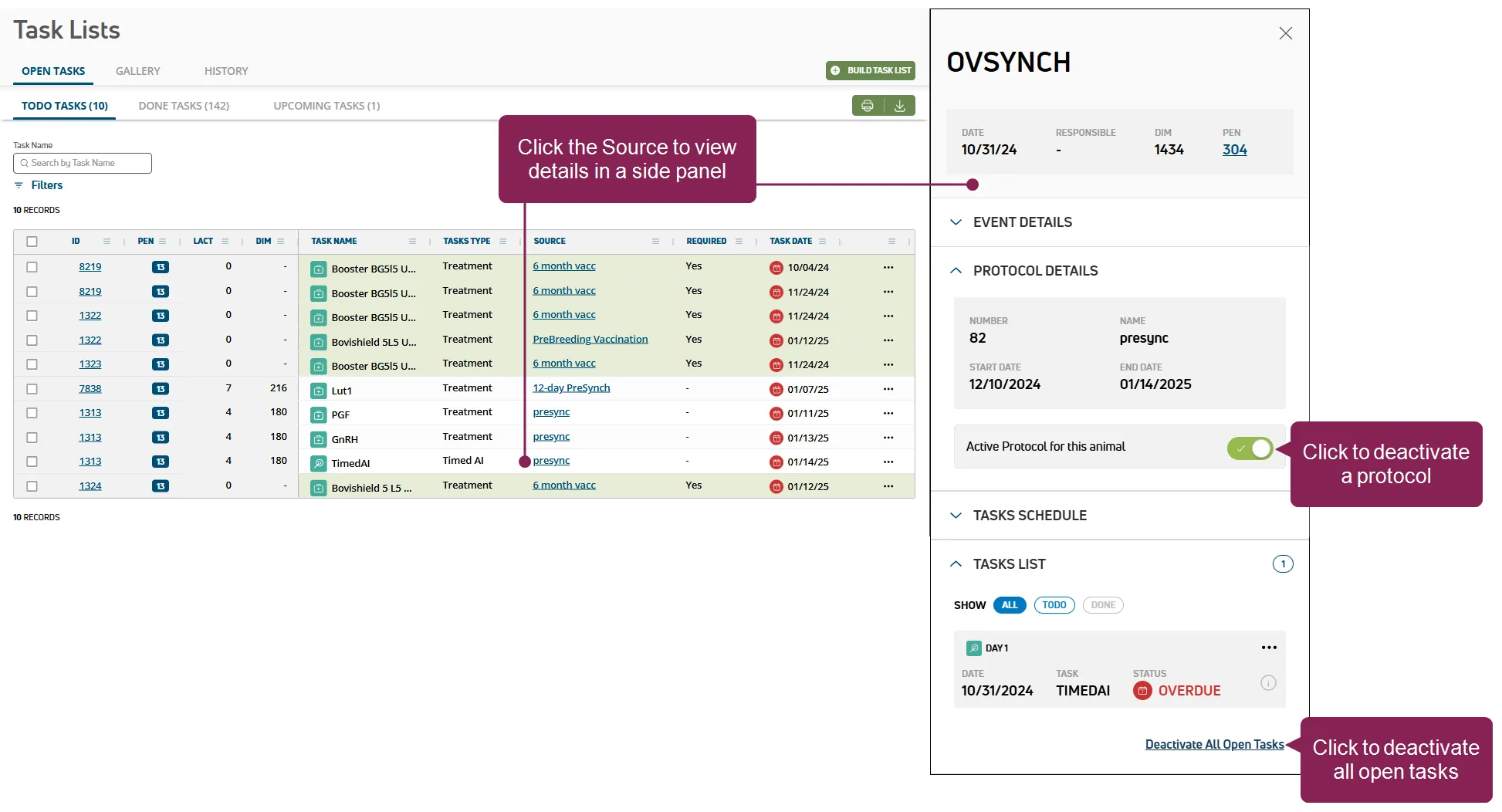
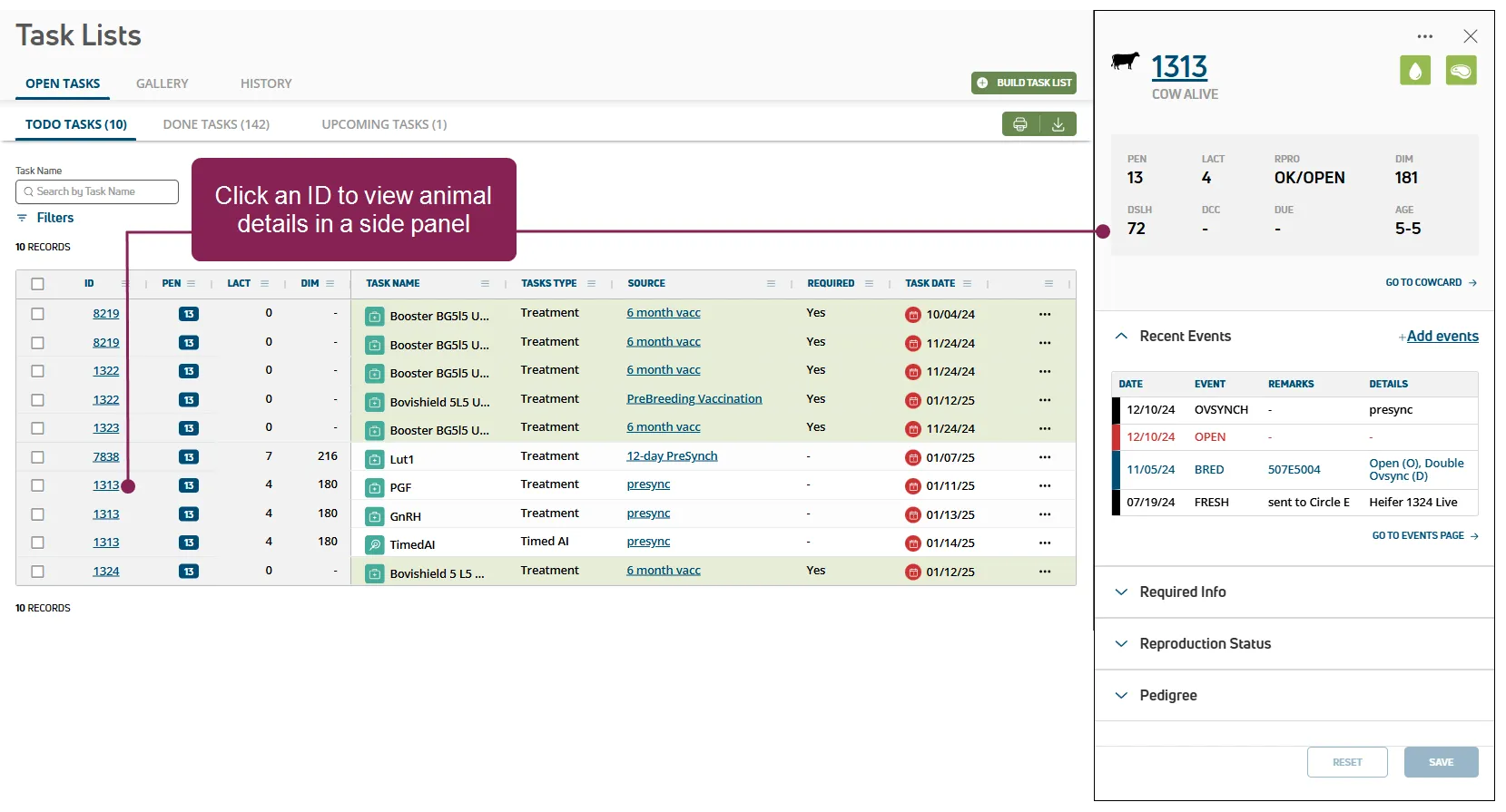
once your dairy has defined ovsynch protocols docid\ sex21 jlzqn8idnjsdubx and enrolled animals docid\ g9dbccytkfzdt2yihrdpa , pulse adds animals that require treatments in a daily open tasks list follow the guidelines below when working with the open tasks list \<font color="#67854e">view tasks\</font> click todo tasks to view or process animals that have outstanding tasks, or click done tasks to view tasks that have been processed, or click upcoming tasks to view all tasks scheduled for the next 7 days \<font color="#67854e">print or export the\</font> click the green export as csv button at the top right of the page to save the data as a csv file or, click print to send your open tasks data to the printer if you applied filter(s), the data will print or export with the current filter(s) applied \<font color="#67854e">filter the list \</font> type text in the task name field to search open task by name once text is typed, click the clear filter(s) option to clear the text typed click filters at the top left of the page to limit the data that is displayed once a filter is applied, click the x on a specific filter to remove it or, click the clear filter(s) option to clear all filters click here to learn about filtering tasks in mobile! after you select a (or all pens) in your open tasks list, you can tap filters at the top right of the screen to set your options a badge on the icon indicates how many filters are currently applied to your list proceed to tell me more about processing tasks in mobile! docid\ zvrcac1vbrqehqoie0tib to learn more about working with tasks in mobile \<font color="#67854e">process tasks\</font> you can process a task by marking it complete, by adding an event and marking it complete, by skipping it, or by removing it check one or more boxes next to the tasks on the left side of the page to process them a blue bar is displayed above the table click mark as complete to complete the checked tasks tell me more about processing tasks in pulse! if multiple tasks are checked that have the same source , you can also click add event and complete in the blue bar to add an event when completing the tasks or, click the options button on the right side of a task and select complete or skip to process a single task you can also process some tasks while viewing their details see view task details docid\ zvrcac1vbrqehqoie0tib to learn more what happens when i complete a task? completing a task marks it as , it is automatically updated in the event side panel, and the task moves to the done tasks page in your open tasks list what happens when i select add event and complete? when you choose add event and complete , select an event from the drop down list and enter the event details after you enter your event details, select + add another event to add multiple events from the drop down list or click save event and complete task to move the task to the done tasks page in your open tasks list use the following guidelines when adding events before your complete a task when you first build a task list docid\ xjibxtsvtubolkvptnrnb , you can limit the list of events that can be added when you select add event and complete during setup, check the select events allowed box and select the events from the drop down list if you want to add an event to multiple tasks, the tasks must come from the same task list (source) use the source name filter to only see tasks from a specific source you can complete tasks from a specific task list (source) or from the full open tasks list, which includes all lists what happens when i skip a task? you can skip treatments that are not set to required in your protocol setup reasons for skipping a task include signs of illness or a change in breeding plans for that animal based on other events skipping a task marks it as in the event side panel a skipped task is considered done and it moves from the todo tasks page to the done tasks page tip if you make a mistake, click done tasks, click the options button , and select undo the task moves from the done tasks page back to the todo tasks page tell me more about processing tasks in mobile! tap lists and then the refresh lists button to make sure you have the latest s tap the open tasks worklist, select a pen, and begin processing animals process animals with a scanner verify that your scanner is connected, and begin scanning animals if a scanned animal requires treatment, an audible cue, check task , plays and the task details are displayed process animals without a scanner tap a pen to begin processing animals, and then tap an animal to view its tasks as you treat animals in the list, mark the tasks as complete if necessary, skip tasks what happens when i complete a task? completing a task marks it as from the mobile app and the task moves to the done tab in your open tasks list open tasks lists work a little differently than your standard mobile worklists, which require you to process changes before the updates are sent to pulse see learn more about open tasks lists (mydc only) docid\ jxzicdrha2wuqycg4fszp for more information what happens when i skip a task? skipping a task marks it as a skipped task is considered done and it moves from the tab to the done tab if you make a mistake, tap the task and select undo the task moves from the done tab back to the tab \<font color="#67854e">view task details\</font> click the task's source to open a side panel and view its details tell me more! clicking the source in the column opens a side panel that displays details about the task depending on the type of task you're viewing, you can view pen details docid 4wsqrynox5gamemz1bppi update events docid\ lpir qsoyhgun0xlth0ss deactivate a protocol docid 5tzqe1rw9hpnliby3tvdk view the task schedule process tasks docid\ zvrcac1vbrqehqoie0tib deactivate all open tasks for an animal docid\ zvrcac1vbrqehqoie0tib remove an animal from a protocol if an animal needs to be removed from a protocol, open the animal's side panel then, deselect the active protocol for this animal toggle or click the deactivate all open tasks option \<font color="#67854e">view animal details\</font> click on an animal's in the table to open a side panel and view its details tell me more! clicking the animal's id in the column opens a side panel that displays details about the animal see view animal details docid\ bkzjohrarqd2luz41i4oh to learn more about the information displayed in the side panel processed tasks can also accessed on the tasks docid 3alttbvqqk2dzmo1hcrl tab in the animal's cowcard proceed to step 4 manage ovsynch tasks & alerts docid\ d7 itqte1biwm3rocecd to continue