Find an Animal
1 min
Use the Search bar or the Animal List to find an animal in PULSE:
- Search Bar: You can use the Search bar at any time by clicking the Search for an Animal field at the top of the page or pressing F2 on your keyboard. On the Dairy Profile page, you can also click the Search for an Animal button to open the Search bar.
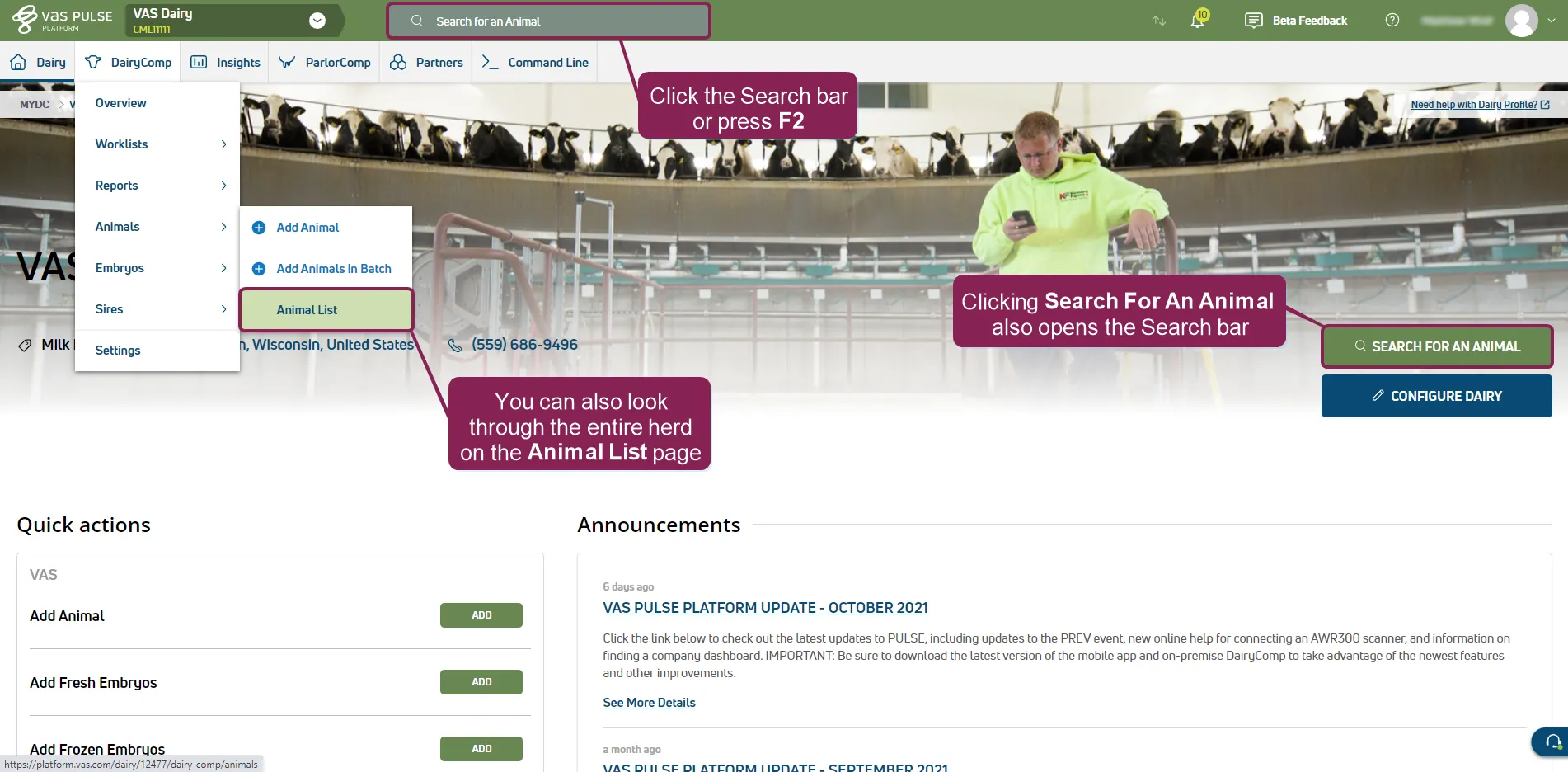
Animal List: To access the Animal List, select DairyComp/MyDC > Animals > Animal List from the menu barmenu bar. Click Filters to search for specific animals or to limit the animals shown by pen, lactation, or reproductive code (RC). You can then sort the Animals table by clicking any of the column headers.
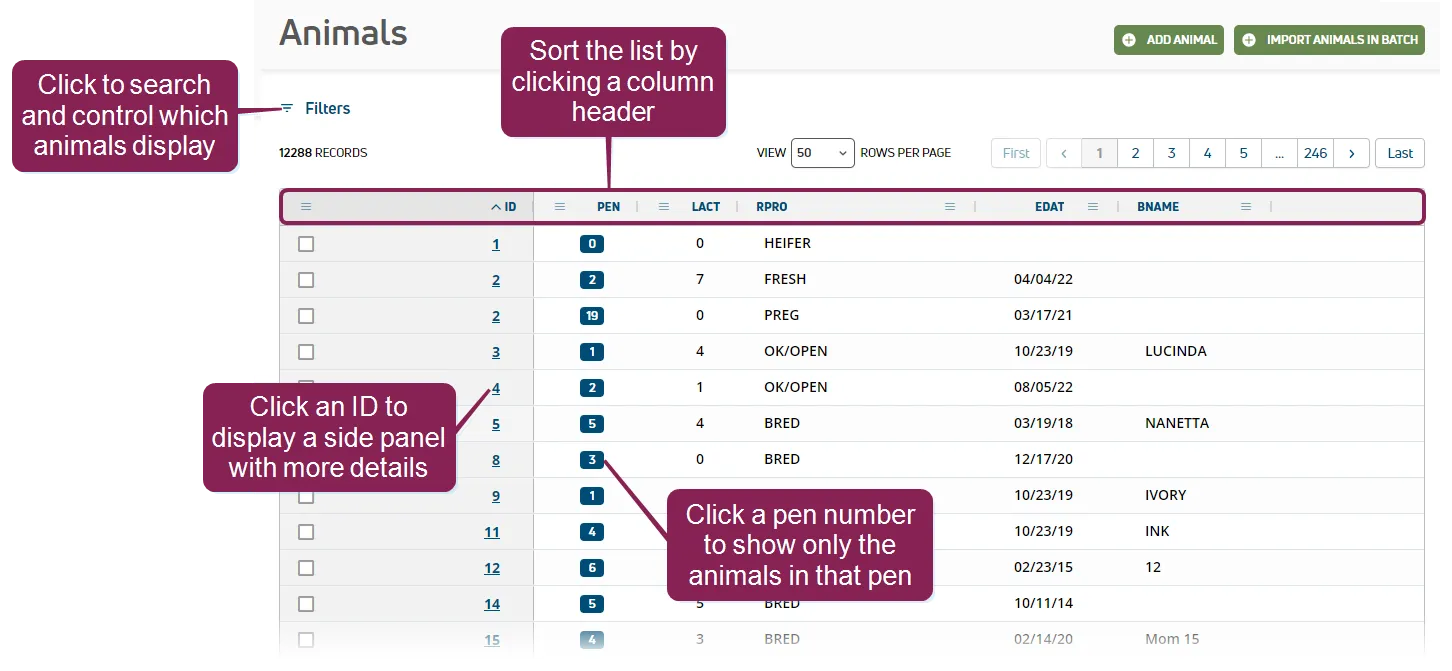
In the side panel, click Go To CowCard to view the animal's CowCardCowCard.