Embryo Management
The TRANSFER event is a PULSE-only event added to recipient animals for embryo transfers. PULSE allows you to manage your embryo inventory and enter TRANSFER events in web or the mobile app. Adding embryos is simple, and defining embryo details in advance saves you precious time during embryo transfer tasks while out on the dairy with your embryo technician. You can find this feature under the DairyComp/MyDC MenuDairyComp/MyDC Menu.
After your embryos are collected and prepared for transfer, you can add them to inventory and then select them while adding embryo TRANSFER events. Or, use the batch import process to import embryos to inventory or add completed transfers. Then track transferred embryos and your results from PULSE.
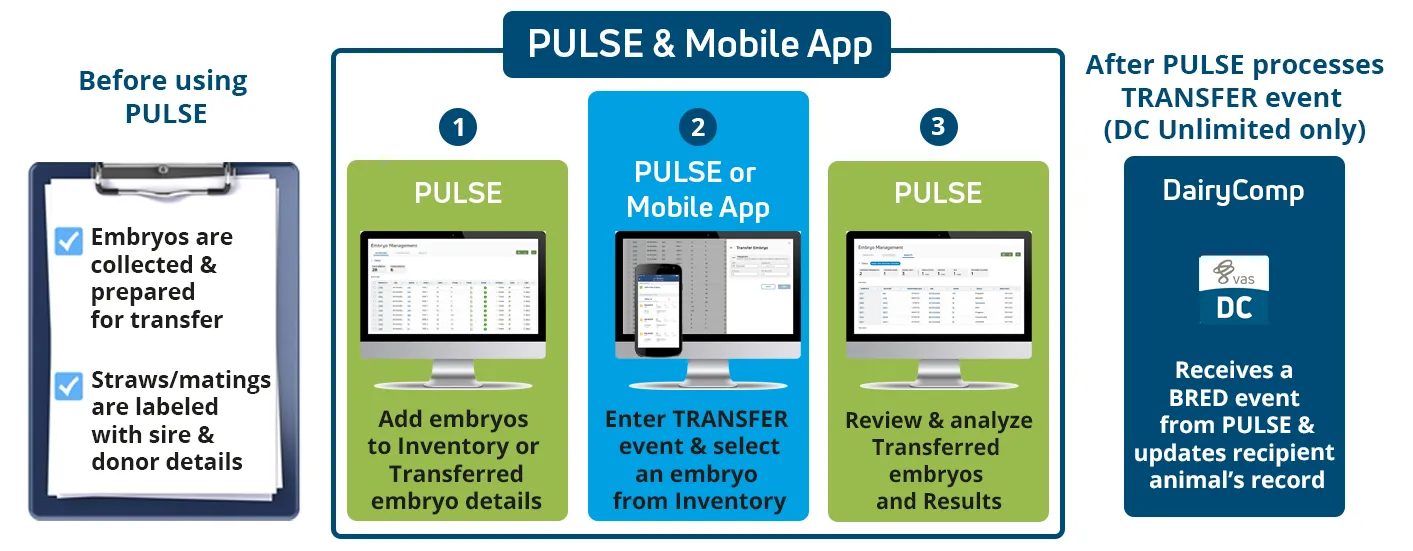
After PULSE processes the Embryo TRANSFER event, it forwards the event details on to DairyComp for DCU dairies.
See the topics below to learn more: