Manage Dairy Reports/Worklists
Only users who are assigned to a Role with Herd Write permissions can use this feature. See Edit Dairy User PermissionsEdit Dairy User Permissions and Manage Dairy RolesManage Dairy Roles for more information.
The Dairy Reports/Worklists page includes the reports or worklists you customized from the Template GalleryTemplate Gallery, as well as any other custom reports you created using Report/Worklist BuilderReport/Worklist Builder. Note that reports are shaded in blue and worklists are shaded in green.
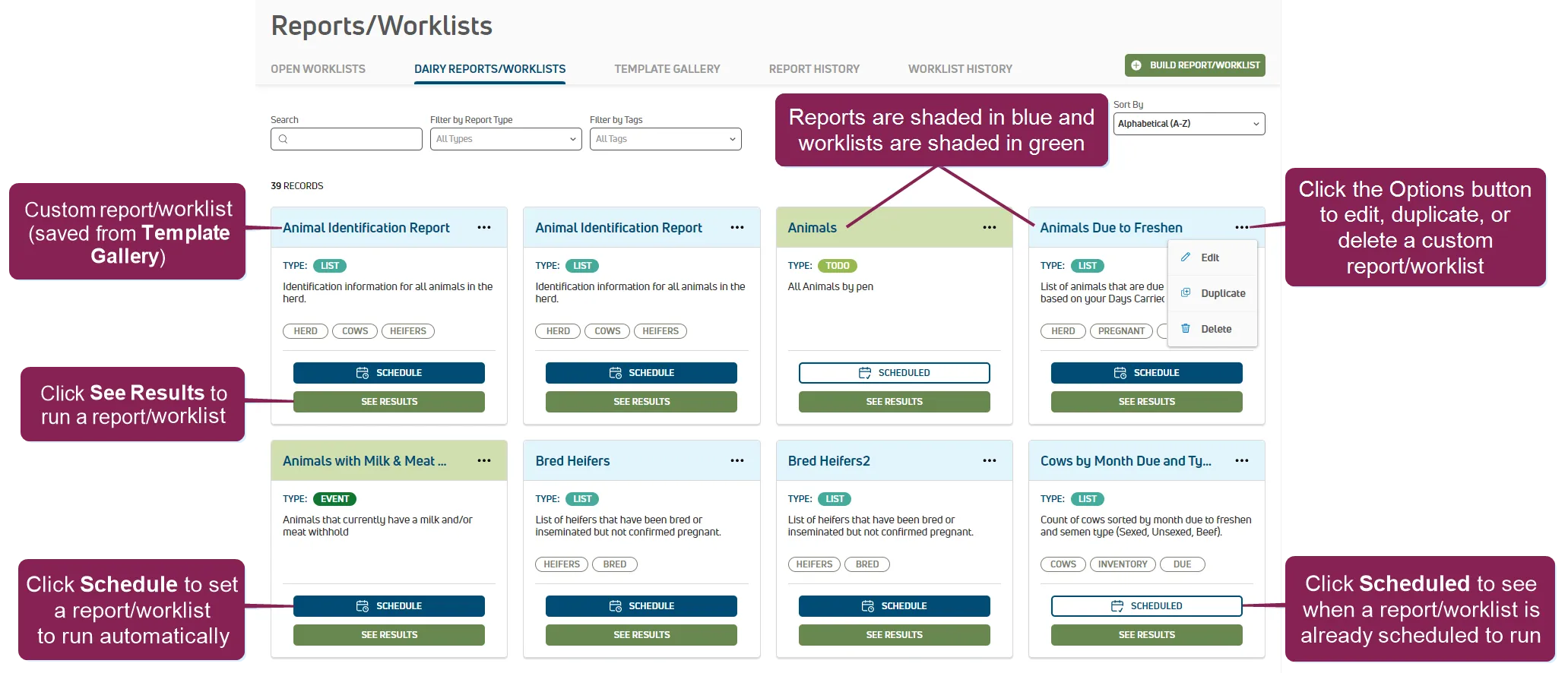
You can find this feature under the DairyComp/MyDC > Reports/Worklists menuDairyComp/MyDC > Reports/Worklists menu on the Dairy Reports/Worklists tab.
Expand the sections below to learn more:
Save reports and worklists that you run frequently to your Dairy Reports/Worklists page for easy reuse.You can save reports to your Dairy Reports/Worklists page in two different ways:
- From the Template GalleryTemplate Gallery Click the Customize button to open the report in Report/Worklist BuilderReport/Worklist Builder..
- After running a report from the Command LineCommand Line (DC Unlimited subscribers only):
- Click the Edit button to open the Report/Worklist BuilderReport/Worklist Builder page. Enter the report/worklist details and the Next button to open the Contents screen on the Report/Worklist BuilderReport/Worklist Builder page.
- Click the Save and Execute button to save the report/worklist.
After a report or worklist is saved to the Dairy Reports/Worklists page, MyDC subscribers can automate the generation of a report or worklist and add it to the Process SchedulerProcess Scheduler calendar. Follow these steps on the Dairy Reports/Worklists page to schedule a report or worklist to run automatically:
Click the Schedule button to open a side panel where you can create an automated schedule for the report or worklist.
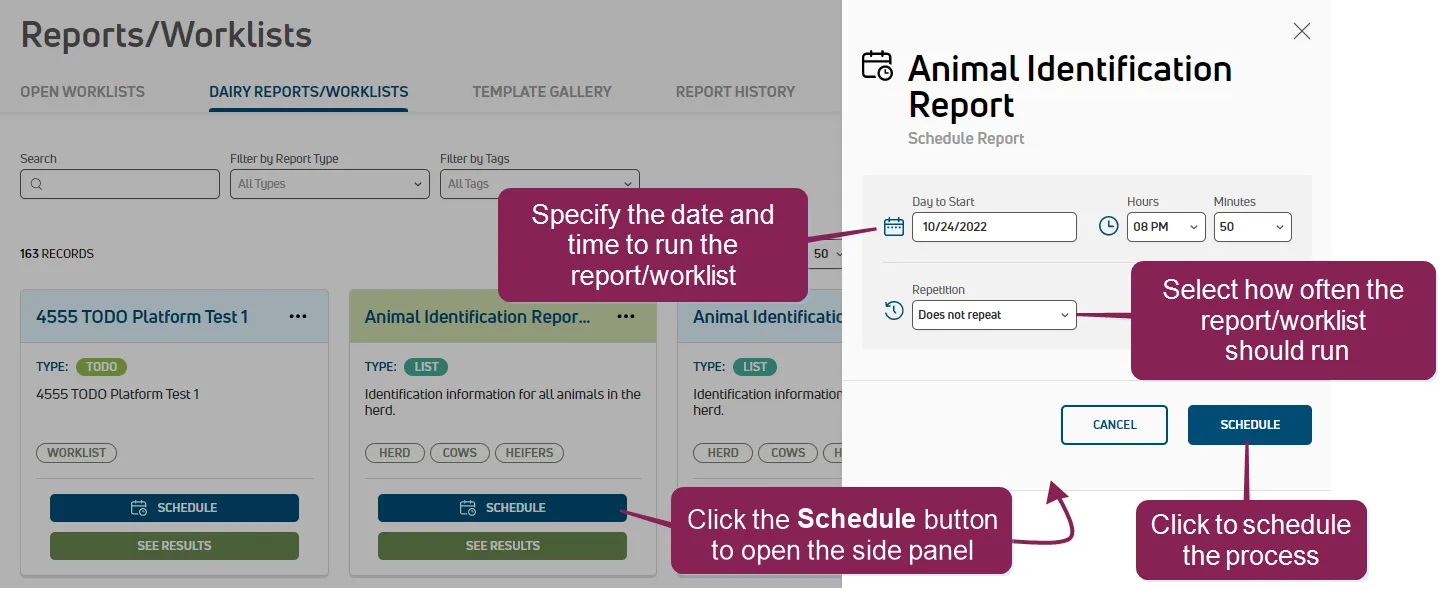
Use the following guidelines to schedule your report or worklist:
- Select the date and time to start the process.
IMPORTANT: Set the Day to Start to a future time, either later today or a future date, as scheduling a process at a time that has passed will not run until the next time the scheduled interval is reached. For example, if you schedule a process to start on Mondays at 5 am, but today is a Monday at 9 am, the enrollment will start next week at 5 am.
- Set the schedule for the process:
- Set the Repetition to "Repeats".
- Set the frequency and interval for the process. For instance, to run a process weekly, set Every to "1" and Intervals to "Weeks".
- Click Schedule. After you schedule your report or worklist, PULSE shows the Scheduled button and Process Scheduler includes the report or worklist. To view the generated report or worklist, see Report HistoryReport History or Worklist HistoryWorklist History.
You can run reports or worklists for today or up to 30 days in the future. This option allows you to collect additional data and gives you even more choices when planning tasks and managing your herd.
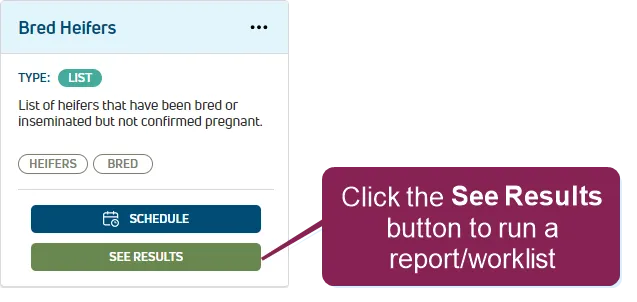
Click the See Results button to open the options window.
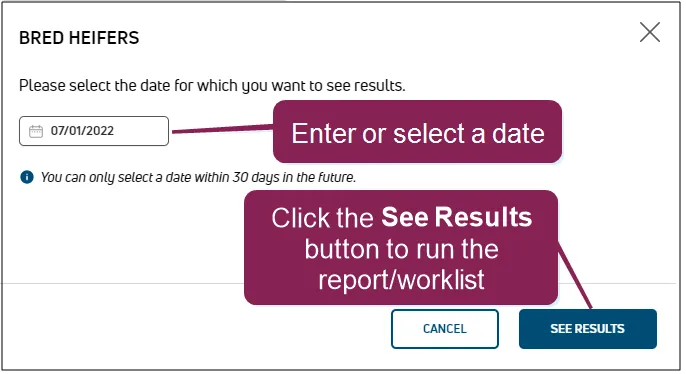
The date field defaults to today's date. Click on the date field to change it.
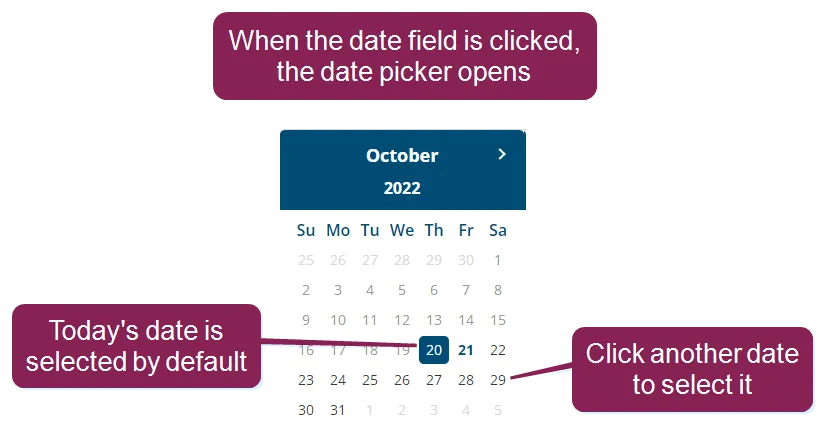
NOTE: You cannot select a date in the past, but you can select a date up to 30 days in the future.
Click the See Results button to run the report or worklist. PULSE builds the report or worklist and displays the results.
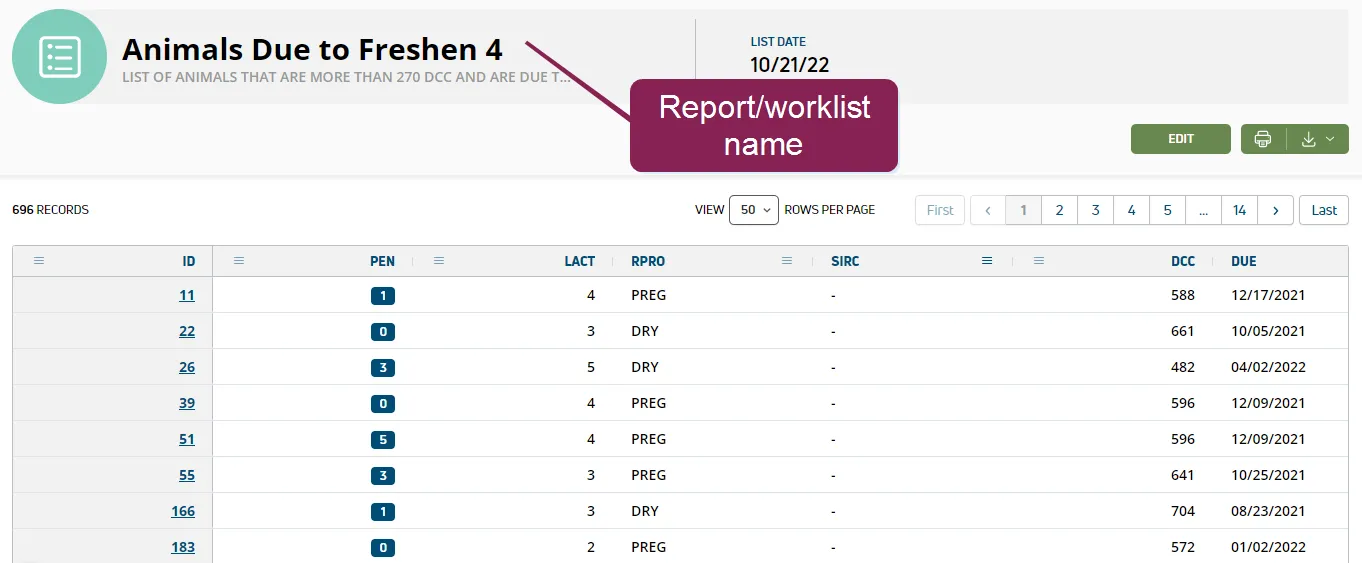
See Reports/Worklists Results to learn more!
You can make changes to your dairy report or worklist from two different locations in PULSE.
- On the Dairy Reports/Worklists page, click the Options button
 and select Edit.
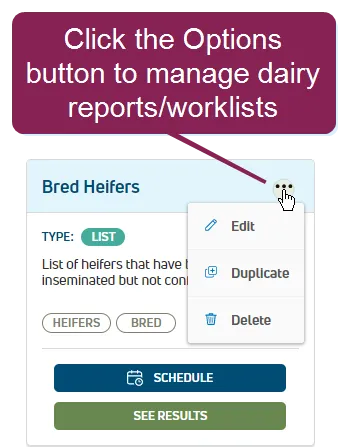
Or, click the See Results button to run the report or worklist and See Reports/Worklists ResultsSee Reports/Worklists Results. Click the Edit button at the top right of the page.
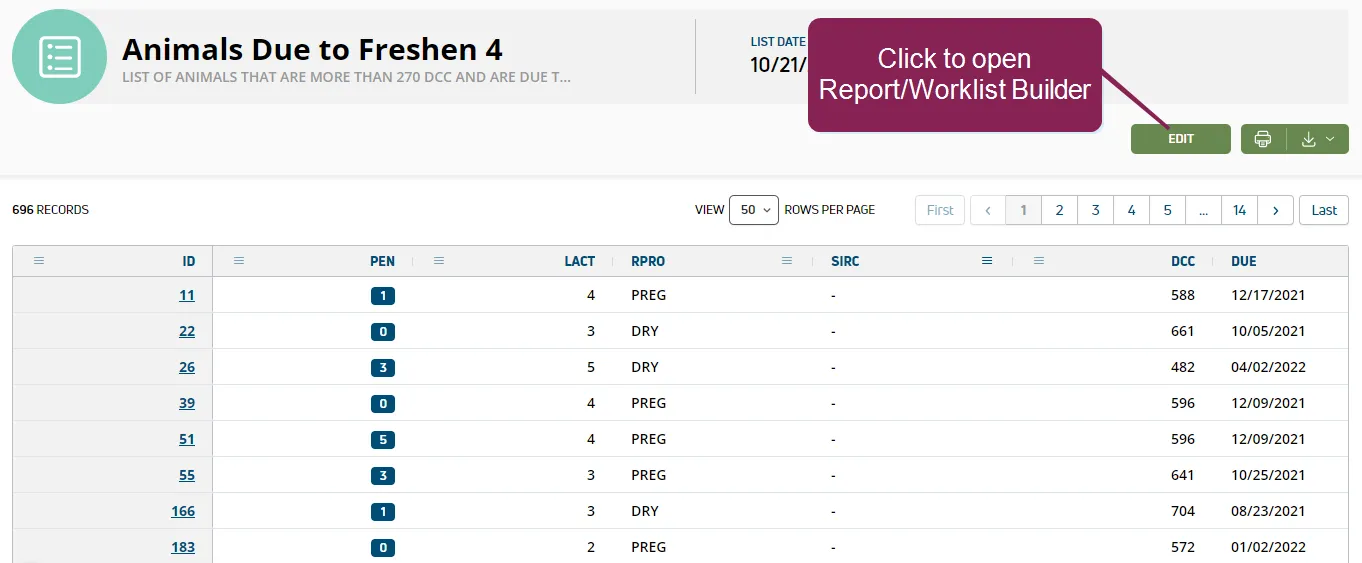
- Use Report/Worklist BuilderReport/Worklist Builder to complete your updates and save your changes.
You can duplicate any of your dairy reports or worklists. This makes it easy to create a new report with slightly different criteria.
- Click the Options button .
- Select the Duplicate option to open the Report Builder. See Build Custom Report or WorklistBuild Custom Report or Worklist to learn more!
You can delete a dairy report or worklist at any time. This helps you find the reports and worklists you need and use often more quickly.
- Click the Options button .
- Select the Delete option.
- Click Remove to confirm.