Create from a PULSE Template
The Template Gallery page provides all standard reports and worklists that are available for your dairy within PULSE. Note that reports are shaded in blue and worklists are shaded in green.
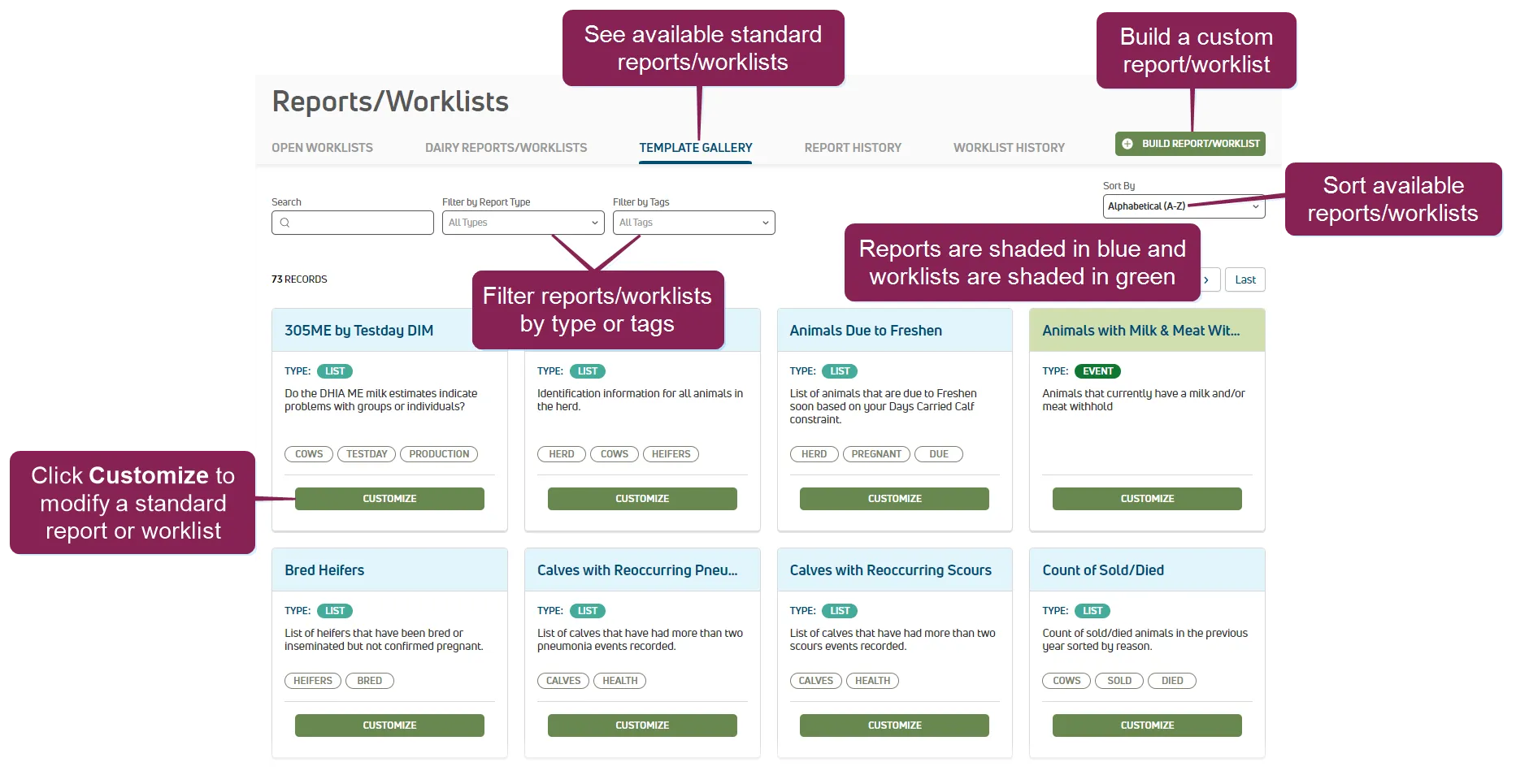
You can find this feature under the DairyComp/MyDC > Reports/Worklists menuDairyComp/MyDC > Reports/Worklists menu on the Template Gallery tab.
You can customize any standard report or worklist available in the gallery! Click the Customize button to open the report in Report/Worklist BuilderReport/Worklist Builder. After your standard report is customized and saved, the report is added to the Dairy Reports/WorklistsDairy Reports/Worklistspage.
See Build Custom Report or WorklistBuild Custom Report or Worklist to learn more about customizing standard reports and worklists.