Accept or Decline a User Connection Request
1 min
When users request to connect with your dairy, PULSE adds their request to the Dairy User ManagementUser Management page.
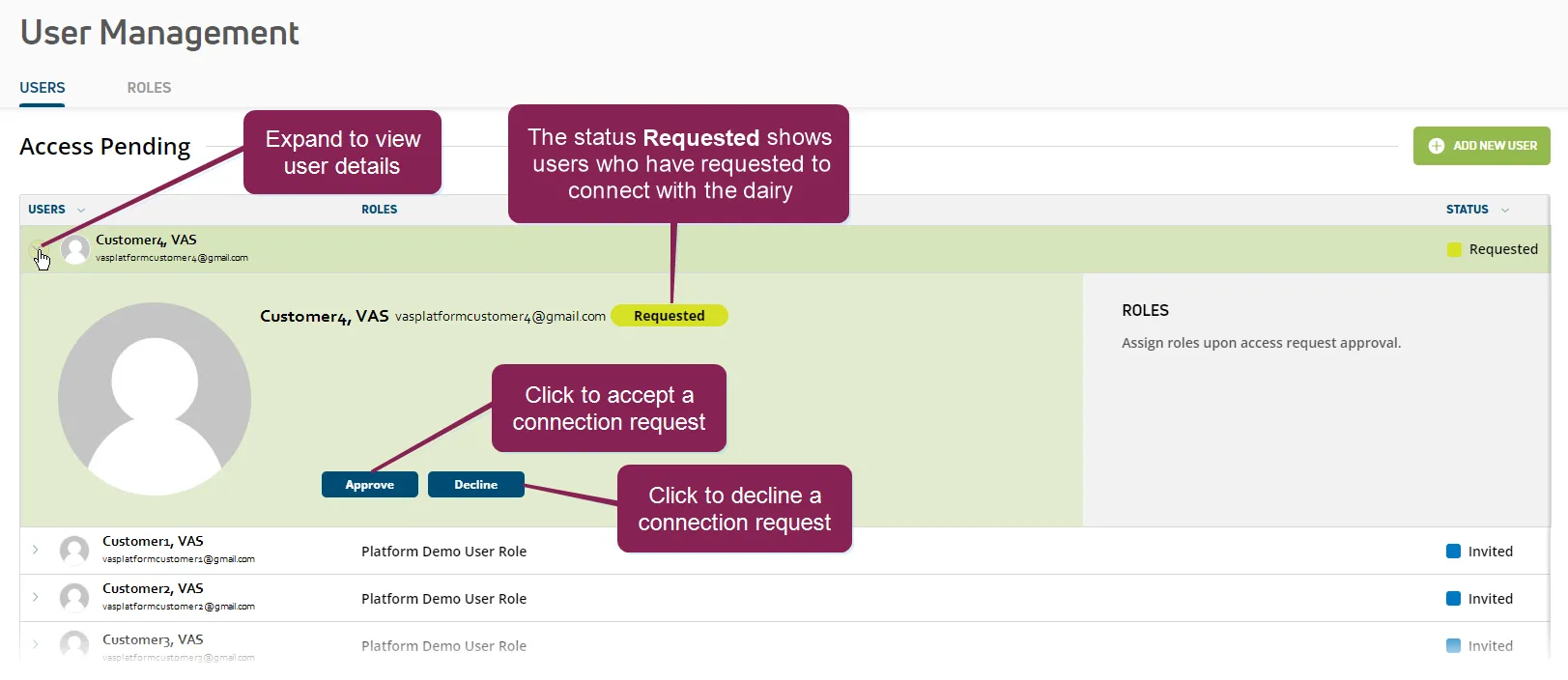
Any member of your dairy who has User Management permissions can accept or decline a connection request. You can find this feature under the Dairy menuDairy menu.
Follow the steps below to continue:
- In the Access Pending list on the Users tab, expand the user who requested to connect with the dairy.
- Click the Accept or Decline buttons at the bottom of the expanded row. PULSE sends the user an email to confirm that their request has either been accepted or declined. If accepted, the user can then log into PULSE and view all data for the dairy to which they are now connected.