Request Access to a Dairy
The Platform currently allows you to request access to dairies but not to companies. To access company features, a member of the company must invite you to connect with it. See Invite a User to Your DairyInvite a User to Your Dairy for more information.
To connect to a new dairy, follow these steps:
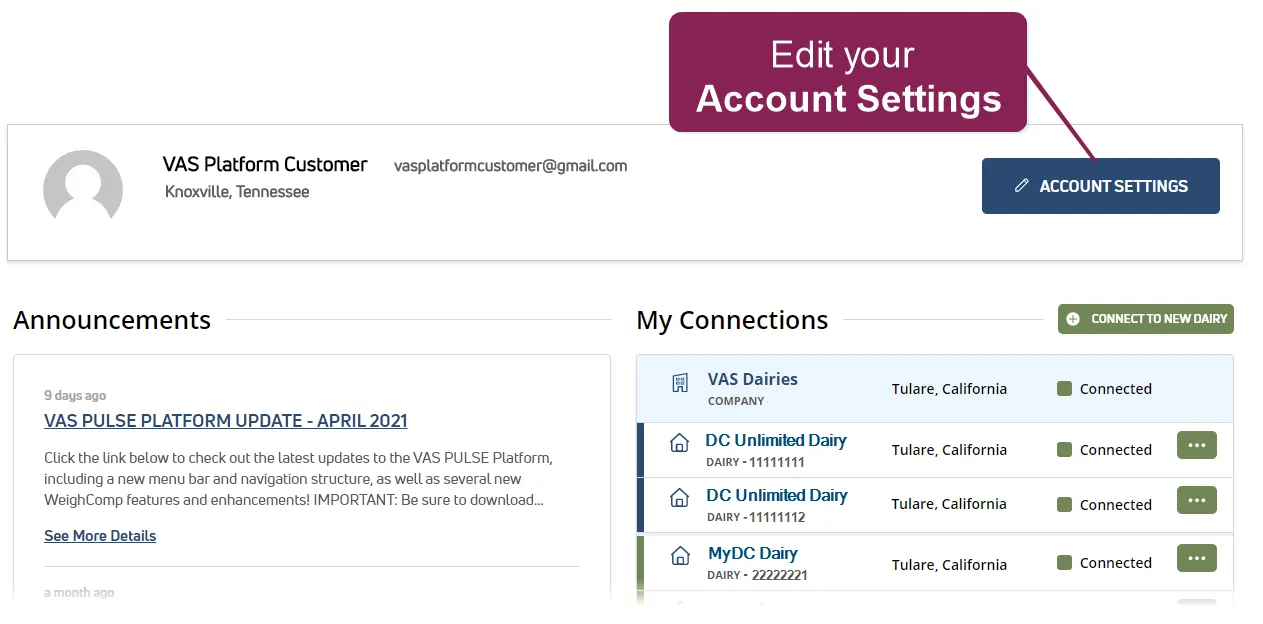
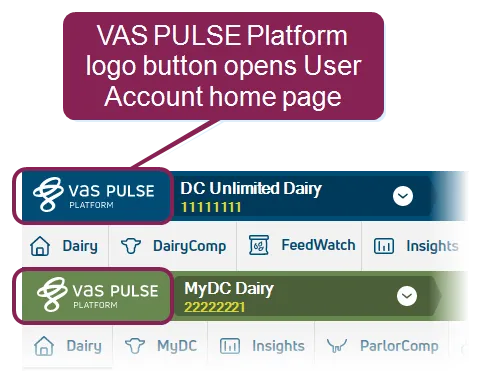
- If you're not already on your Account Settings page, click PULSE logo button in the top left corner of the window, and click the Account Settings button to the far right of your User Account home page.
OR
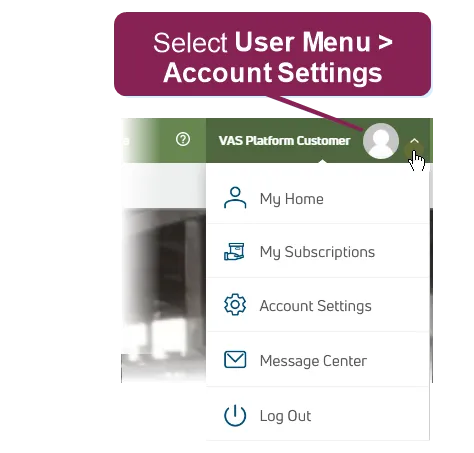
Select Account Settings from the User MenuUser Menu in the top right corner of the page.
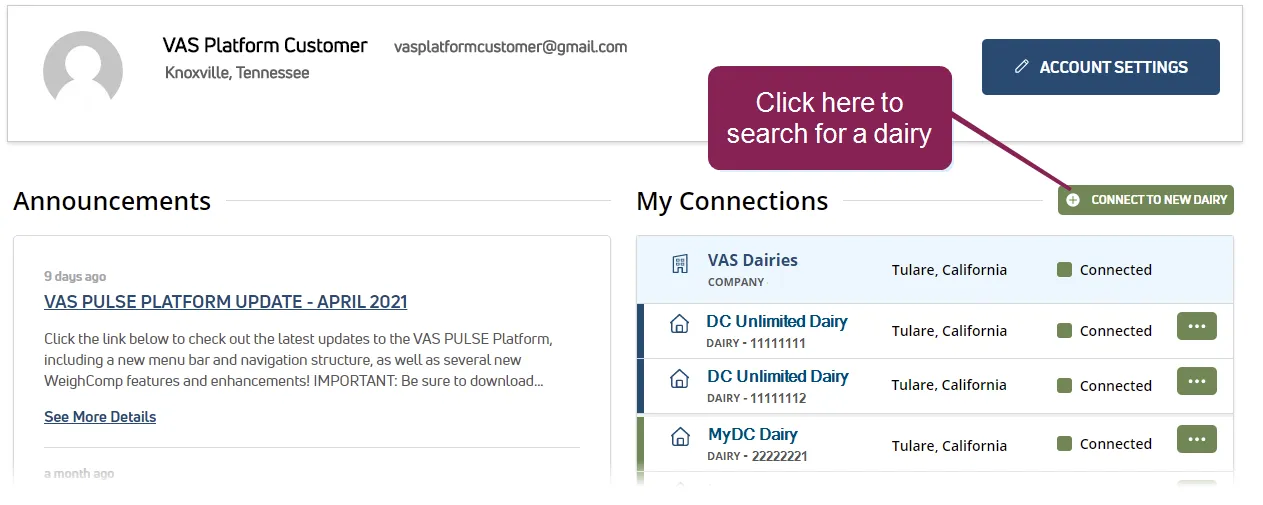
- Click the Connect to New Dairy button on the top right of the My Connections list to locate the dairy you want to access.
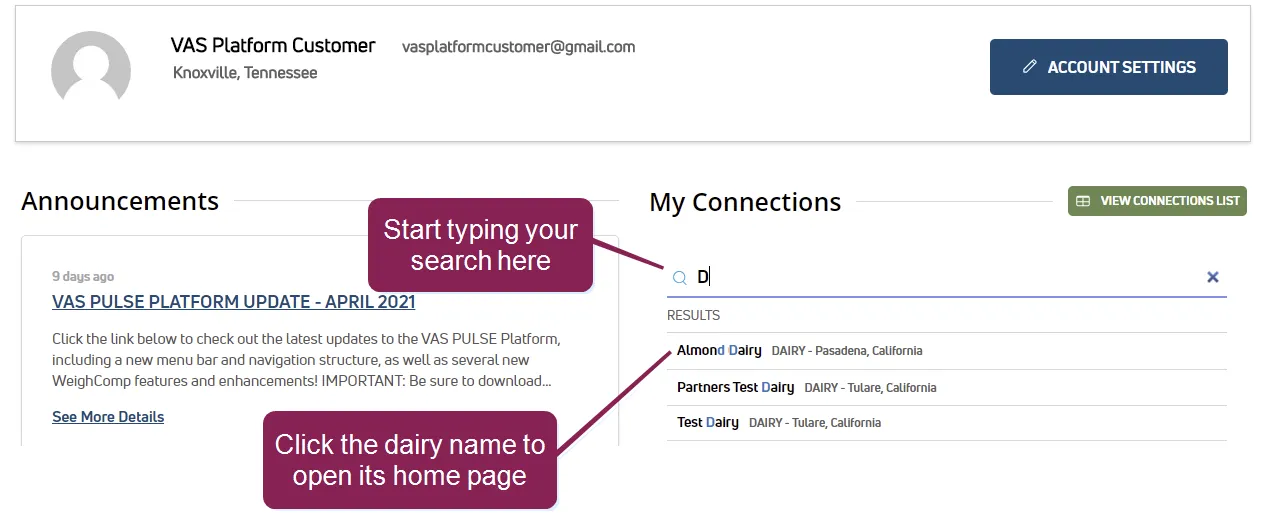
- As you start typing, all matches are displayed. Select a dairy from the list.
You will be directed to PULSE home page of the dairy you selected (see example below).
- Click the Request Access button.
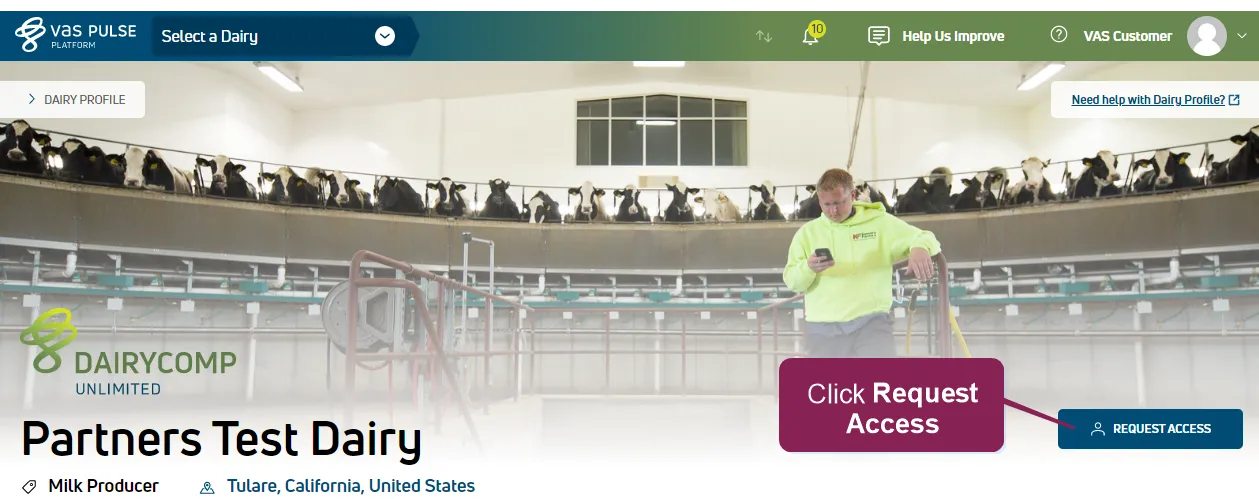
At this point, the system emails a request to all users at that dairy who are assigned to the Owner role. Any of those users can then grant you access to the dairy. You will receive an email notification when your request has been accepted. For more information on the Owner role, see Manage Dairy Users and RolesManage Dairy Users and Roles.
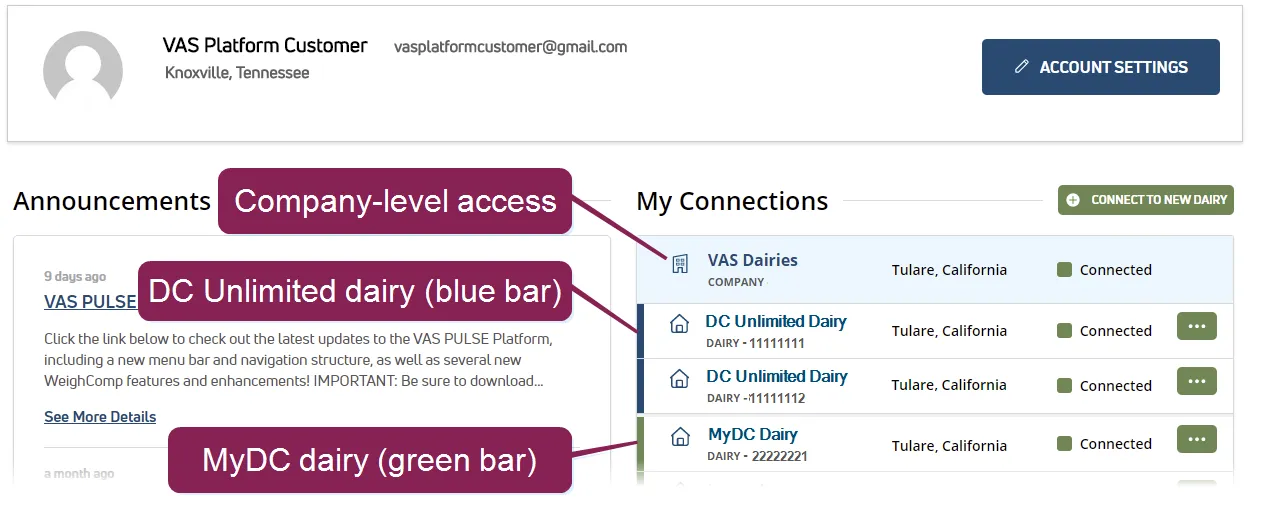
After you are connected to a dairy, it displays in your My Connections list with a colored bar to indicate if the dairy is equipped with DC Unlimited or MyDC. If you have company-level access, your connected dairies are listed below the company name.