Shared Files
To use this feature, your PULSE user account must be assigned to a Role with Herd Read permissions. See Edit Dairy User PermissionsEdit Dairy User Permissions and Manage Dairy RolesManage Dairy Roles for more information.
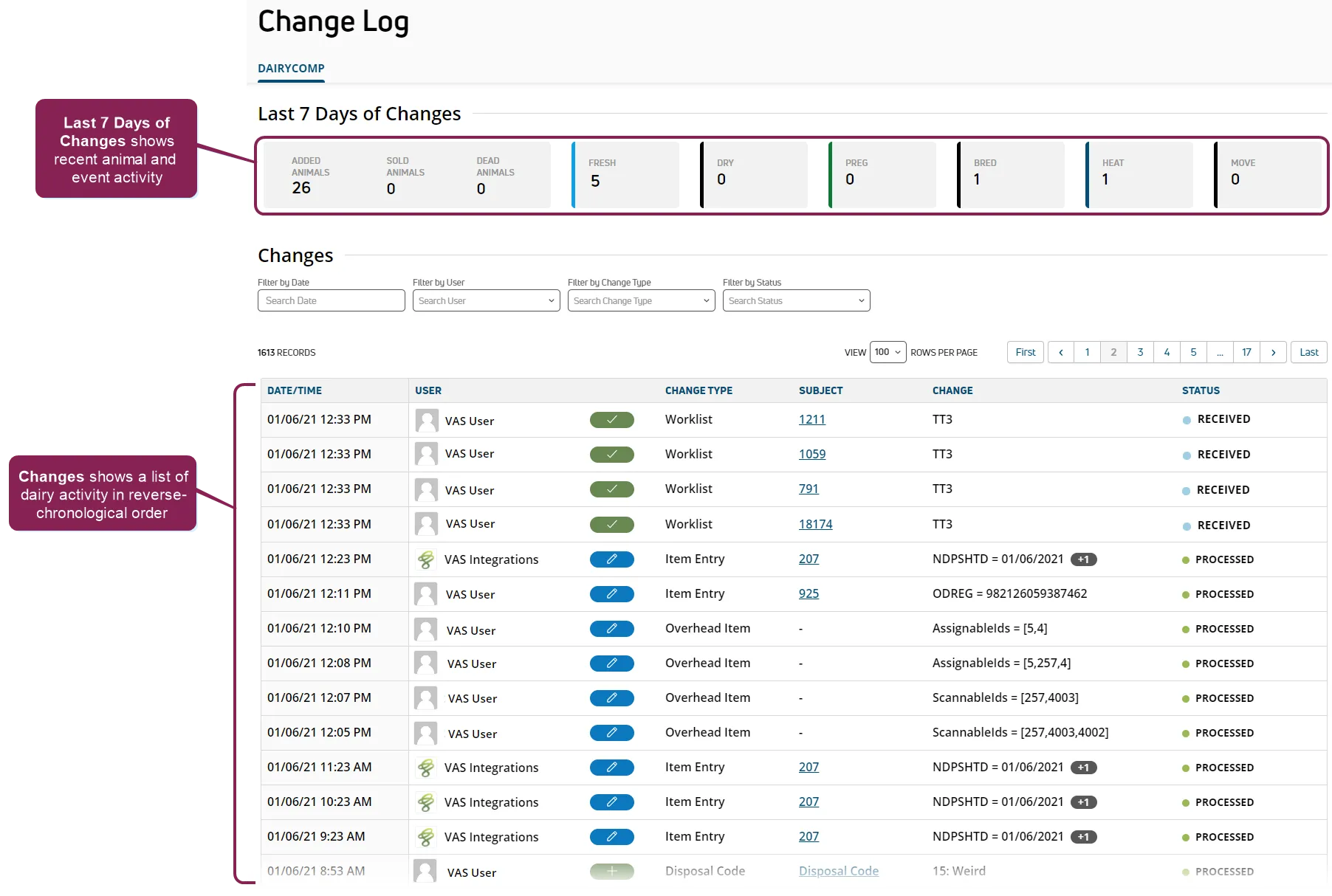
The Change Log provides an easy to use summary and historical list of animal activity and data changes made within the dairy. The top of the Change Log shows a breakdown of animal activity and events for the past 7 days, while beneath that is a list of all major data changes that have occurred for the dairy. You can find this feature under the Dairy menuDairy menu.
Expand the sections below to learn more:
The top of the Change Log shows a breakdown of animal activity and events for the past 7 days.
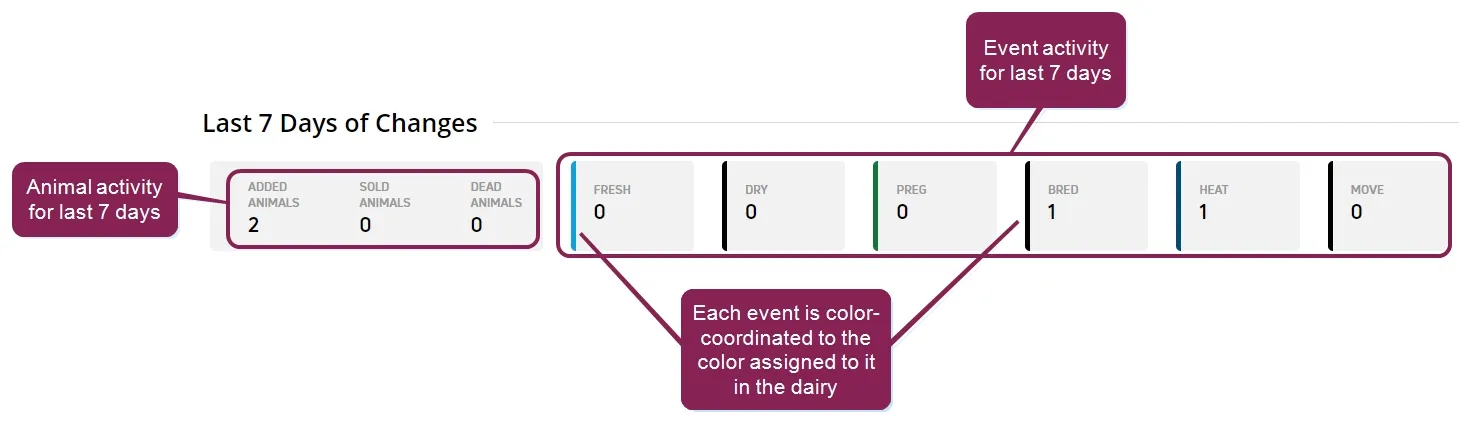
- The counter for each event is color coordinated to the event's color for the dairy.
- The number of animals that were added, sold, and died in the last 7 days are shown.
- Event information covers the six major event types: Fresh, Dry, Preg, Bred, Heat, and Move
NOTE: See Event Entry (v1)Event Entry (v1) for more information about working with events.
The Change Log displays a list of all the major changes to data that have occurred for the dairy. The list is presented in reverse-chronological order (i.e., the top change in the list is the most recent).
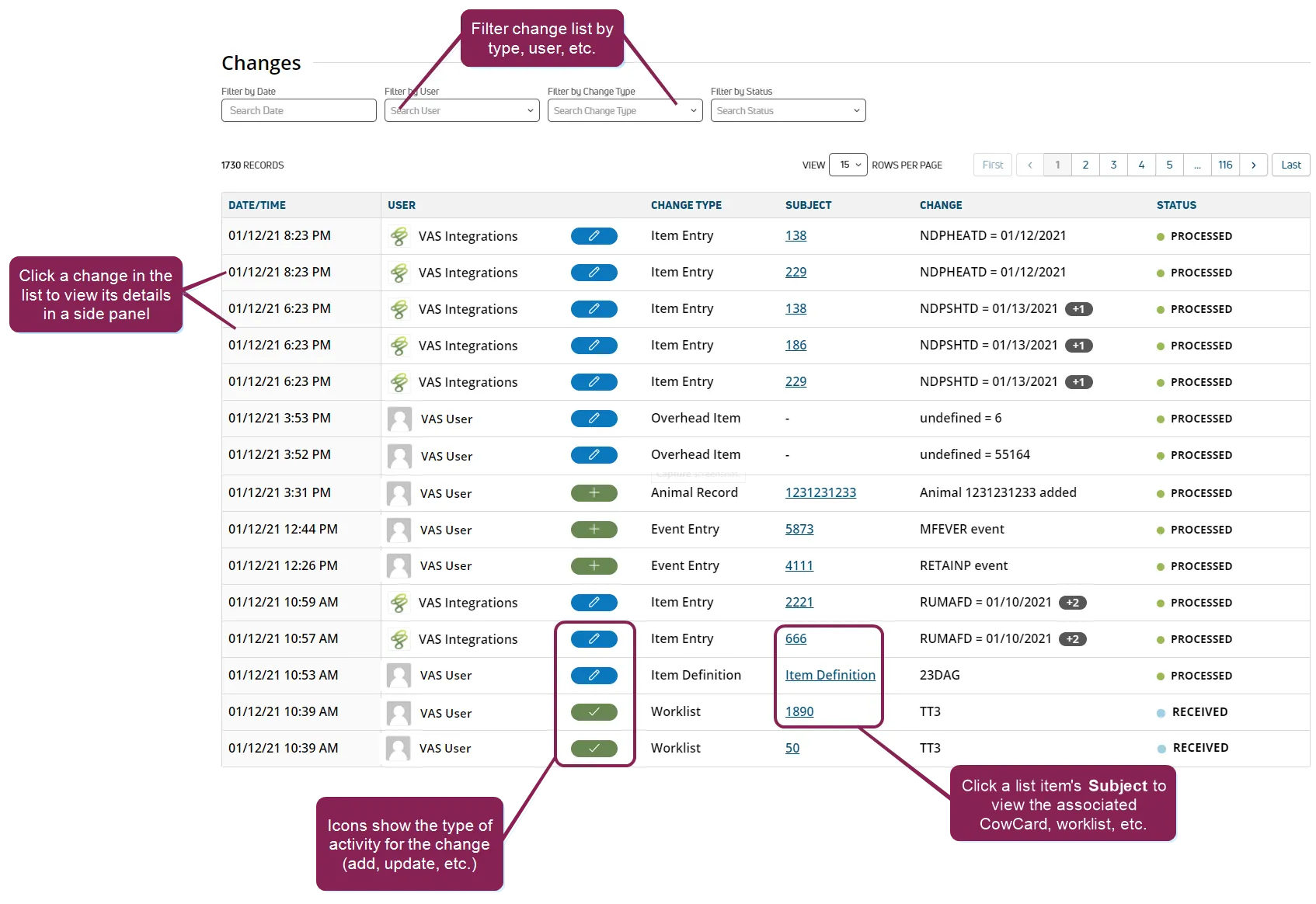
The following information is provided for each change in the list:
- Date/Time: The date and time of the change.
- User: The name of the user who performed the change.
- Change Activity Indicator: The kind of change that was made, shown by one of the following icons:
-
 Added
Added
-
 Updated
-
 Updated (i.e. done) on worklist
-
 Delete
The activity indicator should be read in conjunction with the Change Type (below) to provide a full picture of the change. For example, the Add icon with a Change Type of Pen indicates that a new pen has been added, while an Update icon with a Change Type of Pen indicates that the data for an existing pen has been updated.
Delete
The activity indicator should be read in conjunction with the Change Type (below) to provide a full picture of the change. For example, the Add icon with a Change Type of Pen indicates that a new pen has been added, while an Update icon with a Change Type of Pen indicates that the data for an existing pen has been updated.
- Change Type: The type of data that was changed. This includes all major data categories that can be changed, such as worklist, pen, item entry, etc.
- Subject: An active link to the object or type of data object changed. Click on the subject of a change to view the associated CowCard, worklist, etc.
- Change: A specific description of what was changed.
- Status: The current state of the change. In order, they are:
- Waiting for Connection
- Received: A change has been made but has not yet been applied.
- Processing: The change is ready to be applied.
- Processed: The change has been applied.
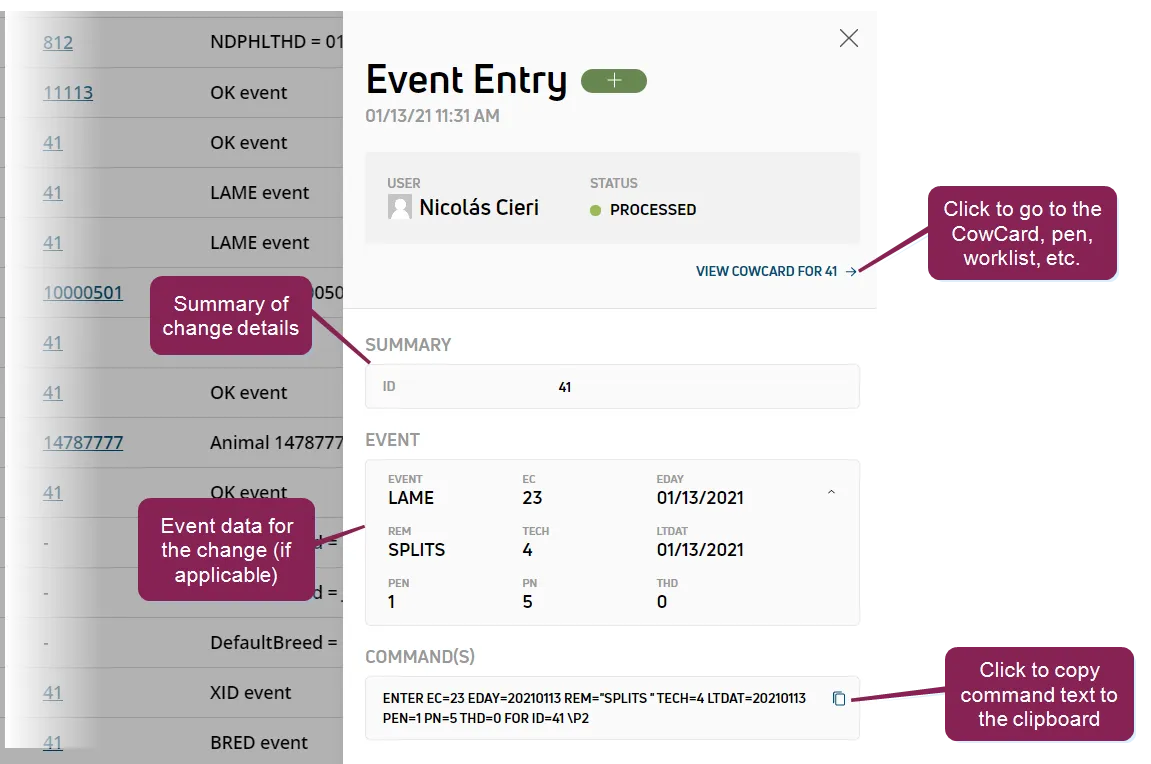
Click on a change in the list to view a side panel containing the full details about the change.
Use the following guidelines for the data in the side panel:
- The groupings of information displayed in the side panel vary according to the type of change.
- If the change has an active subject associated with it, that subject will be linked from the side panel.
- For Event Entry type changes, details about the event are shown in the side panel.
- If the change has a DairyComp command associated with it, the side panel includes the command. You can copy the command to the clipboard by clicking the copy icon
 .
.
This feature/option is available only for DC Unlimited subscribers. MyDC subscribers will not see it in PULSE.
Click herehere to learn more about the different versions of PULSE.
- CowCards at a GlanceCowCards at a Glance
- AnimalsAnimals
- Event Entry (v1)Event Entry (v1)
- Enter Events (v2)Enter Events (v2)
- PensPens
- Reports/WorklistsReports/Worklists