View Company Dashboards
OneView company dashboards in PULSE allow you to view all your inventory data for all of your dairies in one convenient location. At a glimpse, view your inventory statistics — past, present, and future — across all dairies to guide your herd management decisions. You can also monitor health trends and other changes in the herd. Use OneView's easy-to-follow graphs and various view and filter options to quickly find inventory information.
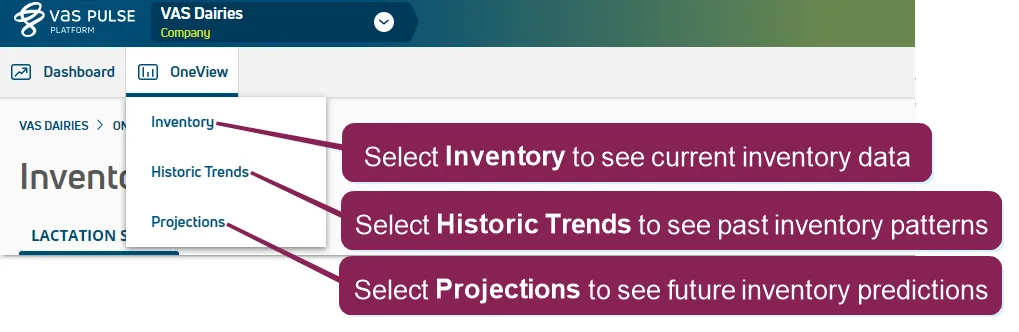
Navigate to your Company Dashboards and OneViewCompany View, then click the OneView tab, and select a view from the drop-down list to start viewing your company's inventory. Select InventoryInventory to view your present inventory, select Historic TrendsHistoric Trends to view your past inventory, or select ProjectionsProjections to see future inventory predictions.
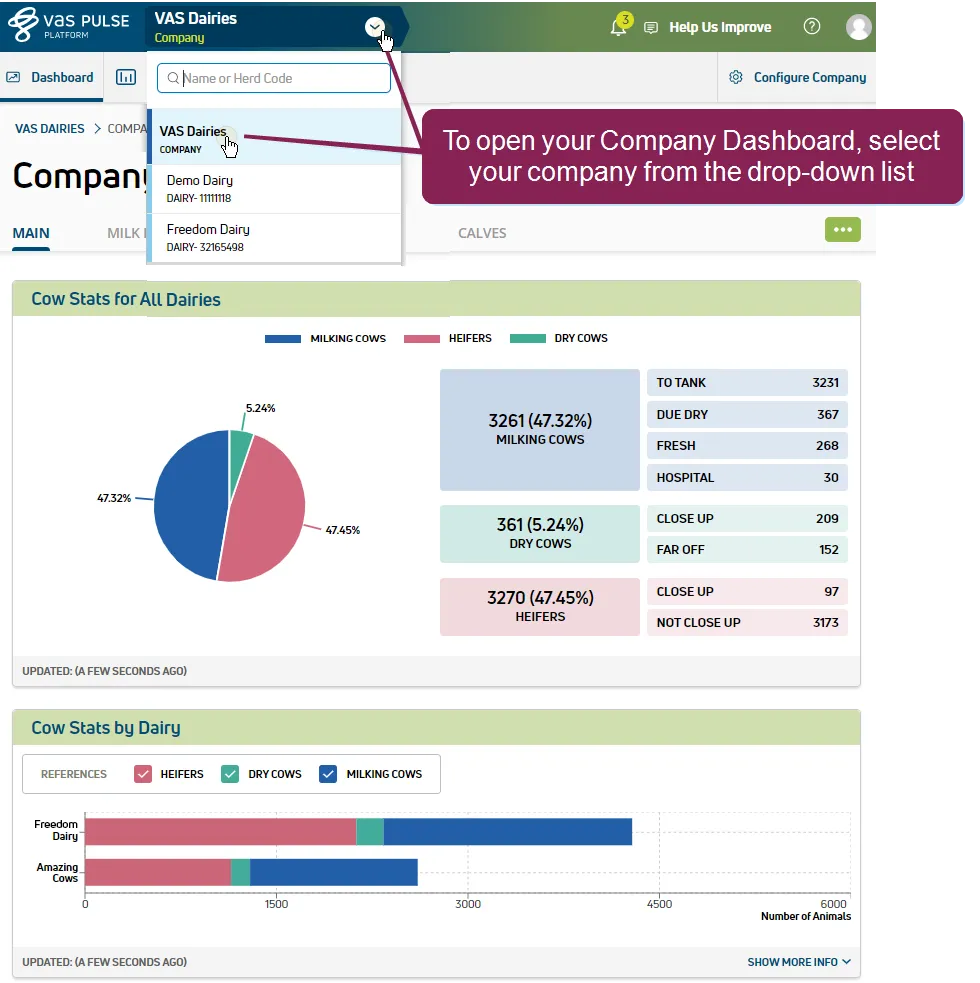
See the topics below to learn more: