DairyComp Reference Guide
VAS is updating the former DairyComp online help and publishing the new topics here as they become available.
You can also browse the list of DC305 Support FAQsDairyComp Support FAQs for answers to some of the most common questions received by the VAS Support team.
If you need help with DairyComp features that are not documented in this help site yet, you can still browse the former online help within the product. To find it:
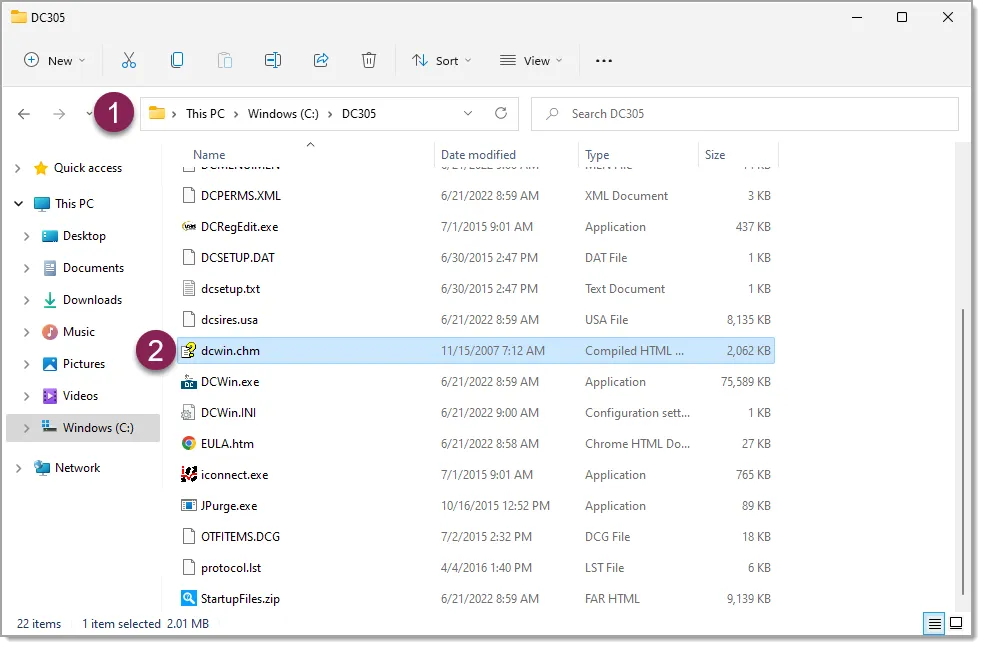
1 Open your File Explorer app in Windows and navigate to the DairyComp folder on your C:\ drive.
2 Open the dcwin.chm file.
NOTE: The DairyComp installation folder on your computer may vary. In addition, you may need to show file name extensions in the File Explorer app to see the .chm file extension. Search for "show file extensions" in your Windows operating system to learn more.
- CowCards
- CowCare
- Events
- Pens
- Reports