Connection Status
2 min
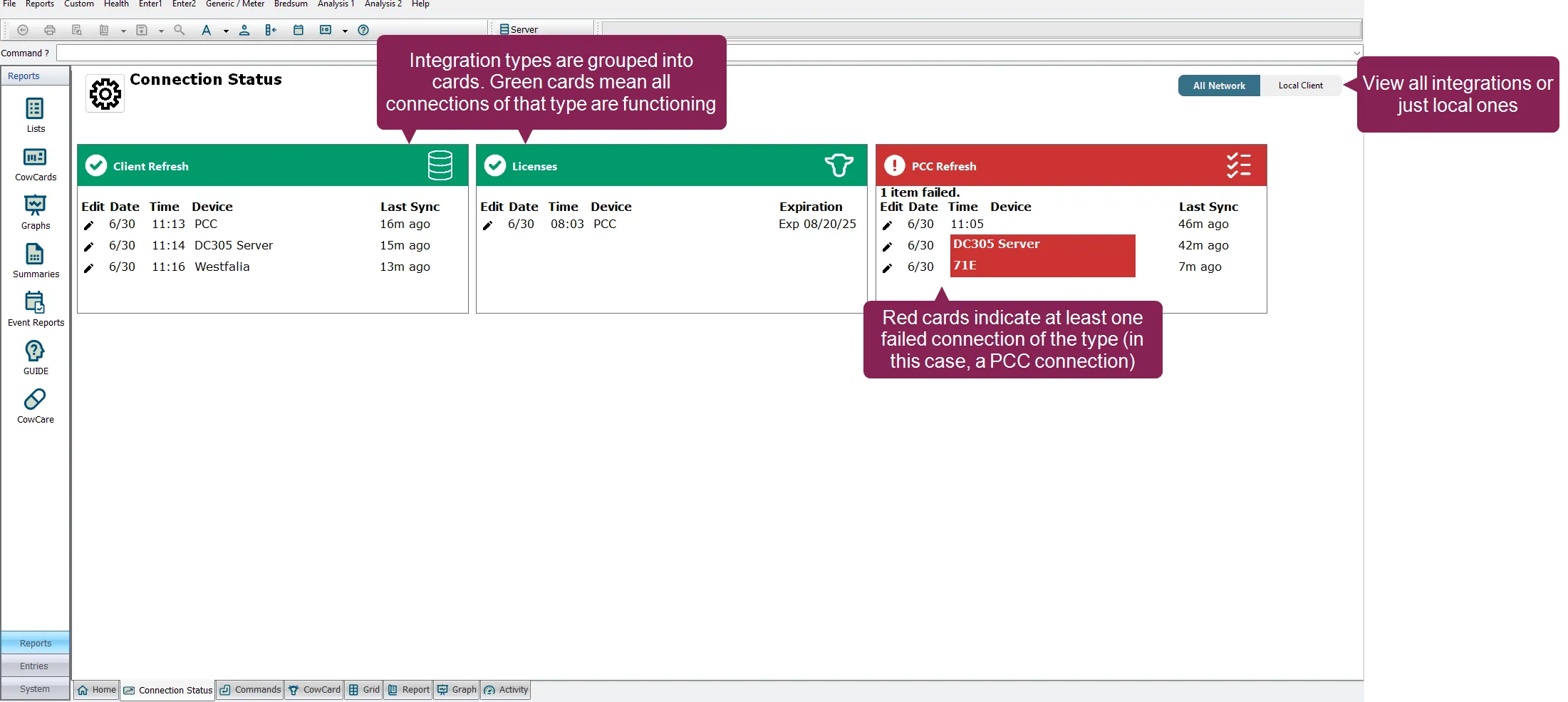
connection status allows you to quickly see if your dairycomp integrations are communicating and properly transferring data with dairycomp connection status runs in the background, essentially watching for connection failures and notifying you when they occur integrations (such as and pocket cowcard) show as cards on the connection status dashboard you can configure the dashboard to show only the cards (i e , integrations) you want each card contains information about the connections for that integration an integration can have one or multiple connections associated with it the following information is displayed for each connection the date and time of the last connection check in the name of the device (which is user configurable) the number of days, hours, and minutes since the last connection check in (i e , the "last sync") for licenses , the expiration date when a card is \<font color="#67854e">green\</font> , all of the connections associated with that integration are connected properly with dairycomp when a card is \<font color="#ef4444">red\</font> , at least one connection for that integration has failed types of integrations connection status allows you to monitor the following types of integration connections backup last backup of dc305 data docid\ otwvlzaexgbi oq7cn ol to your local machine (if configured) or to vas client refresh last refreshes from dairycomp client machines to the dairycomp server integration exports last data sent successfully by the msend command integration imports last data received successfully by the milk command licenses impending expirations for dairycomp and refresh last refreshes of devices to the dairycomp server refreshes and imports of transactions from vas pulse sync last data received from vas pulse showing all or local connections the connection status dashboard allows to you view all your connections, or just those local to your machine to do so, select the switch at the top right of the dashboard to choose between the following choices all network displays the status of all connections across the entire dairycomp network, including connections on other clients and servers this provides a comprehensive, system wide view local client displays the status of only the connections that are local to the client you are currently viewing the dashboard on this view is useful for troubleshooting issues specific to your local machine see the topics below to learn more view and configure the dashboard docid c u1ajhftm9ak1ylzivh configure notification settings docid\ egwqzhn0ce evaljoomgh