Sires
All users assigned to a role with Herd Read permissions can view this feature. Only users who are assigned a role with Herd Write permissions can edit data or customize settings.
See the topics below to learn more:
- Know Your VAS PULSE VersionKnow Your VAS PULSE Version
- Edit Dairy User PermissionsEdit Dairy User Permissions
- Manage Dairy RolesManage Dairy Roles
The Sires page allows you to view and manage all of your dairy's sire records. The information contained in sire records is included throughout PULSE, such as in events, items, and cowcards. You can find this feature under the DairyComp/MyDC MenuDairyComp/MyDC Menu.
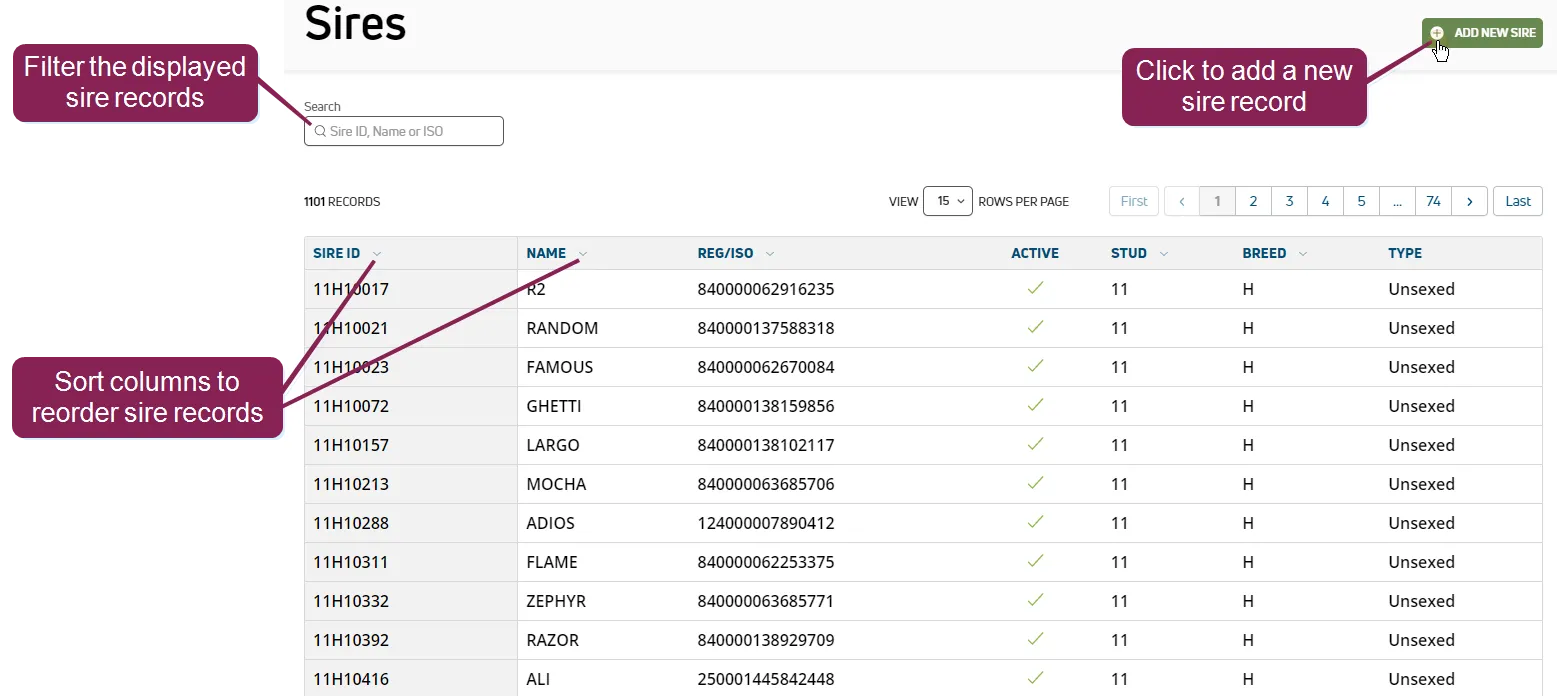
- Sire ID: Animal's sire ID
- Name: Animal's common name
- Reg/ISO: Animal's registration number or ISO ID number
- Active: Indicates whether the animal is active or inactive
- Stud: Semen company identification. For a listing of standard identifiers for the US, see NAAB Stud Codes.
- Breed: Two-letter abbreviation for the breed of the animal's sire. Common Cow breeds include the following: HO = Holstein; JE = Jersey; AY = Ayrshire; BS = Brown Swiss; GS = Guernsey; MS = Milking Shorthorn; XB = Beef cross-breed; XD = Dairy cross-breed.
- Type: Identifies the type of semen used to conceive the calf:
- Sexed: Semen that has been analyzed and sorted based on the X/Y chromosome in the individual sperm cells. For dairy cows, this type of semen has mostly X-chromosome sperm cells to increase the likelihood of producing heifer calves.
- Unsexed: Semen that has not been sorted based on the X/Y chromosome in the sperm cells.
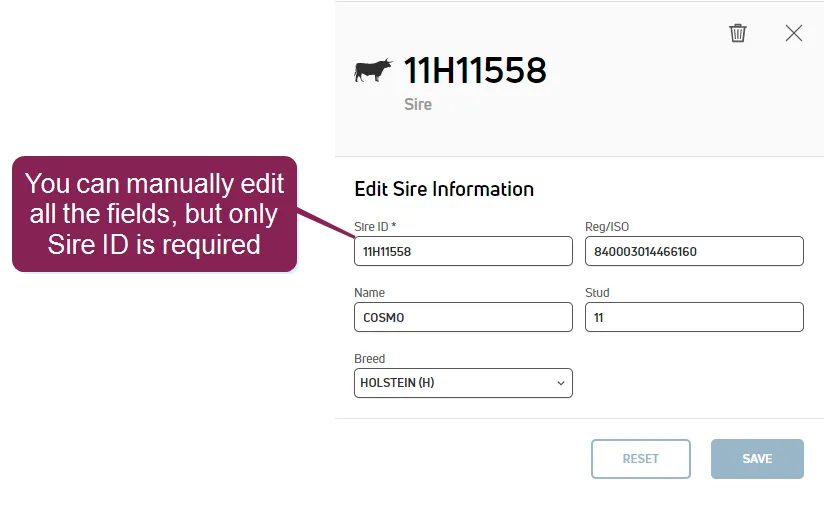
Click on a sire record in the Sire list to view its details, such as the animal's Sire ID, name, and breed, in a side panel.
The sire's side panel may include a photo, as well as the semen supplier. The side panel also provides additional details recorded by the supplier, such as production, health, calving, and conformation details.
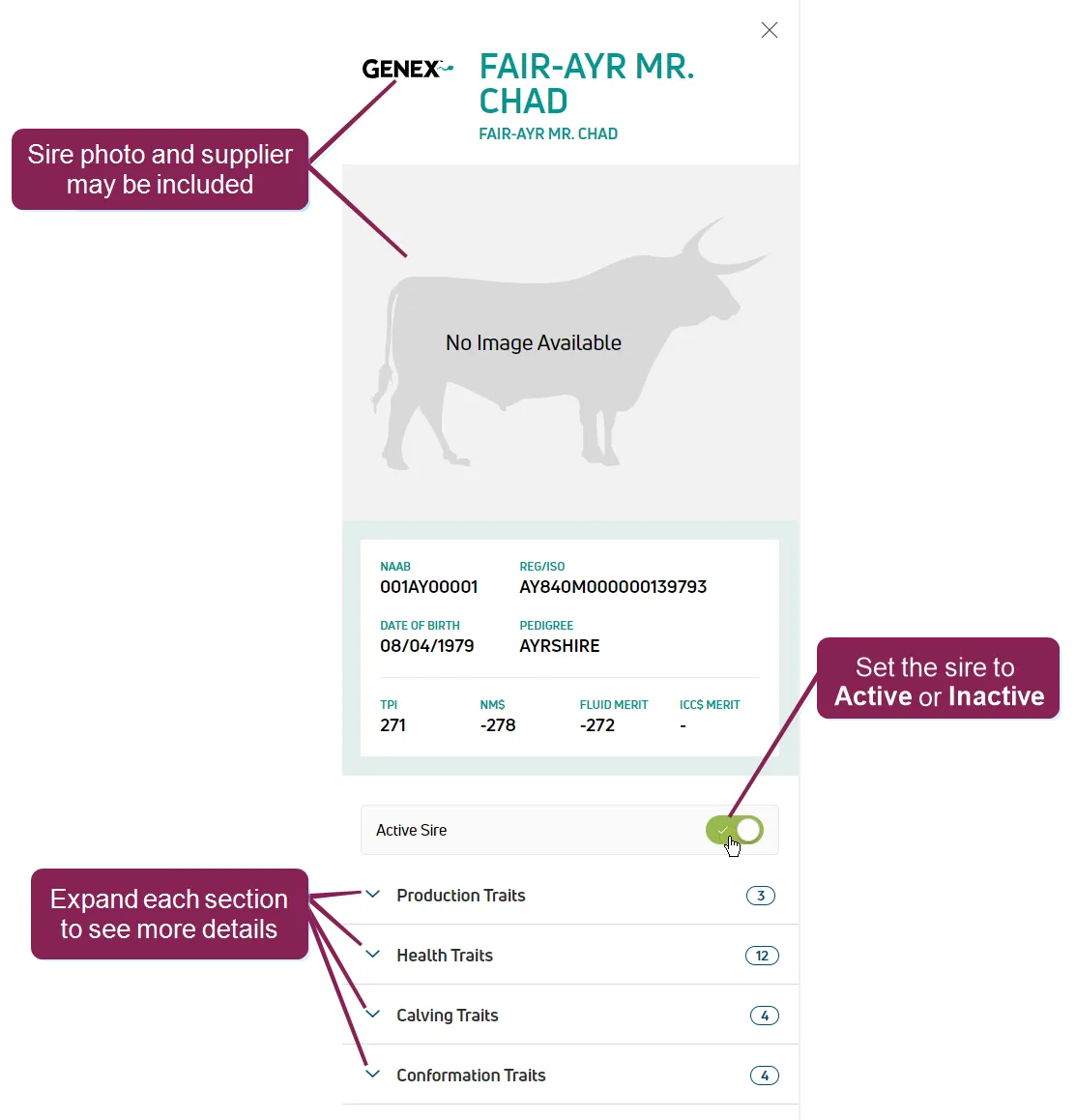
NOTE: You cannot edit or delete sire records or sire details that are provided by the origin company. You can only toggle the sire's status to Active or Inactive.
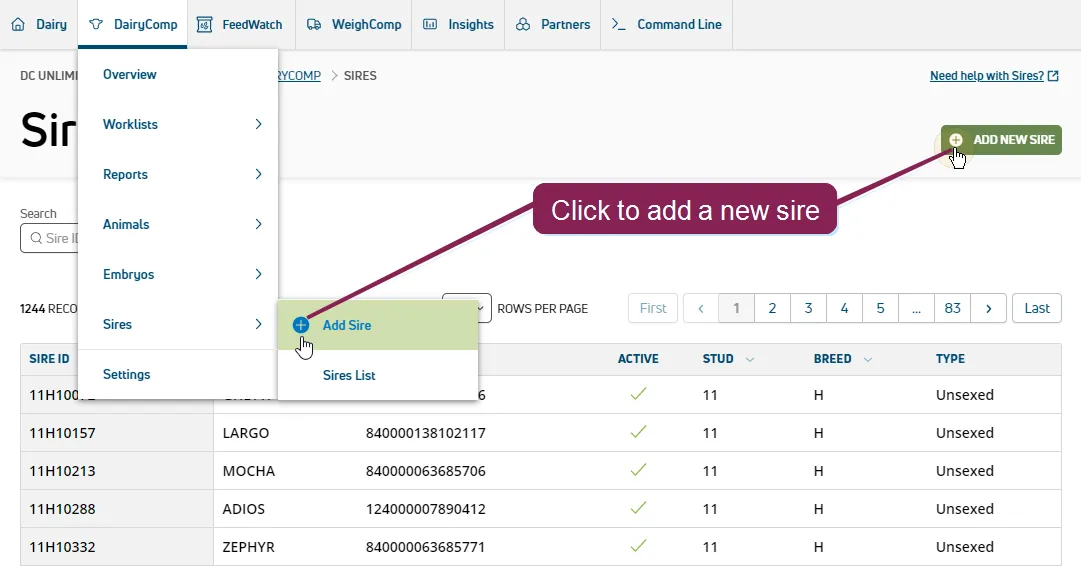
To add a sire on the Sires page, click Add New Sire or select DairyComp/MyDC > Task Lists > Inventory from the menu barmenu bar.
Begin typing the sire ID, name, or REG/ISO ID in the search field. If existing sires match your search, they show in your search results. Click on any match to begin adding the sire.
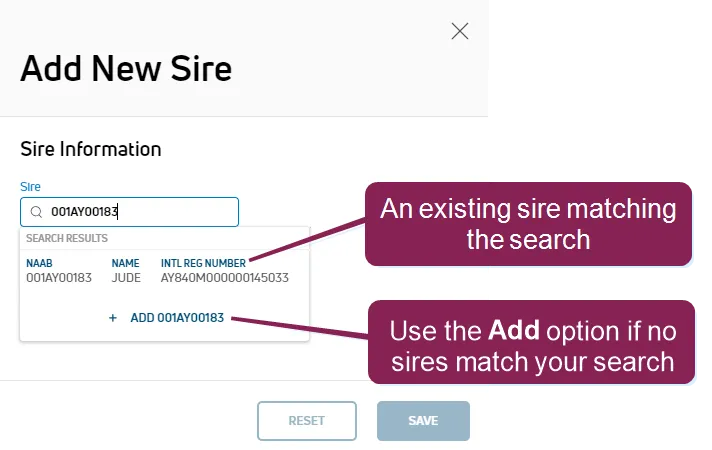
If no sires match your search, use the Add option to add the new sire.
Verify or enter the Sire Information and click Save.
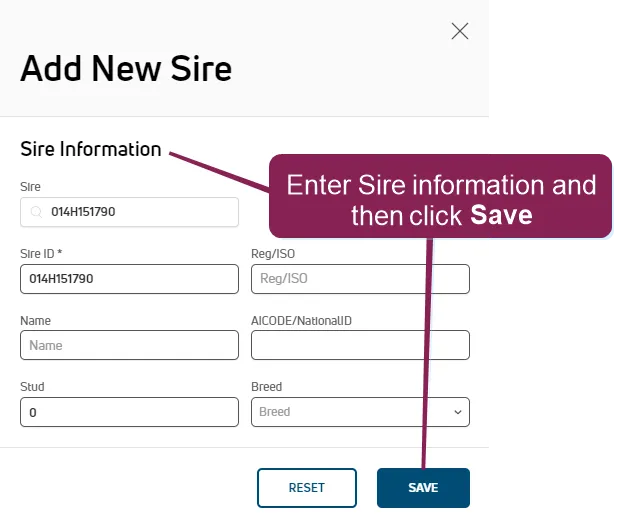
NOTE: Once you have saved the new sire record, you can open it from the list and then edit it to add details.
To modify a sire record, click on the record in the Sires list, then complete your edits in the Edit Sire Information side panel.
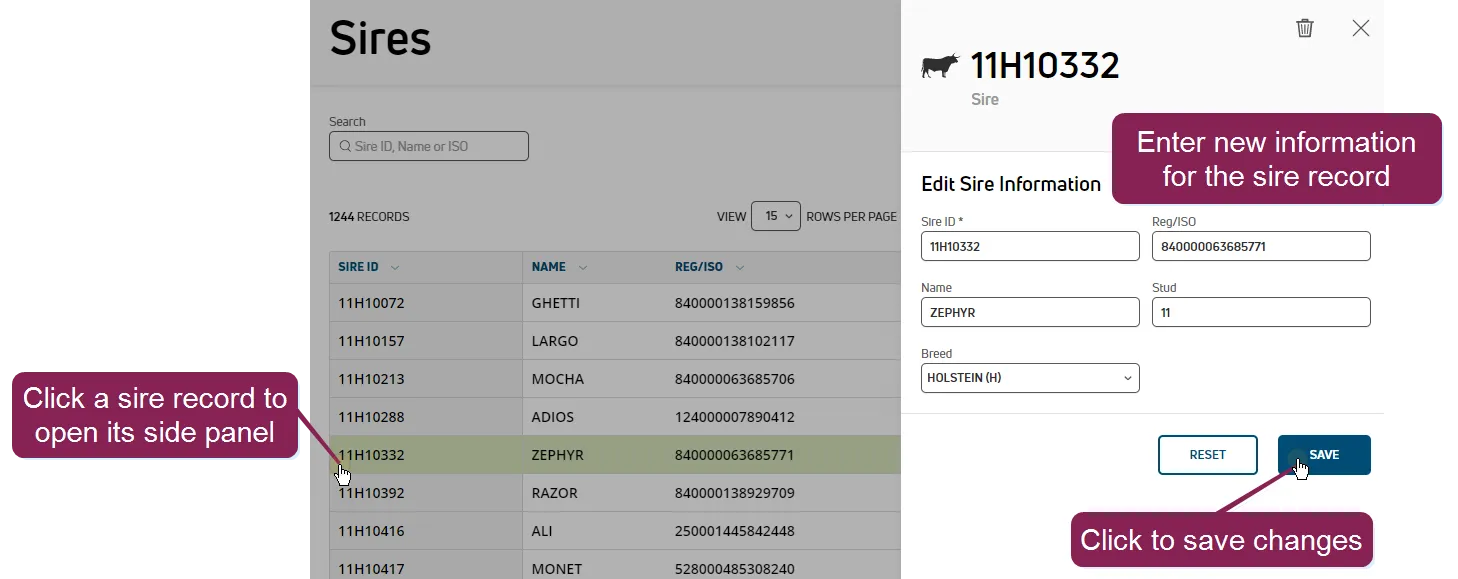
To revert back to the original values for the sire record, click Reset.
Click Save to apply your changes.
To delete a sire, click on the desired sire record in the Sires list. Click the delete button  , then click Yes in the confirmation pop-up window.
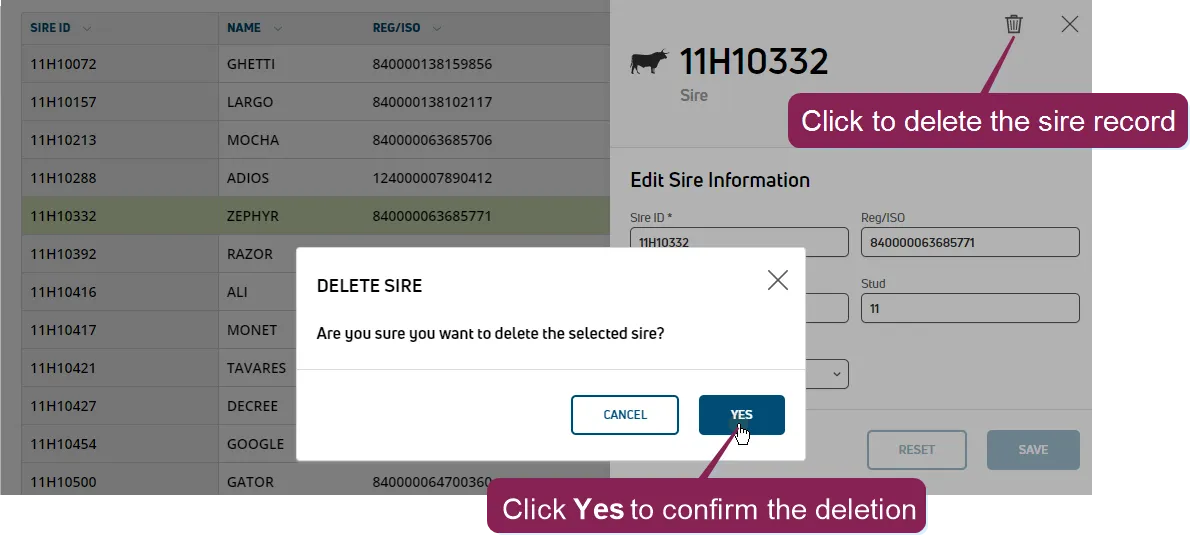
The sire no longer appears in your Sires list.