Technicians
1 min
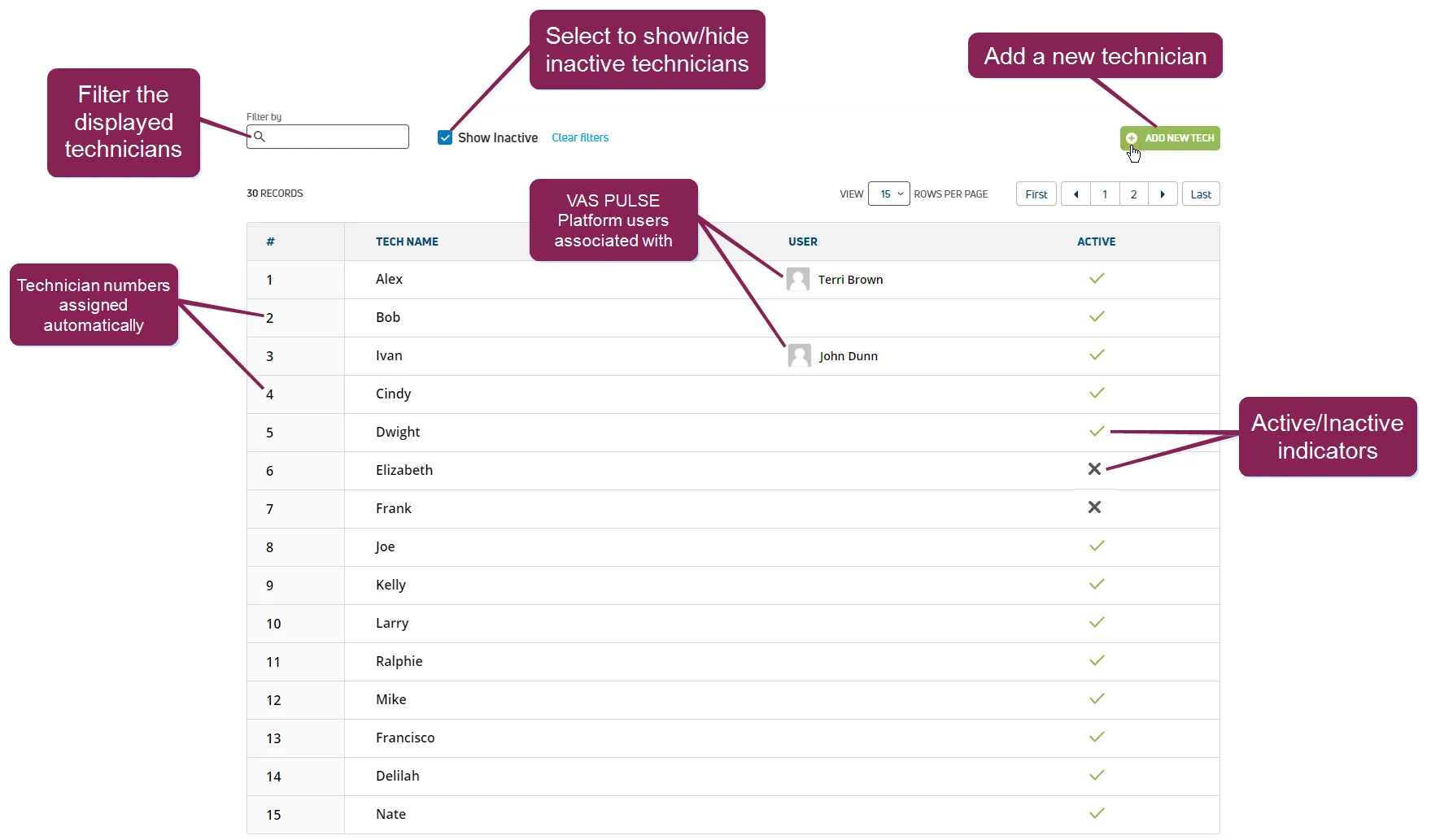
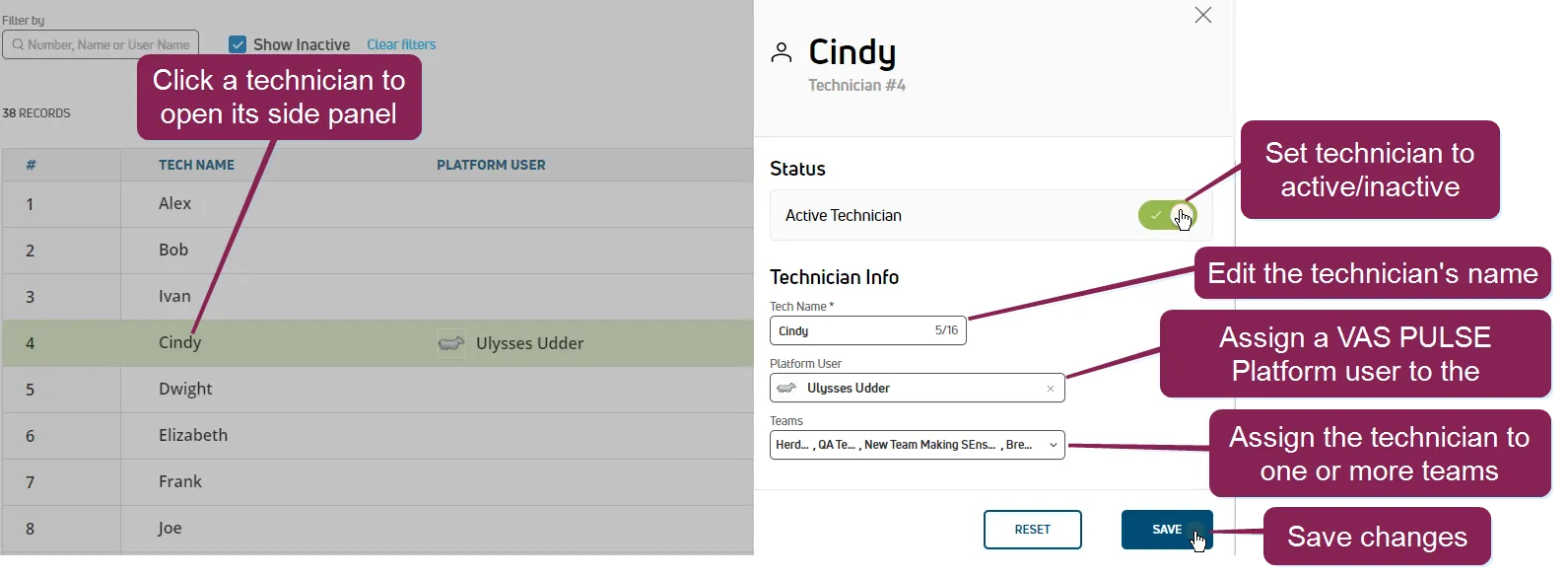
required permissions all users assigned to a role with herd read permissions can view this feature only users who are assigned a role with herd write permissions can edit data or customize settings see the topics below to learn more know your vas pulse version docid 5i7xv63wgmrxmsotyjaaa edit dairy user permissions docid\ gw6zx7tfc4ihsbrtozc v manage dairy roles docid 9yjukdzfab0kko1hw0mxj the technicians page allows you to view and manage all of the technicians working with your dairy you can quickly see who they are, if they are active, and pulse user associated with them (if any) you can find this feature under the dairycomp/mydc menu docid\ ezfejzdkbcfov b69aupr > settings docid\ ezfejzdkbcfov b69aupr option on the health settings or reproduction settings tabs your updates will apply to the technicians list regardless of which tab you use to access it edit a technician click on the applicable technician in the list a side panel in which you can make your changes displays click in any of the following fields to change their values active technician toggle the technician between active and inactive name edit the name of the dairy technician user assign a specific pulse user to the dairy technician by default, this field is left as unassigned to revert back to the original values for the technician, click reset when you are done editing the technician, click save a message displays at the bottom of the page indicating that your changes have been saved