Source Farms
2 min
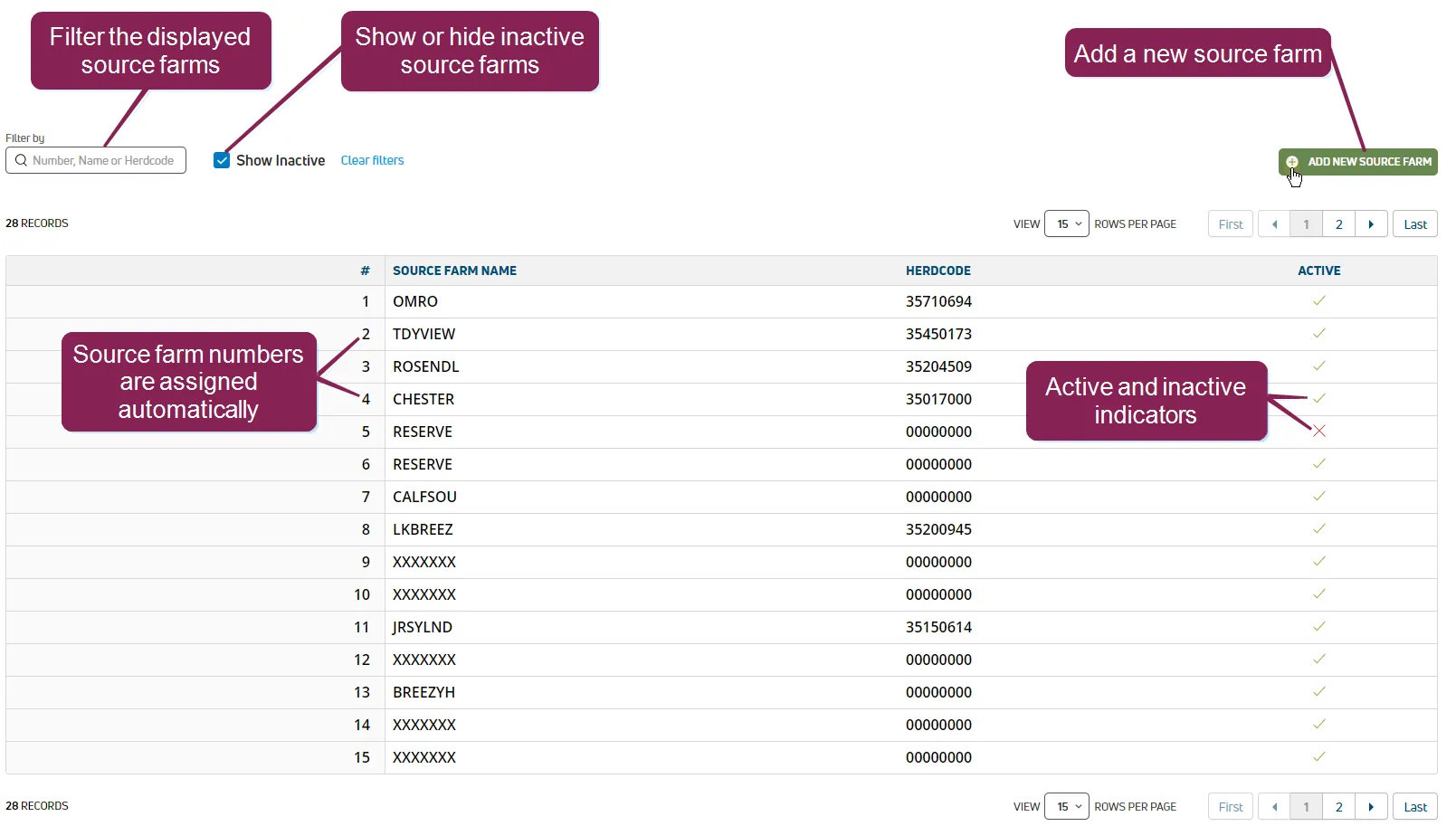
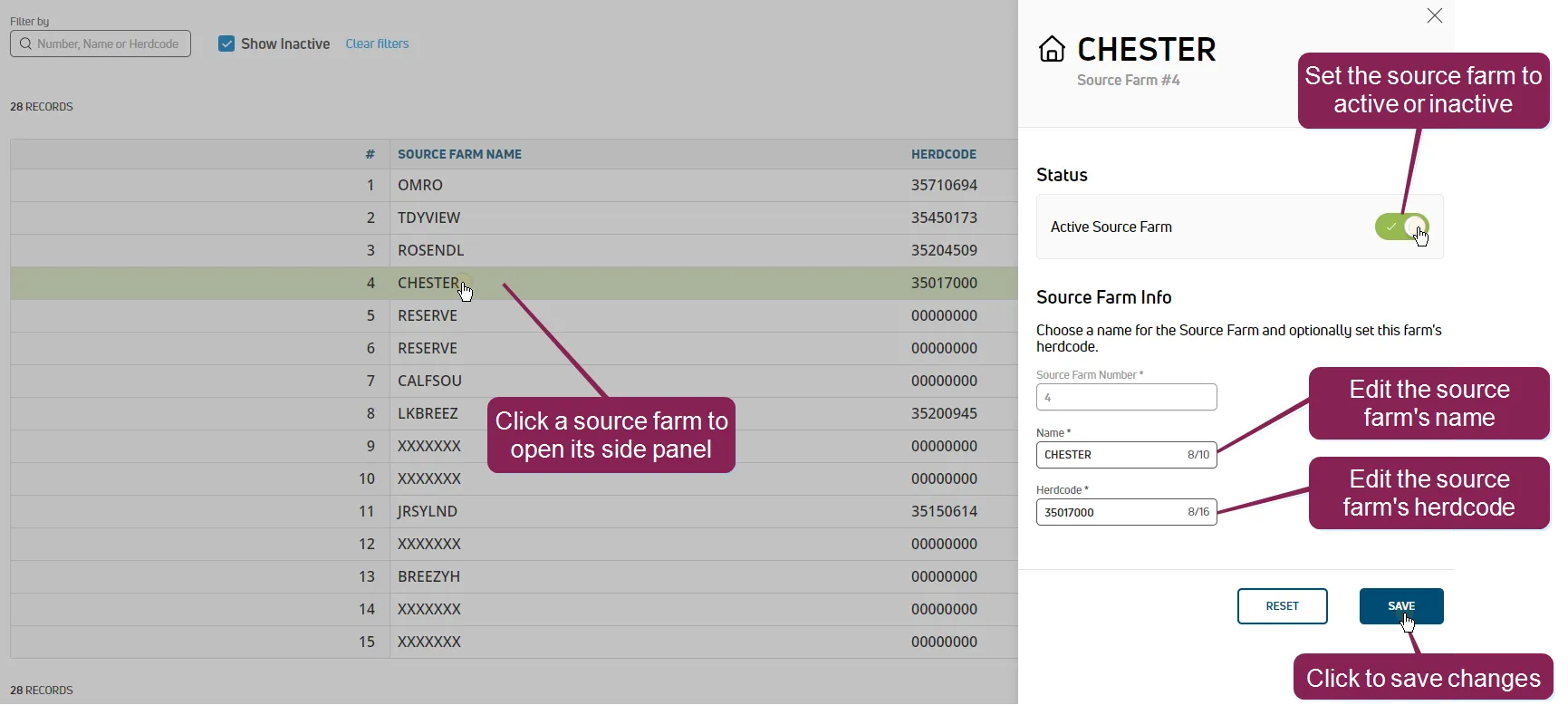
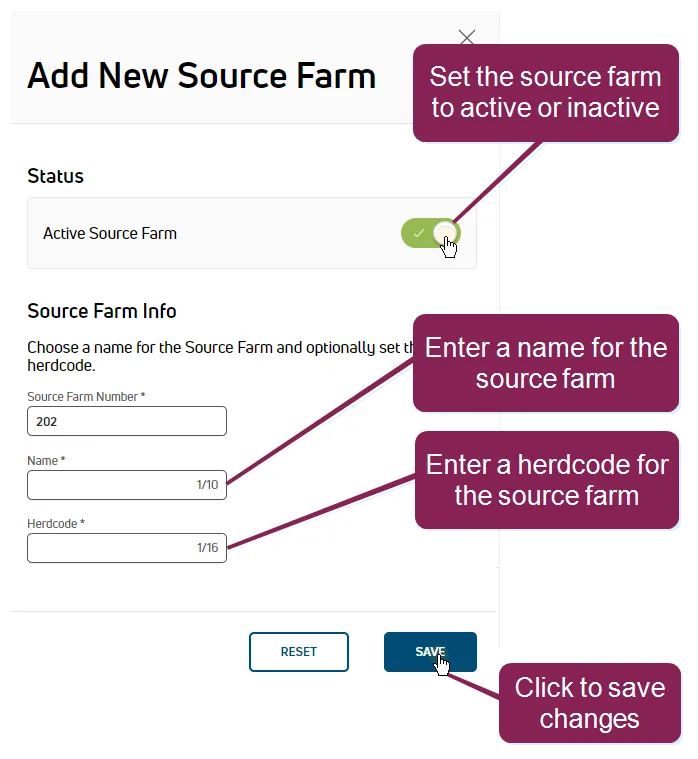
required permissions all users assigned to a role with herd read permissions can view this feature only users who are assigned a role with herd write permissions can edit data or customize settings see the topics below to learn more know your vas pulse version docid 5i7xv63wgmrxmsotyjaaa edit dairy user permissions docid\ gw6zx7tfc4ihsbrtozc v manage dairy roles docid 9yjukdzfab0kko1hw0mxj the source farms page displays the list of farms where your animals are sourced from (i e , the farms where the animals originated) you can quickly view each farm's name, number, and herdcode, as well as whether the source farm is active users with write permissions can edit source farm settings you can find this feature under the dairycomp/mydc menu docid\ ezfejzdkbcfov b69aupr > settings docid\ ezfejzdkbcfov b69aupr option on the general settings tab edit source farms click on a source farm in the list to open its settings in a side panel click in any of the following fields to change their values active source farm toggle the source farm between active and inactive source farm name edit the name of the source farm the name must not contain more than 10 characters herdcode edit the herdcode the herdcode must not contain more than 16 characters to revert back to the original values for the source farm, click reset when you are done editing the source farm, click save the system displays a message at the bottom of the page indicating that your changes have been saved add source farms click the add new source farm button at the top of the page to open a window to add a new source farm toggle the active source farm field to indicate whether the source farm is active or inactive in the name field, enter the name of the source farm the name must not exceed 10 characters in the herdcode field, enter the herdcode the herdcode must not exceed 16 characters click save the list now displays your new source farm