Manage Multiple Dashboards
With dashboards being such a key component in how you view and control your data in PULSE, knowing how to add and edit those dashboards will help you optimize them for your specific operation. See the topics below to get started!
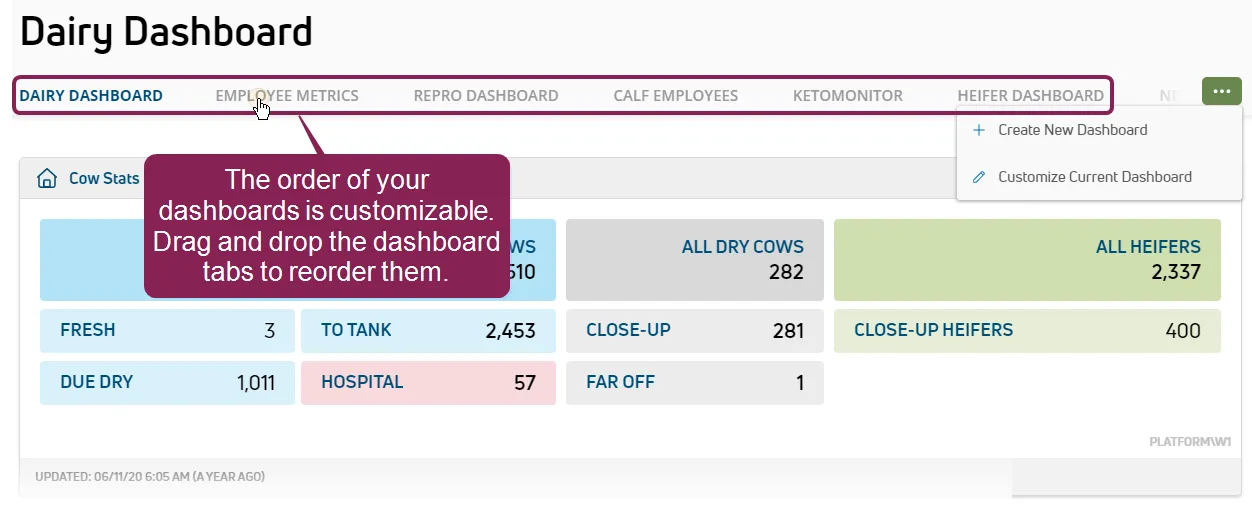
Follow these steps to create a new dashboard:
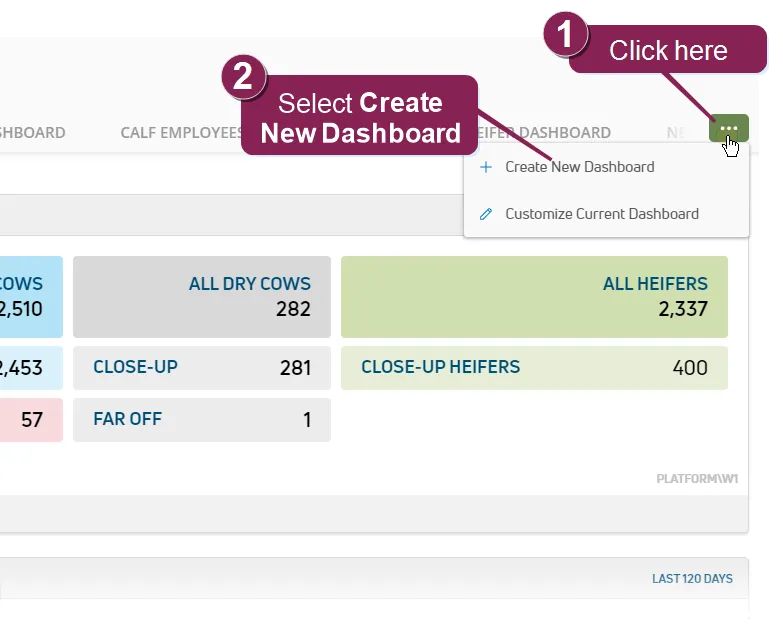
- In the top-right corner of the page, click the Options button
 .
.
- Select Create New Dashboard to open the customization page.
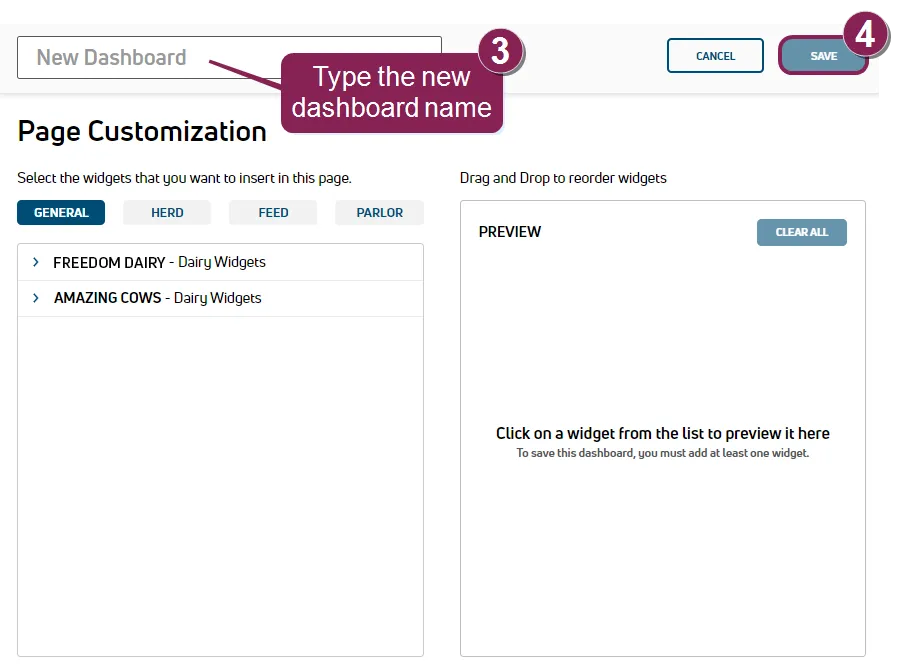
- In the New Dashboard field, type a name up to 20 characters long.
- Click Save to create the new dashboard.
- You can now begin adding widgets and customizing their order.
See Customize DashboardsCustomize Dashboards for more information.
Follow these steps to rename, delete, or edit a dashboard:
Navigate to the dashboard you want to change.
In the top-right corner of the page, click the Options button .
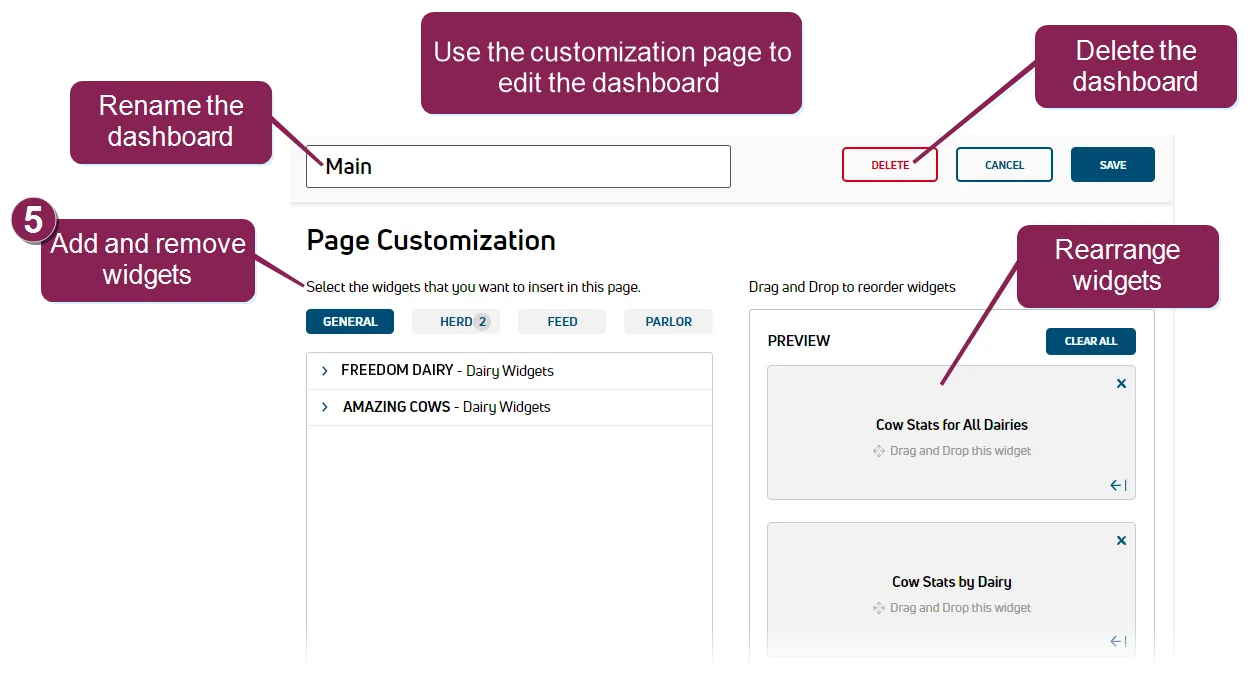
Select Customize Current Dashboard to open the customization page.
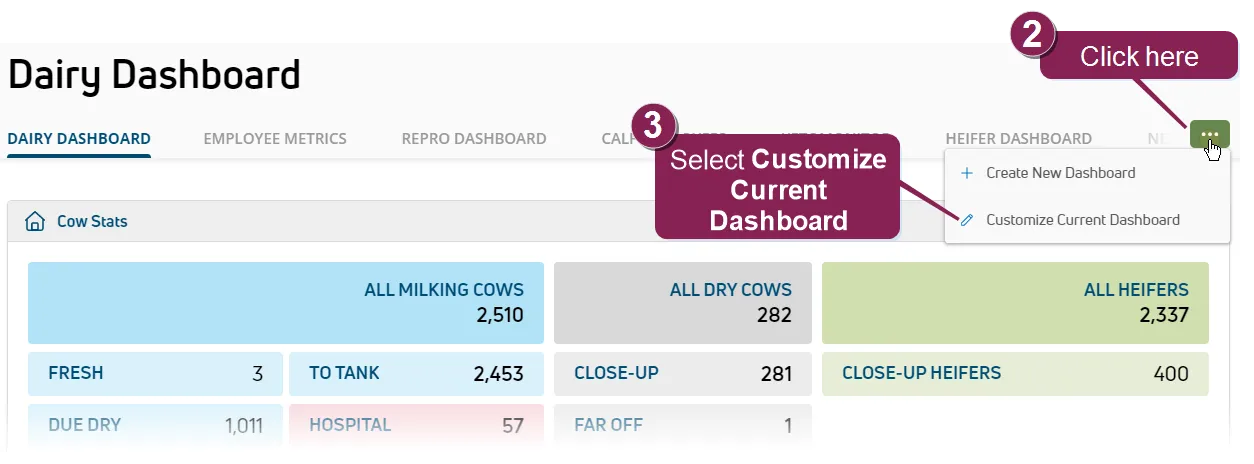
From the customization page, you can then:
- Rename the dashboard by typing a new name in the field at the top left.
- Delete the dashboard by clicking the read Delete button at the top right.
You can also add, remove, and rearrange the widgets.
See Customize DashboardsCustomize Dashboards for more information.
NOTE: If you do not see the Options button , check your roles and permissions. This button is only visible for users who are assigned to a Role with Dashboard Management permissions. See Edit Dairy User PermissionsEdit Dairy User Permissions for more information.