Lactation Configuration
5 min
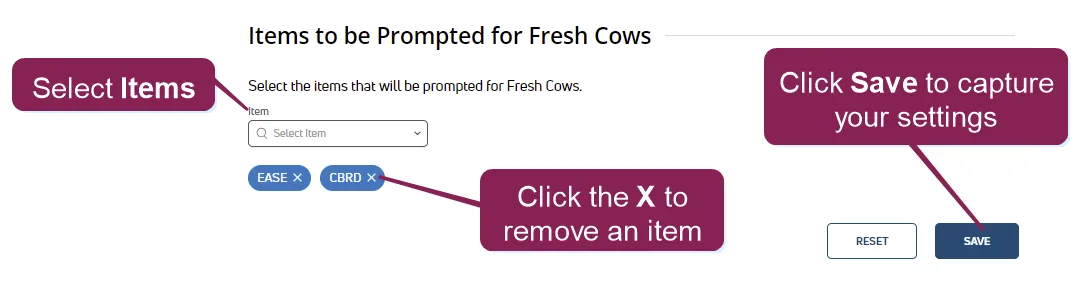
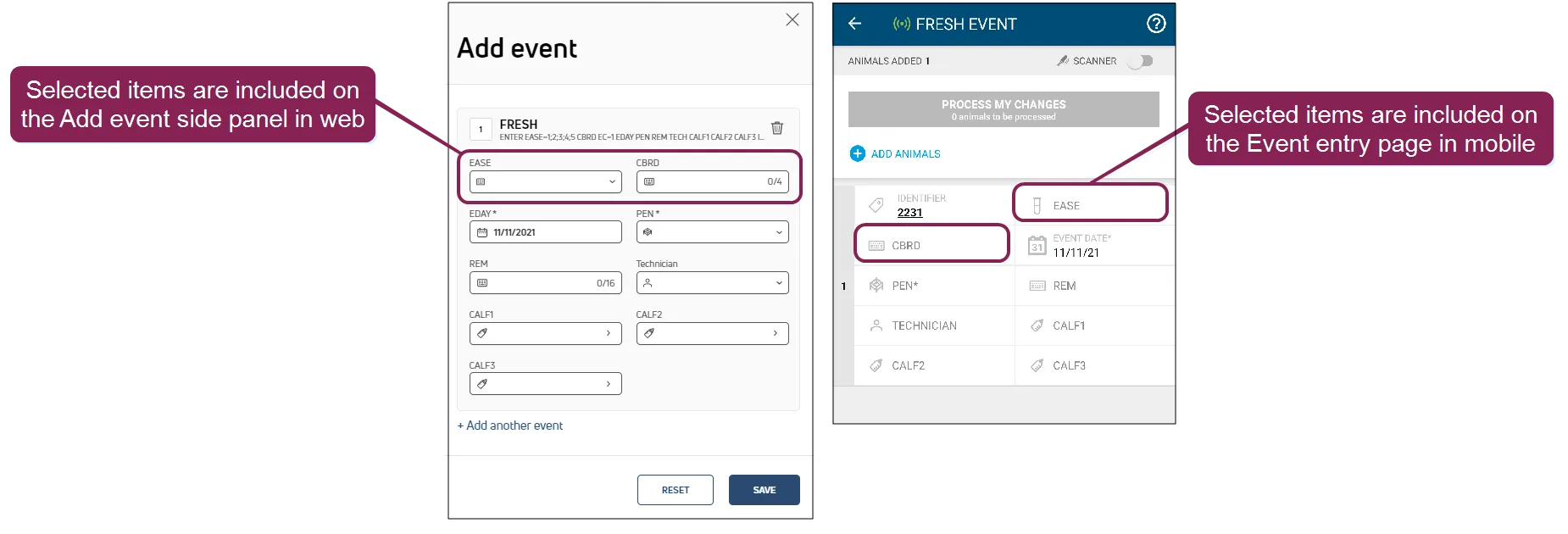
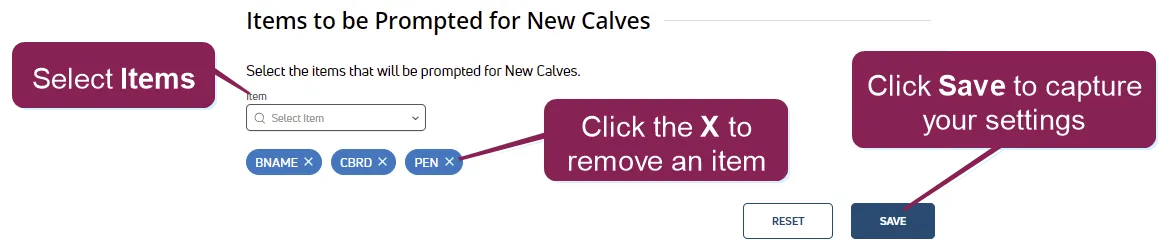
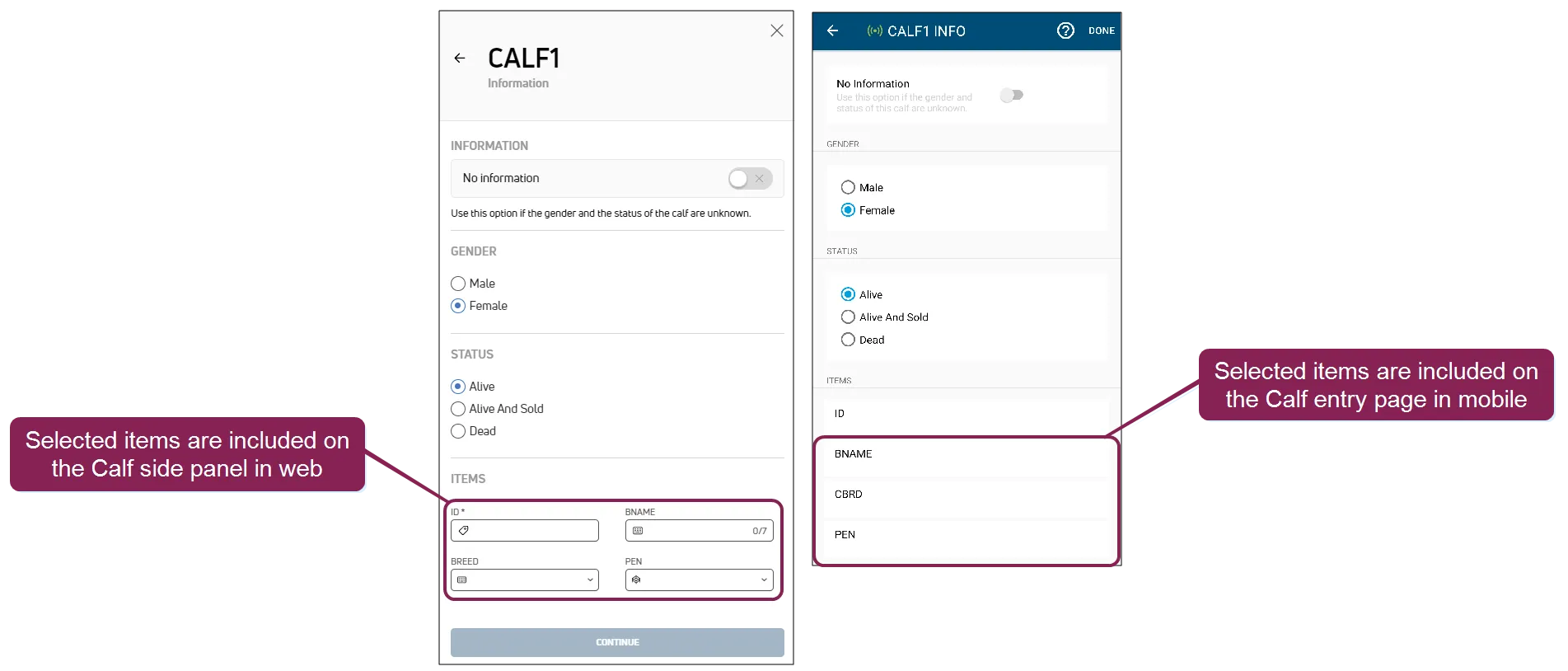
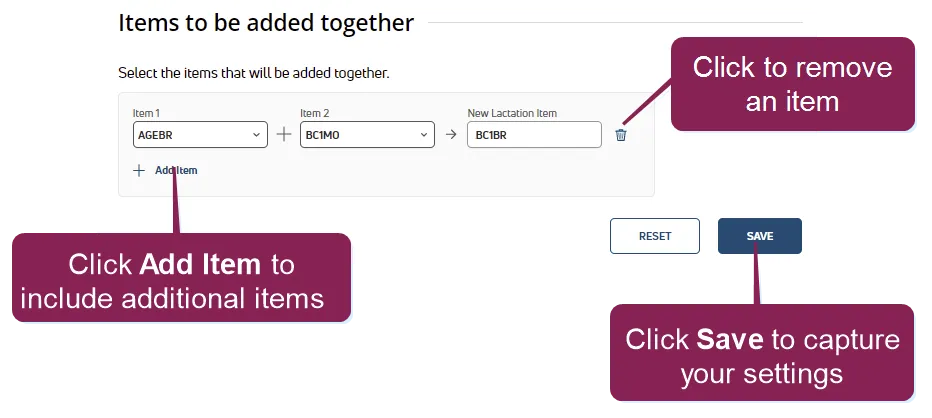
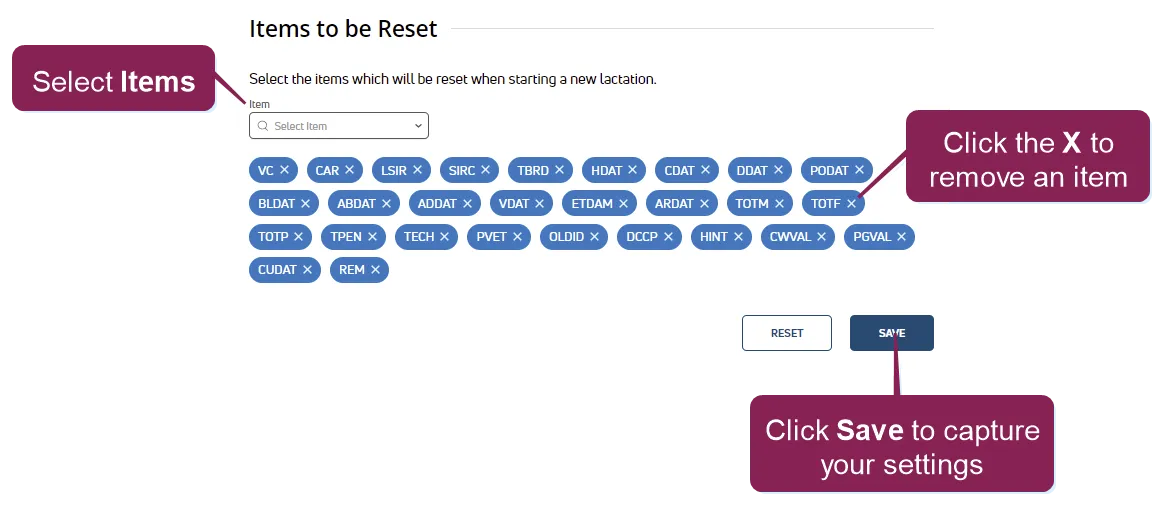
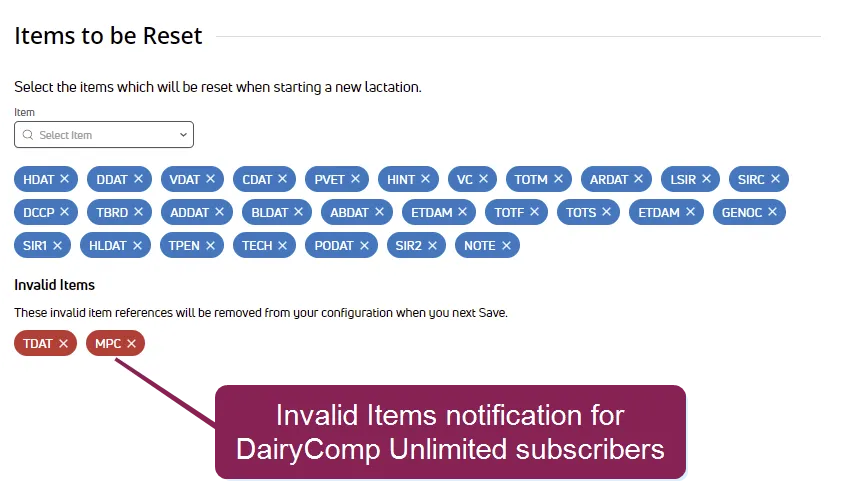
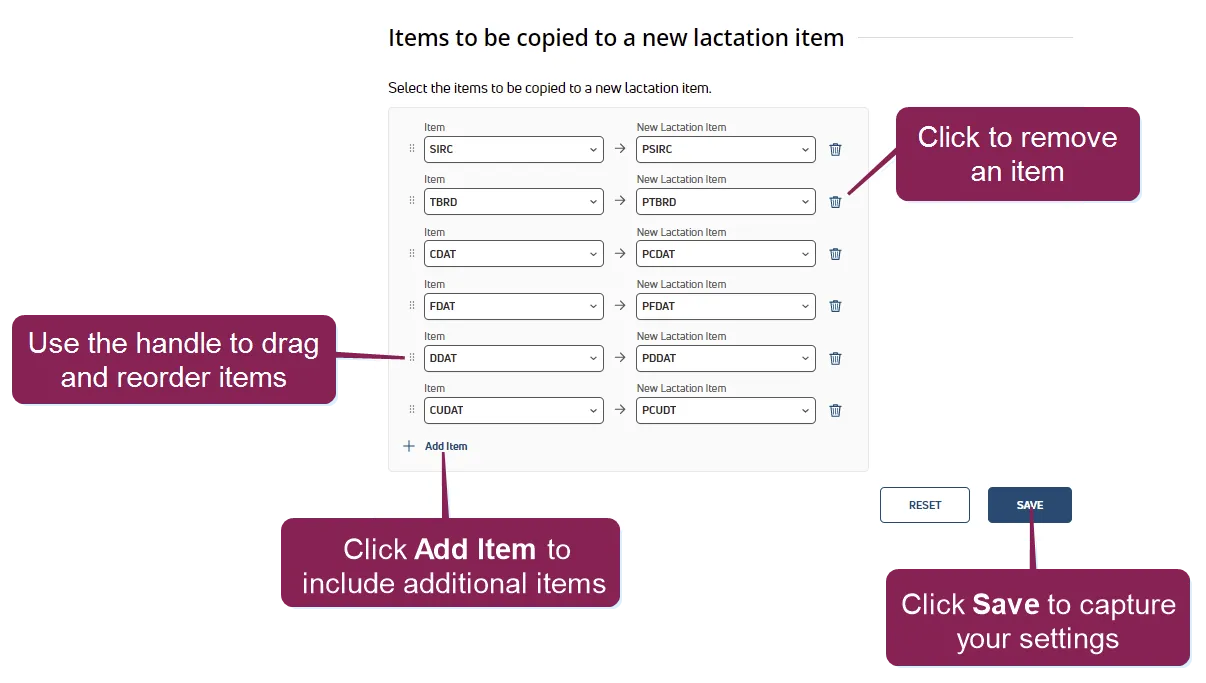
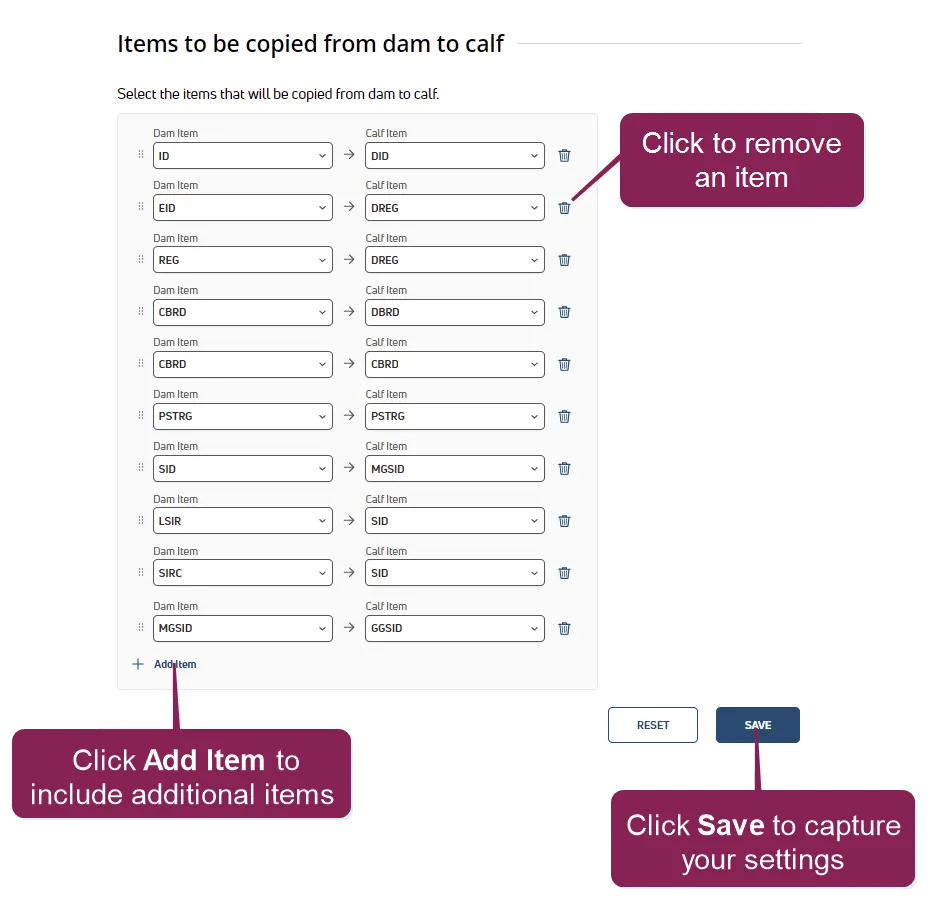
required setup important for dairycomp unlimited customers, your on premise must be running dairycomp version 21 10 0 or later to edit these settings lactation configuration settings are also available to dc unlimited subscribers in on premise dairycomp as fresh event items required permissions all users assigned to a role with herd read permissions can view this feature only users who are assigned a role with herd configuration permissions can edit data or customize settings the ability to edit and customize select fields may also depend on which version of pulse you are using (dc unlimited or ) see the topics below to learn more know your vas pulse version docid 5i7xv63wgmrxmsotyjaaa edit dairy user permissions docid\ gw6zx7tfc4ihsbrtozc v manage dairy roles docid 9yjukdzfab0kko1hw0mxj the lactation configuration page allows you to control settings and items for new lactations, including resetting items, copying data over as a previous lactation item, or copying details from the dam to her calf these options automate the data entry required for the new lactation and calf, saving you valuable time and cutting down on typos and errors in the process you can find this feature under the dairycomp/mydc menu docid\ ezfejzdkbcfov b69aupr > settings docid\ ezfejzdkbcfov b69aupr option on the general settings tab important if your lactation configuration is set incorrectly, you may lose important historical lactation data use caution when editing these settings to avoid inadvertently clearing the wrong items or copying data to new lactations incorrectly with the correct permissions, dc unlimited subscribers and mydc subscribers can edit lactation configuration settings, but only dc unlimited subscribers can edit items to be reset when starting a new lactation, as well as items to be copied to a new lactation item and items to be copied from dam to calf expand the sections below to learn more items to be prompted for fresh cows you can customize which items are available for data entry when entering a fresh event select an item from the drop down list to add it, or click the x to remove an item adding items here makes them available on the add event side panel in web, as well as the event entry page in the mobile app items to be prompted for new calves you can customize which items are available for data entry when entering calf details select an item from the drop down list to add it, or click the x to remove an item adding items here makes them available on the calf side panel in web, as well as the calf entry page in the mobile app for dairies, these items are also available from the calf's birth event see birth event (mydc only) docid\ zmrjgqmutmf48w3wwiswj to learn more tip for example, maybe you’d like your technician to record the breed of the newborn calf to prompt for this automatically when entering calf details for a fresh event, add the item to this section items to be added together this option is intended for advanced users who are capturing and analyzing animal details based on multiple data points for instance, you might add the at breeding to a body condition score, and push that sum to a custom new lactation item you can then use this custom item to build an index that sets benchmarks and points to the optimal age for breeding animals based on their body condition scores items to be reset several items need to be reset when a new lactation begins, including dates (heat date, date, vet check date, etc ), production data (total milk, total fat, etc ), and sire details select an item from the drop down list to add it, or click the x to remove an item what if i see invalid items in red? dairycomp unlimited subscribers may see invalid items in your items to be reset section this tells you that items that were previously included as items to reset are no longer available in on premise dairycomp and pulse the reasons for this may vary, but it is likely the item was deleted and is no longer used, or another user may have temporarily removed the item with plans to add it back later invalid items do not affect the functionality of resetting items for new lactations you may opt to click the x to remove the items, or leave them as is and they will be returned to the items to be reset list as soon as they become available items to be copied to a new lactation item you'll likely want to save data from the previous lactation when a new lactation begins, including dates and breeding details (times bred, sire, etc ) click add item , and then choose the item and corresponding new lactation item to have the data copied to the new lactation you can use the handle on the left side of an item to drag and drop it to a new position in the list how does the order of items affect new new lactation items? the order of items controls how duplicate new lactation items are treated if your dairy has new lactation items used more than once, the last instance of the item becomes the final source for the copied item items to be copied from dam to calf calves entering the herd already have multiple data points associated with them based on their dam to copy those items to the calf's record, you can add them here for instance, you can add the dam's to copy it to the calf dam id ( ), and the dam's sire id ( ) to copy it to the calf maternal grandsire (mgsir) click add item and choose the item to copy to a calf item you can use the handle on the left side of an item to drag and drop it to a new position in the list how does the order of items affect new calf items? the order of items controls how duplicate calf items are treated if your dairy has calf items used more than once, the last instance of the item becomes the final source for the copied item