Import a Testday
3 min
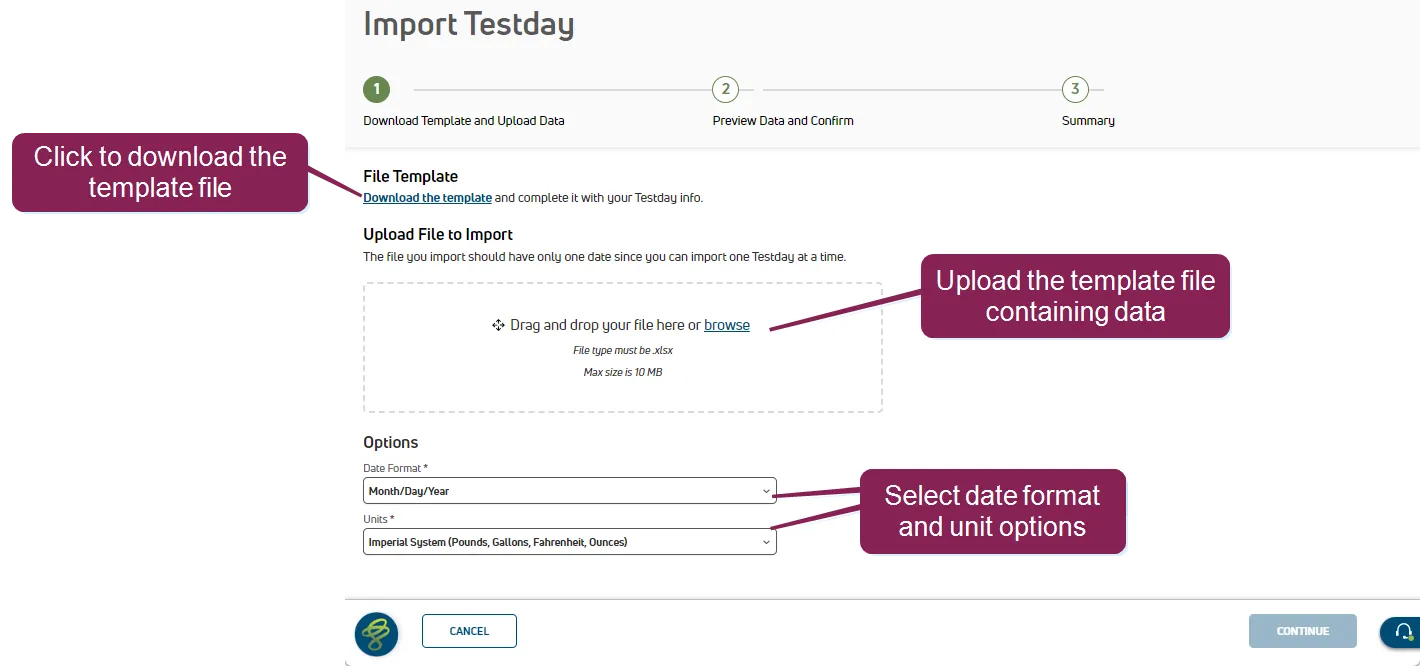
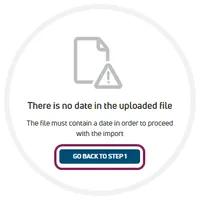
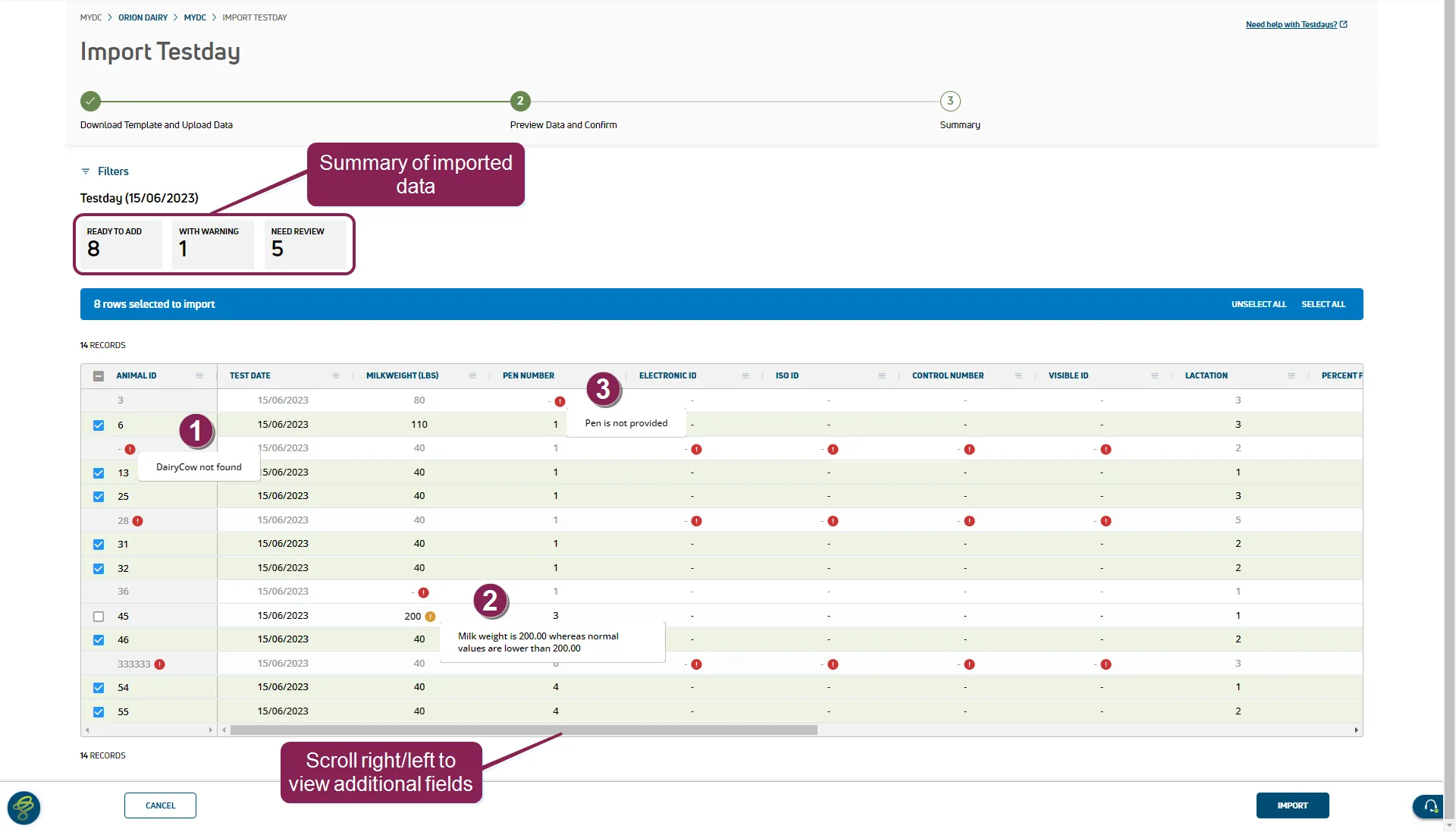
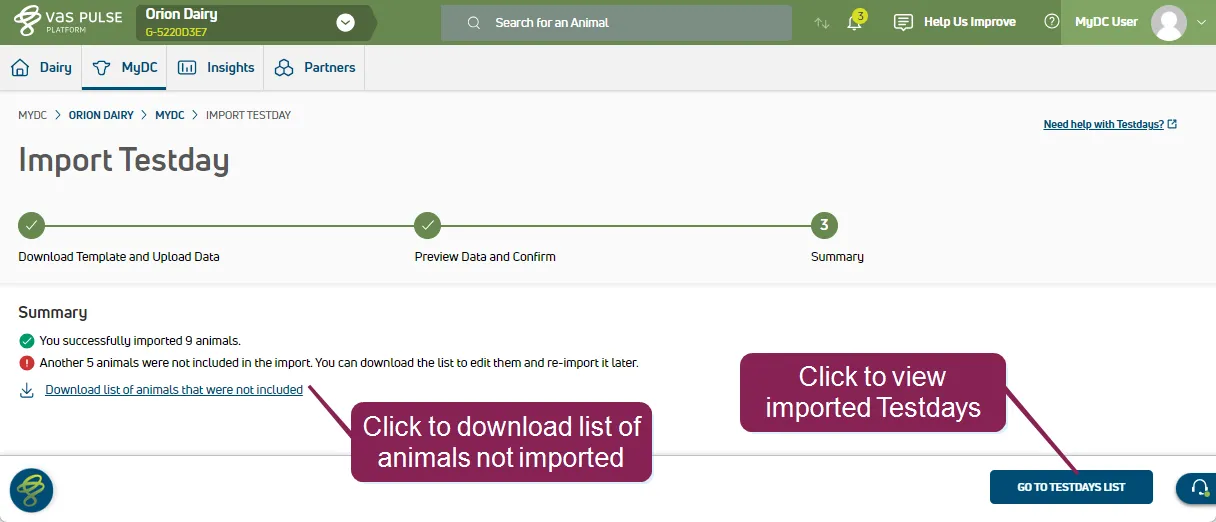
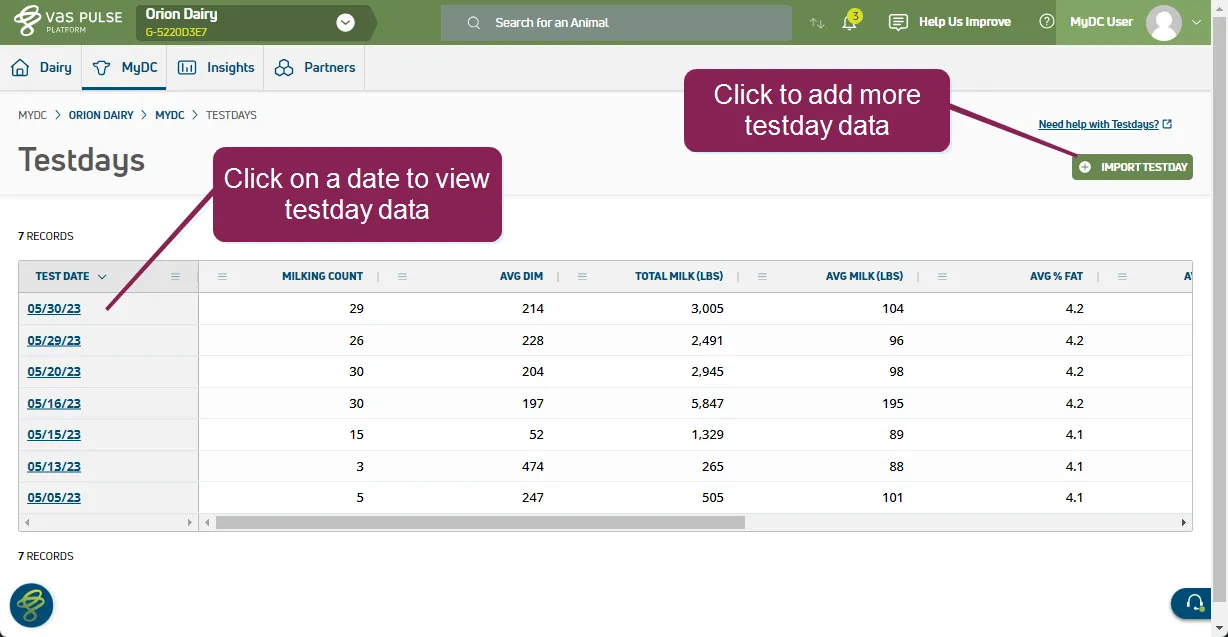
can't find this feature? make sure it's included in your subscription! this feature/option is available only for mydc subscribers dc unlimited subscribers will not see it in pulse because this functionality is controlled in on premise dairycomp rather than in pulse click here docid 5i7xv63wgmrxmsotyjaaa to learn more about the different versions of pulse the platform import feature for dairies offers the ability to import results from any or testing facility this additional flexibility extends the power of platform reporting and tracking to help you use data from multiple sources or from smaller or local drpcs! you can find this feature under the dairycomp/mydc docid\ ezfejzdkbcfov b69aupr > testdays docid\ ezfejzdkbcfov b69aupr menu expand the sections below to learn more download the template and upload data follow the steps below to download the template file, complete the required fields, and upload the data to platform click download the template to save the template file use the template to enter your testday data, nothing the required fields in red testdate cownumber pen number lactation milkweight important if you are not adding data for optional fields, leave them empty make sure the file extension remains xlsx if you change the extension, the file upload will fail, resulting in an "invalid file type" error drag and drop the completed template file into the upload box, or click browse to navigate to your file select the date format and units from the options drop downs click continue to preview and confirm the data note platform requires that the file includes the testdate in the correct format if necessary, click go back to step 1 to change your date format preview data and confirm platform previews the data being imported with errors and warnings that can be addressed before completing the import hover over the error/warning icons to display the error message \<font color="#67854e">not found\</font> indicates that an animal was not entered or is invalid \<font color="#67854e">milk weight\</font> warns about an abnormal milk weight entry \<font color="#67854e">not provided \</font> indicates that a pen number was not entered you can then return to the template file, resolve the errors, and upload the file again when ready, click import to import your data import summary after your data is imported, you can download a list of the animals that were not included you can use this list to identify and resolve any errors, and if necessary, upload the updated file view testday results click the go to list button to view a list of imported testdays after your data is imported, you can view a herd level summary docid\ ezdiewyrexxlqvuai8k 2 of the results or individual animal results from the cowcard docid\ fmnhz9tdqxw00vobpfalr