How do I leave a dairy?
2 min
NOTE: As a security measure, if only one user in a dairy is assigned PULSE User Management permissions, that user cannot be removed from the dairy and cannot leave the dairy. User Management permissions must be assigned to at least one other user account if the only user with that permission level wishes to leave the dairy. See Edit Dairy User PermissionsEdit Dairy User Permissions for more information.
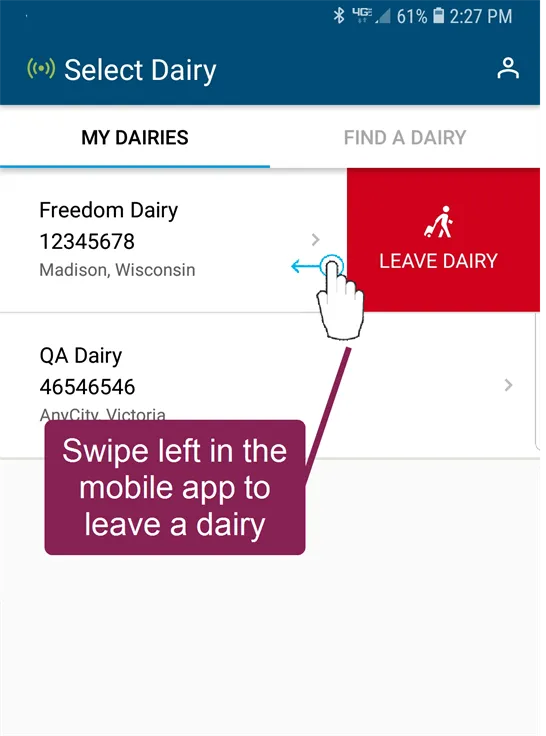

If you no longer wish to be connected to a dairy, your PULSE home page provides an option to leave it:
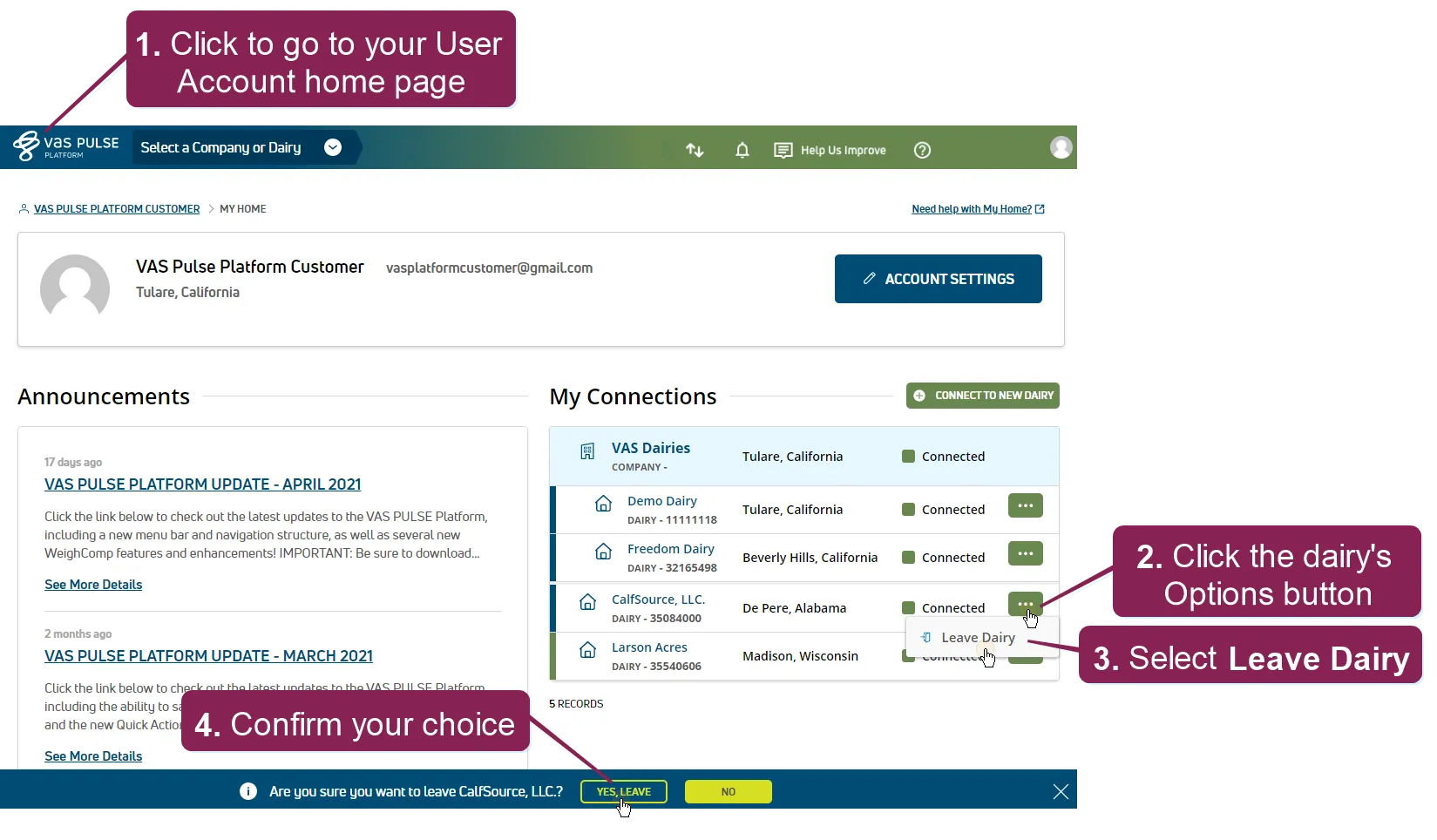
- Click PULSE logo button in the top left corner of the window.
- In the My Connections list on the right side of your User Account home page, click the Options button
 next to the dairy name that you wish to leave.
- Click the Leave Dairy button over to the right. The system displays a confirmation message at the bottom of the screen.
- At the bottom of the screen, click the Yes, Leave confirmation button to leave the dairy.
IMPORTANT: Be certain that you want to leave the dairy because once you do, your access to it will be entirely removed from your PULSE account. At that point, you must be reconnected to that dairy before you can view it again.