Create a Worklist from a Report
PULSE worklists include animals that need to be seen or treated to complete daily tasks, veterinary or hospital care, or to add health or reproduction events. The following types of worklists are available in PULSE:
| Event List |
|---|---|
| Hospital List |
| To-Do List |
| |
| Open Tasks List (MyDC dairies only) |


Worklists are based on reports you create in PULSE and then convert into an actionable list. Follow the steps below to continue:
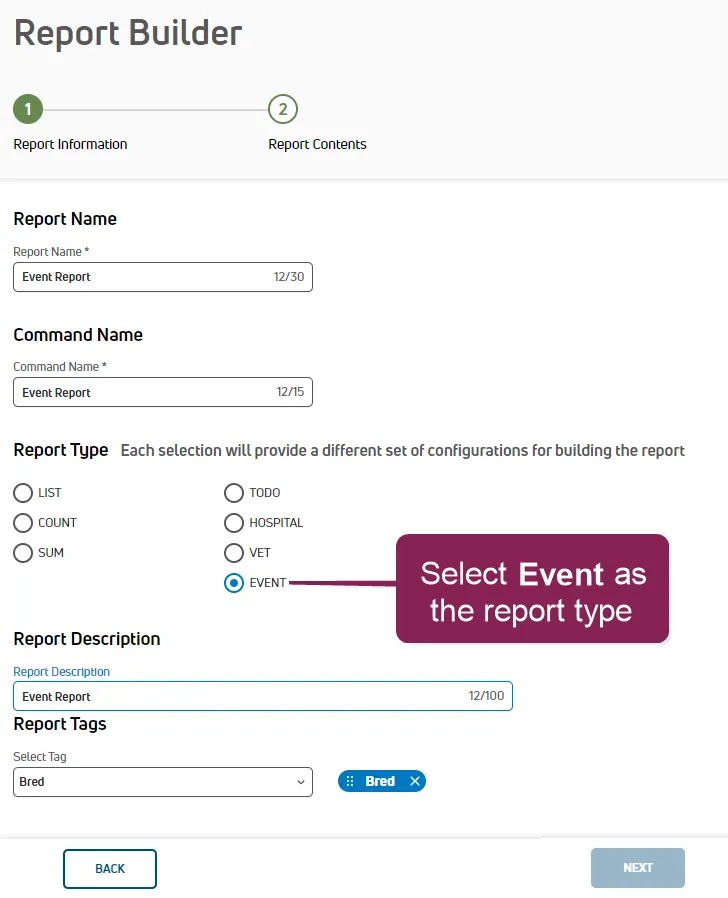
Build a worklist report using Dairy Reports/WorklistsDairy Reports/Worklists or Report/Worklist BuilderReport/Worklist Builder.
View the report and click the Create Open Worklist button on the See Reports/Worklists Results page.
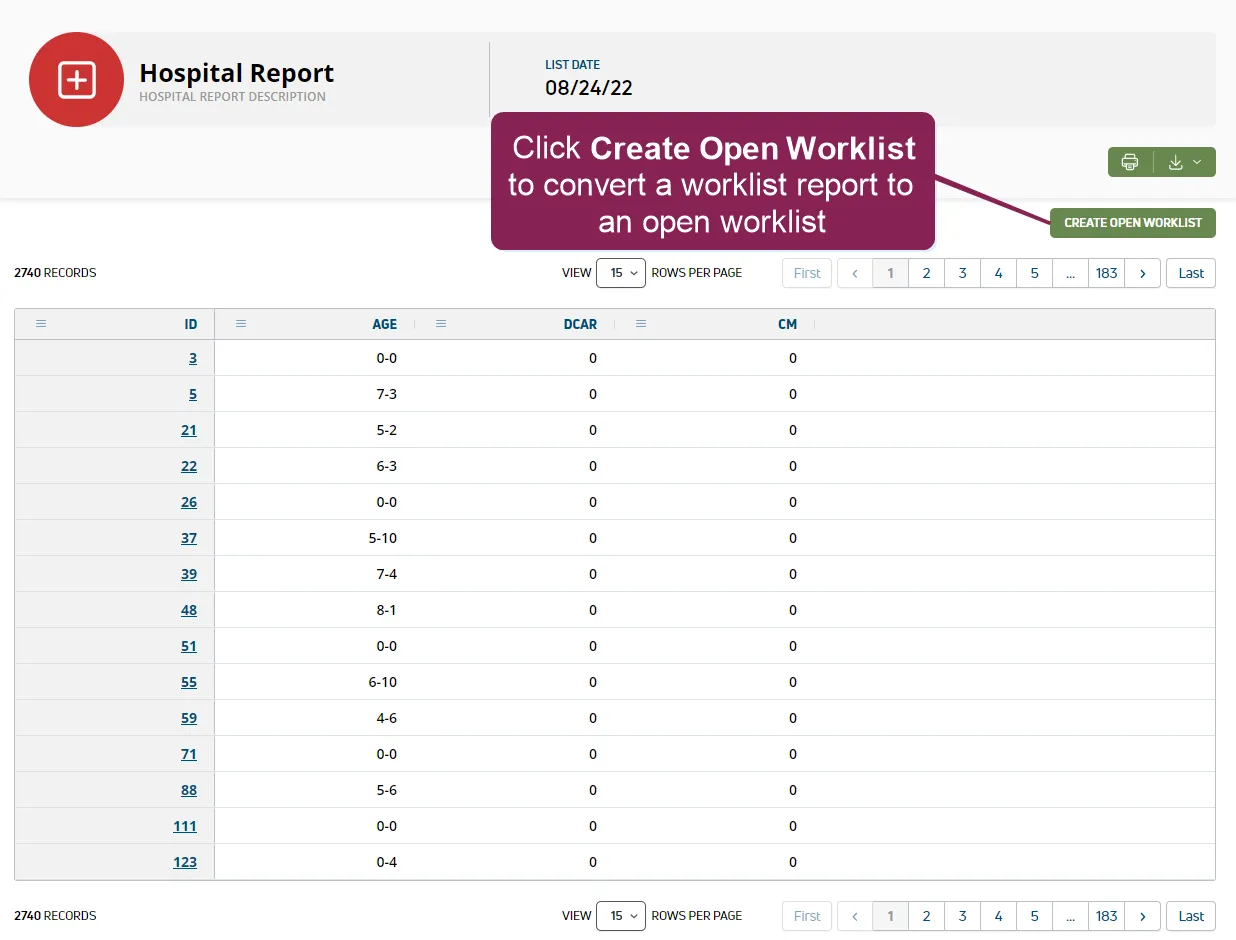
NOTE: The option to create a worklist is only available on reports run today to ensure the list captures your latest herd data. If you do not see the Create Open Worklist button, rerun the report using today's date.
PULSE converts the worklist report to a worklist and opens the list. If you navigate away from the report, you can access it again from your Open WorklistsOpen Worklists or Worklist HistoryWorklist History pages.
Once the worklist is available, you can begin checking or treating animals on the list and marking tasks as complete from the web or using mobile app. See Open WorklistsOpen Worklists and Complete TasksComplete Tasks (v2) to learn more!
NOTE: For DC Unlimited subscribers, worklist updates in PULSE remain synchronized with DC305.
Expand the sections below to learn more: