Launch CowCare
2 min
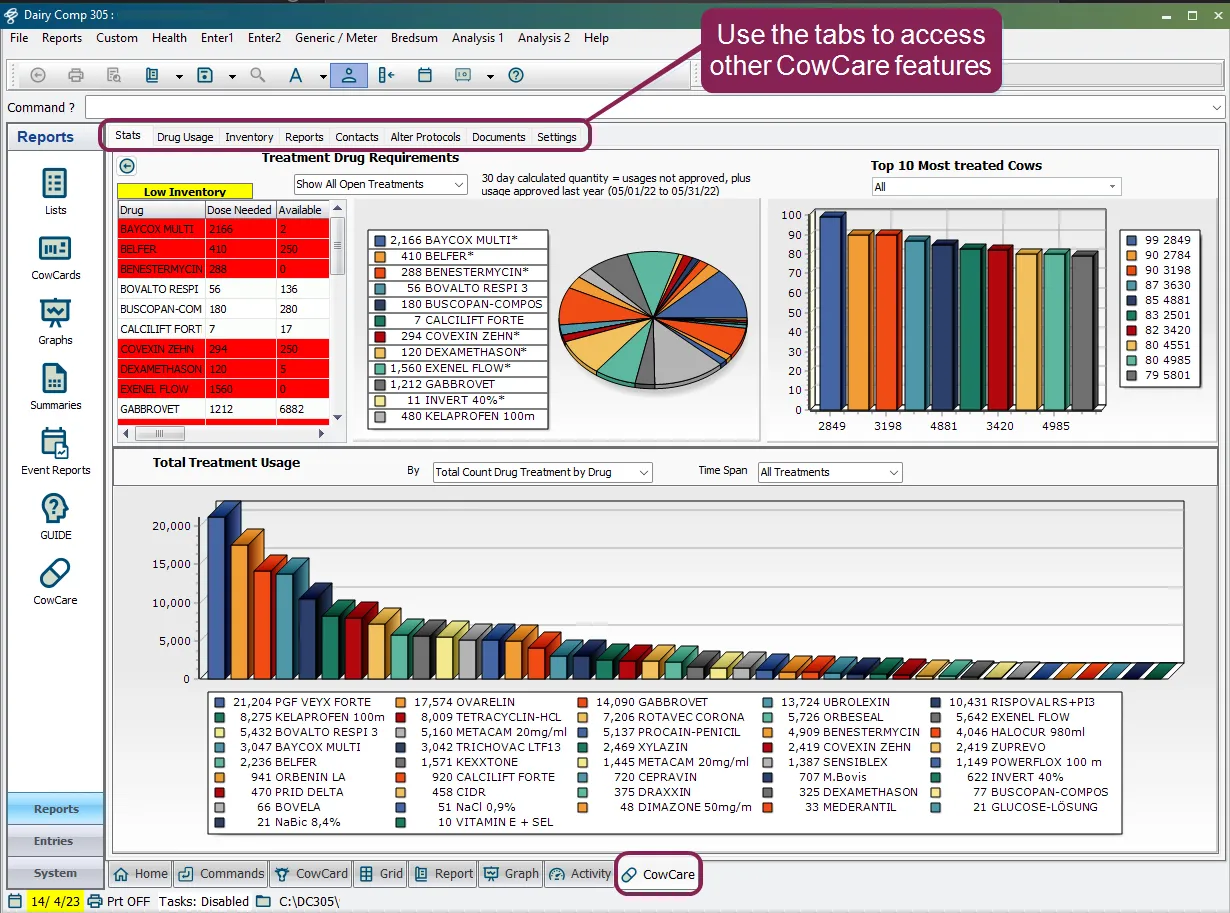
use one of the methods below to launch the dairycomp cowcare module in the command line, type cowcare and press enter or select the cowcare option from the reports shortcuts on the left side of the screen cowcare opens as a separate screen within dairycomp with cowcare open, you can continue with other data entry or analysis tasks in dairycomp use the tabs at the top of the cowcare screen to access available cowcare features tell me about each cowcare tab each of the cowcare tabs are described below stats docid\ ho4mtifnrd0vl gtaxwn1 use this tab to review and analyze cowcare data in a manner that allows you to make decisions on drug purchasing, sick cows, and drug and protocol usage drug usage docid\ dnsaose5qrlxod7ric9na use this tab to approve treatments for your animals inventory docid 2tfjp7sy ttqyhnvzfrmh use this tab to manage inventory purchases and adjustments reports docid\ q fy8az5zgs0f4xw18kj5 use this tab to access the cowcare reporting tool the reports tab contains multiple built in reports contacts docid\ tbgqk0oyak xnrqc 5vof use this tab to add, edit, or delete contacts like veterinarians alter protocols docid\ vvddirtg6wk5lojgmkg j use this tab to open the dairycomp alter protocols screen ( alter 7) so you can view or edit protocols documents docid\ hl4ydk 0ncd1n3z7w4opc use this tab to add documents from your computer to an integrated cowcare documents list settings docid\ akmlfzky4jidljuuax805 use this tab to access the cowcare settings note this topic is based on the latest version of cowcare existing dairycomp customers can enable the new cowcare by going to setup > preferences and clicking the turn on new cowcare button