View Reports
1 min
Multiple reports related to Protocols, Drug Usage, and Drug Inventory are available in CowCare. Click the Reports tab to open the Reports screen.
NOTE: This topic is based on the latest version of CowCare. Existing DairyComp customers can enable the new CowCare by going to SETUP > Preferences and clicking the Turn on New CowCare button.
See the information below to learn more about the Reports screen options.
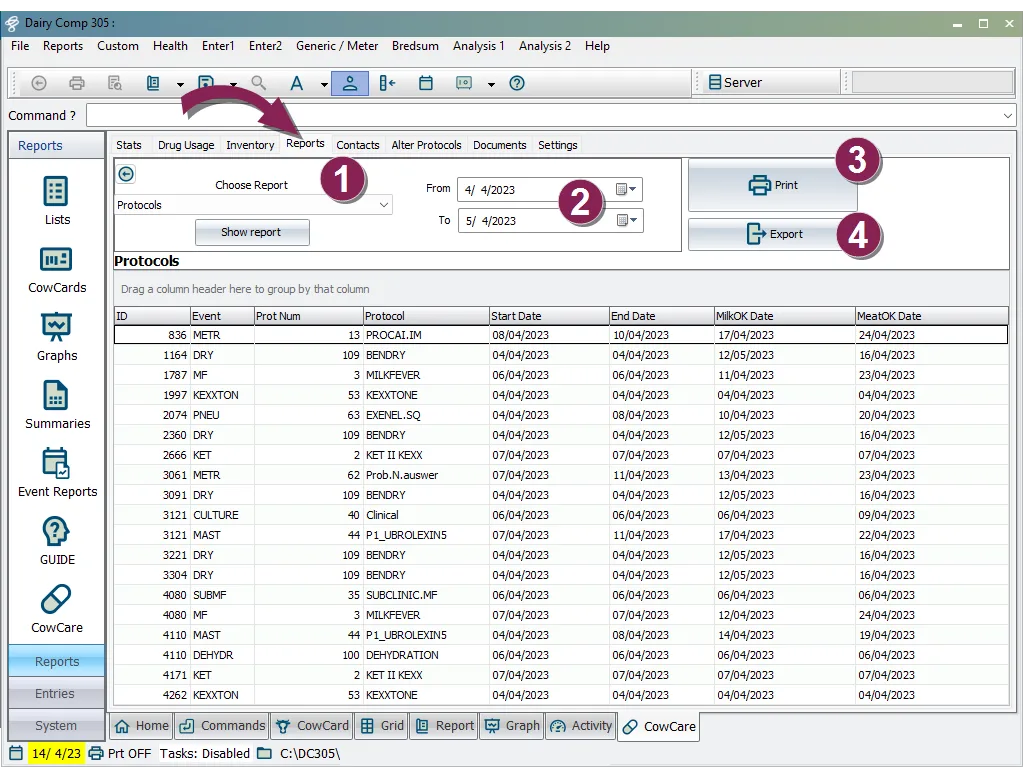
- Choose Report: Select a report from the Choose Report drop-down.
- Date Picker: Use the date picker to set a start and end date for the selected report.
- Print: Send the report to the standard DairyComp printerDairyComp printer.
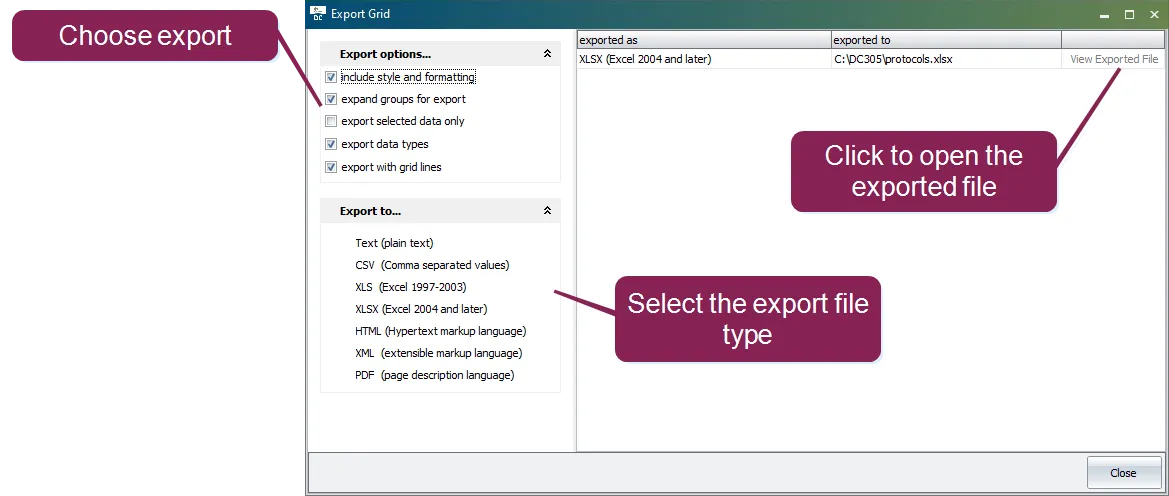
- Export: Export the report in variety of formats.