Edit CowCare Settings
2 min
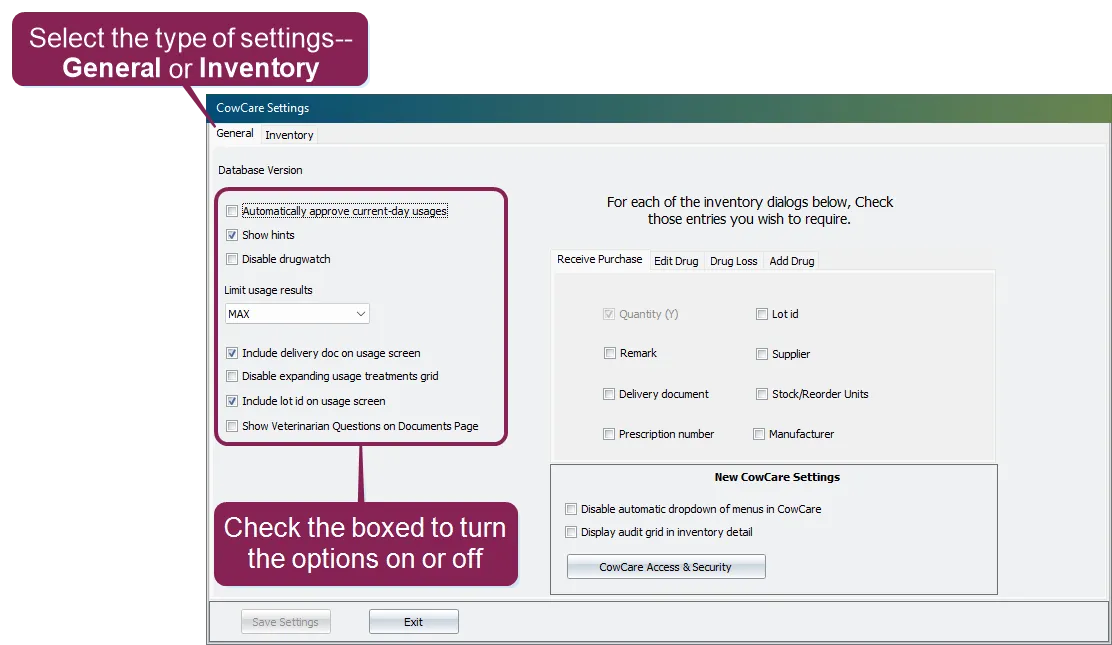
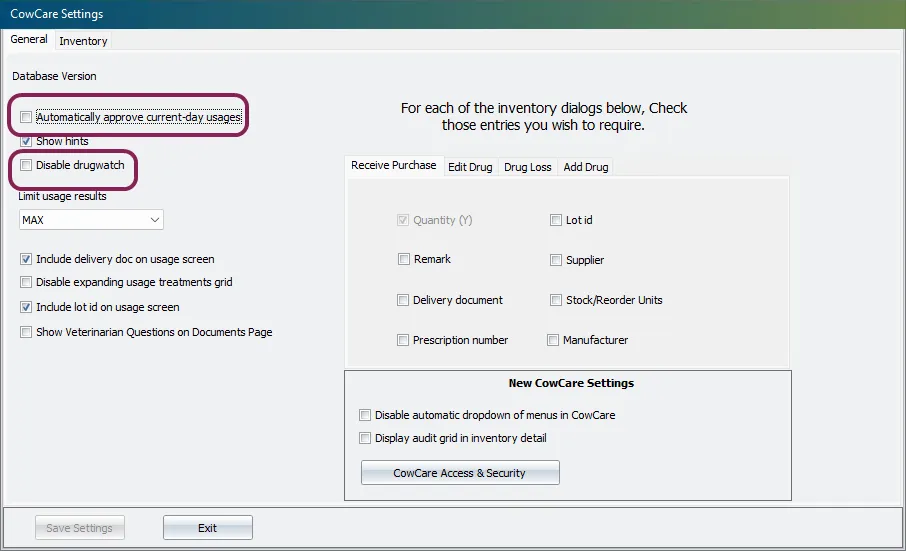
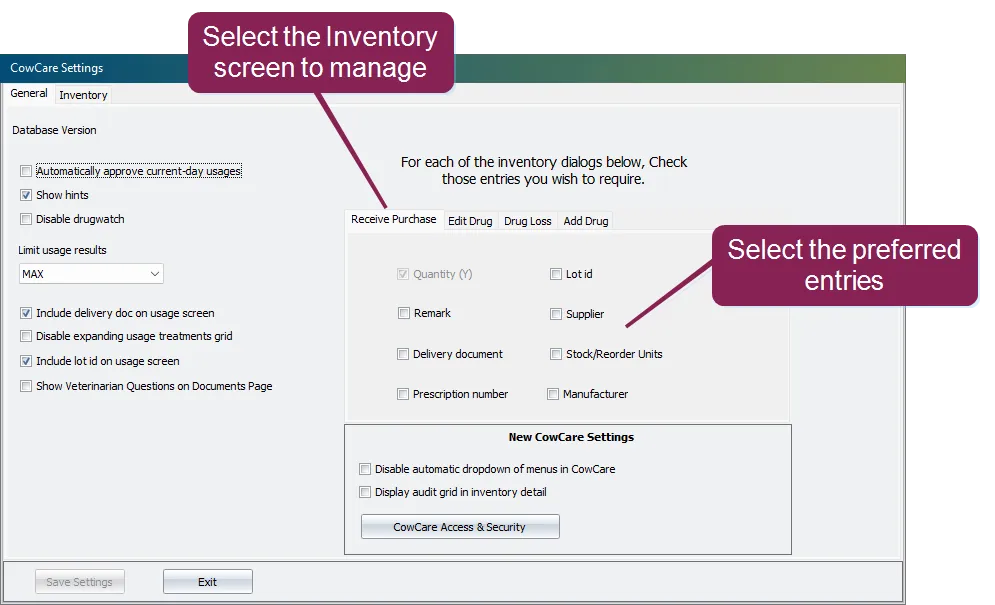
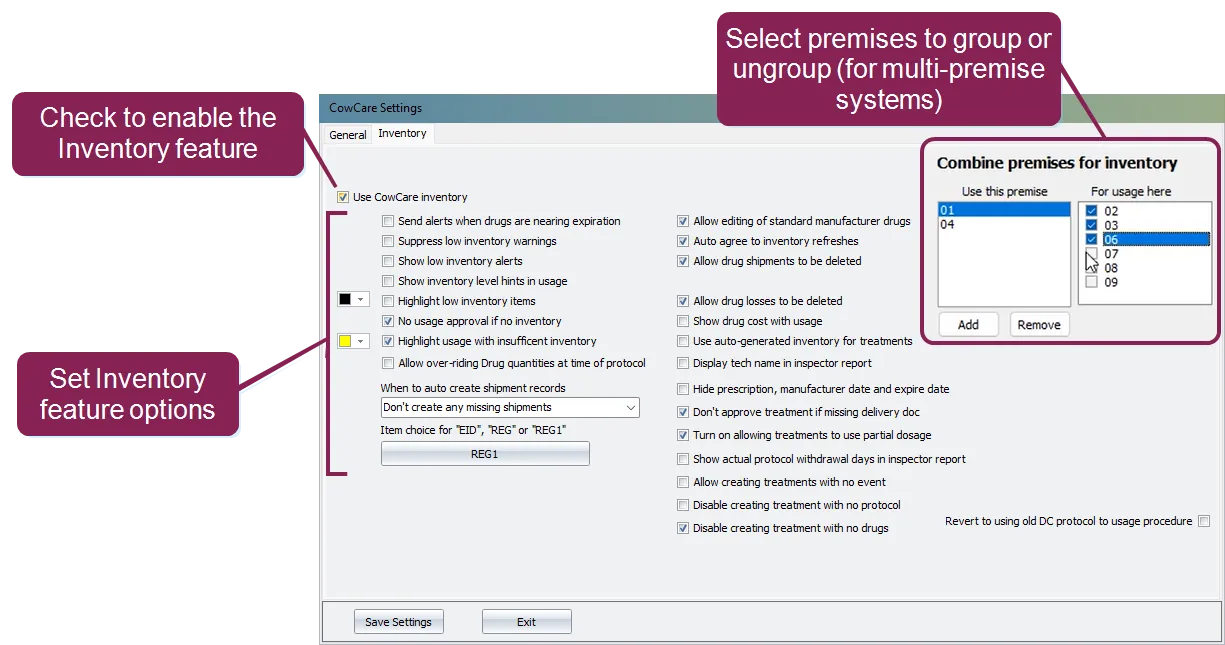
click the settings tab to manage how cowcare operates and enable some of its features expand the topics below to learn more general settings use the general settings to manage some of cowcare's system wide operations for example, you can control whether or not cowcare displays hints, includes lot ids on the usage screen, and so on the automatically approve current day usages option allows the system to automatically approve the use of a drug treatment whenever the drug is used on the current day, eliminating the need for you to manually approve its use use the disable drugwatch option to turn off a prior application (called drugwatch) which cowcarereplaced the general tab also includes dialog options, which are used to manage which fields will be required when entering data in a particular inventory screen first, choose the screen you want to manage, then check the boxes for all of the entries you want to require for that screen users will then be required to enter information in those fields when using the inventory feature note fields that are not marked as required will still be visible on the screen, but their use will be optional inventory settings use the options on the inventory settings to enable the cowcare inventory feature and control how it functions to enable the inventory feature, check the box named use cowcare inventory \<font color="#f97316">important \</font> once inventory tracking is enabled, the user will need to exit and reopen cowcare to activate the inventory feature when you reopen cowcare, you can then set additional inventory specific settings, such as the ability to highlight low inventory items, allow drug loses to be deleted, and so on combine premises for inventory if your dairycomp has multiple premises, you can combine them so inventory is tracked together use this premise shows individual premises, plus any group premises you have created for usage here shows other premises that can be combined with the selected one checked boxes mean those premises are already part of the same group add creates or updates a group premise with the selected checkboxes you’ll be asked which premise number to use as the group’s label the group then appears in the use this premise list remove deletes a group premise its members return to being standalone premises for example select premise 01, then check 02 and 03 in for usage here , and click add a new group premise is created, and inventory for 01, 02, and 03 will be managed together note this topic is based on the latest version of cowcare existing dairycomp customers can enable the new cowcare by going to setup > preferences and clicking the turn on new cowcare button