Missed Breedings
0 min
The animals that currently have not been bred beyond their bred eligible date can be viewed on the Missed Breedings page. Click Filters at the top left of the page to limit the data that is displayed
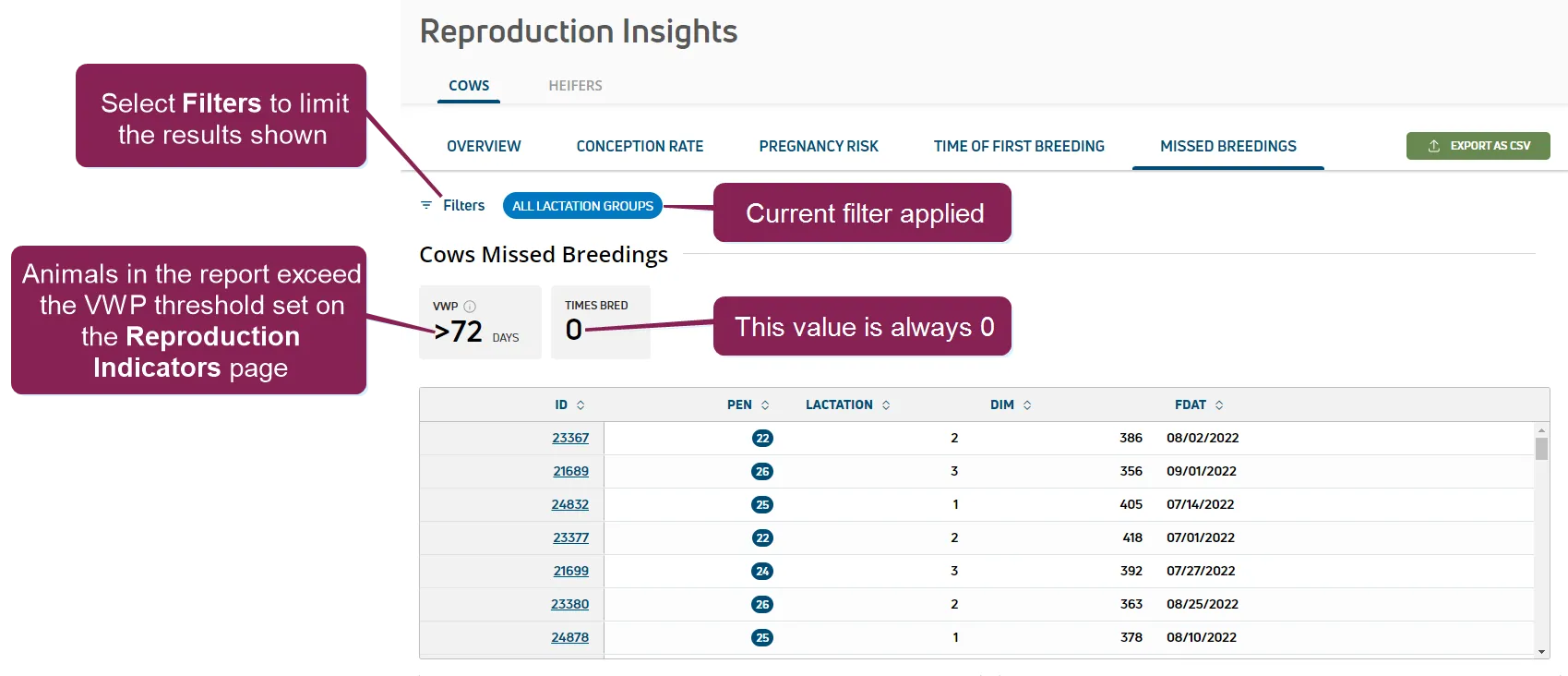
The gray boxes at the top of the page summarize your herd's reproduction data based on your selected Filters:
- VWP: Identifies the dairy's VWP setting. Animals are included in the Missed Breedings report if their VWP has ended and they have not yet been bred. You can set your dairy’s limit for the number of animals with missed breedings using the Missed Breedings - Animal Count threshold on the Performance Indicators page.
- Times Bred: The number of times bred is always 0.
Once the data is displayed, click the green Export as CSV button  at the top right of the page to save the data as a CSV file. If you applied filter(s), the data will print with the current filter(s) applied. Click on an animal's ID in the table to open a side panel and view its details. See View Animal Details to learn more about the information displayed in the side panel.