Manage HerdSights Dashboards
3 min
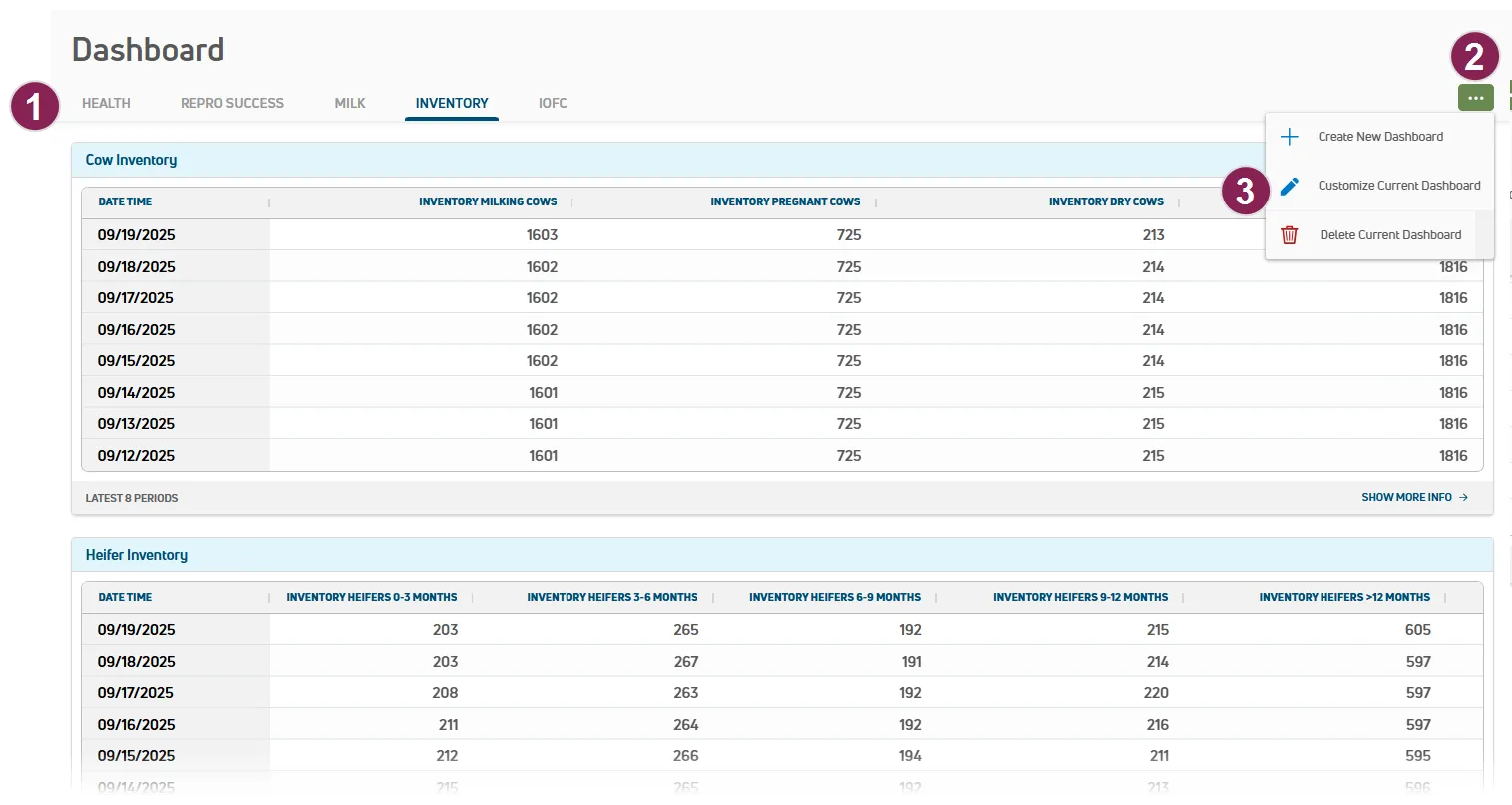
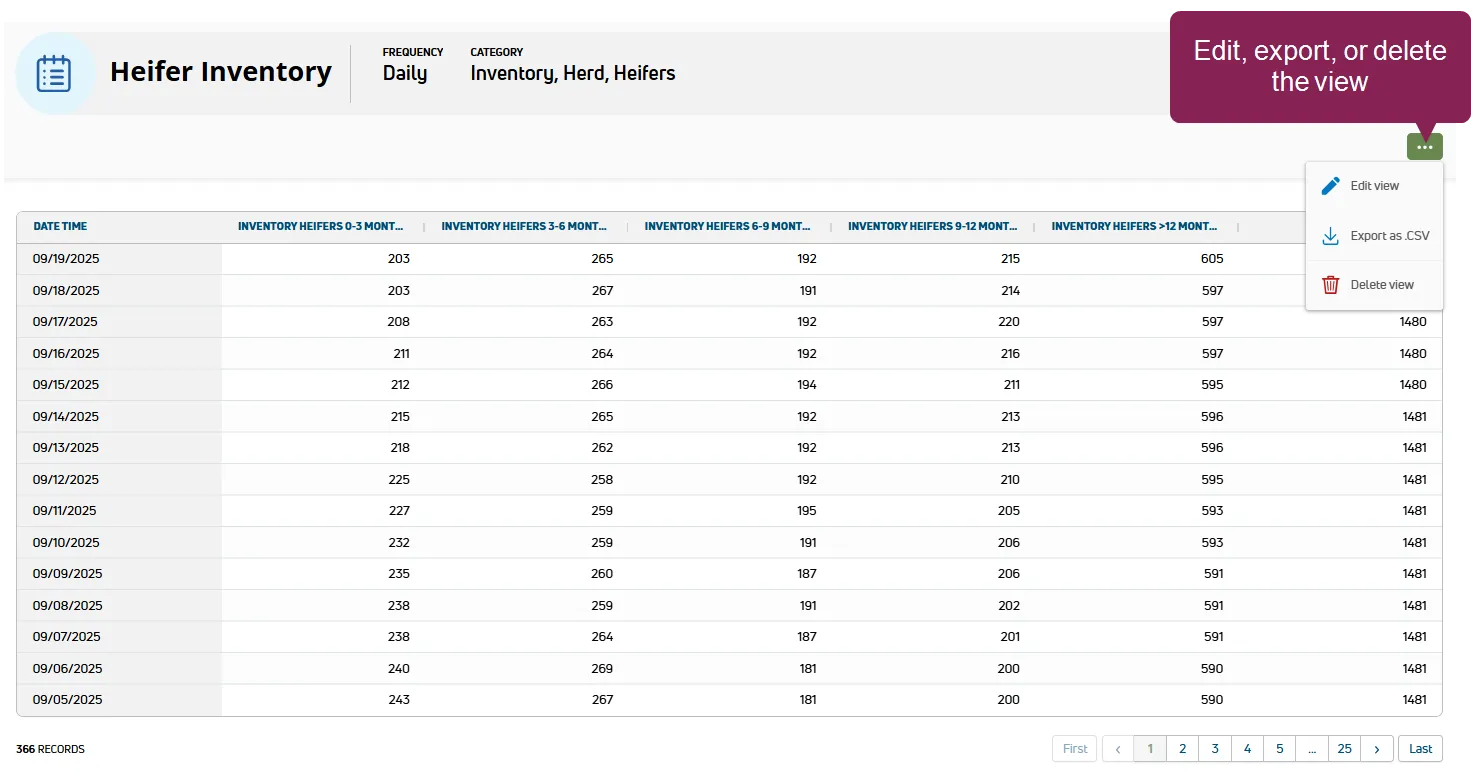
required permissions all users assigned to a role with herd read permissions can view this feature only users who are assigned a role with herd configuration permissions can edit data or customize settings herdsights dashboards include custom views of herd data to provide the insights your team needs to address your herd's specific needs whether you're aiming to improve the success of your breeding program, better support transitioning animals, or decrease infections, you can customize your dashboard as needed and easily adjust your views whenever your needs or goals change tip before you can add docid 6dcao uutbpguuhh1yvoj or view docid 6dcao uutbpguuhh1yvoj a herdsights dashboard, you first need to define views docid\ kpja0clvdhdoqytetk7jd that include the herd data details that are important to you quickly add prebuilt views from the view templates page, or build custom views from scratch! you can also speed up the process of building dashboards by customizing prebuilt views see build a custom view docid\ kpja0clvdhdoqytetk7jd to learn how to customize and edit your views expand the sections below to learn more view dashboards after your views and dashboards are set up, you can check them whenever you need to track or measure specific details your dashboards refresh every 24 hours follow the guidelines below when viewing your dashboards click show more info to open the data details in a new page the data displays in a table format click the options button at the top right of the page to edit, export, or delete your view tip export data for deeper analysis or to support record keeping efforts see build a custom view docid\ kpja0clvdhdoqytetk7jd to learn how to customize and edit your view add and manage dashboards follow the steps below to add and manage your dashboards go to herdsights > views > my views to make sure the views you need are available for your dairy see build views docid\ kpja0clvdhdoqytetk7jd to learn more about views click the options button at the top right of the page and select create new dashboard provide a descriptive name at the top left of the page then click my kpi views to begin selecting the views for your dashboard as you add views, the preview on the right updates drag and drop your views to set their order from top to bottom of the page when your dashboard is set to your liking, click save at the top right of the page if you'd like, reorder your dashboards by dragging and dropping dashboard tabs if you no longer need a dashboard, click the options button and select delete current dashboard show me how to add a dashboard! customize a dashboard follow the steps below to customize an existing dashboard click the options button at the top right of the page and select customize current dashboard click my kpi views and check or uncheck the views you'd like to add or remove from your dashboard as you change which views are checked, the preview on the right updates if necessary, drag and drop your views to set their order from top to bottom of the page when your dashboard is set to your liking, click save at the top right of the page show me how to customize a dashboard! note herdsights dashboards differ from your standard dairy dashboards docid\ o5uvdegajur rsf697hc1 that are available in pulse under the dairy menu