Tips for Entering OvSynch Events
Expand the sections below to learn more:
To reap the full benefits of an OvSynch program, be sure to complete your tasks on time and mark them as complete in PULSE on a daily basis. See Step 3: Complete OvSynch TasksStep 3: Complete OvSynch Tasks to learn more!
The most efficient way to enroll or schedule animals for OvSynch protocols is from your Dairy ProtocolsDairy Protocols page. However, if one or more animals were missed on the day of enrollment, you can also use the Animals ListAnimals List to add an OvSynch event and manually set the enrollment date. The system will warn you that the date you selected is in the past.
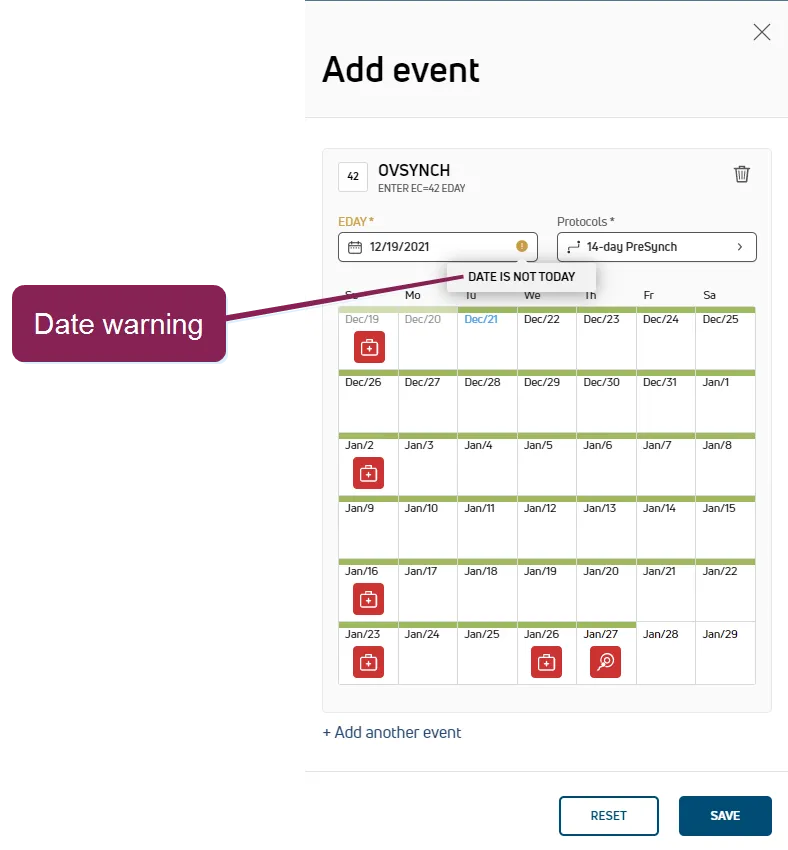
See OvsynchEnrollment.htm#AnimalListOvsynchEnrollment.htm#AnimalListStep 2: OvSynch Enrollment & SchedulingStep 2: OvSynch Enrollment & Scheduling to learn more!
Yes! OvSynch enrollment can be handled manually or automatically depending on how your dairy prefers to manage the associated treatments and tasks:
- Manual enrollment offers more control and allows you to select specific animals to enroll in a protocol.
- Automatic enrollment streamlines the process and eliminates the selection process for enrolling animals. Animals that meet your defined criteria are automatically enrolled according to the schedule you set.
See Manually Enroll from Dairy ProtocolsManually Enroll from Dairy Protocols and Schedule Automatic EnrollmentSchedule Automatic Enrollment to learn more!
No. Animals can only be enrolled in a single protocol at a time. To begin a new protocol, first deactivate the current protocoldeactivate the current protocol and then add a new one. By default, automatic enrollment excludes animals that are already on a protocol.
If you use manual enrollment, the only check the system completes is to verify the animal is not currently on an OvSynch protocol. For automatic enrollment, the following additional checks are in place:
- If a protocol is set for 1st Service Synchronization, animals that have previously been on an OvSynch protocol are automatically excluded.
- If you defined Additional Criteria for your protocol, only animals that meet all selected conditions are automatically enrolled.
See Step 2: OvSynch Enrollment & SchedulingStep 2: OvSynch Enrollment & Scheduling to learn more!
You can skip treatments that are not set to Required in your protocol setup. Reasons for skipping a task include signs of illness or a change in breeding plans for that animal based on other events. Skipping a task marks it as  in the event side panel. A skipped task is considered Done and it moves from the Todo Tasks page to the Done Tasks page.
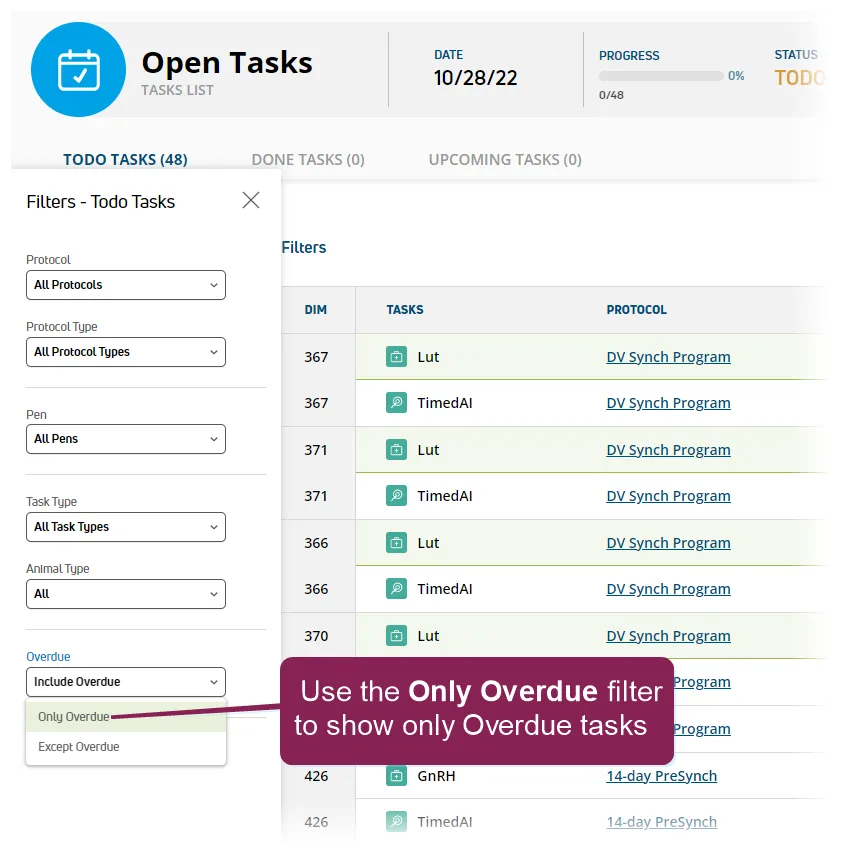
Be sure to address any Overdue tasks as soon as possible. To quickly locate Overdue tasks, go to DairyComp/MyDC > Reports/Worklists > Open Worklists and click the Open Tasks list to open it. Then set the Overdue filter to Only Overdue.
- Protocol BuilderProtocol Builder
- Manage Dairy ProtocolsManage Dairy Protocols