How can I change the technician of an event?
1 min
When you assign certain events to an animal (for example, a BRED event), you're given the option to assign a particular technician to the event. See the topics below to get started with change the technician assigned to these events directly from the animal's CowCard.
- On the animal's CowCard, go to the Overview tab or the Events tab.
- Click on the desired event to open its side panel.
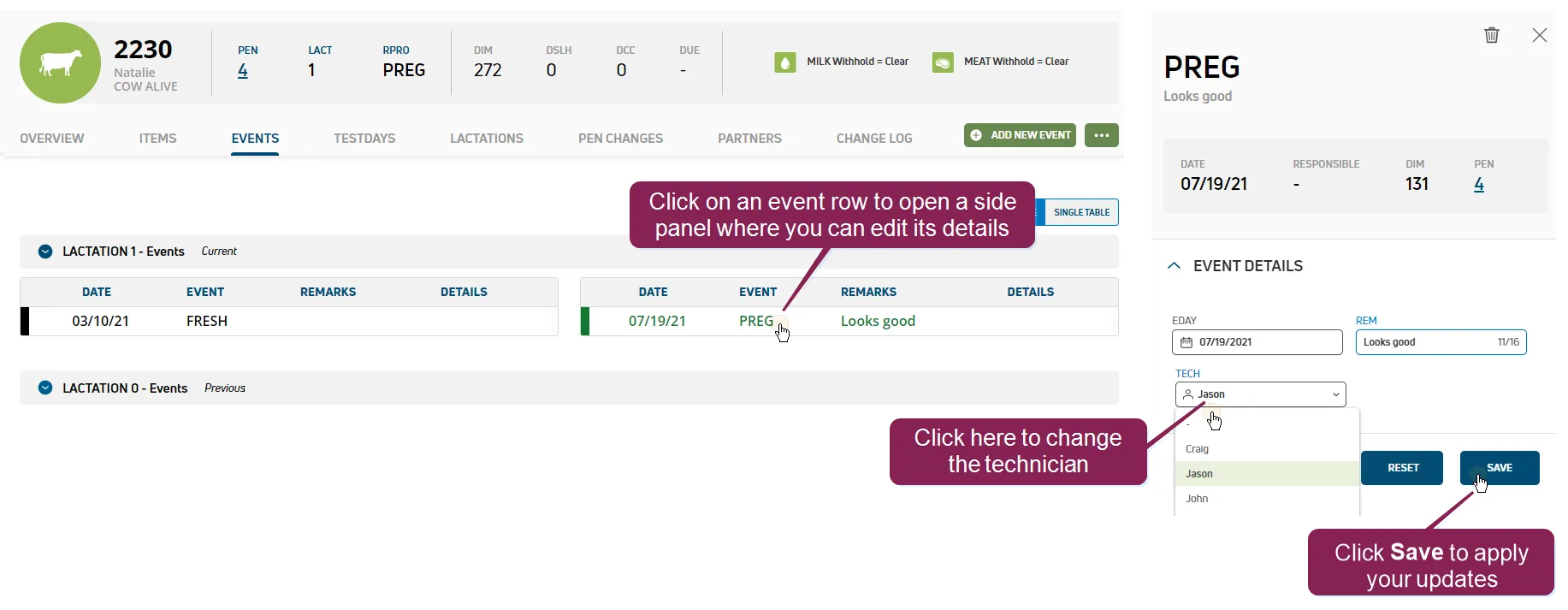
- Click Tech and select a different technician from the drop-down menu.
NOTE: You can edit other event data besides the technician, but you can only edit events from the current lactation. See Update EventsUpdate Events to learn more.
- Click Save to apply your changes.