Recipes List
4 min
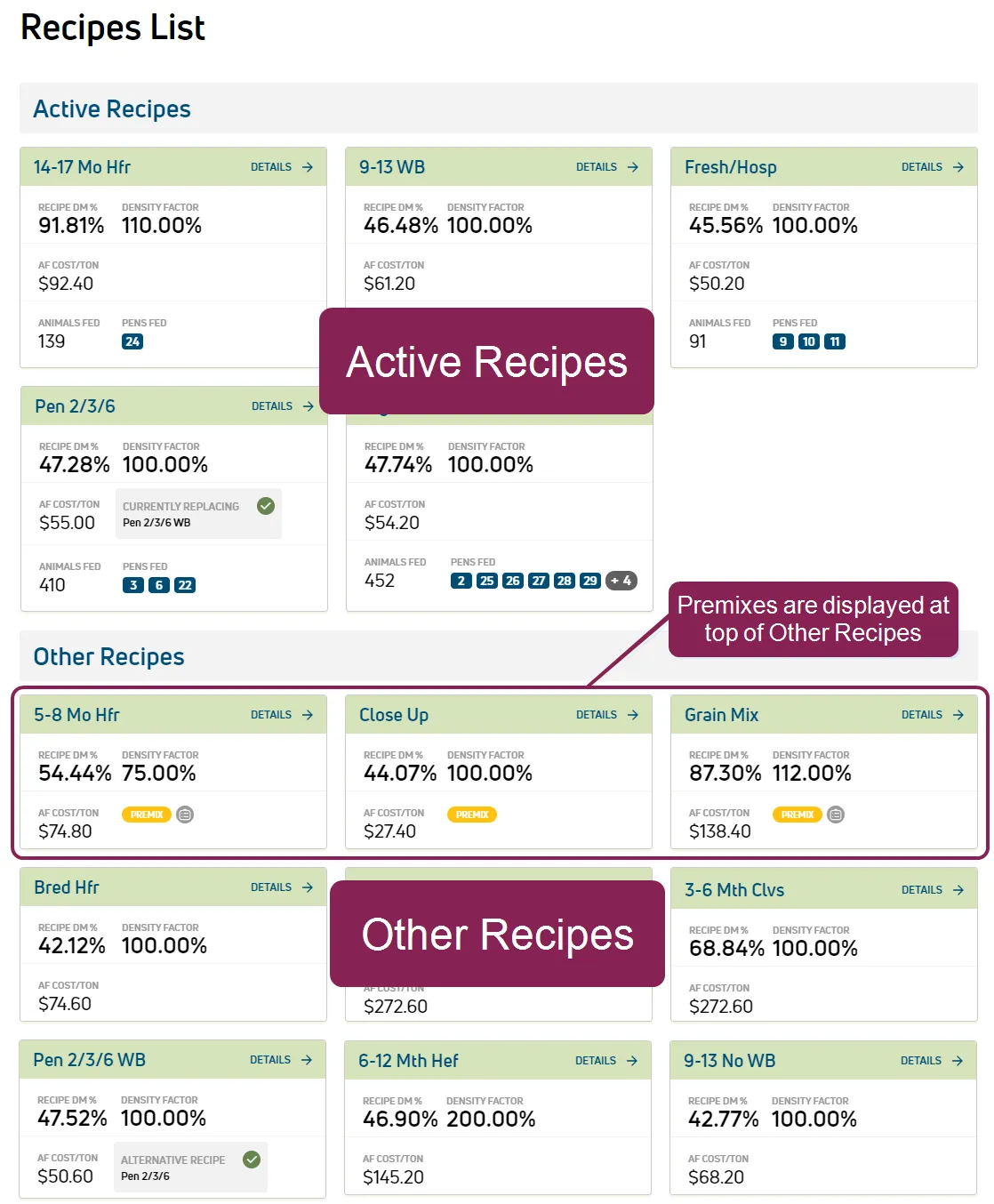
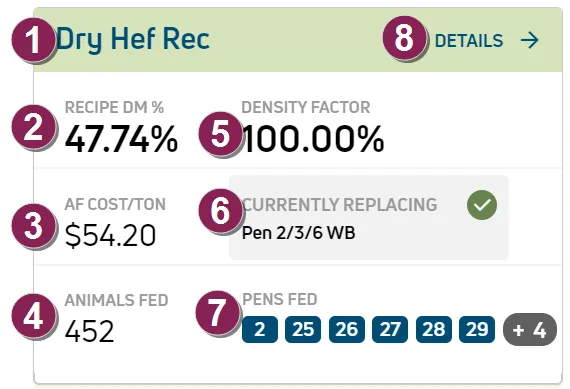
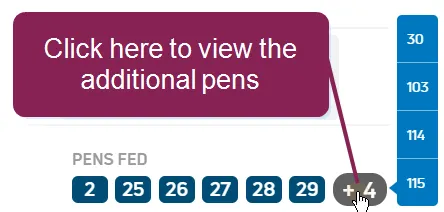
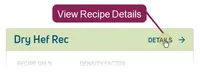
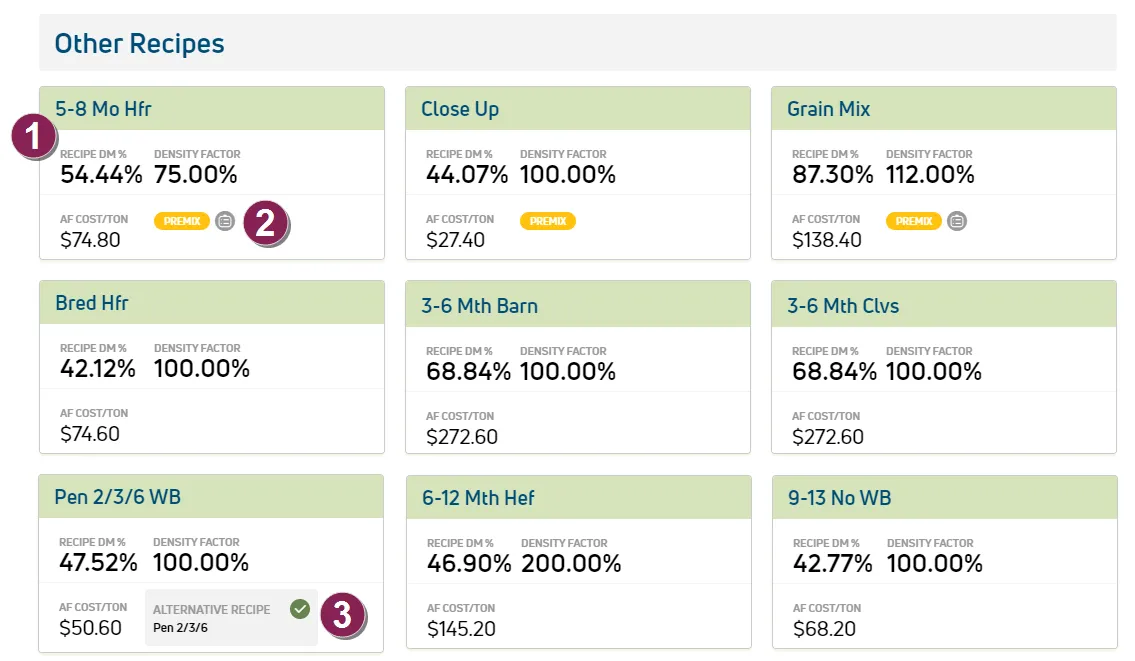
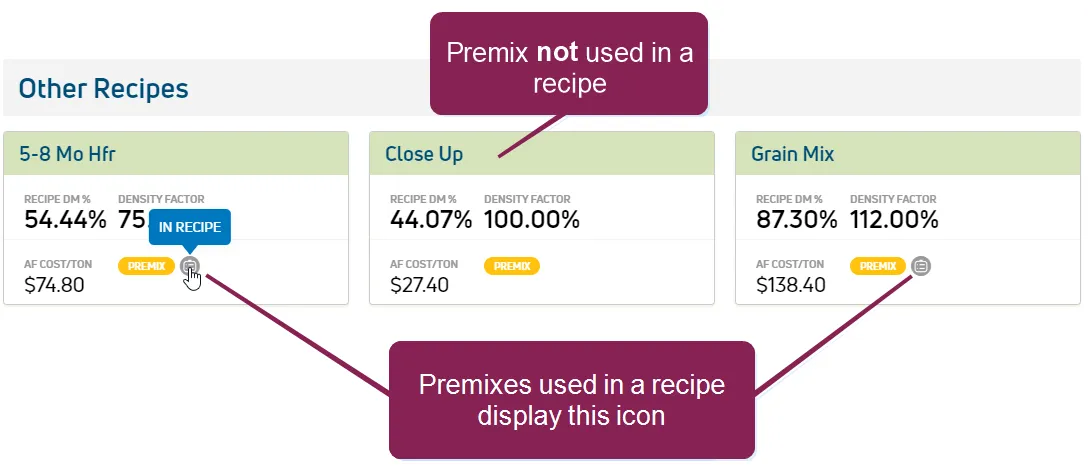
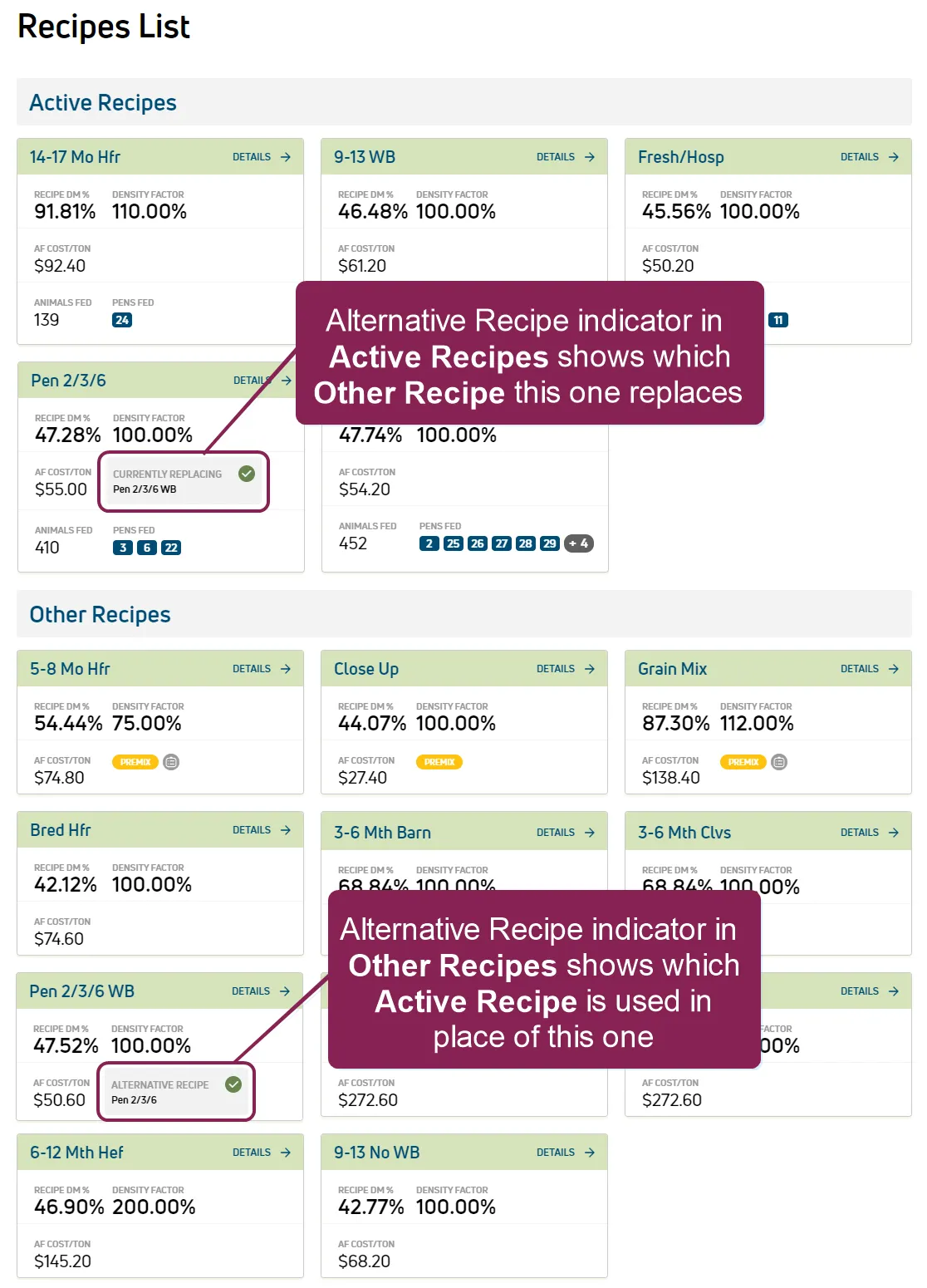
required setup important to use this feature, your dairy must integrate with the pulse if necessary, contact vas support http //platform docs vas com/default htm#cshid=1004 to complete the integration or upgrade to the latest version of feedwatch (on premise) required permissions to use this feature, your pulse user account must be assigned to a role with feed read permissions see edit dairy user permissions docid\ gwf5x nqu chbcmzo3 be and manage dairy roles docid\ iarw cydtgnug6lkpcbuk for more information the recipes list allows you to see all of your dairy's recipes in one place you can find this feature under the menu options docid\ ximdlqqktx5odcohm0xdq as illustrated in the example here, the recipes page is divided into active recipes and other recipes , based on whether a is currently feeding any pens the active recipes docid 2u 8zxrfks 50 smmvr48 section displays recipes that are feeding at least 1 the other recipes docid 2u 8zxrfks 50 smmvr48 section displays all recipes that are not currently feeding any pens this section includes premix recipes docid 2u 8zxrfks 50 smmvr48 each recipe is represented by a recipe card that summarizes its ingredients, cost, animals fed, and related pens click the details link at the top right of any recipe card to view its recipes list docid 2u 8zxrfks 50 smmvr48 if an active recipe is replaced by an alternate, the recipe card will display the alternative recipe information docid 2u 8zxrfks 50 smmvr48 expand the sections below to learn more active recipes each recipe card under active recipes provides the information defined below the recipe cards under other recipes vary slightly and are defined below in other recipes docid 2u 8zxrfks 50 smmvr48 recipe name this is the recipe name that is defined in feedwatch (on premise) recipe dm % percentage of in this recipe as‑fed cost per ton animals fed number of animals fed by this recipe density factor the density factor is defined in feedwatch (on premise) it indicates how much of a recipe you can load into the , based on its weight and bulk a density factor that is lower than 100% indicates recipes with ingredients that are lighter in weight but take up a lot of space (like dry hay) they will fill the mixer's available space before they reach its maximum weight capacity a density factor that is higher than 100% indicates recipes with ingredients that are more compact and heavy (like a premix recipe, which is typically dense if it does not have forages in the recipe) they will reach the mixer's maximum weight capacity even though they do not fill all of its available space alternative recipe indicator if this recipe has been used to replace another that was previously in use, the alternative recipe indicator defines which recipe it replaces the recipe that was replaced can be found in the other recipes docid 2u 8zxrfks 50 smmvr48 section see alternative recipes docid 2u 8zxrfks 50 smmvr48 for an example of how alternative recipes appear in the recipes list \<font color="#67854e">pens fed \</font> pens that are fed by this recipe if a recipe is assigned to 7 or more pens, the first 6 pen numbers are displayed, and a number such as +4 is shown at the end of the list to show how many additional pens are fed by the recipe click that last number in the list view a pop‑up list of the remaining pens details click the details link at the top right of a recipe card to view more recipe details, including recipe composition directions for mixing the recipe, including the sequence and amounts a list of pens that use the recipe links to view ingredient details see recipes list docid 2u 8zxrfks 50 smmvr48 for an illustrated example of the recipe details page other recipes the other recipes section displays all recipes that are not actively feeding a pen premix recipes are always included in this section because they are not directly feeding any pens as illustrated in the example here, premixes are defined by the yellow \<font color="#eab308">premix\</font> label and are displayed at the top of the section the remaining recipes are displayed in alphabetical order the other recipes cards are similar to those in the active recipes section, but with a few differences recipe details the recipe cards under other recipes display the same recipe name , recipe , density factor , and af cost/ton as those in active recipes see active recipes docid 2u 8zxrfks 50 smmvr48 for more information on these fields no information is displayed on related animals or pens because the other recipes are not currently feeding any pens premix recipe premix recipes are defined by the yellow label and are displayed at the top of the section see premix recipes docid 2u 8zxrfks 50 smmvr48 for more information alternative recipe indicator if this recipe was previously in use but then replaced with an alternate, the recipe card here identifies the active recipe that is being used in its place in the example above, the other recipe named pen 2/3/6 wb was replaced with the alternate recipe named pen 2/3/6 the recipe that replaced this one can be found in the active recipes docid 2u 8zxrfks 50 smmvr48 section see alternative recipes docid 2u 8zxrfks 50 smmvr48 for an example of how alternative recipes appear in the recipes list premix recipes premix recipes are listed at the top of the other recipes section and are easily identified by the yellow \<font color="#eab308">premix\</font> label if the premix is used as an ingredient in an active recipe, you will see a note icon to the right of the premix label if this icon is not present on the premix recipe card, that premix is not currently being used in a recipe alternative recipes if an active recipe has been replaced with an alternative recipe, the recipes list responds in the following ways the alternate recipe moves into the active recipes section and displays a green checkmark and a label that indicates which recipe it replaces and the recipe that was replaced by the alternate is moved to the other recipes section (since it is no longer feeding any pens at the moment) its recipe card also displays a green checkmark and an alternative recipe label that indicates the name of the active recipe that is feeding its pens (see example to the right) if you view the recipes list, the recipe name in the details summary at the top of the page shows that this recipe has been replaced by a different recipe see recipe details and adjustments docid\ y9jb0q u6eab pbmpitqw for more information on specific recipes and making adjustments to ingredient mixing order or dry matter (dm) and as fed (af) quantities related topics ingredients docid\ qgjzuw ldokho1jauxpx recipe details and adjustments docid\ y9jb0q u6eab pbmpitqw inventory & projections docid\ d54 wrt6nkk1zt4v7japy location dm% adjustments docid 4pmxnq8svyg xla kmnmx bunk scoring docid 5l rwp7kazr37zoevblks export to equipment docid\ k1hev0rcxgixcvygfqjhx