Inventory & Projections
The Inventory & Projections page tracks how much feed inventory your dairy has on hand and projects how much is needed over a specified number of days. It also alerts you to any inventory that is running low and how much of each item remains. You can find this feature under the Menu OptionsMenu Options.
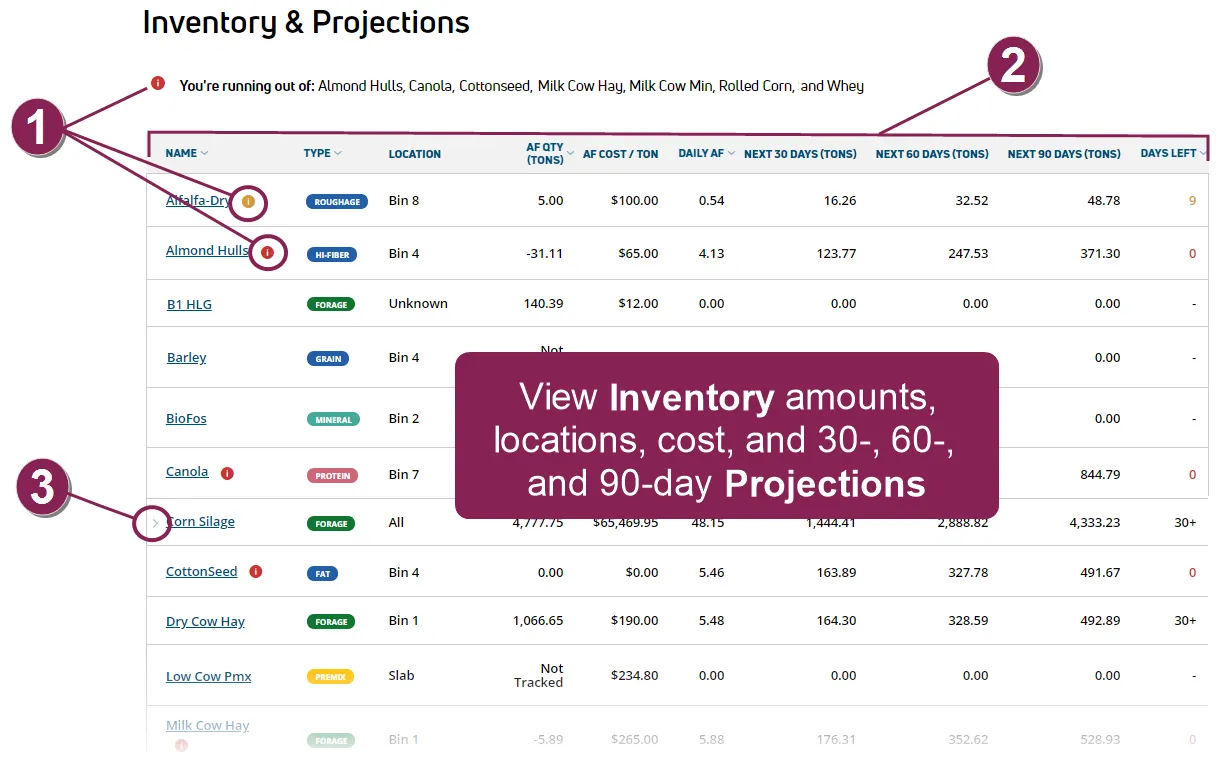
View Alerts: Quickly scan the page for inventory alerts:
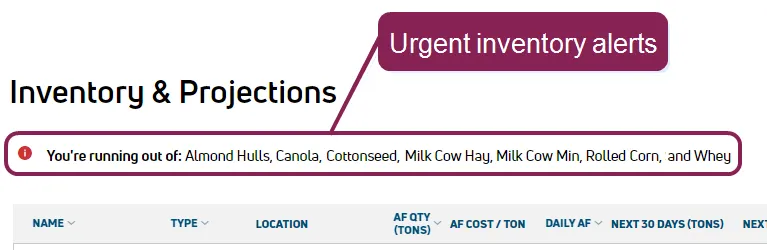
- Check the top of the page for a list of urgent alerts
 on inventory that is running low. All items listed at the top of the page will be depleted within the next 5 days and may need priority attention when reordering.
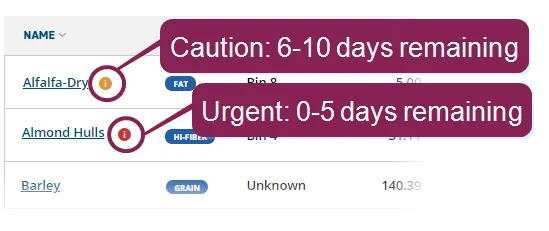
- All urgent alerts that are listed at the top of the page are also flagged in the inventory list below. Inventory with an urgent alert is within 0‑5 days of running out. Inventory with the caution alert
 is within 6‑10 days of running out.
View Inventory Details: The following details are available for each inventory item:
- Name: Inventory name as defined in FeedWatch (on-premise). Click on the inventory name to view ingredient details. Note that this action takes you into the ingredient Detailsingredient Details page under PULSE Ingredients list (the breadcrumbs links at the top of the page will help you find your current location). To return to the Inventory & Projections page, simply select it again from the FeedWatch main menu.
- Type: The inventory type is shown in a color‑coded label. The predefined types are
Forage,Protein,Concentrate,Additive,Mineral, andPremix. Any type that does not belong to one of these categories is displayed with the color‑coded label forOtheringredient types (for example,Grain,Hi-Fiber,Fat, etc.).
- Location: Location of the inventory. If an inventory item is stored in multiple locations, you will see All listed in this column and can click the expand arrow to view all other locations. See Step 3, View Inventory with Multiple Locations, below.
- AF Qty (Tons): As‑fed quantity in tons.
- AF Cost/Ton: As‑fed cost per ton.
- Daily AF: Amount used daily as‑fed.
- Next 30 Days (Tons): Projected amount needed (in tons) over the next 30 days.
- Next 60 Days (Tons): Projected amount needed (in tons) over the next 60 days.
- Next 90 Days (Tons): Projected amount needed (in tons) over the next 90 days.
- Days Left: Estimated days remaining before the inventory runs out. This estimation is based on FeedWatch (on-premise) values. If a feeder uses too much/little of an ingredient or the inventory is not accurate, this date may be incorrect. Be sure to check your actual inventory if this date seems unreasonable.
IMPORTANT: The quantities and projections on this page are based on the dairy's active recipes. Be sure to check the related recipes for any adjustments you might need to make.
View Inventory with Multiple Locations: If you see an expand arrow to the left of an inventory name, it means that the ingredient is stored in multiple locations. Click the arrow to expand the inventory item and view all locations.
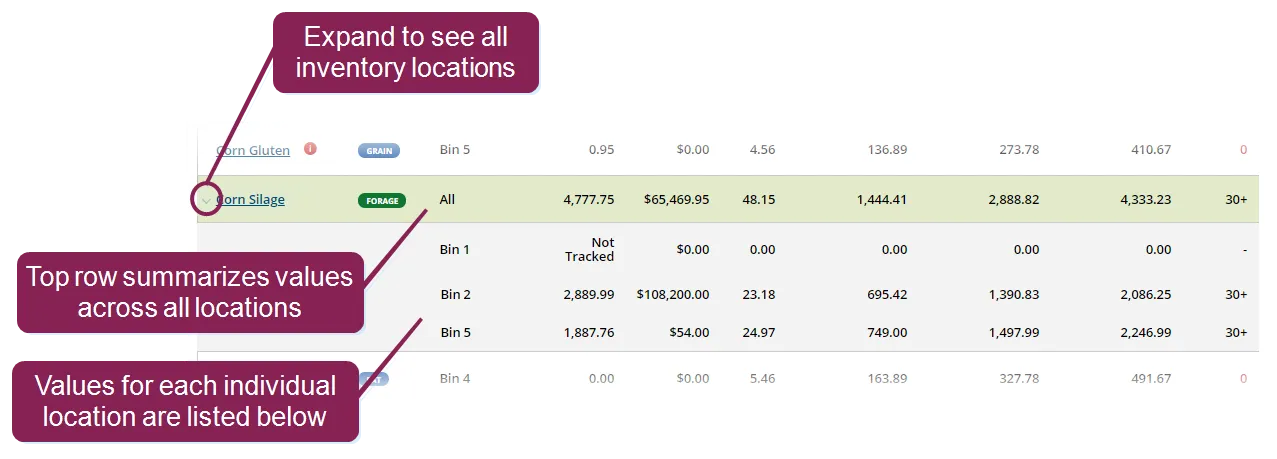
For inventory with multiple locations, the top‑level row displays the following information:
- All for Location, meaning that the top row represents all locations.
- Total AF Qty (Tons) for all locations.
- Weighted average for AF Cost / Ton across all locations.
- Total Daily AF for all locations.
- Lowest number of days left for 30‑, 60‑, and 90‑day projections.