Export to Equipment
The Export to Equipment feature allows you to quickly send any feed changes to FeedWatch (on-premise) and out to your equipment. This includes any adjustments to recipes, ingredients, or DM% completed in FeedWatch (on-premise) or PULSE.
To access this option, select the Integration Status button and view the FeedWatch tab.
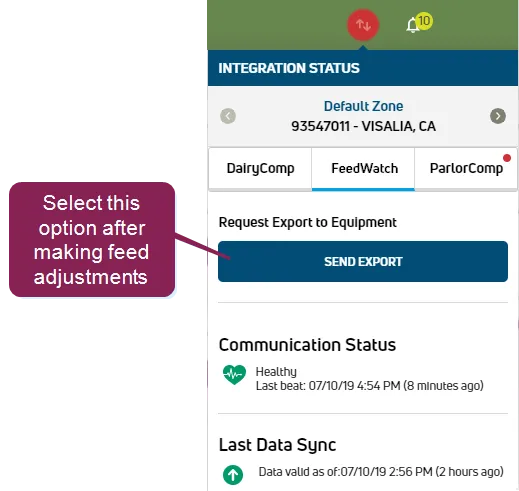
Select Send Export to export your feed changes to FeedWatch (on-premise) and equipment. The button changes briefly to a  to indicate that the export was completed.
NOTE: If multiple exports are requested, they go out to FeedWatch (on-premise) and the equipment in the order in which they were sent. For instance, if you select Send Export and then complete a DM% change and select Send Export a second time, the first request is sent, and then is cleared and replaced with the latest export. Only one request to export exists in the queue at a time.